


- Posts: 2
- Thank you received: 0
3 Post Moderation Rule for New Boarders (25 Jan 2021)
New boarders will have their posts moderated - Don't worry if you cannot see your post immediately.
Why is the audio on some clips not playing...
- noah.sheldon
-
 Topic Author
- Offline
- New Member
-

Less
More
04 Sep 2017 11:41 #90301
by noah.sheldon
Why is the audio on some clips not playing... was created by noah.sheldon
The audio on clips that were recorded on an external Atomos recorder doesn't seem to be working in FCPX. What have I done wrong this time? The audio comes in as 4 mono tracks but they aren't playing. Why? I know that 1of the tracks has audio and the other are silent. Also - what is that merge type arrow at the front of the clip? I have never seen it before.
Any ideas what I am doing wrong?
Thanks in advance for any ideas.
here are screen shots of the clip...
Any ideas what I am doing wrong?
Thanks in advance for any ideas.
here are screen shots of the clip...
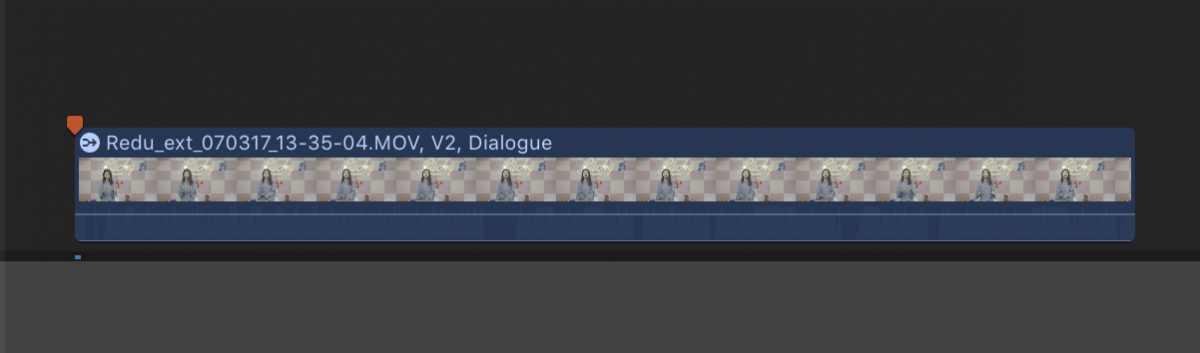
Please Log in to join the conversation.
- noah.sheldon
-
Topic Author
- Offline
- New Member
-
Less
More
- Posts: 2
- Thank you received: 0
05 Sep 2017 07:24 #90314
by noah.sheldon
Replied by noah.sheldon on topic Why is the audio on some clips not playing...
A bit more information...
I know the audio on that channel is good quality. It plays well when in Premier. Possibly that's the issue? This time line was an edit in Premier then I used "send to X" to export to FCPX. Possibly that messed something up? I really don't understand why the little arrow merge icon is on the track - does it mean "mixed down"? How do I change that?
Best,
Noah
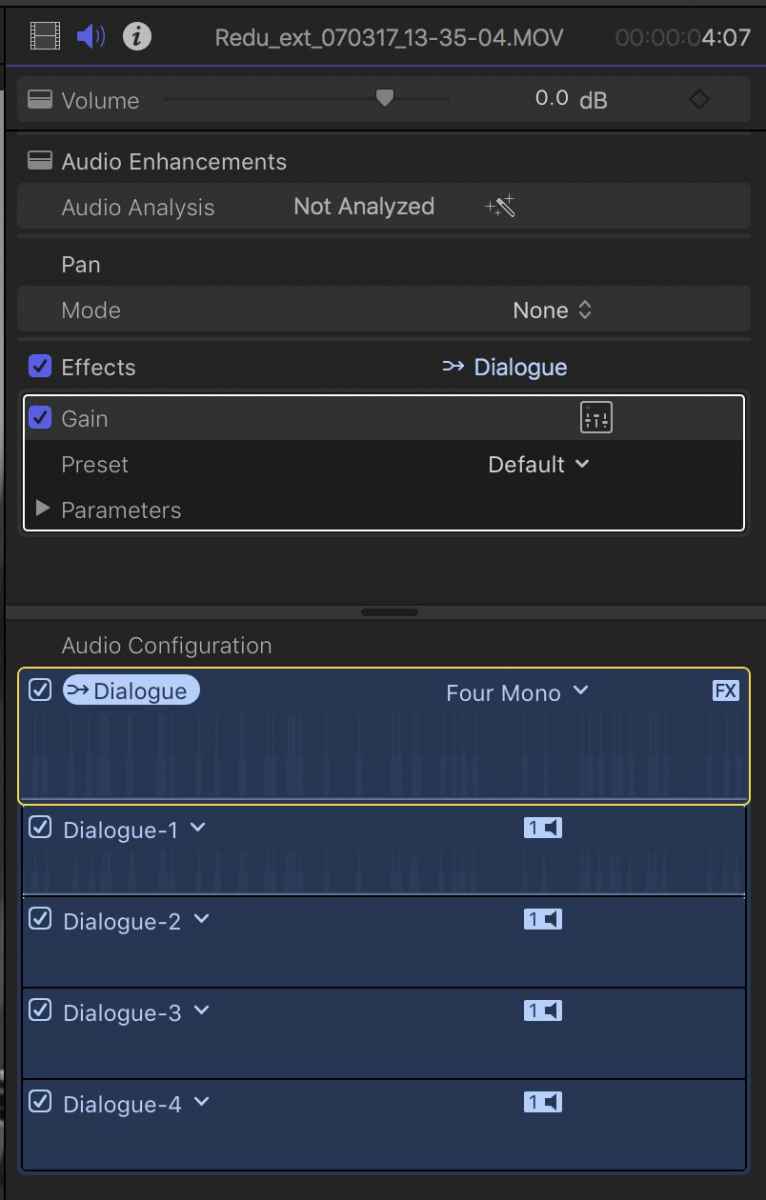
I know the audio on that channel is good quality. It plays well when in Premier. Possibly that's the issue? This time line was an edit in Premier then I used "send to X" to export to FCPX. Possibly that messed something up? I really don't understand why the little arrow merge icon is on the track - does it mean "mixed down"? How do I change that?
Best,
Noah
Please Log in to join the conversation.
