


- Posts: 2
- Thank you received: 0
3 Post Moderation Rule for New Boarders (25 Jan 2021)
New boarders will have their posts moderated - Don't worry if you cannot see your post immediately.
Multicam deconstruction
25 Aug 2017 14:43 #90098
by gramal
Multicam deconstruction was created by gramal
Hello guys how are you? So im working a really big footage wise project and we do a lot of multicams to sync multiple cameras with audio (Interviews mainly) and that works great, the problem is I need to do color grading in Da Vinci Resolve afterwards and the multicam seems impossible to relink , so I was wondering if you know of a quick way in fcpx to deconstruct the multicam, what I mean by that is select the exact piece of the same angle on the original footage and put it on the timeline instead of the multicam version with several angles. I know I could do it by looking at the timecode and chop the pieces back in the original media BUT! Is there any quicker way??
Thank you in advance!
Thank you in advance!
Please Log in to join the conversation.


28 Aug 2017 16:27 #90119
by petersxs
Replied by petersxs on topic Multicam deconstruction
Hi
I did some multocam projects, and they translated very well to Resolve, the trick was, i had to import the clips manually to resolve then relink
It has the advantage that you can grade a complete camera, the multiclip says intact
I did some multocam projects, and they translated very well to Resolve, the trick was, i had to import the clips manually to resolve then relink
It has the advantage that you can grade a complete camera, the multiclip says intact
Please Log in to join the conversation.
28 Aug 2017 16:40 #90120
by gramal
Replied by gramal on topic Multicam deconstruction
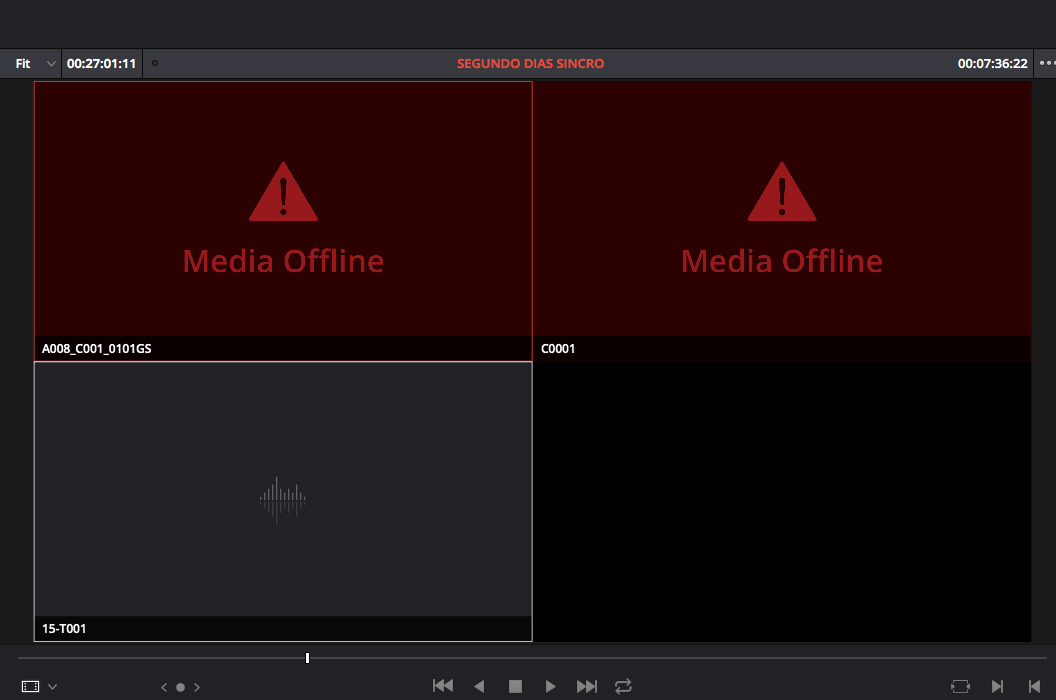
Hi! Thank you for your reply, I tried that but can't figure out a way to relink, im using r3d and sony mp4 files for the multicam, I dragged them manually into my media and everything else non multicam relinks just fine, the multicam files appear offline and when I try to relink the option is greyed out and can't seem to find a different option or way to relink the clips inside the multicam file, do you know how to achieve this?
Thanks in advance!
Thanks in advance!
Please Log in to join the conversation.
