


- Posts: 786
- Thank you received: 21
3 Post Moderation Rule for New Boarders (25 Jan 2021)
New boarders will have their posts moderated - Don't worry if you cannot see your post immediately.
Strange drop on title from Quicktime file.
- Jonathan Levin
-
 Topic Author
- Offline
- Platinum Member
-

Less
More
22 Jun 2017 19:07 #88953
by Jonathan Levin
Strange drop on title from Quicktime file. was created by Jonathan Levin
Hi all.
I have a problem that I will try to describe and hopefully with your help and wisdom can resolve.
I'm working on a project in FC and needed to get some lower third title/graphic from my clients other video place. Via DropBox they sent me a a Quicktime file of the graphic. The size is 1920x1080, which is at least the size I need. When I do a Get Info of the file, the Codec section says Animation, Timecode.
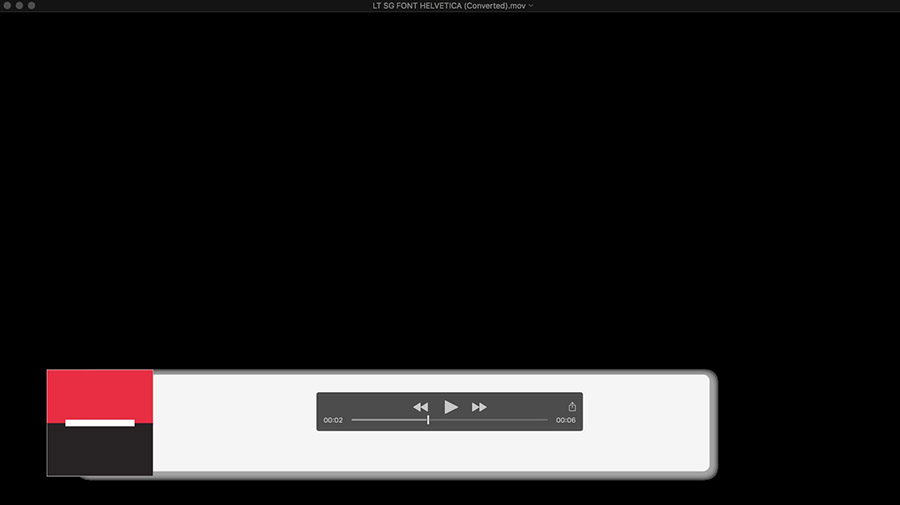
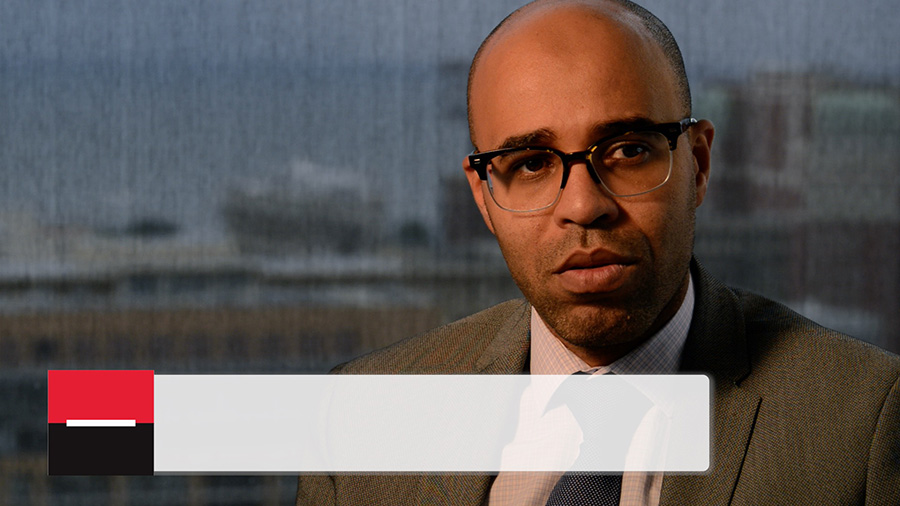
The graphic appears against black, which is good since that will be transparent. But you will notice that there is a strange drop shadow around the graphic as well as a small white outline around the symbol. The lower part of the symbol should also be black, not dark brown.
Whats interesting is when I open their file, QT converts the file to ProRes 4444. Hmmm.
I know that the other video place works with Premier and After effects, but that's about all I could find out at this point. Is this something I'm doing wrong on import? Do I need to convert something or other. I hate working with other peoples files!!!!
Two examples below:
I have a problem that I will try to describe and hopefully with your help and wisdom can resolve.
I'm working on a project in FC and needed to get some lower third title/graphic from my clients other video place. Via DropBox they sent me a a Quicktime file of the graphic. The size is 1920x1080, which is at least the size I need. When I do a Get Info of the file, the Codec section says Animation, Timecode.
The graphic appears against black, which is good since that will be transparent. But you will notice that there is a strange drop shadow around the graphic as well as a small white outline around the symbol. The lower part of the symbol should also be black, not dark brown.
Whats interesting is when I open their file, QT converts the file to ProRes 4444. Hmmm.
I know that the other video place works with Premier and After effects, but that's about all I could find out at this point. Is this something I'm doing wrong on import? Do I need to convert something or other. I hate working with other peoples files!!!!
Two examples below:
Please Log in to join the conversation.
- Tom Wolsky
-

- Offline
- Moderator
-

22 Jun 2017 19:12 #88954
by Tom Wolsky
Replied by Tom Wolsky on topic Strange drop on title from Quicktime file.
Select the title and in the Settings section of the Info inspector try different alpha types. It might be straight or premultiplied with black.
Please Log in to join the conversation.
- Jonathan Levin
-
Topic Author
- Offline
- Platinum Member
-
Less
More
- Posts: 786
- Thank you received: 21
22 Jun 2017 19:33 #88955
by Jonathan Levin
Replied by Jonathan Levin on topic Strange drop on title from Quicktime file.
Thanks Tom! Do I do this in Quicktime or FC?
Please Log in to join the conversation.
- Jonathan Levin
-
Topic Author
- Offline
- Platinum Member
-
Less
More
- Posts: 786
- Thank you received: 21
22 Jun 2017 20:10 #88956
by Jonathan Levin
Replied by Jonathan Levin on topic Strange drop on title from Quicktime file.
Never mind. I found it. I set the Alpha Handling to Premultiply after trying the testing Straight and Ignore. I still had a little white edge around the graphic that I used FC's crop to get rid of that.
Any other insights welcome toThanks for the info Tom!
Jonathan
Any other insights welcome toThanks for the info Tom!
Jonathan
Please Log in to join the conversation.
- Jonathan Levin
-
Topic Author
- Offline
- Platinum Member
-
Less
More
- Posts: 786
- Thank you received: 21
22 Jun 2017 20:14 - 22 Jun 2017 20:15 #88957
by Jonathan Levin
Replied by Jonathan Levin on topic Strange drop on title from Quicktime file.
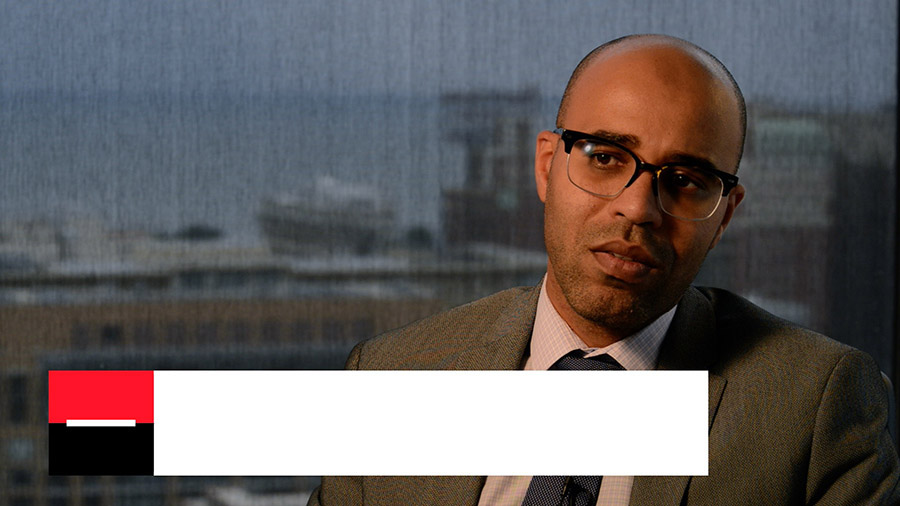
To Clean up the black in the logo I added a Crisp Contrast effect. New screen shot:
Last edit: 22 Jun 2017 20:15 by Jonathan Levin.
Please Log in to join the conversation.

23 Jun 2017 03:01 #88961
by JoeEditor
Replied by JoeEditor on topic Strange drop on title from Quicktime file.
And it could be the file itself.
Animation is an older codec, and the ProRes version is 4x4.
Animation is an older codec, and the ProRes version is 4x4.
Please Log in to join the conversation.
- Jonathan Levin
-
Topic Author
- Offline
- Platinum Member
-
Less
More
- Posts: 786
- Thank you received: 21
23 Jun 2017 15:39 - 23 Jun 2017 15:40 #88971
by Jonathan Levin
Replied by Jonathan Levin on topic Strange drop on title from Quicktime file.
Thanks again. In the future, could you give me any recommendations on what I should ask for as far as how they export these kind of (motion or still)graphics so that what ever they send will work nicely with FCP? We all hate surprises! Again I think they work in Premier/AffterEffects and maybe on a PC platform.
I gave them the basic info: 1920x1080 30p ProRes xxx. Anything else I should have them do to prep file?
Jonathan
I gave them the basic info: 1920x1080 30p ProRes xxx. Anything else I should have them do to prep file?
Jonathan
Last edit: 23 Jun 2017 15:40 by Jonathan Levin.
Please Log in to join the conversation.
24 Jun 2017 03:29 #88977
by JoeEditor
Replied by JoeEditor on topic Strange drop on title from Quicktime file.
If possible, ProRes 4444, but Animation codec is fine. Specify premultiplied alpha, and no shadows or feathered edges. About all I can think of.
Does this specific clip have Spatial Conform set to None? Is Scale set to 100 percent?
Does this specific clip have Spatial Conform set to None? Is Scale set to 100 percent?
Please Log in to join the conversation.
- Karsten Schlüter
-

- Offline
- Moderator
-
Less
More
- Posts: 3790
- Thank you received: 718
24 Jun 2017 04:15 #88979
by Karsten Schlüter
Replied by Karsten Schlüter on topic Strange drop on title from Quicktime file.
… your second example lacks the opacity seen in your first (necktie under the white bar) - intentional?
proRes + Windows is for quiet a while a huge topic in that community, since Apple EOLed support for QTforWindows - announced for years, but when done e.g. Adobe was 'surprised' …
proRes + Windows is for quiet a while a huge topic in that community, since Apple EOLed support for QTforWindows - announced for years, but when done e.g. Adobe was 'surprised' …
Please Log in to join the conversation.
