


- Posts: 228
- Thank you received: 16
3 Post Moderation Rule for New Boarders (25 Jan 2021)
New boarders will have their posts moderated - Don't worry if you cannot see your post immediately.
Multicam and select clips from camera 1
09 Jun 2017 08:34 #88698
by Schnurr
Multicam and select clips from camera 1 was created by Schnurr
Hi,
is there a better way instead to manually select clips from e.g. camera "iPhone7". Trying to use the search for "iPhone" doesn't work as this effects only the clips name.
any suggestions?
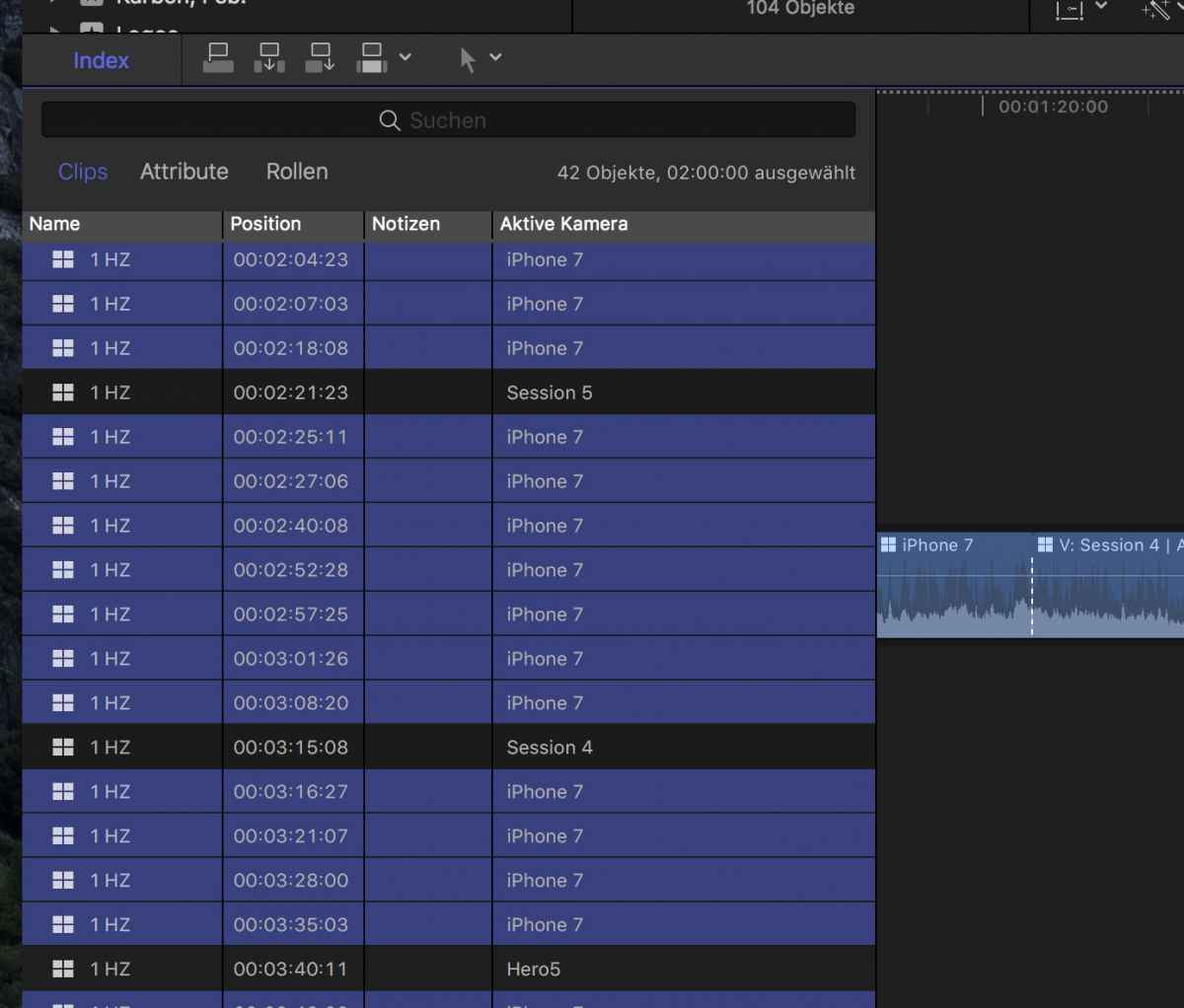
is there a better way instead to manually select clips from e.g. camera "iPhone7". Trying to use the search for "iPhone" doesn't work as this effects only the clips name.
any suggestions?
Please Log in to join the conversation.


09 Jun 2017 13:28 #88705
by JoeEditor
Replied by JoeEditor on topic Multicam and select clips from camera 1
Not at my edit bay to test at the moment, but if you click on the Camera Name column header, will is sort by that criteria?
Please Log in to join the conversation.
09 Jun 2017 16:24 - 09 Jun 2017 16:30 #88708
by Schnurr
Replied by Schnurr on topic Multicam and select clips from camera 1
yes, was as well my first idea but no doesn't work unfortunately.
Tried as well with roles but no luck either.
There MUST be a way to easily select all clips in the TL from e.g.. camera 1 in order to add or delete effects.
What is wired either if user enters a note in "Index / "clips" and then changes to "index / attributes" the note is not availbale okay could be that the "notes" are different for "clips" and "attributes" but at least there should be an option to put "notes" on clips independent from the view (clips or attributes).
Tried as well with roles but no luck either.
There MUST be a way to easily select all clips in the TL from e.g.. camera 1 in order to add or delete effects.
What is wired either if user enters a note in "Index / "clips" and then changes to "index / attributes" the note is not availbale okay could be that the "notes" are different for "clips" and "attributes" but at least there should be an option to put "notes" on clips independent from the view (clips or attributes).
Last edit: 09 Jun 2017 16:30 by Schnurr.
Please Log in to join the conversation.
- Karsten Schlüter
-

- Offline
- Moderator
-

Less
More
- Posts: 3790
- Thank you received: 718
10 Jun 2017 04:44 #88723
by Karsten Schlüter
double-click your Multicam and select the Angle 'iPhone7' … :silly:
(for instance, if you want to apply a Color-Correction to all parts of the Multicam made with Angle iPhone)
Indeed, what's missing is some 'inside compound searching/indexing' in FinalCut… 'cause any meta-data get 'covered' when you put a clip inside a new container.-
Replied by Karsten Schlüter on topic Multicam and select clips from camera 1
Schnurr wrote: …any suggestions?…
double-click your Multicam and select the Angle 'iPhone7' … :silly:
(for instance, if you want to apply a Color-Correction to all parts of the Multicam made with Angle iPhone)
Indeed, what's missing is some 'inside compound searching/indexing' in FinalCut… 'cause any meta-data get 'covered' when you put a clip inside a new container.-
Please Log in to join the conversation.
10 Jun 2017 16:14 #88727
by Schnurr
Replied by Schnurr on topic Multicam and select clips from camera 1
hmm okay as a workaround 
room for improvement will raise a feedback ticker as this has a bunch of potential for a Pro App )
room for improvement will raise a feedback ticker as this has a bunch of potential for a Pro App
) Please Log in to join the conversation.
