


- Posts: 32
- Thank you received: 1
3 Post Moderation Rule for New Boarders (25 Jan 2021)
New boarders will have their posts moderated - Don't worry if you cannot see your post immediately.
Multicam Clips disappear overnight?
- Standpoint Media
-
 Topic Author
- Offline
- Junior Member
-

Less
More
08 Jun 2017 16:15 #88675
by Standpoint Media
Multicam Clips disappear overnight? was created by Standpoint Media
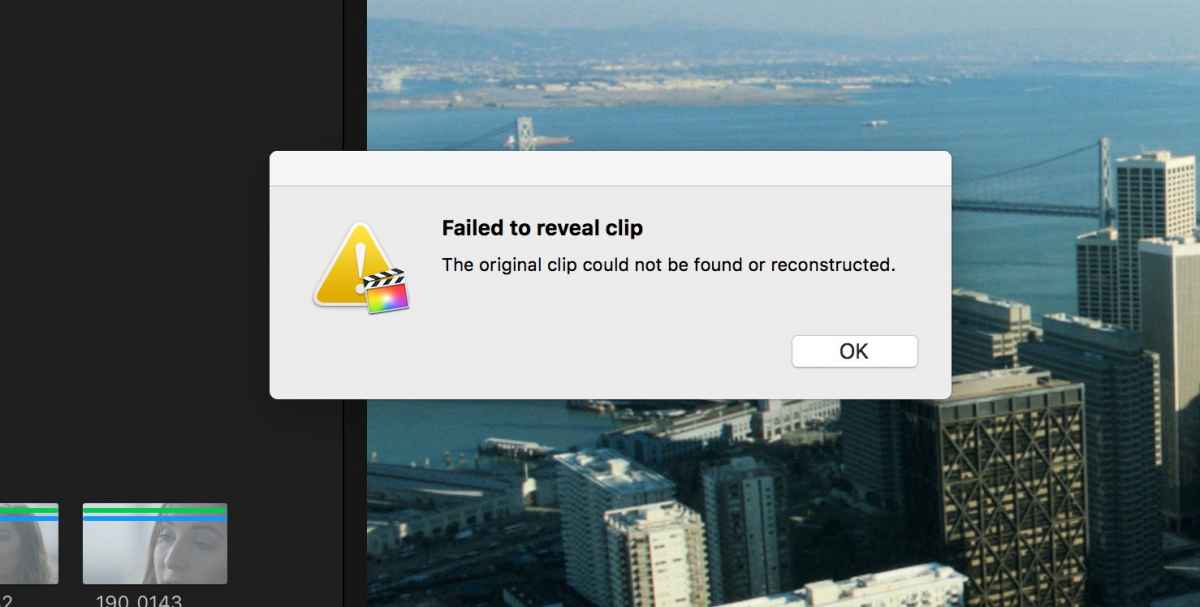
Hi, this is the second time we've had this problem now. Came into the office this morning and the multi-cam clips for a project we'd been working on all day yesterday had disappeared. When you try to reveal in the browser we get the following message. Spent time on the phone with Apple Support, they had never seen this apparently.
Anyone out there have any ideas? Lat time we just had to recreate and reedit!
Anyone out there have any ideas? Lat time we just had to recreate and reedit!

Please Log in to join the conversation.


08 Jun 2017 20:42 #88680
by JoeEditor
Replied by JoeEditor on topic Multicam Clips disappear overnight?
I've never seen that error message before. Your timeline looks like you have a multicam under a regular edit. Anyway, do you have system preferences set to NOT let drives go to sleep? Did your media drive get disconnected at all?
Did you try opening from an FCPX library database backup?
Did you try opening from an FCPX library database backup?
Please Log in to join the conversation.
- Standpoint Media
-
Topic Author
- Offline
- Junior Member
-
Less
More
- Posts: 32
- Thank you received: 1
09 Jun 2017 09:20 #88699
by Standpoint Media
Replied by Standpoint Media on topic Multicam Clips disappear overnight?
The original Multicam clips themselves are still in the browser, so the issue is only with the project timeline. Selecting “Reveal in browser” on the clips gives us the following message.
The backups from the previous day all had the same issue, aside from the one from first thing in the morning.
The timecodes still show up in the inspector, so we can recreate the edit, but we’d just like to understand what happened ( though it's time-consuming)
Disks are set to stay spinning, the whole system may have gone to sleep but it's been set the same way all the time.
We did update to 10.3.4 the other day but not sure that's the issue as this has happened before on an earlier version
The backups from the previous day all had the same issue, aside from the one from first thing in the morning.
The timecodes still show up in the inspector, so we can recreate the edit, but we’d just like to understand what happened ( though it's time-consuming)
Disks are set to stay spinning, the whole system may have gone to sleep but it's been set the same way all the time.
We did update to 10.3.4 the other day but not sure that's the issue as this has happened before on an earlier version
Please Log in to join the conversation.
09 Jun 2017 13:21 #88704
by JoeEditor
Replied by JoeEditor on topic Multicam Clips disappear overnight?
Well, have you tried the usual stuff?
1- Verify that background rendering in Preferences is turned off.
2- Delete all render files (via File menu option) for the Library.
3- Quite FCPX, relaunch while holding both Option and Command keys, to delete preference files.
1- Verify that background rendering in Preferences is turned off.
2- Delete all render files (via File menu option) for the Library.
3- Quite FCPX, relaunch while holding both Option and Command keys, to delete preference files.
Please Log in to join the conversation.
