


- Posts: 150
- Thank you received: 2
3 Post Moderation Rule for New Boarders (25 Jan 2021)
New boarders will have their posts moderated - Don't worry if you cannot see your post immediately.
FCPX vs 4K file
04 May 2017 13:52 #87792
by click
FCPX vs 4K file was created by click
Hi everyone I have a problem, I got clips in 4k mp4 of a lumix gh5 and i would try to do a mount but my mac can not work them well, everything works with shots, and can convert them to prores 444 with fcpx while Amount and possibly how?
I have tried to click "optimiza media" but files prore 422 and not 444 come out.
thank you
I have tried to click "optimiza media" but files prore 422 and not 444 come out.
thank you
Please Log in to join the conversation.
- Tom Wolsky
-

- Offline
- Moderator
-

04 May 2017 14:11 #87793
by Tom Wolsky
Replied by Tom Wolsky on topic FCPX vs 4K file
Is this 10-bit media?
Please Log in to join the conversation.
04 May 2017 14:15 - 04 May 2017 14:19 #87794
by click
Replied by click on topic FCPX vs 4K file
yes 10 bit 
I forgot to say, I have to work with MP4 files in 4K 10 bit on FCPX but in the end I will make a video all in 1920x1080 fullHD 8 bit, so I wonder the best way to work without shots or problems thanks...
:oops:
I forgot to say, I have to work with MP4 files in 4K 10 bit on FCPX but in the end I will make a video all in 1920x1080 fullHD 8 bit, so I wonder the best way to work without shots or problems thanks...
:oops:
Last edit: 04 May 2017 14:19 by click.
Please Log in to join the conversation.
- Tom Wolsky
-
- Offline
- Moderator
-
04 May 2017 15:07 #87797
by Tom Wolsky
Replied by Tom Wolsky on topic FCPX vs 4K file
FCP doesn't seem to work with 10-bit from this camera at the moment. Did you try converting them in Compressor? I've never seen this media myself.
Please Log in to join the conversation.
04 May 2017 15:44 #87799
by click
Replied by click on topic FCPX vs 4K file
If I try to convert with compressor it does not work !!!!
Compressor says the file is unknown and does not convert it!
Compressor says the file is unknown and does not convert it!
Please Log in to join the conversation.
- Tom Wolsky
-
- Offline
- Moderator
-
04 May 2017 15:57 - 04 May 2017 15:57 #87800
by Tom Wolsky
Replied by Tom Wolsky on topic FCPX vs 4K file
Any chance you can upload a small file somewhere? I have some apps I could test it with.
Last edit: 04 May 2017 15:57 by Tom Wolsky.
Please Log in to join the conversation.
05 May 2017 07:36 #87813
by Axel
With smartphone right now, but I downloaded the files from early official GH5 tester Neumann long ago, and they play back well in FCPX, whereas not in Resolve (only Studio 14, in "lite" Media Offline), and allegedly bad in older Premiere version and not supported at all in the current update.
I think the stuff might be better transcoded to ProResHQ, I didn't know Compressor didn't like it.
Replied by Axel on topic FCPX vs 4K file
Tom Wolsky wrote: Any chance you can upload a small file somewhere? I have some apps I could test it with.
With smartphone right now, but I downloaded the files from early official GH5 tester Neumann long ago, and they play back well in FCPX, whereas not in Resolve (only Studio 14, in "lite" Media Offline), and allegedly bad in older Premiere version and not supported at all in the current update.
I think the stuff might be better transcoded to ProResHQ, I didn't know Compressor didn't like it.
Please Log in to join the conversation.
05 May 2017 09:07 #87814
by Axel
Replied by Axel on topic FCPX vs 4K file
Link to the Neumann footage:
www.mediafire.com/file/m5rrourqi6sp8a1/N...onic_GH5_Footage.zip
www.mediafire.com/file/m5rrourqi6sp8a1/N...onic_GH5_Footage.zip
Please Log in to join the conversation.
05 May 2017 09:31 #87815
by click
Replied by click on topic FCPX vs 4K file
ok
Please Log in to join the conversation.
- DmitriZigany
-

- Offline
- Platinum Member
-

Less
More
- Posts: 730
- Thank you received: 26
05 May 2017 11:28 #87818
by DmitriZigany
Replied by DmitriZigany on topic FCPX vs 4K file
Seen mentions that GH5 10bit files don't work in Premiere either (and maybe Resolve as well, but unsure of that). So maybe it's some funky new format Panasonic uses and the NLE's need to incorporate support for it.
The GH5 is 422 why do you want to convert to 444? You just add extra data with no information by doing that. (= bigger files for nothing)
The GH5 is 422 why do you want to convert to 444? You just add extra data with no information by doing that. (= bigger files for nothing)
Please Log in to join the conversation.
05 May 2017 15:25 #87828
by click
Replied by click on topic FCPX vs 4K file
So I can convert the MP4 file to 4k in prore 422 HQ and I will have the highest quality but in 1920x1080 I say good ??
thank you
thank you
Please Log in to join the conversation.

07 May 2017 20:45 - 07 May 2017 20:46 #87866
by Redifer
Replied by Redifer on topic FCPX vs 4K file
That's not really how ProRes 422 and 4444 work. Converting an existing 422 file to ProRes 422HQ will result in noticeable loss compared to converting that same file to 4444. Done many tests myself. It doesn't add any information in 4444 and the files are bigger, but the loss in visual quality is indeed less no matter what you convert to 422 and 4444 (even 420 source files). That said, it'd be extremely tough to notice the difference and 422 HQ is more than likely perfectly fine. I'd only recommend 4444 when you have the space and when video quality is of an absolute paramount importance.
Last edit: 07 May 2017 20:46 by Redifer.
Please Log in to join the conversation.
- ronny courtens
-

- Offline
- Moderator
-
Less
More
- Posts: 4455
- Thank you received: 962
08 May 2017 00:02 #87879
by ronny courtens
Replied by ronny courtens on topic FCPX vs 4K file
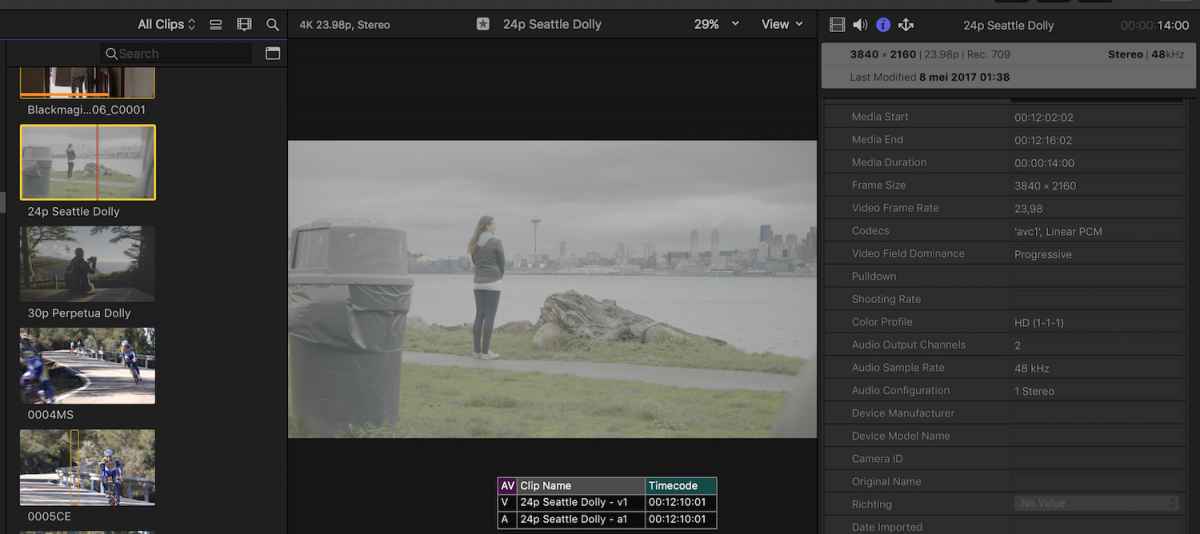
10-bit 4K GH5 clips import and play just fine in FCP X. If your hardware does not allow you to play them smoothly, there are two ways you can go:
1. Create optimized media.
This will convert the AVC-1 MP4 files to ProRes 422. ProRes 422 is a full 10-bit codec, you won't lose any quality and you will get instant smooth playback. As you will be outputting an 8-bit master, I agree with Dmitri that converting the clips to ProRes 4444 would be a waste of drive space.
2. Create proxy media.
This might be a better workflow if you have tons of clips to process. Converting the files to ProRes Proxy and editing in Proxy mode will take up much less drive space than working with Optimized media and will still allow you to view your clips at a high visual quality for editing. Just don't forget to switch back to Original Media for exporting at the highest possible resolution.
- Ronny
1. Create optimized media.
This will convert the AVC-1 MP4 files to ProRes 422. ProRes 422 is a full 10-bit codec, you won't lose any quality and you will get instant smooth playback. As you will be outputting an 8-bit master, I agree with Dmitri that converting the clips to ProRes 4444 would be a waste of drive space.
2. Create proxy media.
This might be a better workflow if you have tons of clips to process. Converting the files to ProRes Proxy and editing in Proxy mode will take up much less drive space than working with Optimized media and will still allow you to view your clips at a high visual quality for editing. Just don't forget to switch back to Original Media for exporting at the highest possible resolution.
- Ronny
Please Log in to join the conversation.
10 May 2017 09:19 #87941
by click
Are these files 4 K of the 10-bit gh5?
Replied by click on topic FCPX vs 4K file
Axel wrote: Link to the Neumann footage:
www.mediafire.com/file/m5rrourqi6sp8a1/N...onic_GH5_Footage.zip
Are these files 4 K of the 10-bit gh5?
Please Log in to join the conversation.
10 May 2017 10:51 - 10 May 2017 10:56 #87942
by Axel
Three of them are 10-bit, the two @30p and the one @24p. Imported them with no Optimized Media and files left in place. Checked warn and stop when frame skipping occurs (just for playback testing, usually I consider this irrelevant, since I don't edit to tape) in preferences, viewer set to Better Quality. Worked with one Alex4D Adjustment layer with LUT and two additional instances of Color Correction applied.
My buddy with his one-year-old $10.000 HP workstation - easily my system's specs doubled - and CC2015 couldn't play them smoothly. Read a few articles from Premiere users on EOSHD, and they reported the same. Only the 60p clips were recognized by Resolve 12.5 ("lite") and also on Resolve 14 ("lite") public beta. Apparently, Resolve Studio (at least 14) accepts the clips ...
I agree with what has been said above. I think you'd have a hard time seeing any difference between the default Optimized Media (ProRes422) and HQ. Had this been my camera, I'd use Optimized Media.
However, with the next FW update you will have an All-I-codec for 10-bit @400MBPS. This is more compressed (MP4) than ProRes422 (Mpeg2) but almost the same bitrate. So maybe it fits better to ProResHQ. But not necessarily. The All-I-codec of the GH3 didn't improve quality (okay, some time-related compression artifacts were less, but as you know Pana codecs are quite good at avoiding those), it was just easier to edit.
Replied by Axel on topic FCPX vs 4K file
click wrote:
Axel wrote: Link to the Neumann footage:
www.mediafire.com/file/m5rrourqi6sp8a1/N...onic_GH5_Footage.zip
Are these files 4 K of the 10-bit gh5?
Three of them are 10-bit, the two @30p and the one @24p. Imported them with no Optimized Media and files left in place. Checked warn and stop when frame skipping occurs (just for playback testing, usually I consider this irrelevant, since I don't edit to tape) in preferences, viewer set to Better Quality. Worked with one Alex4D Adjustment layer with LUT and two additional instances of Color Correction applied.
My buddy with his one-year-old $10.000 HP workstation - easily my system's specs doubled - and CC2015 couldn't play them smoothly. Read a few articles from Premiere users on EOSHD, and they reported the same. Only the 60p clips were recognized by Resolve 12.5 ("lite") and also on Resolve 14 ("lite") public beta. Apparently, Resolve Studio (at least 14) accepts the clips ...
I agree with what has been said above. I think you'd have a hard time seeing any difference between the default Optimized Media (ProRes422) and HQ. Had this been my camera, I'd use Optimized Media.
However, with the next FW update you will have an All-I-codec for 10-bit @400MBPS. This is more compressed (MP4) than ProRes422 (Mpeg2) but almost the same bitrate. So maybe it fits better to ProResHQ. But not necessarily. The All-I-codec of the GH3 didn't improve quality (okay, some time-related compression artifacts were less, but as you know Pana codecs are quite good at avoiding those), it was just easier to edit.
Last edit: 10 May 2017 10:56 by Axel.
Please Log in to join the conversation.
10 May 2017 11:09 #87943
by click
Replied by click on topic FCPX vs 4K file
thank you
Please Log in to join the conversation.


14 Dec 2017 22:57 #92339
by FernKraft
Replied by FernKraft on topic FCPX vs 4K file
Anybody here had the chance to use the GH5 4K-422-10bit, All-i codec in FCPX yet? (new version of fcpx or old, doesn't matter.) (I've tried it on a 2013 Mac Pro, running 10.3.2, and a 2017 MacBook Pro running 10.4)
Doesn't seem to be playing back smoothly on any of my systems... actually, playback is worse than the Longop.
seems very odd to me.
Doesn't seem to be playing back smoothly on any of my systems... actually, playback is worse than the Longop.
seems very odd to me.
Please Log in to join the conversation.
- Tom Wolsky
-
- Offline
- Moderator
-
14 Dec 2017 23:01 #92340
by Tom Wolsky
Replied by Tom Wolsky on topic FCPX vs 4K file
All 10-bit H.264 still needs to be optimized in FCP.
Please Log in to join the conversation.
