


- Posts: 70
- Thank you received: 0
3 Post Moderation Rule for New Boarders (25 Jan 2021)
New boarders will have their posts moderated - Don't worry if you cannot see your post immediately.
fcpx hanging
28 Apr 2017 20:16 #87649
by jcmcnamee
fcpx hanging was created by jcmcnamee
FCPX hangs for me a few times a day where it is basically unresponsive until I restart it (sometimes a quit command goes through if I'm patient). Sometimes it leads to a screen like this (see image below) and i have to force quit. I work with the same drives (thunderbays) and same libraries on those drives on two different imacs and have had the same problem on both of them (both have 32gb ram, .3.5ghz i7, 4gb Nvidia cards).
Any ideas for troubleshooting? It happens in complex long sequences and in simple short ones with no effects on clips.
Any ideas for troubleshooting? It happens in complex long sequences and in simple short ones with no effects on clips.
Please Log in to join the conversation.
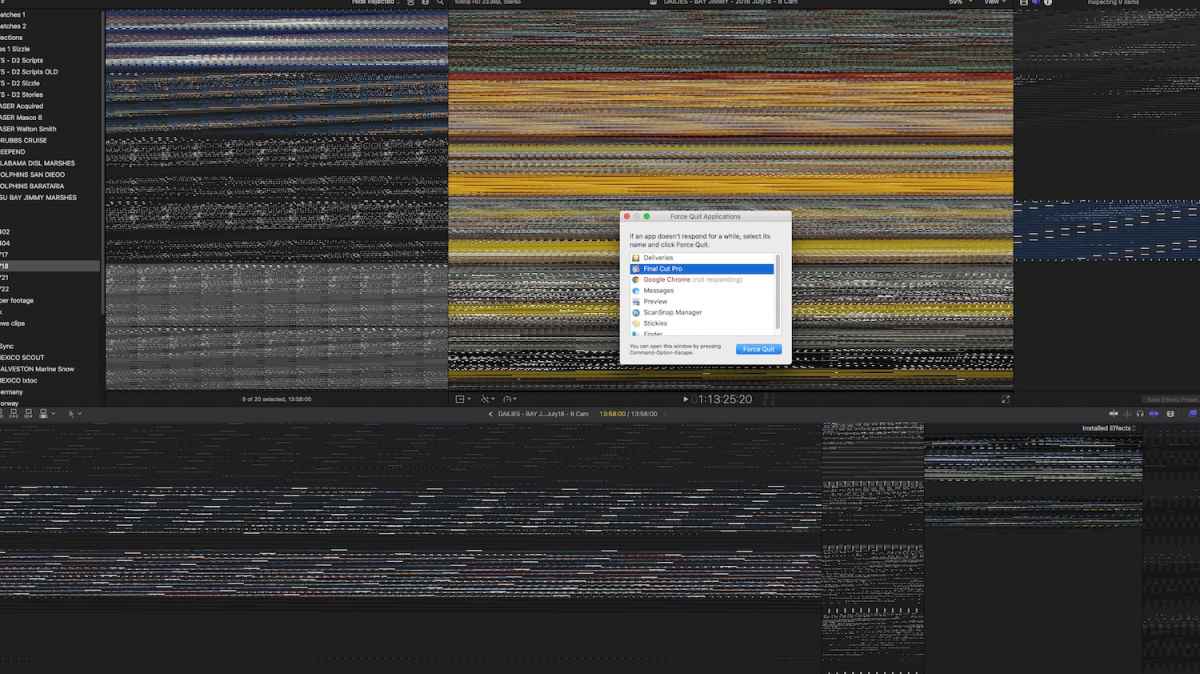
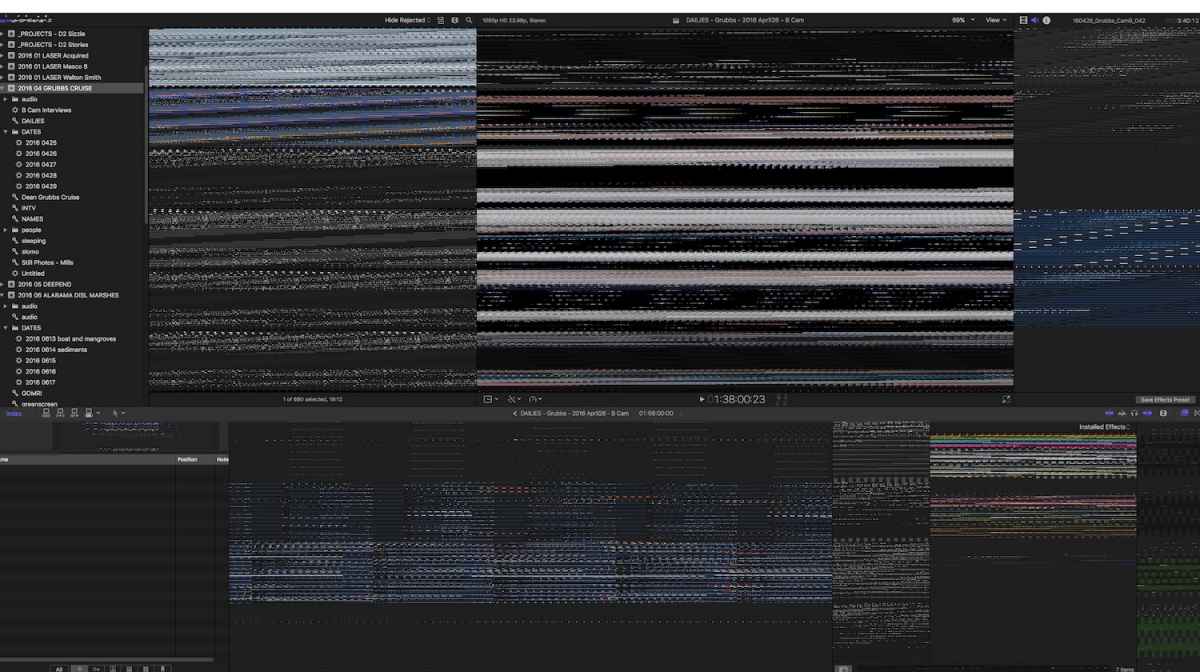


30 Apr 2017 14:09 #87673
by joema
You have reproduced it on two different machines, so it seems unlikely a computer hardware problem. If it happens in simple short sequences with no effects, I'd suggest isolating this to a test library and putting that on the iMac boot drive. That way you are eliminating the external drive. If you are not on Sierra and FCPX 10.3.3, upgrading would be a possible troubleshooting step. This is not because it's known to fix this problem, but because if it did fix it you saved a lot of time and work. You can save your current library and FCPX version to allow reversion if you find some problem with 10.3.3.
Replied by joema on topic fcpx hanging
jcmcnamee wrote: .....I work with the same drives (thunderbays) and same libraries on those drives on two different imacs and have had the same problem on both of them (both have 32gb ram, .3.5ghz i7, 4gb Nvidia cards)....It happens in complex long sequences and in simple short ones with no effects on clips.
You have reproduced it on two different machines, so it seems unlikely a computer hardware problem. If it happens in simple short sequences with no effects, I'd suggest isolating this to a test library and putting that on the iMac boot drive. That way you are eliminating the external drive. If you are not on Sierra and FCPX 10.3.3, upgrading would be a possible troubleshooting step. This is not because it's known to fix this problem, but because if it did fix it you saved a lot of time and work. You can save your current library and FCPX version to allow reversion if you find some problem with 10.3.3.
Please Log in to join the conversation.
30 Apr 2017 14:14 #87674
by jcmcnamee
Replied by jcmcnamee on topic fcpx hanging
Thanks, jeoma. I'll try working with the libraries on my desktop and see how that goes for a couple days. My mac os and fcpx are both on the most recent versions. The media is managed outside the library so moving the libraries isn't that big a deal to test this.
jim
jim
Please Log in to join the conversation.
01 May 2017 21:33 - 01 May 2017 21:35 #87702
by jcmcnamee
Replied by jcmcnamee on topic fcpx hanging
So I worked with the libraries on my desktop today and the same thing happened. Start to get beach ball and eventually FCPX locks up with this crazy screen and I need to force quit. This time happened while playing music tracks in the browser (so not playing a project, although one was loaded).
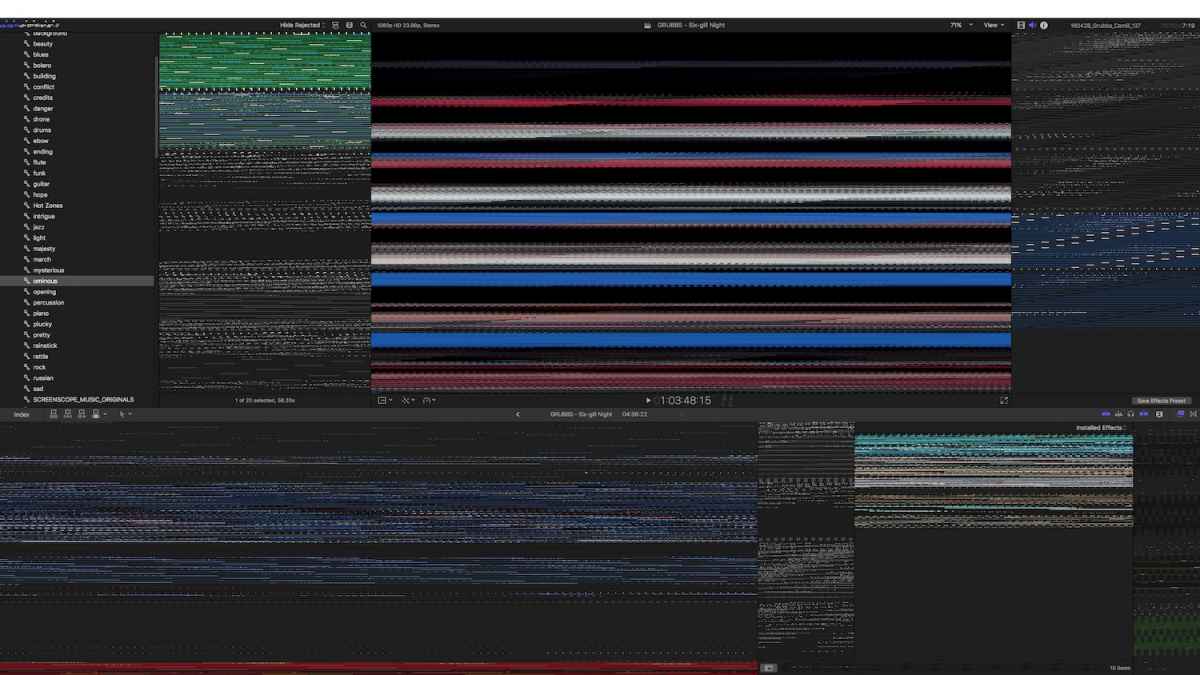
Last edit: 01 May 2017 21:35 by jcmcnamee.
Please Log in to join the conversation.
01 May 2017 22:24 - 01 May 2017 22:26 #87704
by joema
Replied by joema on topic fcpx hanging
By "isolating this to a test library" and putting that on the Mac boot drive, I meant all media in the project, not just the library. For test purposes the goal is eliminate the external drive. This is not that difficult since it happens in a simple sequence. If you create a test library, then drag that project to it then consolidate, it will copy only the related media to that one library. That managed library should be small enough to copy to the boot drive.
This isn't guaranteed to solve anything but it's just a tedious process of elimination. It's rare for this to happen on a simple clip with no effects. The only thing in common between your two systems is the OWC array and the data on it.
This isn't guaranteed to solve anything but it's just a tedious process of elimination. It's rare for this to happen on a simple clip with no effects. The only thing in common between your two systems is the OWC array and the data on it.
Last edit: 01 May 2017 22:26 by joema.
Please Log in to join the conversation.
01 May 2017 22:34 #87706
by jcmcnamee
Replied by jcmcnamee on topic fcpx hanging
Oh the managed media for each library is about 7 TB so it's not something I can easily copy to my desktop to troubleshoot. This is a documentary that was shot over the course of a year. I am using two thunderbays, one is 24 TB the other 12 TB. I haven't transcoded any of the footage but FCPX has no problem playing back real time when on the "better performance" setting.
I only mentioned that the project i was working in at the time of the most recent crash happened to be simple to show that it wasn't the result of a long complex project with lots of effects. My typical day with these libraries is a few hours of editing with no problems, then at some point after a few hours of editing FCPX gets bogged down. Quitting helps if I do it pre-emptively, otherwise a series of beachballs either leads to a lock-up or sometimes my quit command goes through.
I thought about doing a clean install of everything but once I had the same problem occur on two different machines that made me think that is not the problem.
I only mentioned that the project i was working in at the time of the most recent crash happened to be simple to show that it wasn't the result of a long complex project with lots of effects. My typical day with these libraries is a few hours of editing with no problems, then at some point after a few hours of editing FCPX gets bogged down. Quitting helps if I do it pre-emptively, otherwise a series of beachballs either leads to a lock-up or sometimes my quit command goes through.
I thought about doing a clean install of everything but once I had the same problem occur on two different machines that made me think that is not the problem.
Please Log in to join the conversation.

02 May 2017 09:20 #87709
by JoeEditor
Replied by JoeEditor on topic fcpx hanging
That screen shot looks typical of a GPU issue.
Please Log in to join the conversation.
02 May 2017 09:33 #87715
by joema
Since you can make it happen on a small project, all the other data in those libraries isn't needed for that. The data volume referenced by that one project will be very small. This makes it very easy to copy the project and only the referenced data by that project to a separate test library. You can then consolidate that test library by clicking the library, then in Inspector clicking Consolidate. That ensures that the small test library is independent and self-sufficient, with no external referenced media. That small library file can then be copied to your Mac boot drive. If the problem can then be reproduced on that small library, that is a much smaller target for subsequent troubleshooting. If it cannot be, it points us in another direction.
Another possibility is it failed when using the small project, but you'd been doing prior work on larger projects (without restarting FCPX) and it had been getting progressively unstable. E.g, due to a memory leak caused by some misbehaving effect, it was getting sluggish but just had not crashed, then finally on the small project it did. In that case the small project and its lack of effects might not be relevant -- the damage was already done.
Some simple steps you can try are resetting preferences, described in section 11: support.apple.com/en-us/HT203477
Also you can delete and regenerate any render files, by clicking on the library and selecting File>Delete Generated Library Files, and selecting All Render Files. I've seen cases where those can become corrupt and cause odd behavior.
Replied by joema on topic fcpx hanging
jcmcnamee wrote: Oh the managed media for each library is about 7 TB so it's not something I can easily copy to my desktop to troubleshoot. This is a documentary that was shot over the course of a year. I am using two thunderbays, one is 24 TB the other 12 TB....
Since you can make it happen on a small project, all the other data in those libraries isn't needed for that. The data volume referenced by that one project will be very small. This makes it very easy to copy the project and only the referenced data by that project to a separate test library. You can then consolidate that test library by clicking the library, then in Inspector clicking Consolidate. That ensures that the small test library is independent and self-sufficient, with no external referenced media. That small library file can then be copied to your Mac boot drive. If the problem can then be reproduced on that small library, that is a much smaller target for subsequent troubleshooting. If it cannot be, it points us in another direction.
Another possibility is it failed when using the small project, but you'd been doing prior work on larger projects (without restarting FCPX) and it had been getting progressively unstable. E.g, due to a memory leak caused by some misbehaving effect, it was getting sluggish but just had not crashed, then finally on the small project it did. In that case the small project and its lack of effects might not be relevant -- the damage was already done.
Some simple steps you can try are resetting preferences, described in section 11: support.apple.com/en-us/HT203477
Also you can delete and regenerate any render files, by clicking on the library and selecting File>Delete Generated Library Files, and selecting All Render Files. I've seen cases where those can become corrupt and cause odd behavior.
Please Log in to join the conversation.
02 May 2017 13:03 #87719
by joema
I fully agree. My first impression was hardware. But it started happening on two different iMacs. How could they both have GPU failures at the same time?
Replied by joema on topic fcpx hanging
FCPX.guru wrote: That screen shot looks typical of a GPU issue.
I fully agree. My first impression was hardware. But it started happening on two different iMacs. How could they both have GPU failures at the same time?
Please Log in to join the conversation.
02 May 2017 13:20 #87721
by jcmcnamee
I'm going to pursue this line of thinking. I'd be leaning towards a hardware issue like fcpx.guru suggested except for the fact that this same problem has happened with these libraries on two different macs (although both have the NVIDIA GeForce GTX 780M card if it could be a particular problem with that card).
I'll delete preferences and render files. It doesn't look like there is an easy way to launch FCPX with all 3rd-party effects disabled (I have many installed). The only one I have been using on these projects is CoreMelt's Source Timecode plugin. Much of the footage has LUTs applied through the built in LUT management system.
One other thing...although it's possible I haven't edited much in the past while compressor was running so maybe it's always been this way...but recently I have felt that I can't use FCPX while compressor is compressing. The mouse becomes slow to respond and clicks don't register in FCPX. This isn't behavior I noticed in the past but again, it may be something I just wasn't doing in the past (having to edit while also running compressor) so I can't be sure.
Replied by jcmcnamee on topic fcpx hanging
joema wrote: Another possibility is it failed when using the small project, but you'd been doing prior work on larger projects (without restarting FCPX) and it had been getting progressively unstable. E.g, due to a memory leak caused by some misbehaving effect, it was getting sluggish but just had not crashed, then finally on the small project it did. In that case the small project and its lack of effects might not be relevant -- the damage was already done.
I'm going to pursue this line of thinking. I'd be leaning towards a hardware issue like fcpx.guru suggested except for the fact that this same problem has happened with these libraries on two different macs (although both have the NVIDIA GeForce GTX 780M card if it could be a particular problem with that card).
I'll delete preferences and render files. It doesn't look like there is an easy way to launch FCPX with all 3rd-party effects disabled (I have many installed). The only one I have been using on these projects is CoreMelt's Source Timecode plugin. Much of the footage has LUTs applied through the built in LUT management system.
One other thing...although it's possible I haven't edited much in the past while compressor was running so maybe it's always been this way...but recently I have felt that I can't use FCPX while compressor is compressing. The mouse becomes slow to respond and clicks don't register in FCPX. This isn't behavior I noticed in the past but again, it may be something I just wasn't doing in the past (having to edit while also running compressor) so I can't be sure.
Please Log in to join the conversation.
02 May 2017 15:14 #87728
by JoeEditor
Replied by JoeEditor on topic fcpx hanging
Yes, if Compressor is eating up a ton of system resources at the moment, it's a good idea to let FCPX alone.
Please Log in to join the conversation.
02 May 2017 15:17 #87731
by jcmcnamee
That's what I figured. This is a separate issue from my main thread here, though. I've only been compressing while editing a couple times and it was not the times that FCPX locked up.
I'm working today after trashing preferences and render files so we'll see how that goes.
Replied by jcmcnamee on topic fcpx hanging
FCPX.guru wrote: Yes, if Compressor is eating up a ton of system resources at the moment, it's a good idea to let FCPX alone.
That's what I figured. This is a separate issue from my main thread here, though. I've only been compressing while editing a couple times and it was not the times that FCPX locked up.
I'm working today after trashing preferences and render files so we'll see how that goes.
Please Log in to join the conversation.
02 May 2017 15:48 #87738
by joema
IMO it really should have this feature -- especially since it appears some plugins run within the FCPX address space. This has been a divisive issue in software engineering for decades -- whether to run add-in functionality "in process" or "out of process". In process (e.g, within the host process address space) is faster and gives easier access to the plugin code. Out of process has some performance overhead and requires a shared memory region or other mechanism to coordinate. A common example of this change was when internet browsers moved from one process for all tabs to a tab per process, which usually isolates a crash to a single tab.
OTOH FCPX now provides an easy way to remove all effects from all clips in a project. You can copy a project then remove all effects. This doesn't guarantee no interference from plugins, since some could still load when FCPX boots, but it greatly reduces the chance: support.apple.com/kb/PH12615?locale=en_US
It also makes sense to update all plugins. This is yet another area where FCPX could be improved. Except for plugins purchased on FxFactory, there is no uniform method for checking plugin version numbers and updating them. It's like a treasure hunt for each plugin to figure out what version you're running and whether a newer version exists, and how to update it.
Replied by joema on topic fcpx hanging
jcmcnamee wrote: ...It doesn't look like there is an easy way to launch FCPX with all 3rd-party effects disabled (I have many installed)....
IMO it really should have this feature -- especially since it appears some plugins run within the FCPX address space. This has been a divisive issue in software engineering for decades -- whether to run add-in functionality "in process" or "out of process". In process (e.g, within the host process address space) is faster and gives easier access to the plugin code. Out of process has some performance overhead and requires a shared memory region or other mechanism to coordinate. A common example of this change was when internet browsers moved from one process for all tabs to a tab per process, which usually isolates a crash to a single tab.
OTOH FCPX now provides an easy way to remove all effects from all clips in a project. You can copy a project then remove all effects. This doesn't guarantee no interference from plugins, since some could still load when FCPX boots, but it greatly reduces the chance: support.apple.com/kb/PH12615?locale=en_US
It also makes sense to update all plugins. This is yet another area where FCPX could be improved. Except for plugins purchased on FxFactory, there is no uniform method for checking plugin version numbers and updating them. It's like a treasure hunt for each plugin to figure out what version you're running and whether a newer version exists, and how to update it.
Please Log in to join the conversation.
02 May 2017 20:21 #87751
by dmetz
Replied by dmetz on topic fcpx hanging
Couple of things:
- in your first screen shot, Activity Monitor says Chrome is locked up and FCPX isn't. Has that been the case on other force-quits?
- Have you taken a look at Console.app when this is happening?
Longshot... maybe an iffy Thunderbolt cable? I've had a few go bad after a few months of plugging/unplugging. Got any spares you can test with?
- in your first screen shot, Activity Monitor says Chrome is locked up and FCPX isn't. Has that been the case on other force-quits?
- Have you taken a look at Console.app when this is happening?
Longshot... maybe an iffy Thunderbolt cable? I've had a few go bad after a few months of plugging/unplugging. Got any spares you can test with?
Please Log in to join the conversation.
02 May 2017 20:29 #87752
by jcmcnamee
Replied by jcmcnamee on topic fcpx hanging
Chrome isn't usually open for me so that was a separate issue that one time. I'd be happy if it was just a thunderbolt cable but I'm using different cables in the two locations where I've had this happen.
Oh I always forget to look at the console. I open activity monitor to see if something is going crazy on ram but will do Console if/when it happens again. Is there anything specific I should be looking for in it?
Re: Compressor, I turned off the "Use GPU to process Final Cut Pro content sent to compressor" setting and it stopped the lockup when both programs are running, but I think that was a different issue than my FCPX hangs.
Oh I always forget to look at the console. I open activity monitor to see if something is going crazy on ram but will do Console if/when it happens again. Is there anything specific I should be looking for in it?
Re: Compressor, I turned off the "Use GPU to process Final Cut Pro content sent to compressor" setting and it stopped the lockup when both programs are running, but I think that was a different issue than my FCPX hangs.
Please Log in to join the conversation.
02 May 2017 20:43 #87754
by dmetz
I'd look for things like I/O errors, missing libs, memory errors, that kind of thing. There's likely a clue in there somewhere...
Replied by dmetz on topic fcpx hanging
jcmcnamee wrote: Is there anything specific I should be looking for in it?
I'd look for things like I/O errors, missing libs, memory errors, that kind of thing. There's likely a clue in there somewhere...
Please Log in to join the conversation.
16 May 2017 14:33 #88089
by jcmcnamee
Replied by jcmcnamee on topic fcpx hanging
Ok so it's been a week and I think deleting preferences and render files may have done the trick. Thanks everyone for all the suggestions.
Please Log in to join the conversation.
