


- Posts: 63
- Thank you received: 0
3 Post Moderation Rule for New Boarders (25 Jan 2021)
New boarders will have their posts moderated - Don't worry if you cannot see your post immediately.
Aligning (text) objects
21 Apr 2017 07:24 #87396
by Dinky
Aligning (text) objects was created by Dinky
Hi all,
Some titles in FCPX, Like Assembler, contain multiple text objects that are freely adjustable and moveable.
There are situations I would like to re-arrange the text objects, e.g. to be all left aligned relative to each other. I assume there is a way in FCPX to align objects, but I have not been able to find it.
Can anyone tell me how to align (text) objects relative to each other ?
Some titles in FCPX, Like Assembler, contain multiple text objects that are freely adjustable and moveable.
There are situations I would like to re-arrange the text objects, e.g. to be all left aligned relative to each other. I assume there is a way in FCPX to align objects, but I have not been able to find it.
Can anyone tell me how to align (text) objects relative to each other ?
Please Log in to join the conversation.
- Bretwilliams
-

- Offline
- Senior Member
-

Less
More
- Posts: 74
- Thank you received: 28
21 Apr 2017 13:11 #87407
by Bretwilliams
Replied by Bretwilliams on topic Aligning (text) objects
I've never seen any ability to align (especially within a plugin) text objects. I usually add something with a hard vertical edge to the timeline temporarily to manually align the text to. It would be nice if we could have rulers and guides in the canvas . Sometimes just the title safe overlay is helpful.
Please Log in to join the conversation.


21 Apr 2017 13:22 #87411
by JoeEditor
Replied by JoeEditor on topic Aligning (text) objects
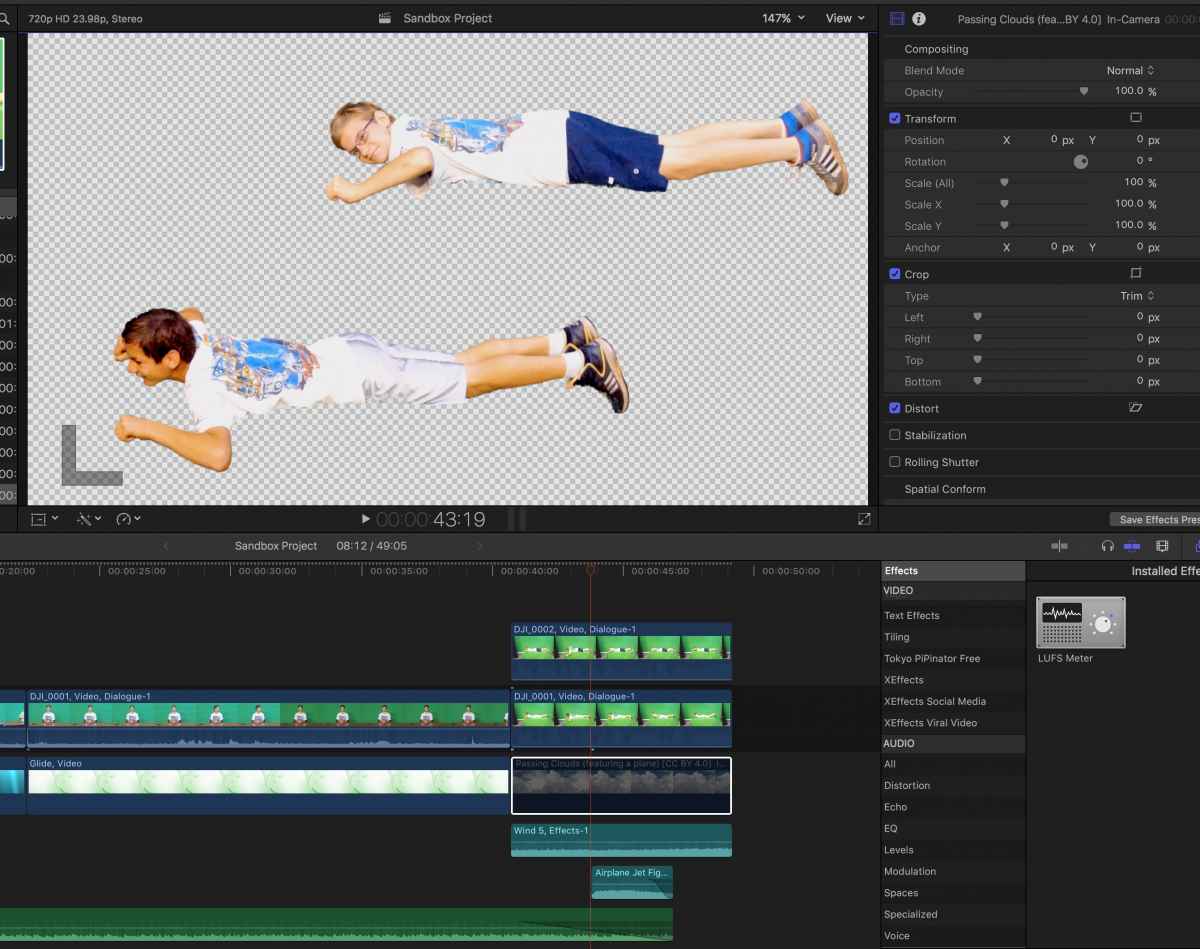
Yes, in FCPX there is a way to line things up easily. Go to Preferences, Playback, Player Background. Set it to Checkerboard. Now you have a grid to line up objects with. May require you temporarily mute backgrounds (V key). But I use it a lot. Very handy. Only wish it was in an easier place to get to, like the Viewer menu.
Please Log in to join the conversation.

21 Apr 2017 17:29 #87427
by dgwvideo
Creating history....one edit at a time !
Replied by dgwvideo on topic Aligning (text) objects
There are quite a few grid overlay plugins, many for free on this forum. Drag them over your clip, line up your items and then delete or disable them.
Creating history....one edit at a time !
Please Log in to join the conversation.
- Karsten Schlüter
-

- Offline
- Moderator
-

Less
More
- Posts: 3790
- Thank you received: 718
22 Apr 2017 05:03 #87435
by Karsten Schlüter
… I was THAT close to make a one, luckily you remind me to check … I did already! :silly:
www.fcp.co/forum/utility/24299-adjustable-align-rulers
<note2myself> write a list
<note2mydoc> stronger medication!
Replied by Karsten Schlüter on topic Aligning (text) objects
dgwvideo wrote: There are quite a few grid overlay plugins, many for free on this forum. ….
… I was THAT close to make a one, luckily you remind me to check … I did already! :silly:
www.fcp.co/forum/utility/24299-adjustable-align-rulers
<note2myself> write a list
<note2mydoc> stronger medication!
Please Log in to join the conversation.
22 Apr 2017 14:06 #87444
by Dinky
Replied by Dinky on topic Aligning (text) objects
Thank you all for your suggestions.
So apparently there is nothing like an ALIGN command or so. It is always a manual operation.
I will propose the option as an enhancement request to Apple
So apparently there is nothing like an ALIGN command or so. It is always a manual operation.
I will propose the option as an enhancement request to Apple
Please Log in to join the conversation.
