


- Posts: 107
- Thank you received: 0
3 Post Moderation Rule for New Boarders (25 Jan 2021)
New boarders will have their posts moderated - Don't worry if you cannot see your post immediately.
how to adjust mask point beyond edge of canvas
23 Mar 2017 16:10 #86687
by mitchino
how to adjust mask point beyond edge of canvas was created by mitchino
I'm creating a travelling matte by drawing a mask and key framing the points. I want to fine tune it, and need to zoom in to adjust some points that are off the edge of the canvas - how do I do this? I've tried the hand tool, tried the little widget with the red box you can move around... surely this must be possible?
Please Log in to join the conversation.
- Karsten Schlüter
-

- Offline
- Moderator
-

Less
More
- Posts: 3790
- Thank you received: 718
24 Mar 2017 05:36 #86695
by Karsten Schlüter
Replied by Karsten Schlüter on topic how to adjust mask point beyond edge of canvas
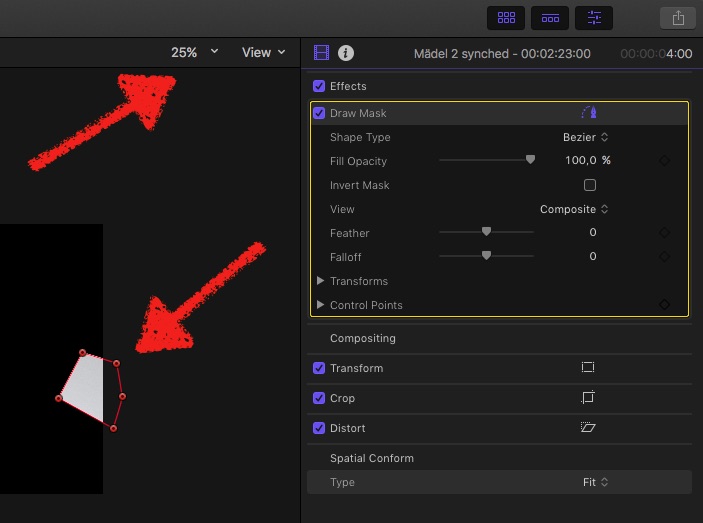
set the View size so small, the frame is just part of the canvas:
Please Log in to join the conversation.
24 Mar 2017 09:05 #86696
by mitchino
Replied by mitchino on topic how to adjust mask point beyond edge of canvas
Thanks for the reply, but I already know I can zoom out and see and adjust the points outside the canvas. I need to fit them to some fine detail, so want to be zoomed in, but able to move the canvas around so I can see and manipulate points that are at or over the edge.
This is so easy to do in After Effects, I'm surprised it's not possible in FCPX.
This is so easy to do in After Effects, I'm surprised it's not possible in FCPX.
Please Log in to join the conversation.


24 Mar 2017 09:37 - 24 Mar 2017 09:40 #86698
by JoeEditor
Replied by JoeEditor on topic how to adjust mask point beyond edge of canvas
Easier in FCPX than in AE. Command with the - and + keys zoom in and out.
When zoomed in close, there's a red rectangle on the right. It represents the whole video frame. The small space inside it represents what your'e seeing. Mouse over it and drag the inner square to move around.
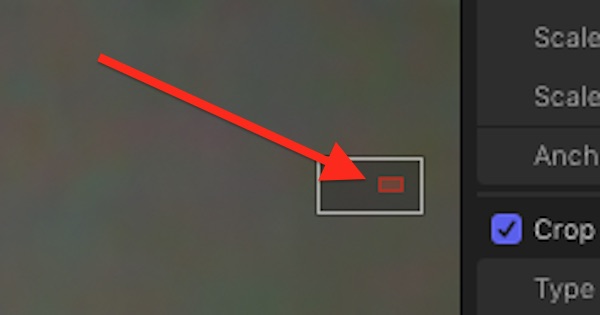
When zoomed in close, there's a red rectangle on the right. It represents the whole video frame. The small space inside it represents what your'e seeing. Mouse over it and drag the inner square to move around.
Last edit: 24 Mar 2017 09:40 by JoeEditor.
Please Log in to join the conversation.
- Karsten Schlüter
-
- Offline
- Moderator
-
Less
More
- Posts: 3790
- Thank you received: 718
24 Mar 2017 09:51 #86704
by Karsten Schlüter
Apple ./. Oranges?
You compare a fully grown Compositing tool with an edit.app.
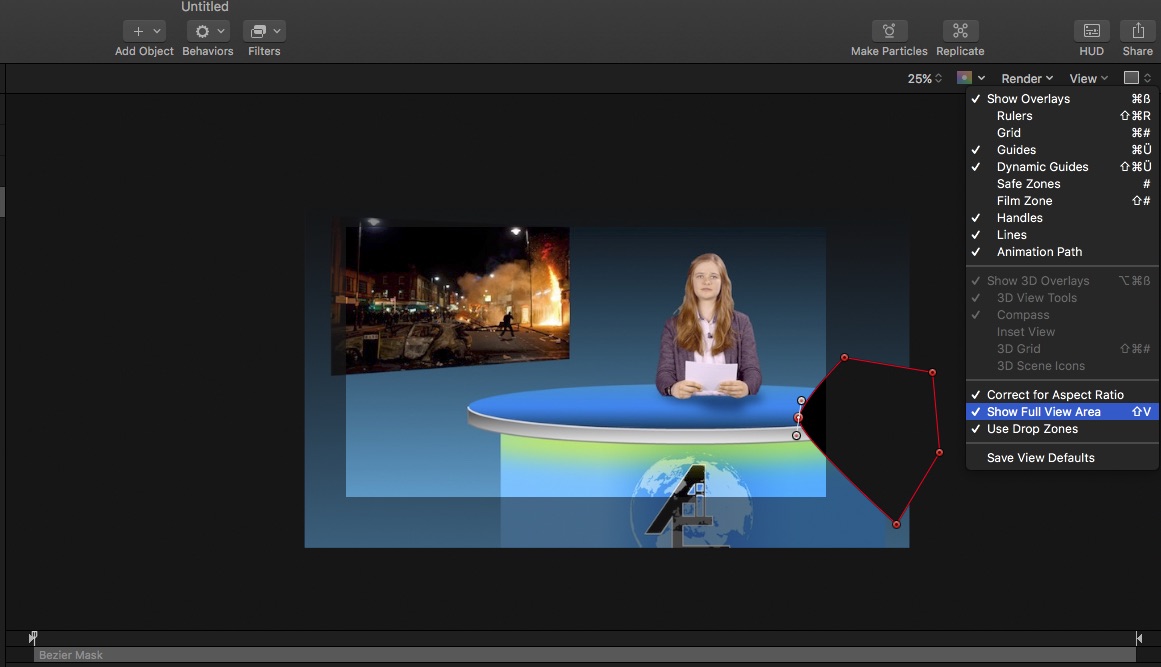
Using Motion = Apple's effect machine, allows Full View:
Replied by Karsten Schlüter on topic how to adjust mask point beyond edge of canvas
mitchino wrote: … This is so easy to do in After Effects, I'm surprised it's not possible in FCPX.
Apple ./. Oranges?
You compare a fully grown Compositing tool with an edit.app.
Using Motion = Apple's effect machine, allows Full View:
Please Log in to join the conversation.
