


- Posts: 1
- Thank you received: 0
3 Post Moderation Rule for New Boarders (25 Jan 2021)
New boarders will have their posts moderated - Don't worry if you cannot see your post immediately.
What effects are these?
19 Feb 2017 07:05 #85874
by GuyIV
What effects are these? was created by GuyIV
Hello, new here. Also new to FCPX, as of two months ago or so. I'd like to know what effects/plugins or whatever is being used here:
particularly what happens at 0:26 (and more often throughout), which is the screen going grey with a freeze frame and also what he's using for the text option.
there's also an effect where body parts are outlined in color...and also one where colored "bars" are used to indicate body position. if anyone could help that would be great. I've tried google and to be honest I'm not really sure what I'm looking for.
Thanks for your help! Happy editing.
particularly what happens at 0:26 (and more often throughout), which is the screen going grey with a freeze frame and also what he's using for the text option.
there's also an effect where body parts are outlined in color...and also one where colored "bars" are used to indicate body position. if anyone could help that would be great. I've tried google and to be honest I'm not really sure what I'm looking for.
Thanks for your help! Happy editing.
Please Log in to join the conversation.
- Karsten Schlüter
-

- Offline
- Moderator
-

Less
More
- Posts: 3790
- Thank you received: 718
19 Feb 2017 07:59 #85876
by Karsten Schlüter
Replied by Karsten Schlüter on topic What effects are these?
Welcome, Dakotah, to fcp.co 
wow, long shopping list … but to answer your Qs first:
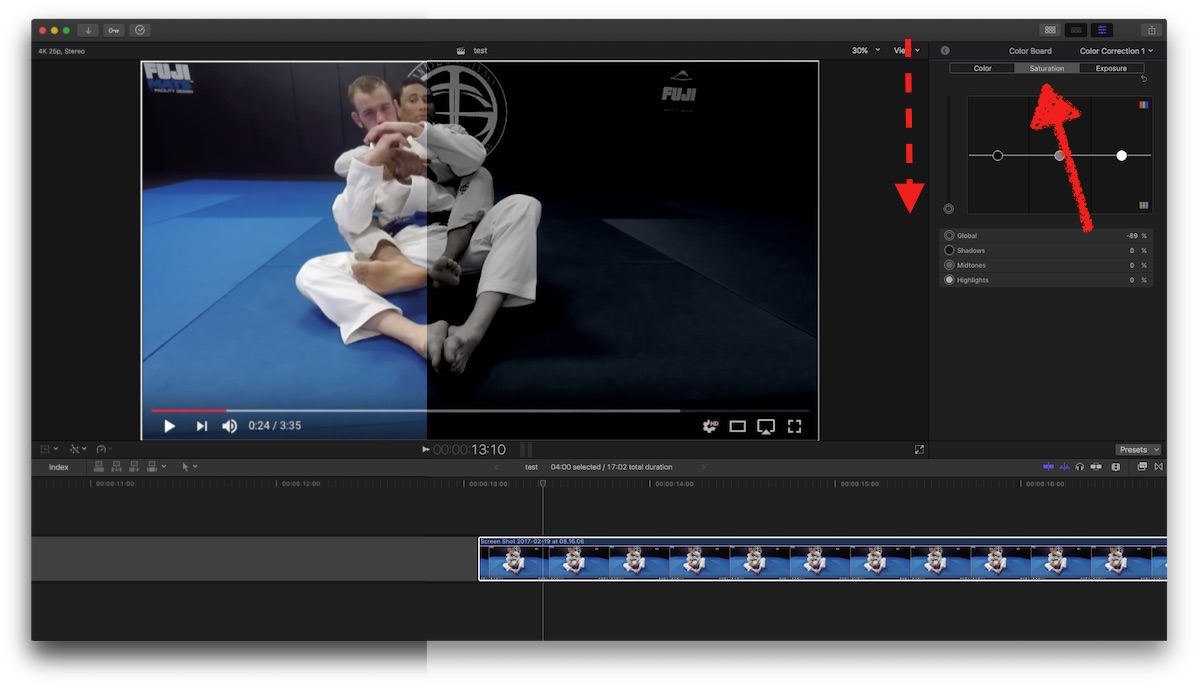
to de-saturate a clip, apply a Effects/Colour Correction (or, just hit cmd-6), and pull it down …
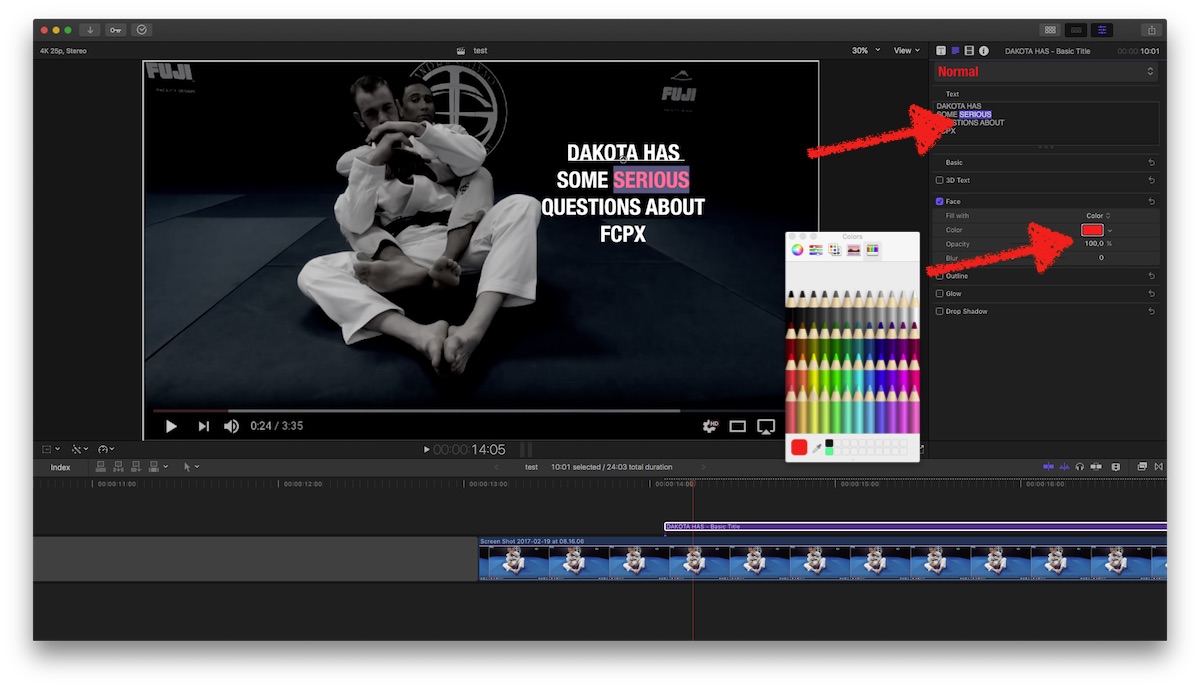
to title … I'm mimicking your example by applying the Basic Title (from the Titles, upper left), Helvetica Neue, all caps. In the Inspector/Face you can apply colours …
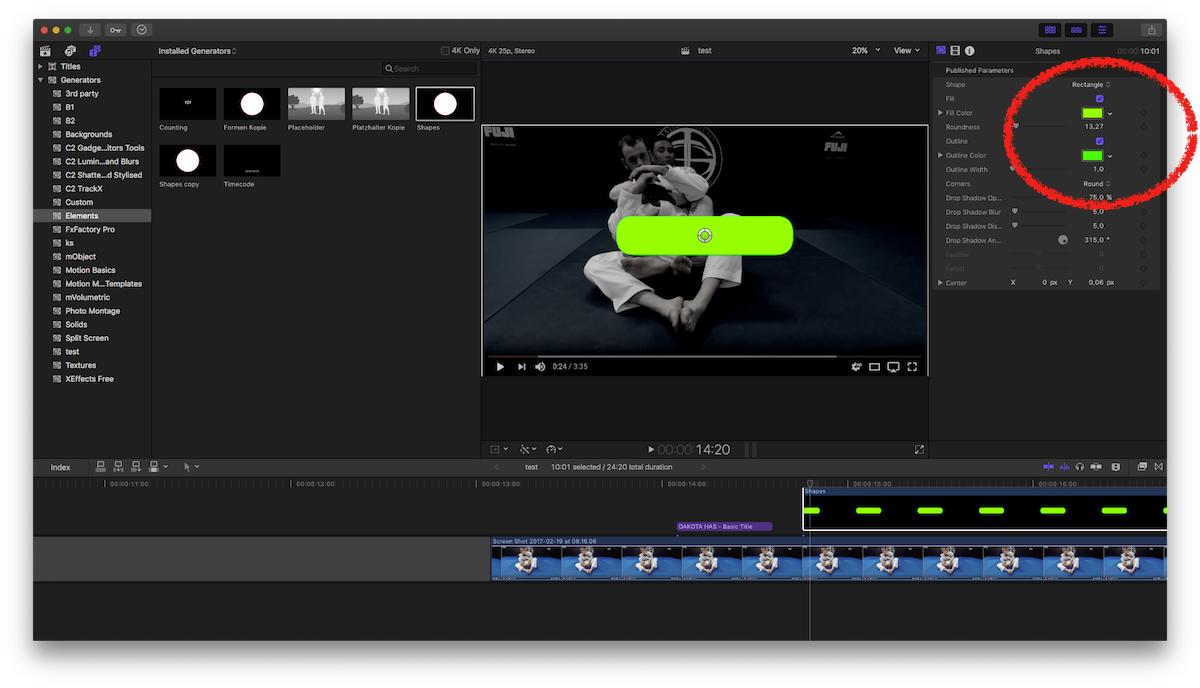
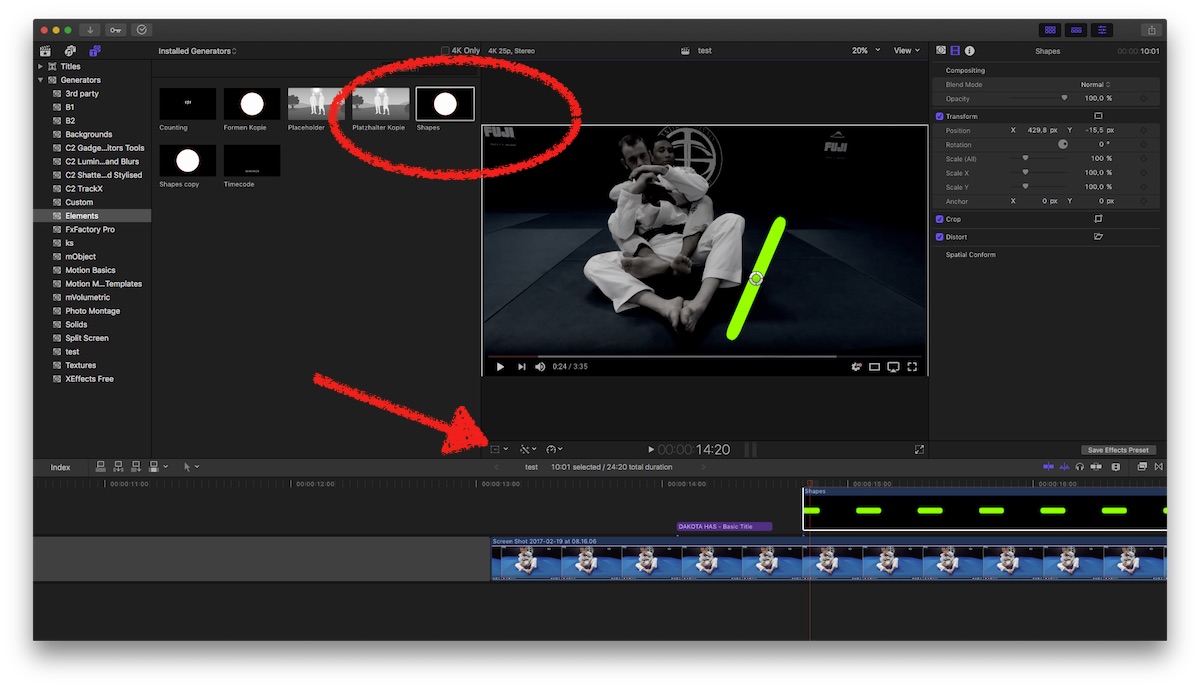
graphics… simple graphical elements are under Generators/Shapes, set to Rectangle and with the Distort and Transform tools you can arrange it.
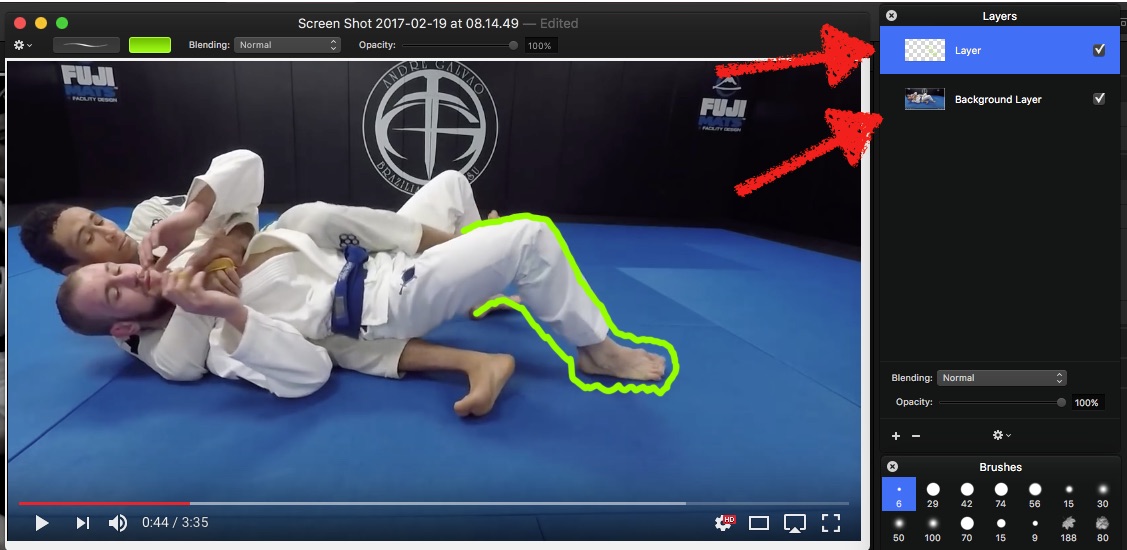
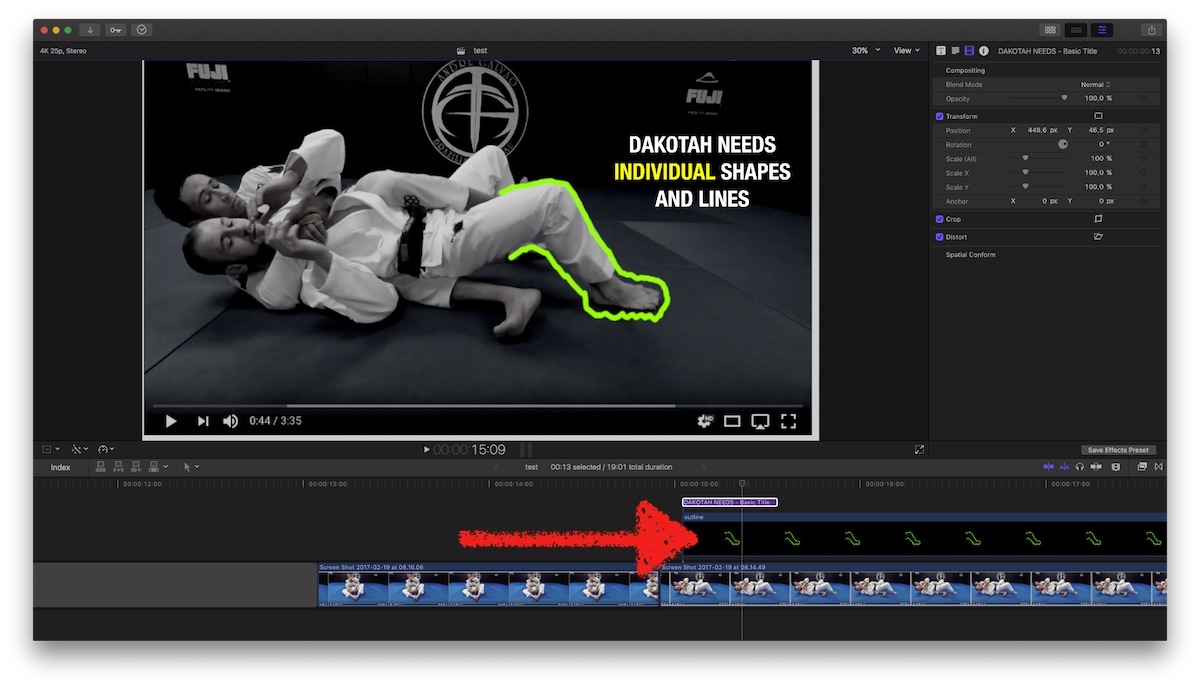
… outlines & freezes … set Playhead, shift-H creates a Halt. Export a frame of this.Open it in any pic processor (here: Pixelmator, 30$, AppStore) as reference. On a 2nd layer draw your outline. Import that as png into yourProject ...
Some generic advice:
those are very basic edit-'tricks', I strongly suggest a professional introduction & training to FCPX. It's no 'one click done'-tool, it demands some fundamental understandings of video. Usual suggestions, in no specific order: books from Tom Wolsky, the built-in Manual, video tuts from rippletraining.com ....
… and of course the board here at fcp.co
(which can not replace to learn the basics …)
wow, long shopping list … but to answer your Qs first:
to de-saturate a clip, apply a Effects/Colour Correction (or, just hit cmd-6), and pull it down …
to title … I'm mimicking your example by applying the Basic Title (from the Titles, upper left), Helvetica Neue, all caps. In the Inspector/Face you can apply colours …
graphics… simple graphical elements are under Generators/Shapes, set to Rectangle and with the Distort and Transform tools you can arrange it.
… outlines & freezes … set Playhead, shift-H creates a Halt. Export a frame of this.Open it in any pic processor (here: Pixelmator, 30$, AppStore) as reference. On a 2nd layer draw your outline. Import that as png into yourProject ...
Some generic advice:
those are very basic edit-'tricks', I strongly suggest a professional introduction & training to FCPX. It's no 'one click done'-tool, it demands some fundamental understandings of video. Usual suggestions, in no specific order: books from Tom Wolsky, the built-in Manual, video tuts from rippletraining.com ....
… and of course the board here at fcp.co
(which can not replace to learn the basics …)
Please Log in to join the conversation.
