


- Posts: 1
- Thank you received: 0
3 Post Moderation Rule for New Boarders (25 Jan 2021)
New boarders will have their posts moderated - Don't worry if you cannot see your post immediately.
How to get this Slide Effect like this Tony Robbins Video.
04 Feb 2017 07:28 #85465
by mdmike
How to get this Slide Effect like this Tony Robbins Video. was created by mdmike
Hi I am new to this forum. I ran across it while trying to find out how to do this type of slide effect. I am trying to be able to move the way Tony Robbins moves with the text. I know it involves a green screen. I just don't know how to move as fast as he does with the text. The effect starts at the 10-second mark of the video.
Here is the video : www.facebook.com/businessinsider/videos/10153312185594071/
Anyone that could help I really appreciate it. I wonder is there some type of plugin that can give you that effects.
Here is the video : www.facebook.com/businessinsider/videos/10153312185594071/
Anyone that could help I really appreciate it. I wonder is there some type of plugin that can give you that effects.
Please Log in to join the conversation.
- Karsten Schlüter
-

- Offline
- Moderator
-

Less
More
- Posts: 3790
- Thank you received: 718
05 Feb 2017 07:09 - 05 Feb 2017 09:49 #85483
by Karsten Schlüter
Replied by Karsten Schlüter on topic How to get this Slide Effect like this Tony Robbins Video.
Welcome Michael to fcp.co 
gosh, do those 'motivators' still exist?? :S
anyhow…
not necessarily … imagine a much wider shot in some even lit blue limbo, use a 4k-cam, re-frame by using FCPX' Transform tools … like that:
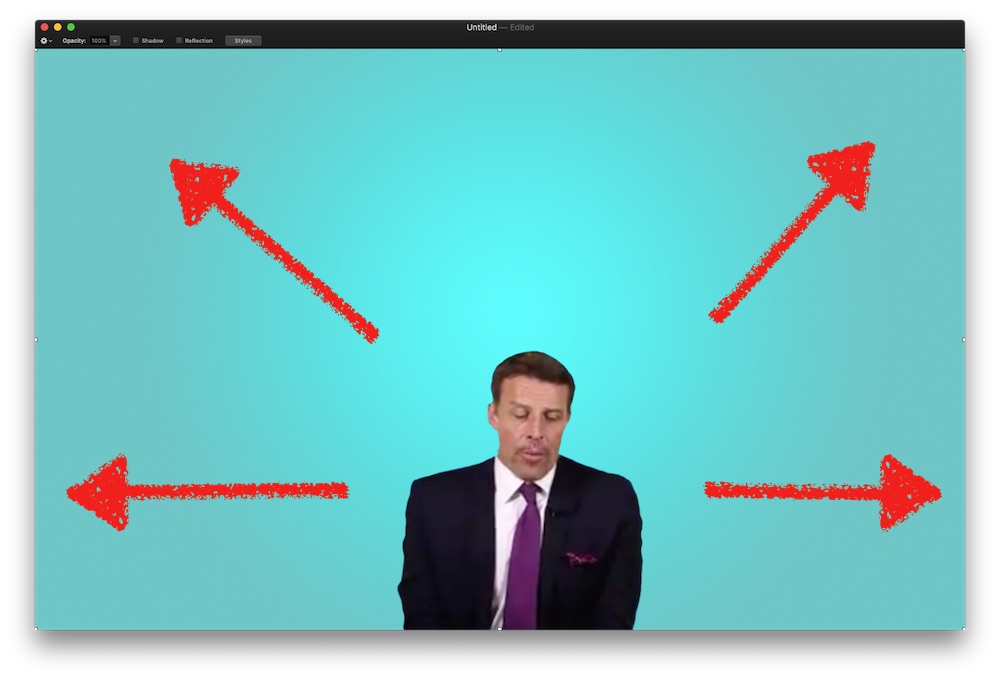
All you have to do is to match the moves of 'cam' and title - which is a no-brainer, by using a CompoundClip and adding THEN the movements. Look, I'm in FCPX:
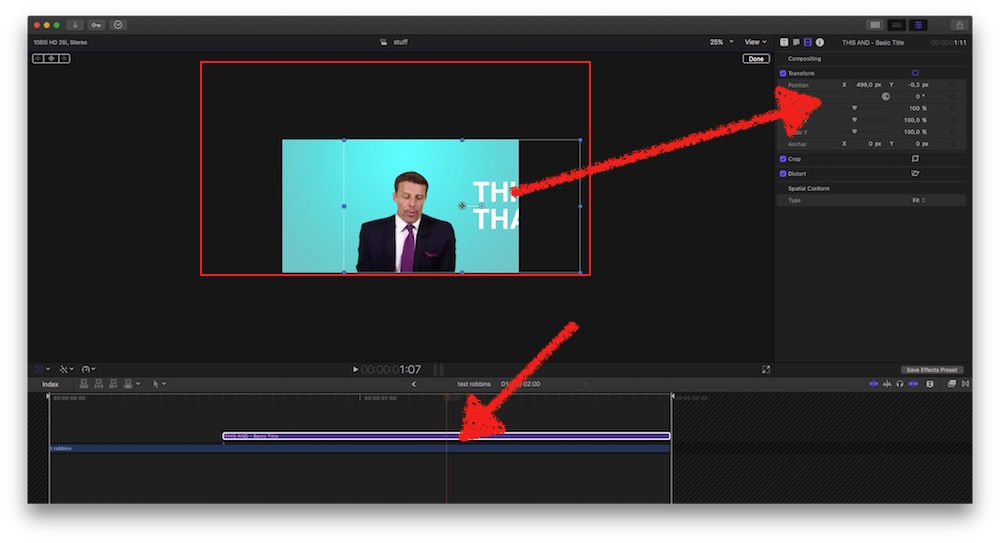
the speakers recording is larger than the actual projects frame-size. Add a title and push it out the frame boundaries …
Make both clips a CompoundClip and …
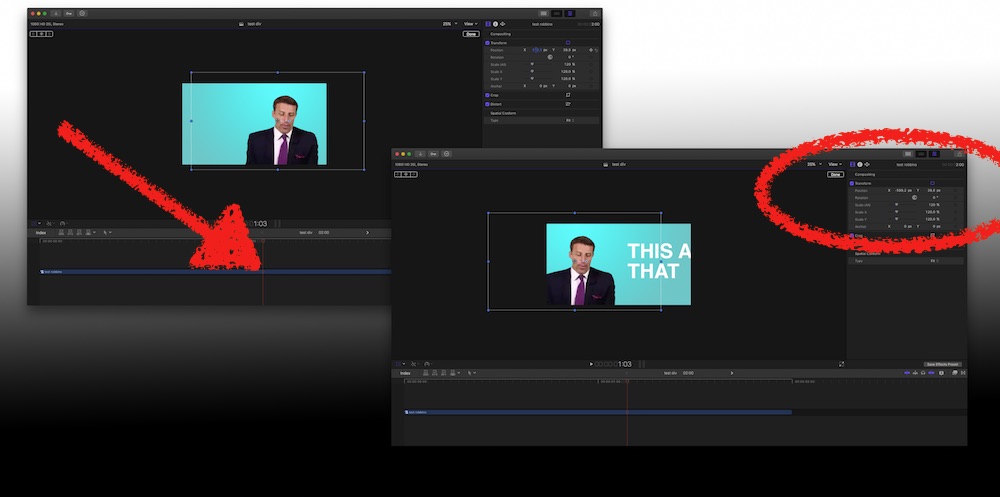
… back in your project push your CompoundClip to the left - and it looks like in your example.
More versatile and convenient would be a custom-made Motion-plugin … :whistle:
Sorry, not now, not from me, actually busy … football, and, no not LI, but real football, not the one were men carry a plum in their arms like a baby LOL: my son's team has its first outdoor prep game this season <shiver> ... busy with that
… Tony Robbins.…
gosh, do those 'motivators' still exist?? :S
anyhow…
… know it involves a green screen…
not necessarily … imagine a much wider shot in some even lit blue limbo, use a 4k-cam, re-frame by using FCPX' Transform tools … like that:
All you have to do is to match the moves of 'cam' and title - which is a no-brainer, by using a CompoundClip and adding THEN the movements. Look, I'm in FCPX:
the speakers recording is larger than the actual projects frame-size. Add a title and push it out the frame boundaries …
Make both clips a CompoundClip and …
… back in your project push your CompoundClip to the left - and it looks like in your example.
More versatile and convenient would be a custom-made Motion-plugin … :whistle:
Sorry, not now, not from me, actually busy … football, and, no not LI, but real football, not the one were men carry a plum in their arms like a baby LOL: my son's team has its first outdoor prep game this season <shiver> ... busy with that
Last edit: 05 Feb 2017 09:49 by Karsten Schlüter.
Please Log in to join the conversation.


05 Feb 2017 14:09 #85487
by JoeEditor
Replied by JoeEditor on topic How to get this Slide Effect like this Tony Robbins Video.
I'd say green screen OR 4K. Both would work. Green screen would give you more wiggle room. 4K would be the simplest, quickest way. Even if you can't shoot 4K, simply take a good photo of the background, that's usually a much larger image than a video image. If the background is evenly lit, you can place it under the speaker's clip, so when the edge would normally show, you have the photo behind it give an illusion. Personally, I'd shoot 4K, edit in HD, and be done with it.
Keyframe the moves of the speaker. Copy that clip. Make your titles and move them off screen. Paste Attributes and give the titles the same keyframes for movement as the speaker. Done.
Keyframe the moves of the speaker. Copy that clip. Make your titles and move them off screen. Paste Attributes and give the titles the same keyframes for movement as the speaker. Done.
Please Log in to join the conversation.
