


- Posts: 69
- Thank you received: 0
3 Post Moderation Rule for New Boarders (25 Jan 2021)
New boarders will have their posts moderated - Don't worry if you cannot see your post immediately.
Role color priority?
01 Feb 2017 03:44 #85374
by mindbend
Role color priority? was created by mindbend
Q: Does FCPX prioritize role color assignment by audio over video?
Example: I brought in a video clip and decided I wanted to assign to a custom role of "b-roll", which I made red. My video clip stayed the default blue. Eventually I tried detaching the audio and at that point, the video turned red. So that kind of tells me that the audio role color assignment takes priority over the video role.
Is that correct or am I missing something?
Example: I brought in a video clip and decided I wanted to assign to a custom role of "b-roll", which I made red. My video clip stayed the default blue. Eventually I tried detaching the audio and at that point, the video turned red. So that kind of tells me that the audio role color assignment takes priority over the video role.
Is that correct or am I missing something?
Please Log in to join the conversation.
- ronny courtens
-

- Offline
- Moderator
-

Less
More
- Posts: 4455
- Thank you received: 962
01 Feb 2017 12:29 #85379
by ronny courtens
Replied by ronny courtens on topic Role color priority?
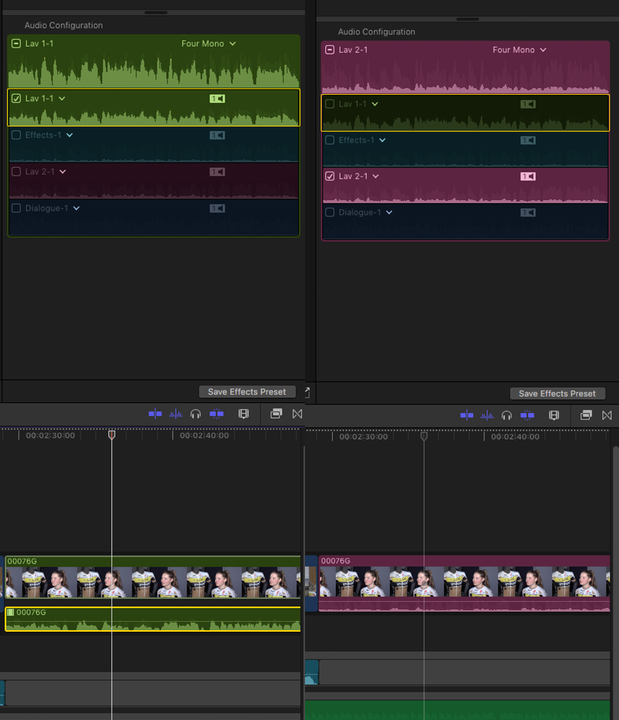
When a video clip has audio and it only has one audio channel or one activated audio channel, the video clip takes the color of the activated audio role.
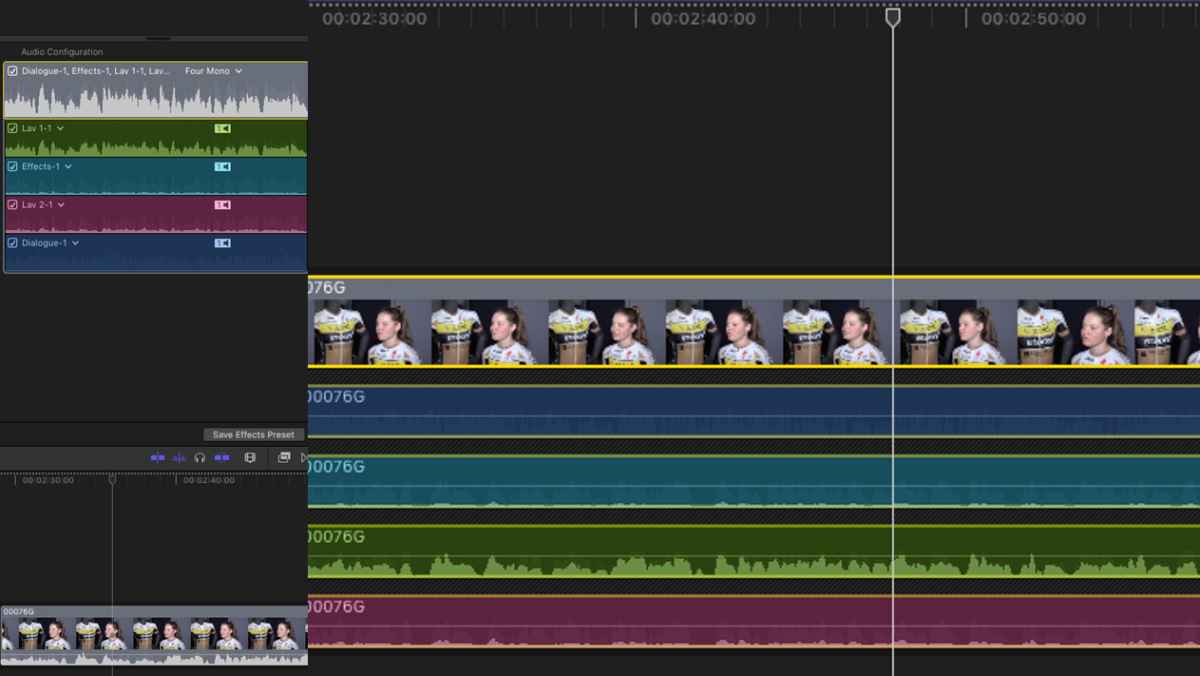
If the video clip has multiple audio channels and a different audio role is assigned to each channel, the video clip will get a grey color and each audio channel will show its proper role color. You will also see the different role colors of the audio channels when you expand the audio components in the timeline.
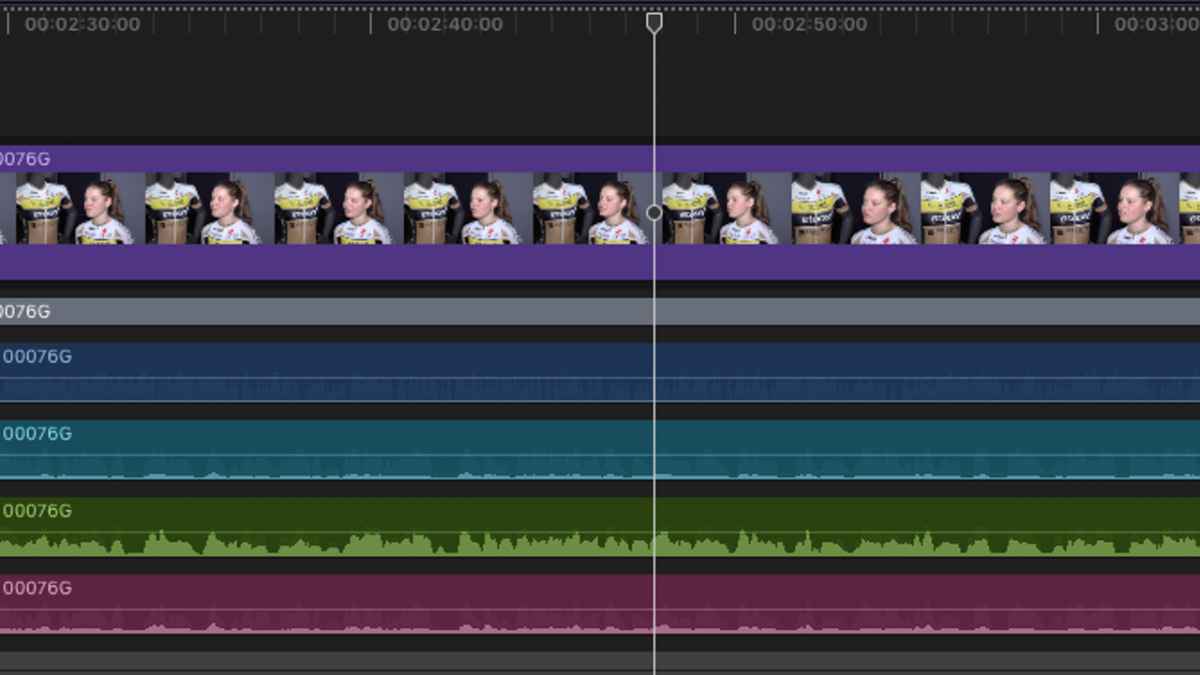
When you detach audio, the video clip becomes a separate entity and it will show the color of the video role you have assigned to it.
- Ronny
If the video clip has multiple audio channels and a different audio role is assigned to each channel, the video clip will get a grey color and each audio channel will show its proper role color. You will also see the different role colors of the audio channels when you expand the audio components in the timeline.
When you detach audio, the video clip becomes a separate entity and it will show the color of the video role you have assigned to it.
- Ronny
Please Log in to join the conversation.
