


- Posts: 228
- Thank you received: 16
3 Post Moderation Rule for New Boarders (25 Jan 2021)
New boarders will have their posts moderated - Don't worry if you cannot see your post immediately.
Two clips in viewer for color correction but ...
24 Jan 2017 08:30 - 24 Jan 2017 08:33 #85136
by Schnurr
Two clips in viewer for color correction but ... was created by Schnurr
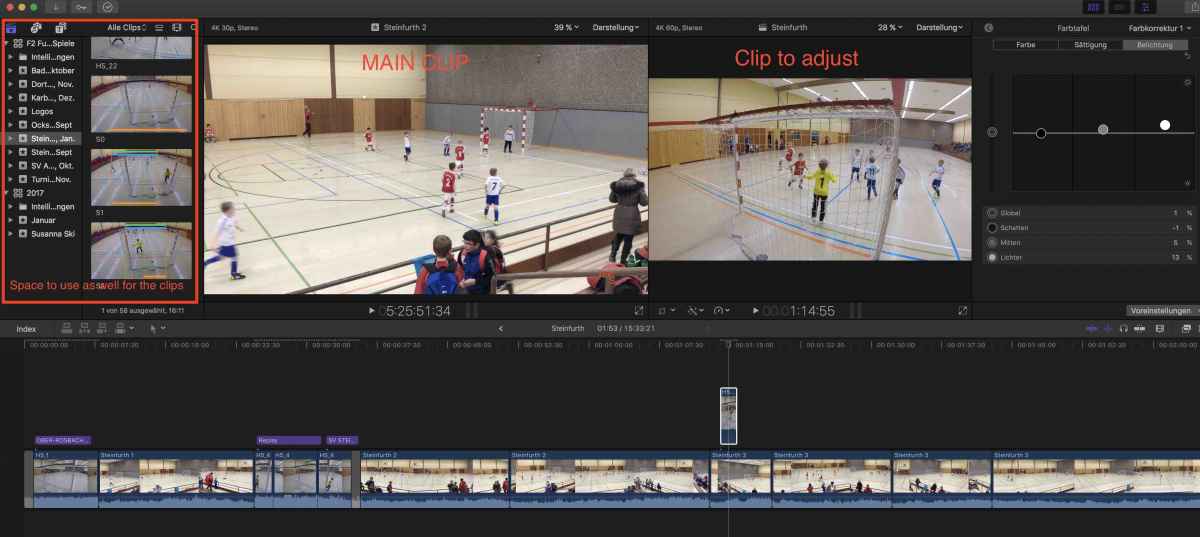
with "command + control 3" fcpx displays two clips for potential color correction which is fine but is there as well a way to hide the viewer (left side with names of events and clips preview) to use as well that display area ?
In addition is there a tool available to make automatic color adjustments of two cameras?
In addition is there a tool available to make automatic color adjustments of two cameras?
Last edit: 24 Jan 2017 08:33 by Schnurr.
Please Log in to join the conversation.
- Tom Wolsky
-

- Offline
- Moderator
-

24 Jan 2017 08:37 #85137
by Tom Wolsky
Replied by Tom Wolsky on topic Two clips in viewer for color correction but ...
Control-Command-1
Please Log in to join the conversation.


24 Jan 2017 13:43 - 24 Jan 2017 13:48 #85141
by JoeEditor
Replied by JoeEditor on topic Two clips in viewer for color correction but ...
Just finished a video course at macProVideo.com about doing this with multicam clips. There's a caveat here.
First, yes, what Tom said. BUT, that will also close the Browser Viewer you're opening.
The keyboard shortcut you're using opens the Event Viewer. The Browser needs to be open for that to function. Tom's shortcut closes the Browser AND the Library panes.
You can just hide the Libraries pane (sidebar) by clicking its icon a second time in the upper left, or with Command and the grave key which is ` or ~
So the most space you can get to use both the Browser Viewer and Viewer is to hide the Libraries sidebar and the Inspector (Command-4).
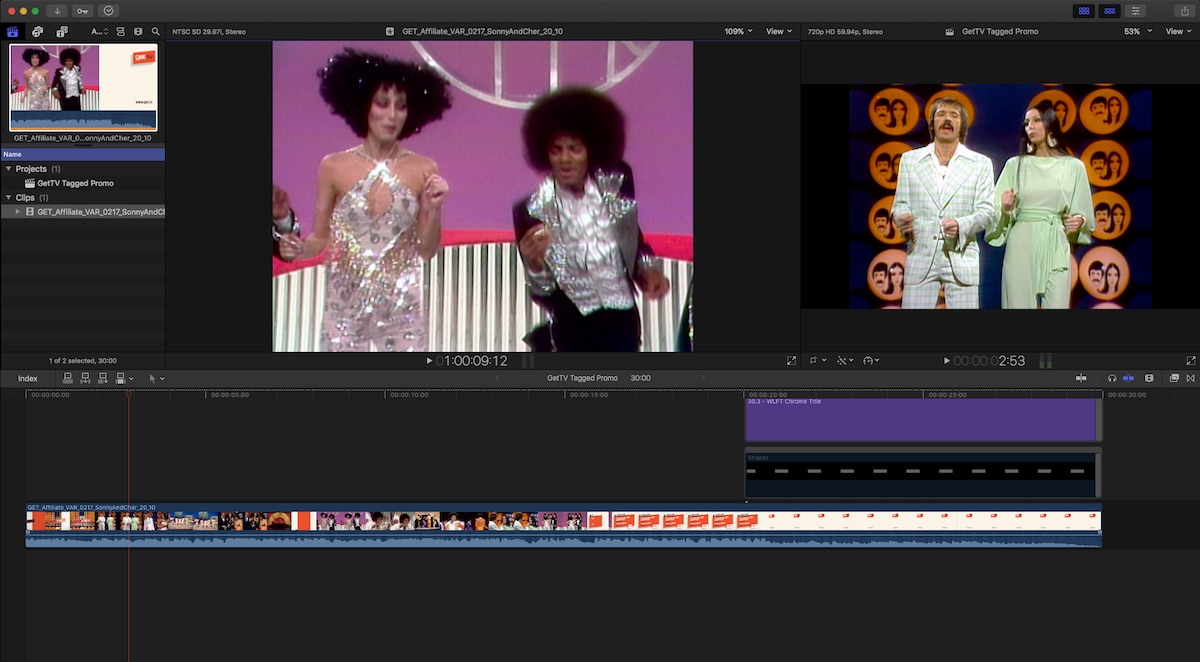
As for your second question, yes. That function is called Match Color. It can be fantastic, or worthless, depending on the clips you're using. Shortcut is Option-Command-M. The color shortcut menu is below the Viewer.
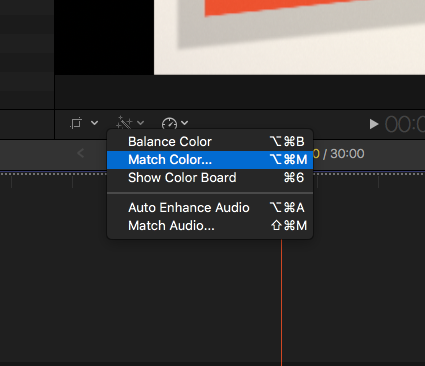
I like to do a Balance Color before doing a Match Color, seems to help a bit. Match Color may not do the whole job, but can help you get a good head start on adding a Color Correction filter to get a good match.
help.apple.com/finalcutpro/mac/10.3/#/verbbd35b3e
First, yes, what Tom said. BUT, that will also close the Browser Viewer you're opening.
The keyboard shortcut you're using opens the Event Viewer. The Browser needs to be open for that to function. Tom's shortcut closes the Browser AND the Library panes.
You can just hide the Libraries pane (sidebar) by clicking its icon a second time in the upper left, or with Command and the grave key which is ` or ~
So the most space you can get to use both the Browser Viewer and Viewer is to hide the Libraries sidebar and the Inspector (Command-4).
As for your second question, yes. That function is called Match Color. It can be fantastic, or worthless, depending on the clips you're using. Shortcut is Option-Command-M. The color shortcut menu is below the Viewer.
I like to do a Balance Color before doing a Match Color, seems to help a bit. Match Color may not do the whole job, but can help you get a good head start on adding a Color Correction filter to get a good match.
help.apple.com/finalcutpro/mac/10.3/#/verbbd35b3e
Last edit: 24 Jan 2017 13:48 by JoeEditor.
Please Log in to join the conversation.
24 Jan 2017 17:08 #85145
by Schnurr
Replied by Schnurr on topic Two clips in viewer for color correction but ...
Thanks guru,
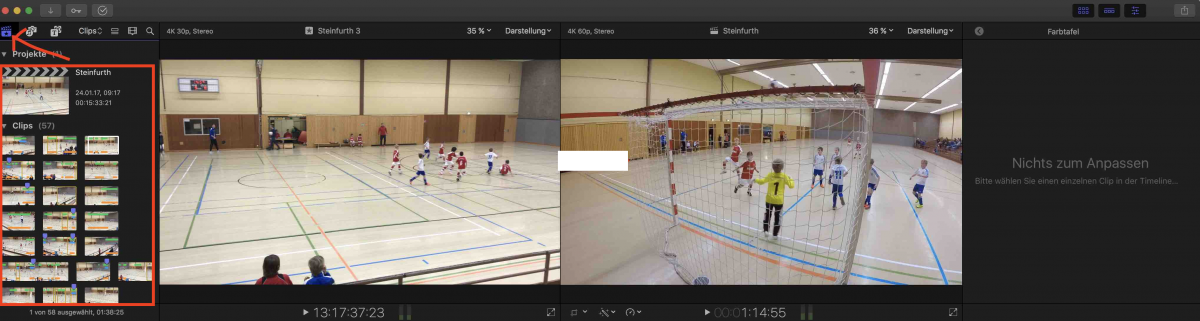
okay but even clicking on the icon (see arrow) the area remains and the windows can't be moved more to the left side. Only the names of the events disappear but will then be filled with clip thumbs. On a big screen not an issue but on smaller ones ... hmm strange.
okay but even clicking on the icon (see arrow) the area remains and the windows can't be moved more to the left side. Only the names of the events disappear but will then be filled with clip thumbs. On a big screen not an issue but on smaller ones ... hmm strange.
Please Log in to join the conversation.
24 Jan 2017 17:08 #85146
by Schnurr
Replied by Schnurr on topic Two clips in viewer for color correction but ...
Thanks guru,
okay but even clicking on the icon (see arrow) the area remains and the windows can't be moved more to the left side. Only the names of the events disappear but will then be filled with clip thumbs. On a big screen not an issue but on smaller ones ... hmm strange.
okay but even clicking on the icon (see arrow) the area remains and the windows can't be moved more to the left side. Only the names of the events disappear but will then be filled with clip thumbs. On a big screen not an issue but on smaller ones ... hmm strange.
Please Log in to join the conversation.
- Karsten Schlüter
-

- Offline
- Moderator
-
Less
More
- Posts: 3790
- Thank you received: 718
25 Jan 2017 05:22 #85157
by Karsten Schlüter
nothing strange - both windows are 'Preview' - of what? you have to tell somehow the app.
You specify that by selecting a clip, down below in the timeline and on the far left.
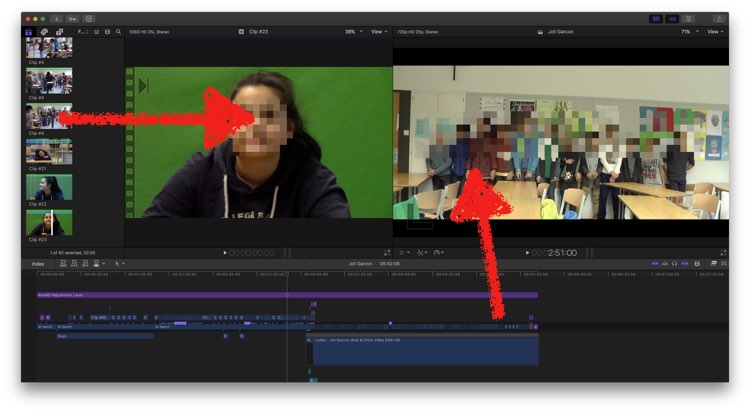
My screen-estate is tiny either, but for a preview? Plus, 10_3s new feature of saveable Workspaces makes it easy to switch btw. sights …
ok, connecting my telly to trusty MacMini as 2nd screen/'on air' preview, or my iPad via Duet for Event browsing is more fun
Felix Magath "Größe kann man nicht trainieren!"
(sorry folks, silly internal joke btw. soccer-Dads)
Replied by Karsten Schlüter on topic Two clips in viewer for color correction but ...
Schnurr wrote: ... hmm strange.…
nothing strange - both windows are 'Preview' - of what? you have to tell somehow the app.
You specify that by selecting a clip, down below in the timeline and on the far left.
My screen-estate is tiny either, but for a preview? Plus, 10_3s new feature of saveable Workspaces makes it easy to switch btw. sights …
ok, connecting my telly to trusty MacMini as 2nd screen/'on air' preview, or my iPad via Duet for Event browsing is more fun
Felix Magath "Größe kann man nicht trainieren!"
(sorry folks, silly internal joke btw. soccer-Dads)
Please Log in to join the conversation.
25 Jan 2017 09:19 #85165
by Schnurr
Replied by Schnurr on topic Two clips in viewer for color correction but ...
well Karsten,
manchmal ist aber weniger mehr ) and for pixel2pixel comparsion size matters
Aber okay gut zu wissen . Merci.
manchmal ist aber weniger mehr
) and for pixel2pixel comparsion size matters Aber okay gut zu wissen . Merci.
Please Log in to join the conversation.
25 Jan 2017 12:22 - 25 Jan 2017 12:32 #85167
by JoeEditor
Replied by JoeEditor on topic Two clips in viewer for color correction but ...
Clicking the icon like I said hides the "Libraries sidebar", not the "Browser" pane. Browser pane MUST be open for Browser Viewer to be open. Otherwise, there's nothing for the Browser Viewer to show.
Viewer on left is the "Browser Viewer" and shows what is highlighted in the Browser.
Viewer on right is simply the main Viewer and shows what is highlighted in Timeline, when Browser Viewer is open.
When Browser Viewer is closed, main Viewer will show what is selected and active in Browser or Timeline.
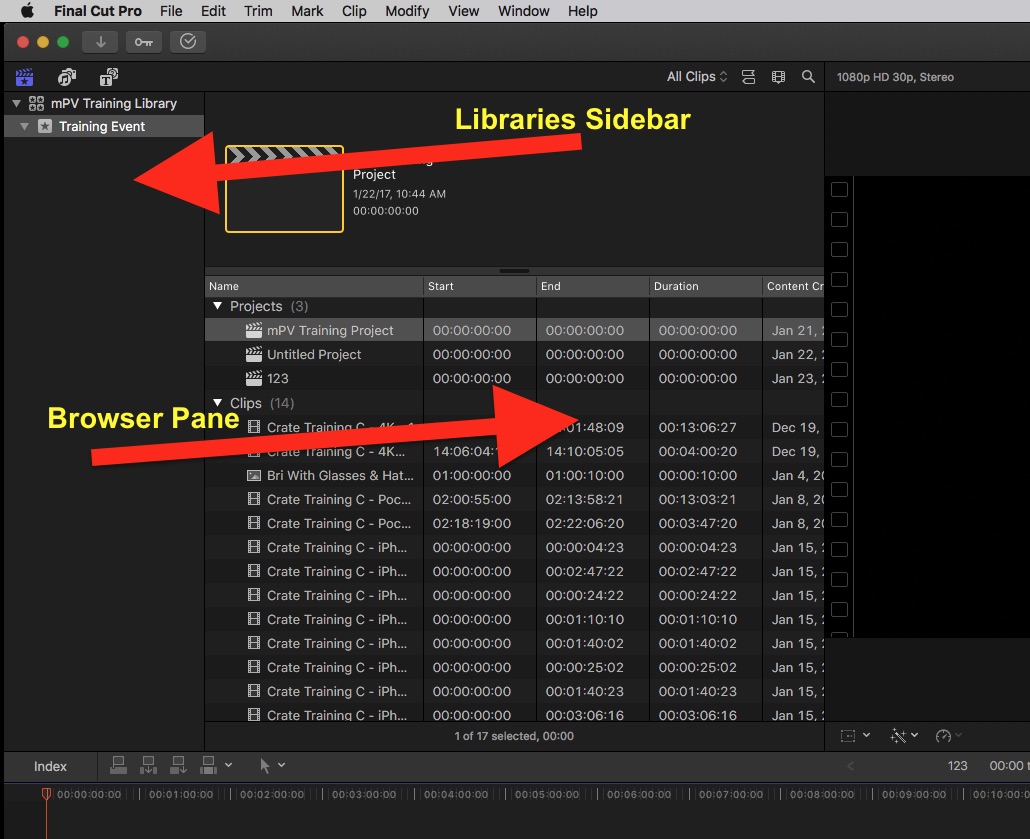
Viewer on left is the "Browser Viewer" and shows what is highlighted in the Browser.
Viewer on right is simply the main Viewer and shows what is highlighted in Timeline, when Browser Viewer is open.
When Browser Viewer is closed, main Viewer will show what is selected and active in Browser or Timeline.
Last edit: 25 Jan 2017 12:32 by JoeEditor.
Please Log in to join the conversation.
