


- Posts: 568
- Thank you received: 74
3 Post Moderation Rule for New Boarders (25 Jan 2021)
New boarders will have their posts moderated - Don't worry if you cannot see your post immediately.
Sierra: Can no longer use Mpeg Streamclip. Best / Simplest VOB to mp4 trimming conversion app?
28 Dec 2016 08:58 - 28 Dec 2016 09:10 #84341
by Axel
I agree. Wouldn't pay even 20 bucks for the full version. I liked MSC the most. Would pay 50 € for an updated version (used it regularly to convert ProRes masters to .mp4 - not ".mov"). By the number of visitors to this thread you can tell that we are not alone.
Replied by Axel on topic Sierra: Can no longer use Mpeg Streamclip. Best / Simplest VOB to mp4 trimming conversion app?
tj7 wrote: Well, it works. Sort of.
HORRIBLE interface.
(...)
Sigh. It works, but what a tedious process to go through.
I agree. Wouldn't pay even 20 bucks for the full version. I liked MSC the most. Would pay 50 € for an updated version (used it regularly to convert ProRes masters to .mp4 - not ".mov"). By the number of visitors to this thread you can tell that we are not alone.
Last edit: 28 Dec 2016 09:10 by Axel.
Please Log in to join the conversation.
28 Dec 2016 10:46 #84345
by VJIse
Replied by VJIse on topic Sierra: Can no longer use Mpeg Streamclip. Best / Simplest VOB to mp4 trimming conversion app?
Hi tj7,
I've sent you a message.
I've sent you a message.
Please Log in to join the conversation.

28 Dec 2016 13:42 #84348
by JoeEditor
Replied by JoeEditor on topic Sierra: Can no longer use Mpeg Streamclip. Best / Simplest VOB to mp4 trimming conversion app?
Hey, 13 years of beta testing, it's so... (sigh)
Please Log in to join the conversation.

04 May 2017 10:28 #87783
by whitemax
Replied by whitemax on topic Sierra: Can no longer use Mpeg Streamclip. Best / Simplest VOB to mp4 trimming conversion app?
Why not give a try at Handbrake for Mac, which supports to convert VOB to MP4 with H.265, H.264, MPEG-4, MPEG-2 compression codec.
Please Log in to join the conversation.

04 May 2017 13:04 #87790
by spurratic
Replied by spurratic on topic Sierra: Can no longer use Mpeg Streamclip. Best / Simplest VOB to mp4 trimming conversion app?
I use Compressor for 95% of everything I do. All conversions.
Even when I am simply changing a .wav to an .mp3 I use it cause its fast, easy, and works like a charm.
It is a bit of a pain sometimes finding the options but once I set my custom settings, like .avi, .wmv, .mp4, and everything in between......its as simple as making a droplet of adding to the share menu.
I don't personally see how using a third party app could be easier than that. Thats why I stopped using mpeg stream clip well before it stopped working.
I also use Edit Ready which is a pretty cool app for previewing Camera Archives and batch converting.
And Handbrake is a good one to keep around, especially when you need to convert a VOB.
So Compressor, Edit Ready, and Handbrake.......haven't come across anything yet that these 3 can't do.
Even when I am simply changing a .wav to an .mp3 I use it cause its fast, easy, and works like a charm.
It is a bit of a pain sometimes finding the options but once I set my custom settings, like .avi, .wmv, .mp4, and everything in between......its as simple as making a droplet of adding to the share menu.
I don't personally see how using a third party app could be easier than that. Thats why I stopped using mpeg stream clip well before it stopped working.
I also use Edit Ready which is a pretty cool app for previewing Camera Archives and batch converting.
And Handbrake is a good one to keep around, especially when you need to convert a VOB.
So Compressor, Edit Ready, and Handbrake.......haven't come across anything yet that these 3 can't do.
Please Log in to join the conversation.
04 May 2017 14:30 #87795
by lichinho
Replied by lichinho on topic Sierra: Can no longer use Mpeg Streamclip. Best / Simplest VOB to mp4 trimming conversion app?
Don't write off MPEGStreamclip just yet.
I simply put the QuicktimeMPEG2 component in ~/Library/Quicktime and was able to open a vob file, and export a snippet to Quicktime. It seems to work fine, albeit with a few visual glitches.
I simply put the QuicktimeMPEG2 component in ~/Library/Quicktime and was able to open a vob file, and export a snippet to Quicktime. It seems to work fine, albeit with a few visual glitches.
Please Log in to join the conversation.
- ronny courtens
-

- Offline
- Moderator
-

Less
More
- Posts: 4455
- Thank you received: 962
07 May 2017 15:25 #87861
by ronny courtens
Replied by ronny courtens on topic Sierra: Can no longer use Mpeg Streamclip. Best / Simplest VOB to mp4 trimming conversion app?
VOB files can be opened in QT Player X in Sierra because the MPEG2 component is part of the OS.
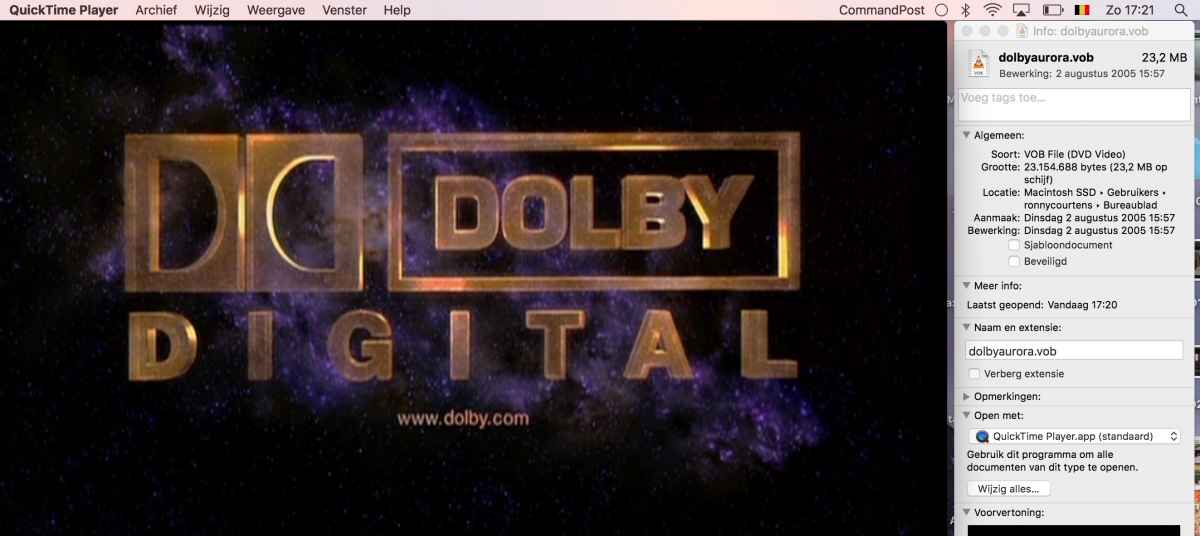
From here you can easily convert the VOB files to an edit-friendly MOV format.
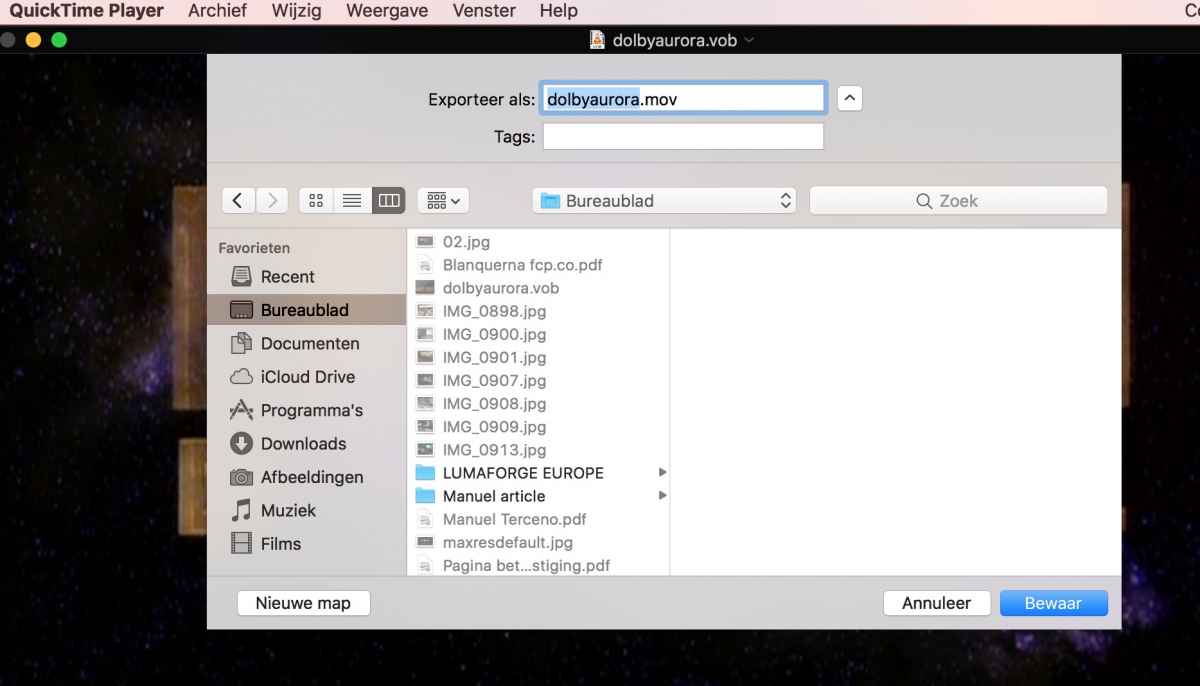
- Ronny
From here you can easily convert the VOB files to an edit-friendly MOV format.
- Ronny
Please Log in to join the conversation.
07 May 2017 18:31 #87863
by GottaRUN
Replied by GottaRUN on topic Sierra: Can no longer use Mpeg Streamclip. Best / Simplest VOB to mp4 trimming conversion app?
Is that 'CommandPost' the Chris Hocking app that displaying that info? I tried opening a VTS_01_1.VOB and only plays 20 seconds and exports 20 seconds. Maybe Chapter 1, as it just the opening scene. It does nothing if I tried opening VIDEO_TS.VOB I'm using QT Player Version 10.4 (894.12) under Sierra. What am I missing? Thanks for the assist!
Please Log in to join the conversation.
- ronny courtens
-
- Offline
- Moderator
-
Less
More
- Posts: 4455
- Thank you received: 962
07 May 2017 18:47 #87864
by ronny courtens
Replied by ronny courtens on topic Sierra: Can no longer use Mpeg Streamclip. Best / Simplest VOB to mp4 trimming conversion app?
Yep that's Command Post, I'm testing the latest Beta 6 version. Looks very promising.
Depending on the DVD menu structure, VIDEO_TS.VOB is always empty and VTS._01_1.VOB could be a chapter menu. Try going further down the structure and you should be able to find the video files.
- Ronny
Depending on the DVD menu structure, VIDEO_TS.VOB is always empty and VTS._01_1.VOB could be a chapter menu. Try going further down the structure and you should be able to find the video files.
- Ronny
Please Log in to join the conversation.
07 May 2017 20:00 #87865
by GottaRUN
Replied by GottaRUN on topic Sierra: Can no longer use Mpeg Streamclip. Best / Simplest VOB to mp4 trimming conversion app?
Hmm, it's not working for me. The VS structure was extracted from a DVD .. the video was recorded on it from a TV station years ago. Handbrake 1.07 did work and it offers a bunch of options as a mp4 file. I also tried VLC and was humming along until I had to force quit it as it stopped working. Thanks for the quick responses!
Please Log in to join the conversation.
- BeeblePete
-

- Offline
- New Member
-

Less
More
- Posts: 1
- Thank you received: 0
12 Jul 2017 13:57 #89334
by BeeblePete
Replied by BeeblePete on topic Sierra: Can no longer use Mpeg Streamclip. Best / Simplest VOB to mp4 trimming conversion app?
Thanks to D. Hoffman in the Apple support communities, I've got MPEG Streamclip back into action in a newer OS (El Capitan).
Here's a guide which may help others: MPEG Streamclip DVD Fix
Here's a guide which may help others: MPEG Streamclip DVD Fix
Please Log in to join the conversation.
- sodabiscuit12345
-
- Offline
- New Member
-
Less
More
- Posts: 11
- Thank you received: 0
17 Jul 2017 02:23 #89434
by sodabiscuit12345
Replied by sodabiscuit12345 on topic Sierra: Can no longer use Mpeg Streamclip. Best / Simplest VOB to mp4 trimming conversion app?
TJ7 have you, or anyone else found an alternative or how to use Mpegstreamclip to cut out small snippets of video from a larger one?
It was so easy with Mpegstreamclip.
"I" then "O", then command T, and save. So easy...
It was so easy with Mpegstreamclip.
"I" then "O", then command T, and save. So easy...
tj7 wrote: Hi.
Sadly, Mpeg Streamclip no longer works under Sierra. Jumping through the OS hoops to manually install the MPEG2 component fails. Such a shame as this was a brilliantly simple and useful app for trimming out the bits and pieces one needed for their project without having to import / convert massive files.
FCPX amazingly still is incredibly clunky when it comes to quick trim 'n' convert operations for VOB files etc
All I need to do is to be able to grab this bit and that bit from various VOB's, large mp4 files etc for use in FCPX projects. iskysoft's video converter is horrible and has a very poor interface.
Isn't there a better / cheaper alternative out there?
Please Log in to join the conversation.
03 Jun 2020 11:09 #107633
by CG1
Replied by CG1 on topic Sierra: Can no longer use Mpeg Streamclip. Best / Simplest VOB to mp4 trimming conversion app?
Have just stumbled on this thread. I can report that MPEG Streamclip is working perfectly on my 2019 Mojave iMac. Had to figure out 3 problems.
1) if retina display, need to right click/get info on the application icon and select "open in low resolution"
2) The error message given when you try to open the app refers is misleading. It refers to the "Apple Quicktime MPEG2 playback component" not being installed and gives a (broken) link to get it. There is a different component which is also needed which is the "QuicktimeMPEG2.component". These BOTH need to be installed in the correct place
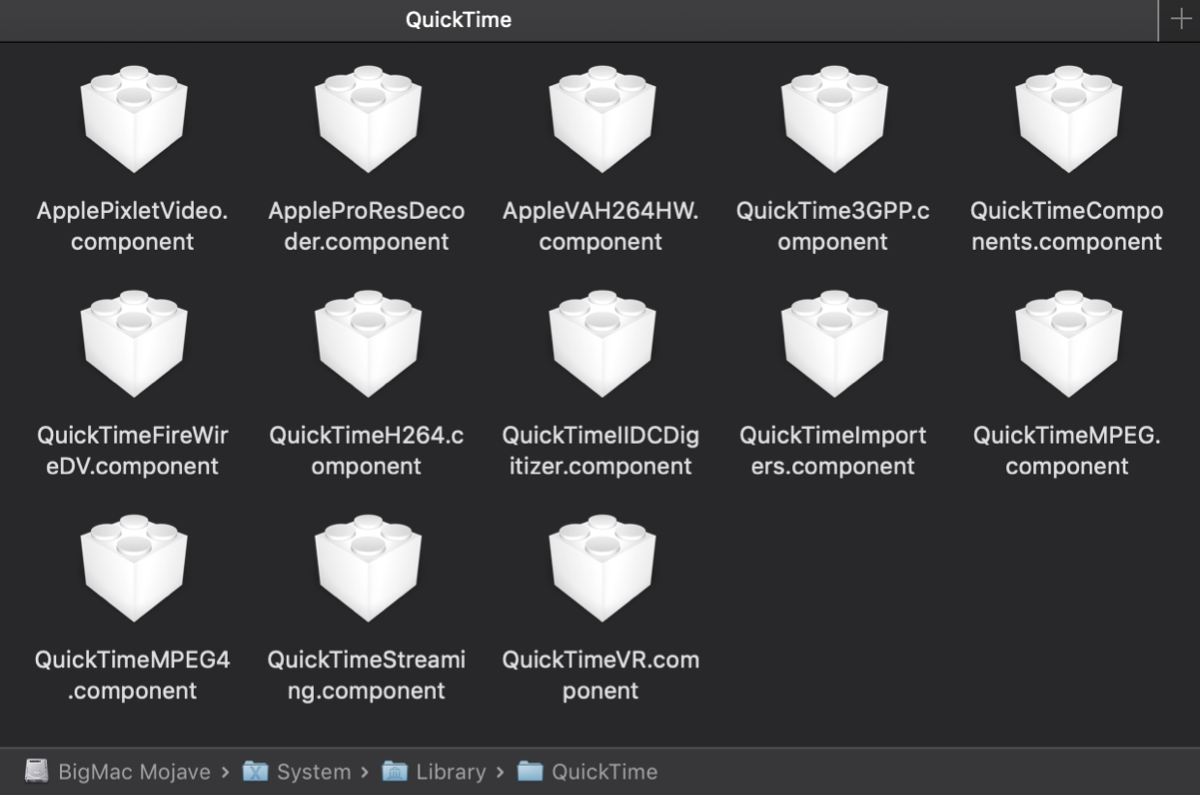
3) The correct place for these to be installed is MacintoshHD > Library > Quicktime (not as a previous poster suggested MacintoshHD > user > Library > Quicktime, nor MacintoshHD > System > Library > Quicktime). There is another component which also lives in this folder which is "AppleIntermediateCodec.component".
This has got MPEG Streamclip working perfectly for me under 10.14.6 (though of course as it's a 32-bit application, Catalina will definitely be the end of the road for it).
I attach screenshots of the contents of the two folders on my system in case this helps
1) if retina display, need to right click/get info on the application icon and select "open in low resolution"
2) The error message given when you try to open the app refers is misleading. It refers to the "Apple Quicktime MPEG2 playback component" not being installed and gives a (broken) link to get it. There is a different component which is also needed which is the "QuicktimeMPEG2.component". These BOTH need to be installed in the correct place
3) The correct place for these to be installed is MacintoshHD > Library > Quicktime (not as a previous poster suggested MacintoshHD > user > Library > Quicktime, nor MacintoshHD > System > Library > Quicktime). There is another component which also lives in this folder which is "AppleIntermediateCodec.component".
This has got MPEG Streamclip working perfectly for me under 10.14.6 (though of course as it's a 32-bit application, Catalina will definitely be the end of the road for it).
I attach screenshots of the contents of the two folders on my system in case this helps

Please Log in to join the conversation.
04 Jun 2020 04:16 #107654
by spurratic
Replied by spurratic on topic Sierra: Can no longer use Mpeg Streamclip. Best / Simplest VOB to mp4 trimming conversion app?
Maybe I’m missing something but I just use compressor and it seems to handle anything I throw at it easily and quickly.
In the extremely rare occasion that I have to deal with a specific codec that compressor doesn’t like I think I have just used handbrake.
In the extremely rare occasion that I have to deal with a specific codec that compressor doesn’t like I think I have just used handbrake.
Please Log in to join the conversation.
