


- Posts: 22
- Thank you received: 0
3 Post Moderation Rule for New Boarders (25 Jan 2021)
New boarders will have their posts moderated - Don't worry if you cannot see your post immediately.
Multicam view in Timeline
07 Dec 2016 21:05 #83735
by Regis
Multicam view in Timeline was created by Regis
Hi
As a professional editor , FCPX 10.3 is amazing,
But, apple has changed the way we see cuts on mutlicam clip in timeline, no way to see the difference between a simple change of angle or a jump cut
I'm working on a TV project ( nine 52 minutes episodes) with multicams and it's very annoying
If somebody can tell them, for the next update , it's would be great
R
As a professional editor , FCPX 10.3 is amazing,
But, apple has changed the way we see cuts on mutlicam clip in timeline, no way to see the difference between a simple change of angle or a jump cut
I'm working on a TV project ( nine 52 minutes episodes) with multicams and it's very annoying
If somebody can tell them, for the next update , it's would be great
R
Please Log in to join the conversation.
- Tom Wolsky
-

- Offline
- Moderator
-

08 Dec 2016 11:14 #83748
by Tom Wolsky
Replied by Tom Wolsky on topic Multicam view in Timeline
You can tell them using feedback. I think the behavior is unchanged from previous versions, except the continuous audio display has changed.
Please Log in to join the conversation.
08 Dec 2016 11:20 - 08 Dec 2016 11:55 #83751
by Regis
Replied by Regis on topic Multicam view in Timeline
Hi Tom
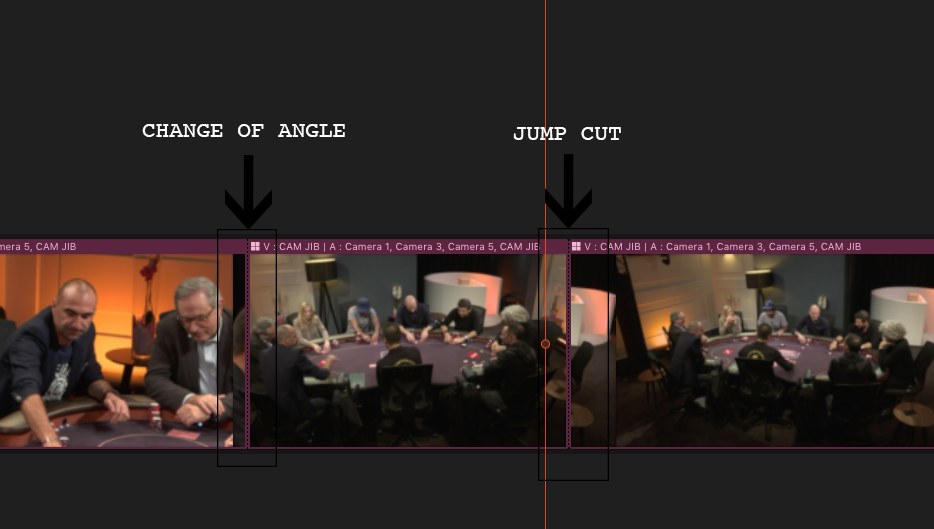
In previous versions, a jumps cut was a straight line, switched angles was a dotted line, now both are a dotted line
I allready sent them by Final cut feedback
In previous versions, a jumps cut was a straight line, switched angles was a dotted line, now both are a dotted line
I allready sent them by Final cut feedback
Last edit: 08 Dec 2016 11:55 by Regis.
Please Log in to join the conversation.
- Tom Wolsky
-
- Offline
- Moderator
-
08 Dec 2016 12:09 #83756
by Tom Wolsky
Replied by Tom Wolsky on topic Multicam view in Timeline
Not in multicam clips. They've always been dotted lines. Or are you referring to legacy FCP.
Please Log in to join the conversation.
- heyitsjulian
-

- Offline
- New Member
-

Less
More
- Posts: 12
- Thank you received: 2
08 Dec 2016 19:32 #83772
by heyitsjulian
Replied by heyitsjulian on topic Multicam view in Timeline
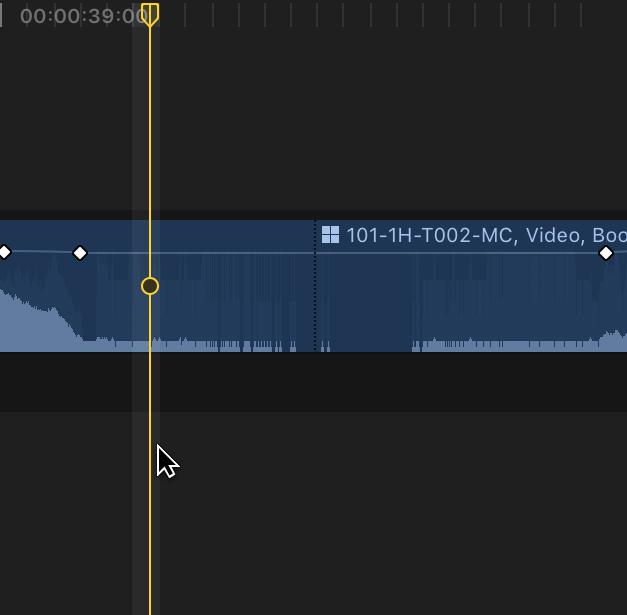
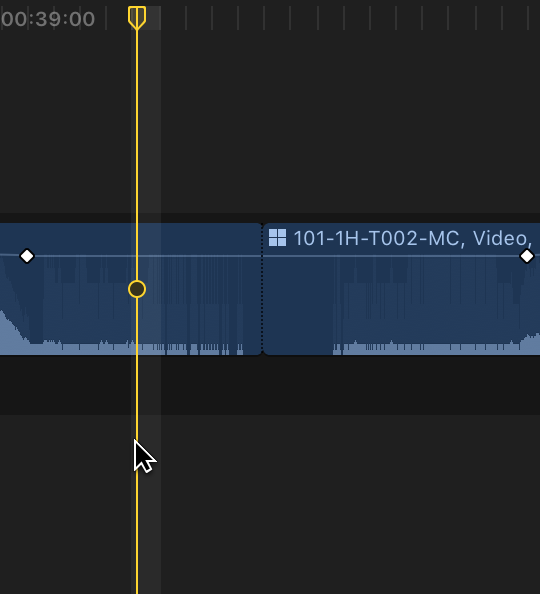
In 10.2.3 now, and I am seeing a hard line division where a jump cut occurs in a multicam clip. I see the dotted line if the clips are continuous and can be joined.
I took issue with this change in 10.3.1 as well. It gets very confusing when going through an edit and not knowing whether there is a through edit or not, because all adjacent clips of the same multicam source show a dotted line. I'm sure a lot of us would love if Apple added far more visible indicators for through edits (I have been submitting feedback).
Actually, it's pretty silly, but I just found by zooming in on my monitor that Apple DID implement a visual differtiation for jump cuts/through edits, but its SUPER minor. Like, a very very microscopic rounding of the corner on the incoming clip.
I will submit feedback as well - i think a hard cut should be shown as a hard line. Makes sense, and it was in 10.2.3.
I took issue with this change in 10.3.1 as well. It gets very confusing when going through an edit and not knowing whether there is a through edit or not, because all adjacent clips of the same multicam source show a dotted line. I'm sure a lot of us would love if Apple added far more visible indicators for through edits (I have been submitting feedback).
Actually, it's pretty silly, but I just found by zooming in on my monitor that Apple DID implement a visual differtiation for jump cuts/through edits, but its SUPER minor. Like, a very very microscopic rounding of the corner on the incoming clip.
I will submit feedback as well - i think a hard cut should be shown as a hard line. Makes sense, and it was in 10.2.3.
Please Log in to join the conversation.
08 Dec 2016 20:38 #83777
by Regis
Replied by Regis on topic Multicam view in Timeline
Sorry Tom,
Like heyitsjulian said, hard line division for a jump cut and a dotted line for the angle switch in FCPX 10.2.3
I guess they will change in the next update
Like heyitsjulian said, hard line division for a jump cut and a dotted line for the angle switch in FCPX 10.2.3
I guess they will change in the next update
Please Log in to join the conversation.
- Tom Wolsky
-
- Offline
- Moderator
-
08 Dec 2016 21:49 #83780
by Tom Wolsky
Replied by Tom Wolsky on topic Multicam view in Timeline
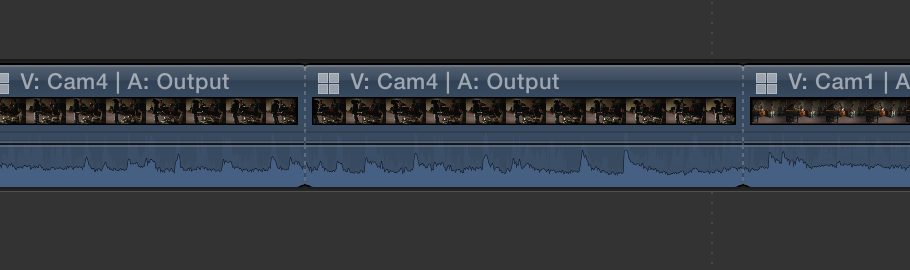
This is a joke right? They both have dotted lines. They both look like this

I'm not seeing a solid line here or something that might readily distinguish the two.
I'm not seeing a solid line here or something that might readily distinguish the two.
Please Log in to join the conversation.
- Tom Wolsky
-
- Offline
- Moderator
-
08 Dec 2016 22:00 #83782
by Tom Wolsky
Replied by Tom Wolsky on topic Multicam view in Timeline
What's the difference between these two?
Please Log in to join the conversation.
- Tom Wolsky
-
- Offline
- Moderator
-
08 Dec 2016 22:12 #83783
by Tom Wolsky
Replied by Tom Wolsky on topic Multicam view in Timeline
The fact is that in a multicam edit any and all edits are through edits. You can select and delete any edit point, even if the shots aren't contiguous, and because they come from the same clip container, they will simply roll out the edit point, regardless of the adjust edit angle.
Please Log in to join the conversation.
- heyitsjulian
-
- Offline
- New Member
-
Less
More
- Posts: 12
- Thank you received: 2
08 Dec 2016 22:22 #83785
by heyitsjulian
Replied by heyitsjulian on topic Multicam view in Timeline
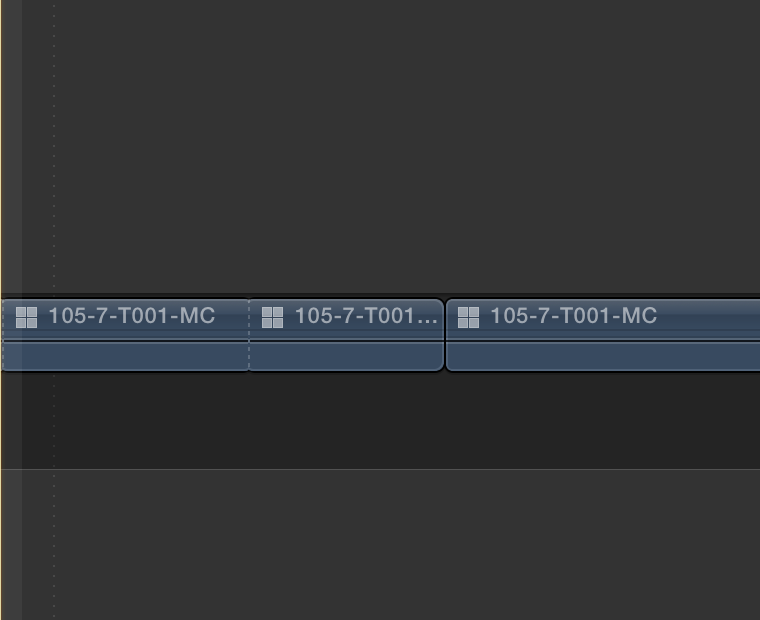
Hey Tom, it wasn't a joke, my point was that in 10.3.1 they have hard-to-see dotted lines for both through edits as well as non-continuous edits. Just makes it hard to distinguish between the 2!
This is what my 10.2.3 system looks like when I do a through edit on a multicam, and then an edit where i subtract frames from one side. On the 2nd edit, the cut is more defined. Not sure why we are seeing different things.
This is what my 10.2.3 system looks like when I do a through edit on a multicam, and then an edit where i subtract frames from one side. On the 2nd edit, the cut is more defined. Not sure why we are seeing different things.
Please Log in to join the conversation.
08 Dec 2016 22:28 #83786
by Regis
Replied by Regis on topic Multicam view in Timeline
Tom , I saw exactly like heyitsjulia in 10.2.3 , but I don't have it any more.
Please Log in to join the conversation.
08 Dec 2016 22:38 - 08 Dec 2016 22:39 #83787
by Regis
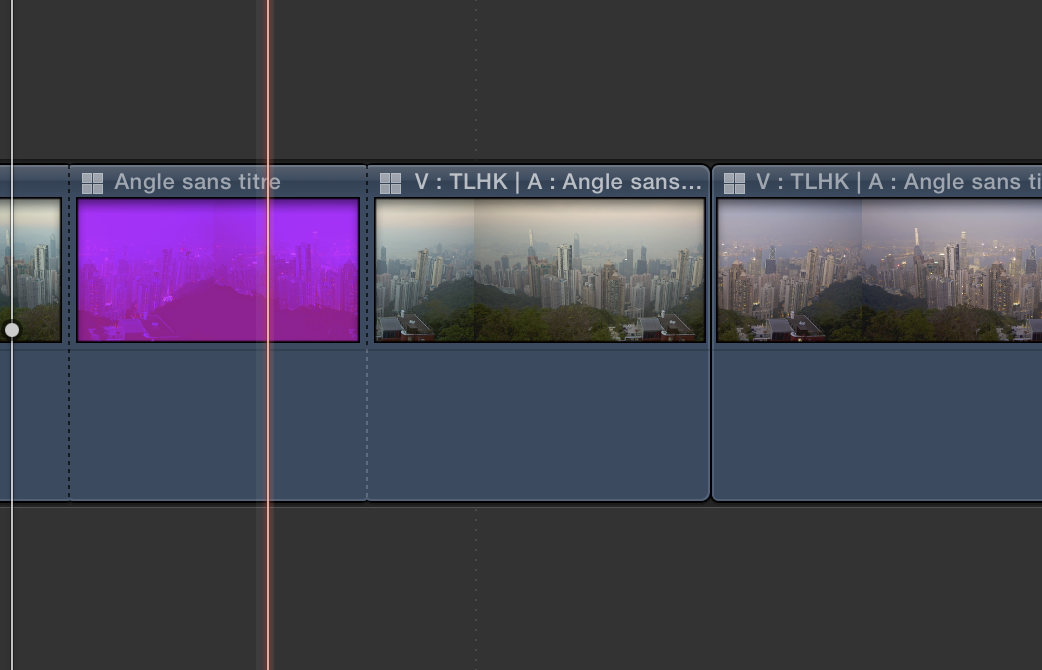
I reinstall 10.2.3
As you see I the screen shot, hard line for the same Multicam but not continuously and dotted line for switches angles
Replied by Regis on topic Multicam view in Timeline
I reinstall 10.2.3
As you see I the screen shot, hard line for the same Multicam but not continuously and dotted line for switches angles
Last edit: 08 Dec 2016 22:39 by Regis.
Please Log in to join the conversation.
08 Dec 2016 22:47 #83792
by Regis
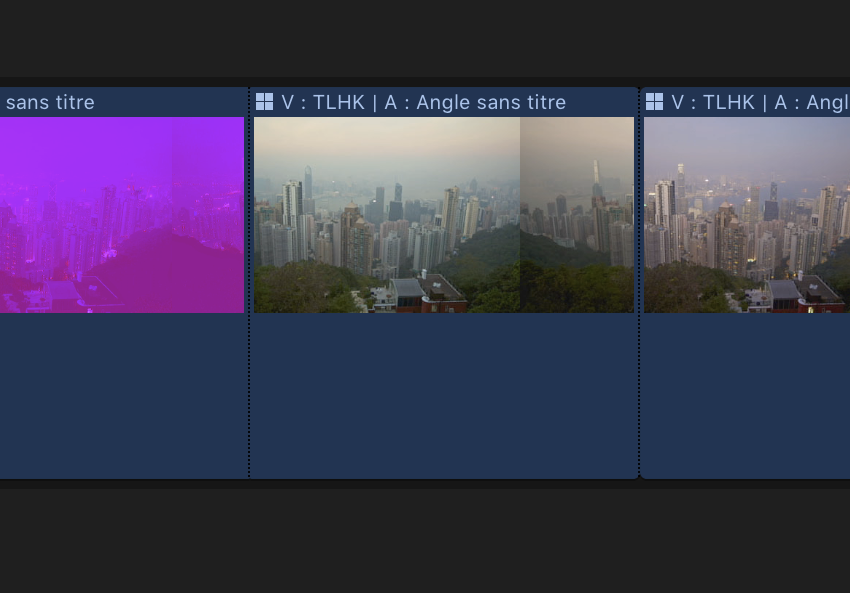
Same project in 10.3.1
Replied by Regis on topic Multicam view in Timeline
Same project in 10.3.1
Please Log in to join the conversation.

09 Dec 2016 01:05 #83796
by odedh
Replied by odedh on topic Multicam view in Timeline
looks like a bug, if you reported it they'll fix it 
Please Log in to join the conversation.


09 Dec 2016 03:36 #83800
by JoeEditor
Replied by JoeEditor on topic Multicam view in Timeline
The slight roundness to the top of the full edit point isn't enough to easily distinguish it from a through edit, for sure. Feedback page...
Please Log in to join the conversation.
