


- Posts: 1
- Thank you received: 0
3 Post Moderation Rule for New Boarders (25 Jan 2021)
New boarders will have their posts moderated - Don't worry if you cannot see your post immediately.
PLEASE help me - have spent 9 hours trying differnt things
04 Dec 2016 18:37 #83627
by gregc72
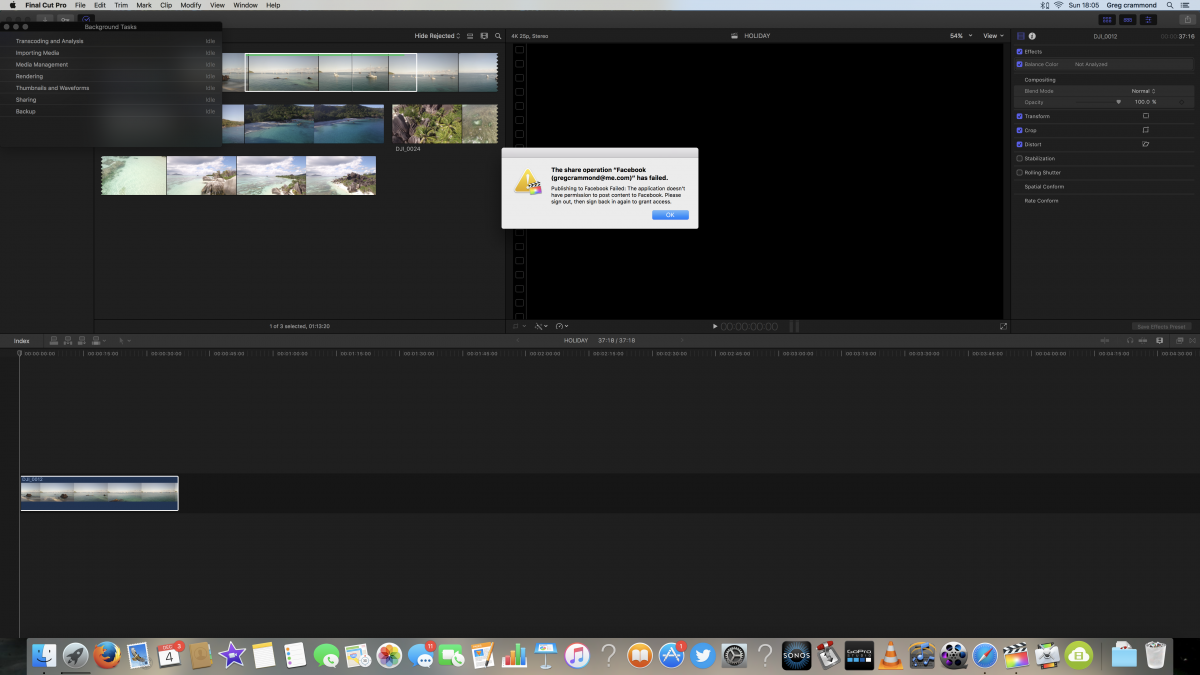
Please could someone be so kind as to help a newbie - Evertime i try and post my video to facebook it comes up with the message that i dont have permission ? I have posted a video in the past and worked fine . I have tried logging out and back in on facbook but keeps giving same message . I have spent 9 hours on this .
Thanks
Greg
Thanks
Greg
Please Log in to join the conversation.
- nils.dettmann
-

- Offline
- Elite Member
-

Less
More
- Posts: 161
- Thank you received: 13
04 Dec 2016 21:06 #83635
by nils.dettmann
Replied by nils.dettmann on topic PLEASE help me - have spent 9 hours trying differnt things
Most probably not related but:
I can´t post to Vimeo directly from FCPX. It won´t accept my password. Still haven´t found a solution.
Did you export to disk an the upload via webbrowser until you find a solution.
I can´t post to Vimeo directly from FCPX. It won´t accept my password. Still haven´t found a solution.
Did you export to disk an the upload via webbrowser until you find a solution.
Please Log in to join the conversation.

04 Dec 2016 23:11 #83636
by VidGreg
Replied by VidGreg on topic PLEASE help me - have spent 9 hours trying differnt things
Hi Greg
Welcome to the forums.
Export your Master File to your Desktop.
Go to FB like you would normally.
Click on the Upload Photo/Video file icon.
Navigate to your file on your desktop and select that to upload.
Let FB transcode and install on your home page. Then publish from there.
You will often end up with better quality and less problems than trying to upload directly.
If you still wish to upload directly, try deleting your FCPX preferences.
Hope this helps, Greg
Welcome to the forums.
Export your Master File to your Desktop.
Go to FB like you would normally.
Click on the Upload Photo/Video file icon.
Navigate to your file on your desktop and select that to upload.
Let FB transcode and install on your home page. Then publish from there.
You will often end up with better quality and less problems than trying to upload directly.
If you still wish to upload directly, try deleting your FCPX preferences.
Hope this helps, Greg
Please Log in to join the conversation.
