


- Posts: 1
- Thank you received: 0
3 Post Moderation Rule for New Boarders (25 Jan 2021)
New boarders will have their posts moderated - Don't worry if you cannot see your post immediately.
Gradient Map
30 Nov 2016 20:35 #83485
by WKGmile
Gradient Map was created by WKGmile
Anyone know how to apply a photoshop-style gradient map in FCPX?
Newbie here; be gentle.
Thanks!
Newbie here; be gentle.
Thanks!
Please Log in to join the conversation.


01 Dec 2016 12:48 #83502
by JoeEditor
Replied by JoeEditor on topic Gradient Map
Not totally sure, but you can use the Color Board to desaturate an image to make it black and white, and adjust the color pucks to adjust the balances of the grayscale over the image. Photographers have been keen to this for ages. Not sure it is the same thing, but from what little i know about the PS gradient map, it is very similar, if not the same.
Please Log in to join the conversation.


28 Jul 2022 04:43 #121610
by mmorache
Replied by mmorache on topic Gradient Map
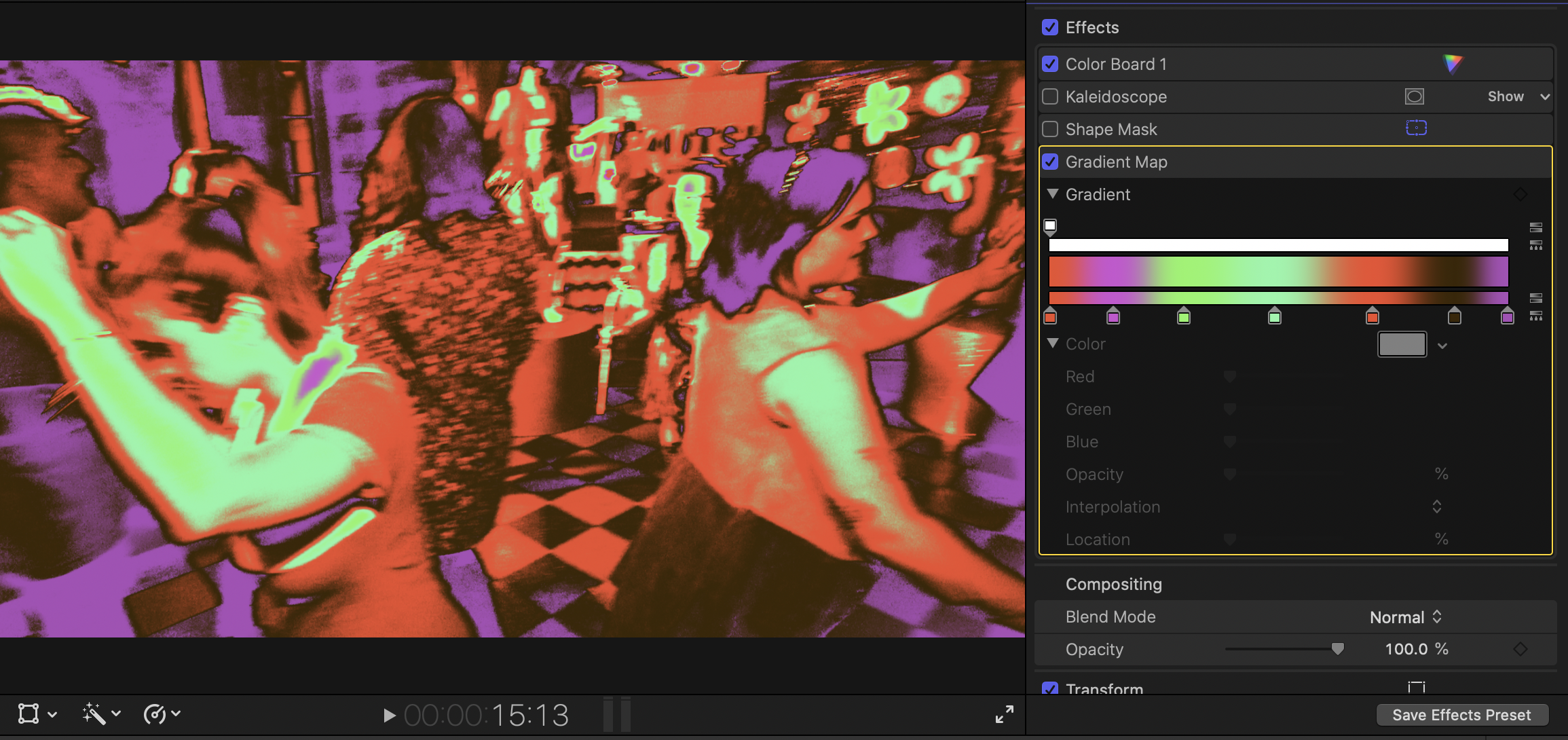
I was looking for the same thing. There's a filter in Motion called "gradient colorize". There might be a plug in somewhere, but $50 for motion is totally worth the price.
You can pretty easily open Motion, create an fcp effect, apply the gradient colorize to the effect source and publish the gradient. Here's the trick... there's no pulldown to publish the gradient to FCP. You need to look at the filters tab in the Motion inspector, control-click on the line that says "gradient" and select "publish" in the context menu. Save that to your effects, and have fun.
You can pretty easily open Motion, create an fcp effect, apply the gradient colorize to the effect source and publish the gradient. Here's the trick... there's no pulldown to publish the gradient to FCP. You need to look at the filters tab in the Motion inspector, control-click on the line that says "gradient" and select "publish" in the context menu. Save that to your effects, and have fun.
Please Log in to join the conversation.
