


- Posts: 134
- Thank you received: 9
3 Post Moderation Rule for New Boarders (25 Jan 2021)
New boarders will have their posts moderated - Don't worry if you cannot see your post immediately.
Hide connexion
- Ponponpostprod
-
 Topic Author
- Offline
- Premium Member
-

Less
More
22 Nov 2016 20:29 - 22 Nov 2016 20:53 #83112
by Ponponpostprod
Hide connexion was created by Ponponpostprod
I thought it was possible before (in 10.2.3), but i don't find it now : how can I hide the connexion bar of a clip ?
Last edit: 22 Nov 2016 20:53 by Ponponpostprod.
Please Log in to join the conversation.


22 Nov 2016 22:12 #83119
by JoeEditor
Replied by JoeEditor on topic Hide connexion
Way back when there was a checkbox in the Clip Appearance menu to show or hide connection stems. No one ever used it, so they removed it to save real estate. Never understood why you'd want to hide them.
Please Log in to join the conversation.
- Ponponpostprod
-
Topic Author
- Offline
- Premium Member
-
Less
More
- Posts: 134
- Thank you received: 9
22 Nov 2016 22:22 - 22 Nov 2016 22:29 #83123
by Ponponpostprod
Replied by Ponponpostprod on topic Hide connexion
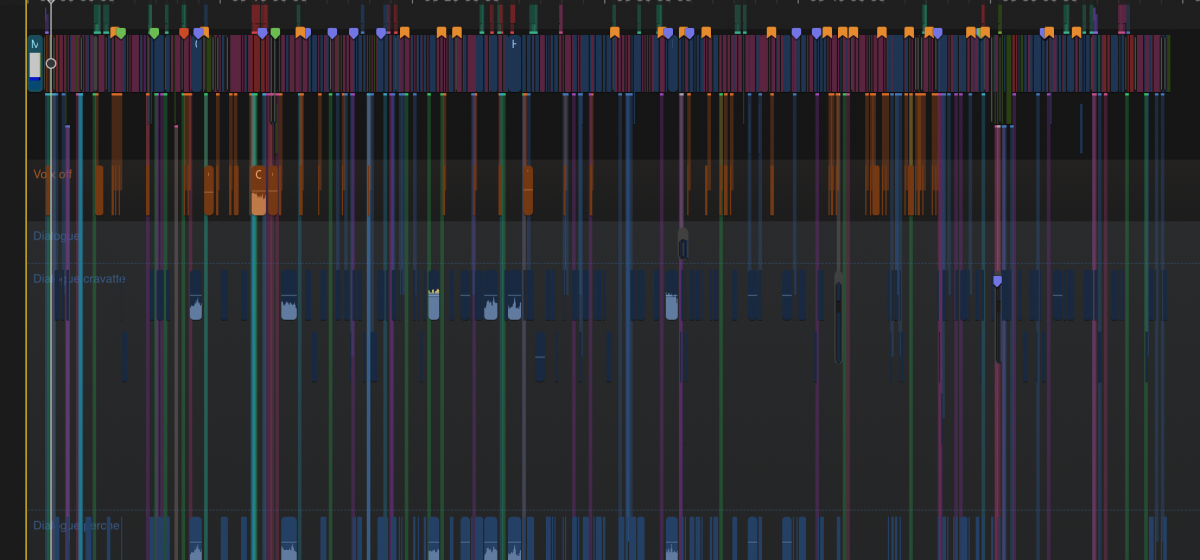
When I look on my 60' documentary timeline, i see a sort of forest of tree when i choose to show the audio line. It would have been clean if i could hide connections.
I think now that the audio lines exist, it should have been more useful than before.
I think now that the audio lines exist, it should have been more useful than before.
Last edit: 22 Nov 2016 22:29 by Ponponpostprod.
Please Log in to join the conversation.


22 Nov 2016 22:44 #83124
by FernKraft
Replied by FernKraft on topic Hide connexion
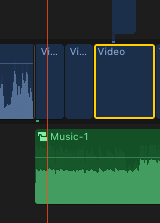
That is odd. I always hid my clip connections in 10.2.3, and with 10.3, FCPX has that as it's normal behaviour.
My timelines only show clip connections for connected clips relevant to clips I have selected. Even if I'm in "lanes view".
Otherwise I have little "highlights" where there are clip connections, but not actual "stems" like you are showing.
My timelines only show clip connections for connected clips relevant to clips I have selected. Even if I'm in "lanes view".
Otherwise I have little "highlights" where there are clip connections, but not actual "stems" like you are showing.
Please Log in to join the conversation.
