




- Posts: 119
- Thank you received: 6
3 Post Moderation Rule for New Boarders (25 Jan 2021)
New boarders will have their posts moderated - Don't worry if you cannot see your post immediately.
Editing in Open Clip no longer possible
09 Nov 2016 08:50 - 09 Nov 2016 08:53 #82474
by Suzero
Editing in Open Clip no longer possible was created by Suzero
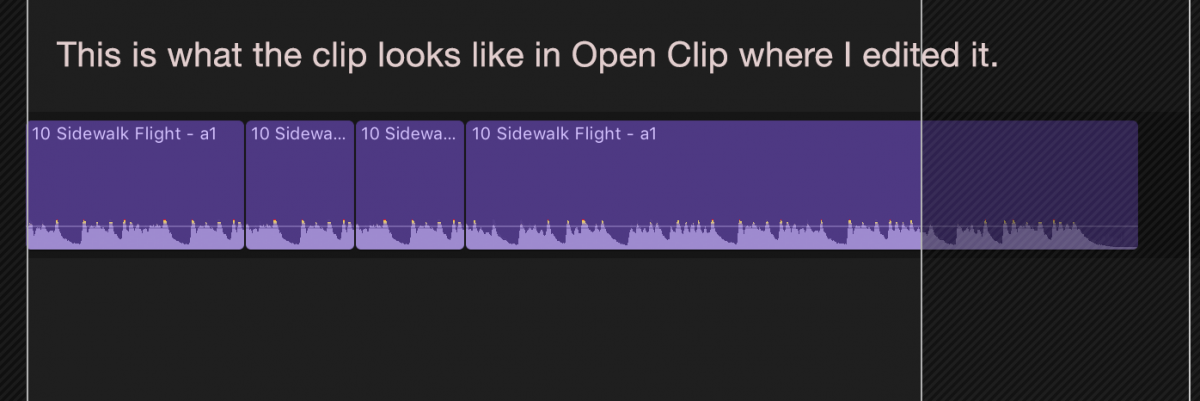
'Open in Timeline' is now 'Open Clip' in 10.2. I used to use that a lot in 10.2 to edit music tracks because I edit music with in and out points "on-the-fly" (i.e. during playback) and that is not possible in a secondary storyline / connected clip. So I'd right-click a music clip in the timeline, choose Open in Timeline, shorten and/or loop the music, step back out into my project timeline and hey presto, the music was shortened within a tidy single clip on the timeline. A bit like a compound clip.
In 10.3 I can Open Clip and edit the music, but when I jump back out into the project, the clip is grayed and has no content / sound. I have also tested this in a brand new 10.3 created project (so no upgrade from 10.2) and the problem persists.
I can't imagine that this is anything but a bug, but thought I'd check here to see if anyone knows of this as a 'new feature' that has good logic behind it.
Meanwhile, I am lamenting the loss of Open in Timeline.
But back in the project timeline...
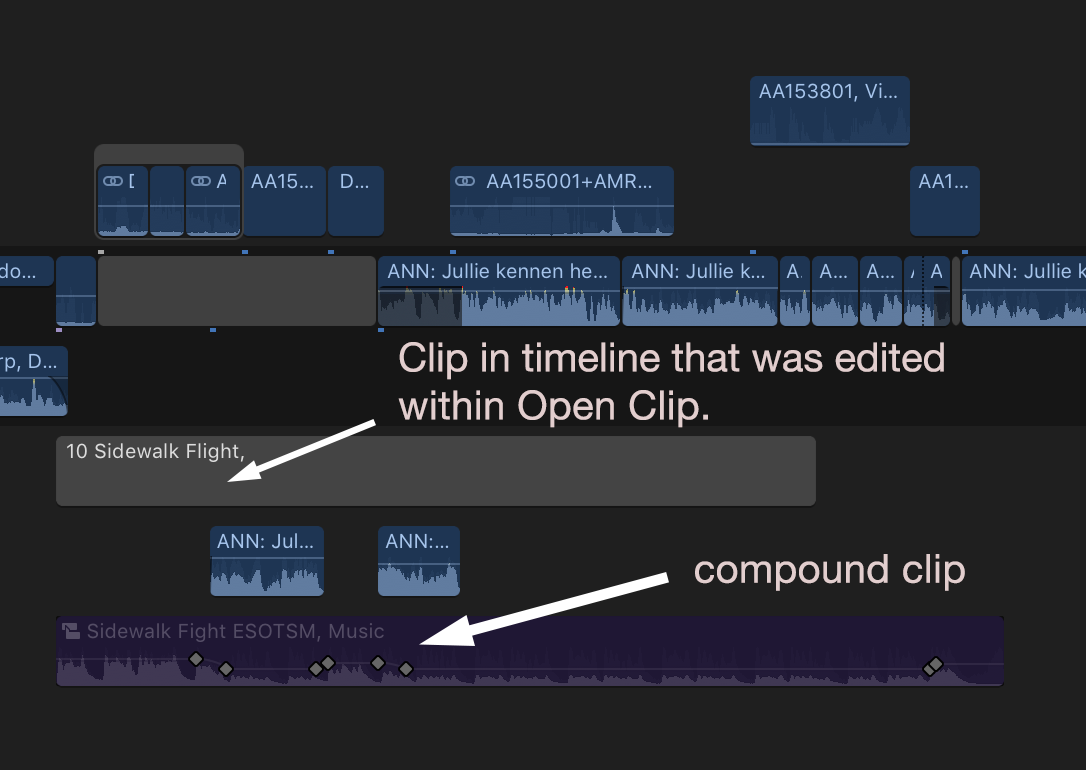
In 10.3 I can Open Clip and edit the music, but when I jump back out into the project, the clip is grayed and has no content / sound. I have also tested this in a brand new 10.3 created project (so no upgrade from 10.2) and the problem persists.
I can't imagine that this is anything but a bug, but thought I'd check here to see if anyone knows of this as a 'new feature' that has good logic behind it.
Meanwhile, I am lamenting the loss of Open in Timeline.
But back in the project timeline...
Last edit: 09 Nov 2016 08:53 by Suzero.
Please Log in to join the conversation.
- nils.dettmann
-

- Offline
- Elite Member
-

Less
More
- Posts: 161
- Thank you received: 13
09 Nov 2016 09:19 #82475
by nils.dettmann
Replied by nils.dettmann on topic Editing in Open Clip no longer possible
One think you can do is:
Select the modified clip in your timeline and in the inspectors audio section choose:
Audio Configuration -> Reset
(Within the waveform there is the little disclosure triangle on the top right.)
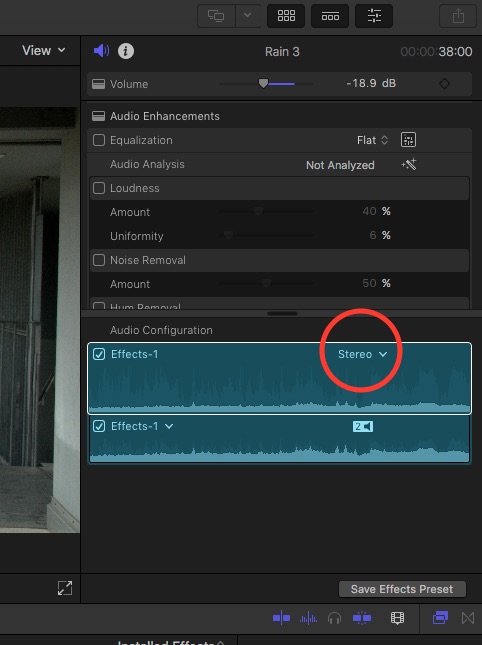
This will force FCPX to look into the underlying clip and set the Audio Configuration accordingly.
But be aware that this may have unwanted sideeffects like changing Audio Roles.
Haven´t tested this thoroughly, yet.
Select the modified clip in your timeline and in the inspectors audio section choose:
Audio Configuration -> Reset
(Within the waveform there is the little disclosure triangle on the top right.)
This will force FCPX to look into the underlying clip and set the Audio Configuration accordingly.
But be aware that this may have unwanted sideeffects like changing Audio Roles.
Haven´t tested this thoroughly, yet.
Please Log in to join the conversation.


09 Nov 2016 14:15 #82482
by JoeEditor
Replied by JoeEditor on topic Editing in Open Clip no longer possible
Just tested, and yes, the clip goes gray, no sound.
In the Inspector, warring that channel configuration is not available for that internally altered clip.
BUT, if you select it, "Break Apart Clip Items" you get your parts all raw in the Timeline.
Also noticed when I Open Clip for that audio only clip, I can Blade, but can't delete using Range tool, and can't set In/Out points properly. Very odd behavior.
In the Inspector, warring that channel configuration is not available for that internally altered clip.
BUT, if you select it, "Break Apart Clip Items" you get your parts all raw in the Timeline.
Also noticed when I Open Clip for that audio only clip, I can Blade, but can't delete using Range tool, and can't set In/Out points properly. Very odd behavior.
Please Log in to join the conversation.

09 Nov 2016 15:33 #82485
by nirna
Replied by nirna on topic Editing in Open Clip no longer possible
After editing your sound clip in Open Clip, before going back to timeline view, create a compound clip by right clicking on the clip and selecting "Make compound clip". Once your compound clip done, once back in the timeline your clip will be available and won't be greyed out.
Please Log in to join the conversation.
- nils.dettmann
-
- Offline
- Elite Member
-
Less
More
- Posts: 161
- Thank you received: 13
10 Nov 2016 12:53 - 10 Nov 2016 12:55 #82523
by nils.dettmann
Replied by nils.dettmann on topic Editing in Open Clip no longer possible
Since I couldn´t recreate it in the first place I tried a little more.
As I wrote before, the first time I tried it, it was possible to get the clip to show up normally by resetting the audio configuration.
Now I ave an "open clip"-edited sound file shown as empty and in the settings it says: "audio configuration not available"
There is really something flawed here...
As I wrote before, the first time I tried it, it was possible to get the clip to show up normally by resetting the audio configuration.
Now I ave an "open clip"-edited sound file shown as empty and in the settings it says: "audio configuration not available"
There is really something flawed here...
Last edit: 10 Nov 2016 12:55 by nils.dettmann.
Please Log in to join the conversation.
