



- Posts: 119
- Thank you received: 6
3 Post Moderation Rule for New Boarders (25 Jan 2021)
New boarders will have their posts moderated - Don't worry if you cannot see your post immediately.
Audio Effects library unable to set in or out points
06 Nov 2016 14:16 #82287
by Suzero
Audio Effects library unable to set in or out points was created by Suzero
I like the new way to browse titles and sound effects etc. in the browser, but it would seem logical to be able to set in and out points there, which I don't seem to be able to do. Am I missing something?
Please Log in to join the conversation.
- Tom Wolsky
-

- Offline
- Moderator
-

06 Nov 2016 14:31 #82288
by Tom Wolsky
Replied by Tom Wolsky on topic Audio Effects library unable to set in or out points
Photos and Audio is an import browser. You can't set I/O in the import window either, except for media in a camera structure.
Please Log in to join the conversation.
06 Nov 2016 14:37 #82289
by Suzero
Replied by Suzero on topic Audio Effects library unable to set in or out points
I guess that's logical. Visually it looks so much like just browsing a clip that I got frustrated 
Thanks for your always very fast and explanatory replies, Tom!
Thanks for your always very fast and explanatory replies, Tom!
Please Log in to join the conversation.

07 Nov 2016 09:53 #82326
by odedh
Replied by odedh on topic Audio Effects library unable to set in or out points
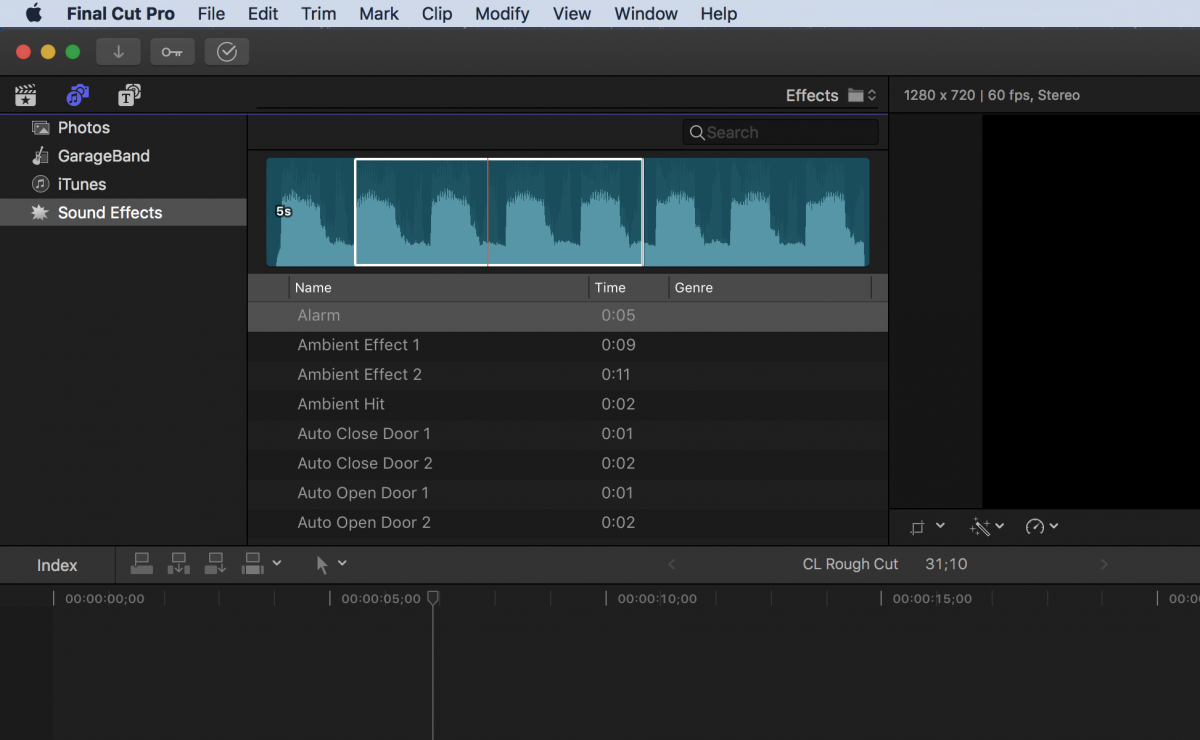
You can set in and out points in 10.3 audio effects library , but unfortunately only by dragging that range with the mouse, the "I" and "O" keyboard shortcut don't do anything
Please Log in to join the conversation.
07 Nov 2016 09:57 #82327
by Suzero
Replied by Suzero on topic Audio Effects library unable to set in or out points
I haven't been able to even mark a range in effects unfortunately.
Please Log in to join the conversation.
07 Nov 2016 09:58 #82328
by odedh
Replied by odedh on topic Audio Effects library unable to set in or out points
Just make sure the skimmer is on, click and drag
Please Log in to join the conversation.


07 Nov 2016 10:01 - 07 Nov 2016 10:28 #82330
by JoeEditor
Replied by JoeEditor on topic Audio Effects library unable to set in or out points
You can only make a Range in audio. Nothing else even had duration until assigned in the timeline. You can also put photos and audio directly into an Event, which is cool.
Last edit: 07 Nov 2016 10:28 by JoeEditor.
Please Log in to join the conversation.
07 Nov 2016 10:09 #82331
by Suzero
Replied by Suzero on topic Audio Effects library unable to set in or out points
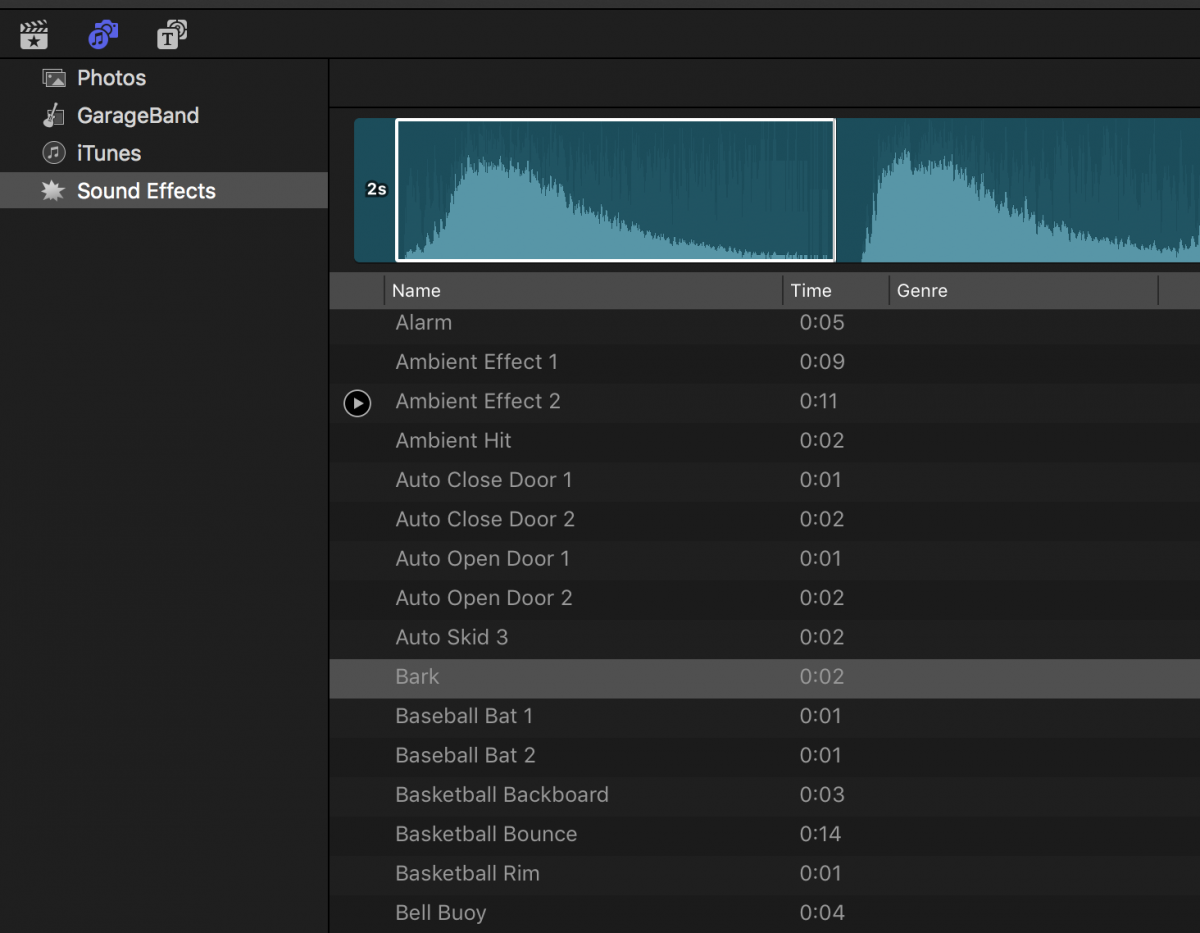
Odedh, at first I thought I was unable to select a range as you showed even with skimmer on, but discovered that I first had to drag the white selection box manually smaller. Then I could drag indeed. Thanks!
FCPX.guru, I don't completely understand your post.
Jim Gels?
And what do you mean by putting photos and audio directly into an event?
Do you mean that you can drag audio FX from the FX library into an event? If so, how do you do that? I don't see my Events to drag to while I am browsing the FX. It would be a cool feature though - to collect favourite FX on a per library basis.
FCPX.guru, I don't completely understand your post.
Jim Gels?
And what do you mean by putting photos and audio directly into an event?
Do you mean that you can drag audio FX from the FX library into an event? If so, how do you do that? I don't see my Events to drag to while I am browsing the FX. It would be a cool feature though - to collect favourite FX on a per library basis.
Please Log in to join the conversation.
07 Nov 2016 10:30 #82334
by JoeEditor
Replied by JoeEditor on topic Audio Effects library unable to set in or out points
Freaking macOS autocorrect is worse than ever! Gggggr....
If you grab a photo or audio clip in that Browser, drag to the left, the Libraries browser automatically pops in. You can drop it into an Event or into a Keyword Collection. Soon as you let go, or drag back to the right, your photo/audio browser comes back.
This lets you build a collection of content to have on hand before you even create a Project to edit in.
If you grab a photo or audio clip in that Browser, drag to the left, the Libraries browser automatically pops in. You can drop it into an Event or into a Keyword Collection. Soon as you let go, or drag back to the right, your photo/audio browser comes back.
This lets you build a collection of content to have on hand before you even create a Project to edit in.
Please Log in to join the conversation.
07 Nov 2016 11:19 #82336
by Suzero
Replied by Suzero on topic Audio Effects library unable to set in or out points
Brilliant, thank you!
Please Log in to join the conversation.
- Steve McGarrigle
-

- Offline
- Premium Member
-

07 Nov 2016 11:23 - 07 Nov 2016 11:25 #82337
by Steve McGarrigle
I did not know that. You win tip of the day!
Replied by Steve McGarrigle on topic Audio Effects library unable to set in or out points
FCPX.guru wrote: If you grab a photo or audio clip in that Browser, drag to the left, the Libraries browser automatically pops in. You can drop it into an Event or into a Keyword Collection. Soon as you let go, or drag back to the right, your photo/audio browser comes back.
This lets you build a collection of content to have on hand before you even create a Project to edit in.
I did not know that. You win tip of the day!
Last edit: 07 Nov 2016 11:25 by Steve McGarrigle.
Please Log in to join the conversation.
