


- Posts: 119
- Thank you received: 0
3 Post Moderation Rule for New Boarders (25 Jan 2021)
New boarders will have their posts moderated - Don't worry if you cannot see your post immediately.
Coremelt everything Bundle have Keyframeable Color Mask?
02 Nov 2016 06:46 #81920
by mgmartino
Hello I have been using FCPX Color Correction plugin to make a color mask and add color to some black and white vector images I have imported into FCPX.. However I want to do an effect where I have the vector quickly transform/fade from red to green to blue, orange, purple etc.
This is a problem with FCPX's stock Color Correction plug-in because the Color Board I use to change the colors is not 'Key-frameable'
I have recently purchase Core-melts EVERYTHING bundle SO I have
V2 Plug-ins Set
DriveX
SliceX
TrackX
LUTx
Is there anything in there that can help me achieve what I just described..?
This is a problem with FCPX's stock Color Correction plug-in because the Color Board I use to change the colors is not 'Key-frameable'
I have recently purchase Core-melts EVERYTHING bundle SO I have
V2 Plug-ins Set
DriveX
SliceX
TrackX
LUTx
Is there anything in there that can help me achieve what I just described..?
Please Log in to join the conversation.
- Karsten Schlüter
-

- Offline
- Moderator
-

Less
More
- Posts: 3790
- Thank you received: 718
02 Nov 2016 07:06 #81921
by Karsten Schlüter
I'd say, a Color-Mask is the wrong tool for that (and 'tracking' not needed - what the coremelt products stand for).
Take into consideration a simple LUMA MASK
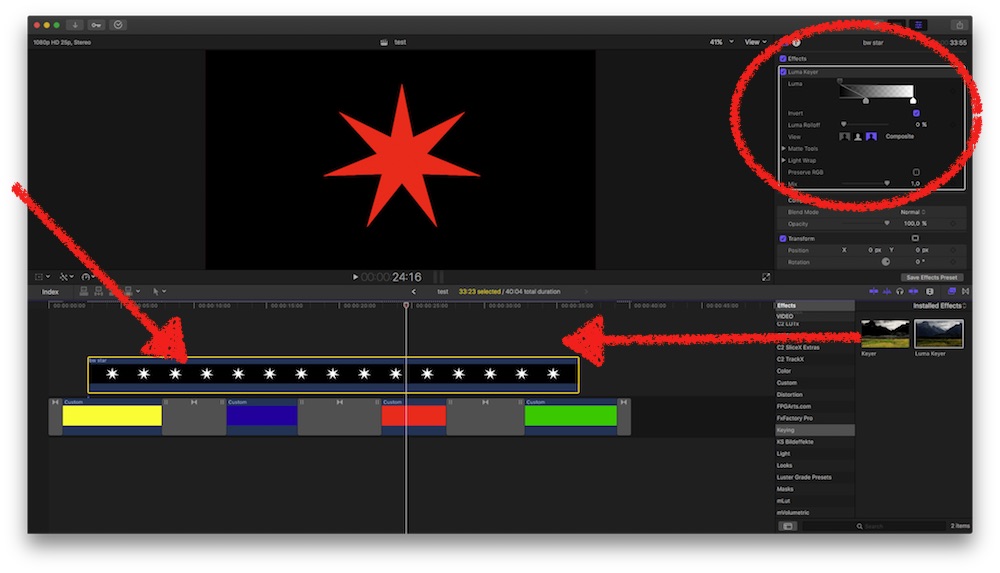
my b/w image is that star, upon some color solids from FCPX.
Applied a Luma-Mask from the Keying Effects - done.
The color changing and timing and blending happens in the lower lane…
The b/w image could be moved or animated, doesn't matter, no need for any _X product (sorry, Roger )
… how's that?
Replied by Karsten Schlüter on topic Coremelt everything Bundle have Keyframeable Color Mask?
mgmartino wrote: … a color mask and add color to some black and white vector images… want to do an effect where I have the vector quickly transform/fade from red to green to blue, orange, purple etc.
…
I'd say, a Color-Mask is the wrong tool for that (and 'tracking' not needed - what the coremelt products stand for).
Take into consideration a simple LUMA MASK
my b/w image is that star, upon some color solids from FCPX.
Applied a Luma-Mask from the Keying Effects - done.
The color changing and timing and blending happens in the lower lane…
The b/w image could be moved or animated, doesn't matter, no need for any _X product (sorry, Roger
)… how's that?
Please Log in to join the conversation.
02 Nov 2016 07:43 #81923
by mgmartino
Replied by mgmartino on topic Coremelt everything Bundle have Keyframeable Color Mask?
So I was able to kinda get what I want just from using the FCPX solids and key framing the color wheel selection (that gave me the quick fading for new color to new color that I wanted..that won't be displayed in the screen shot because I would need video to show you that)
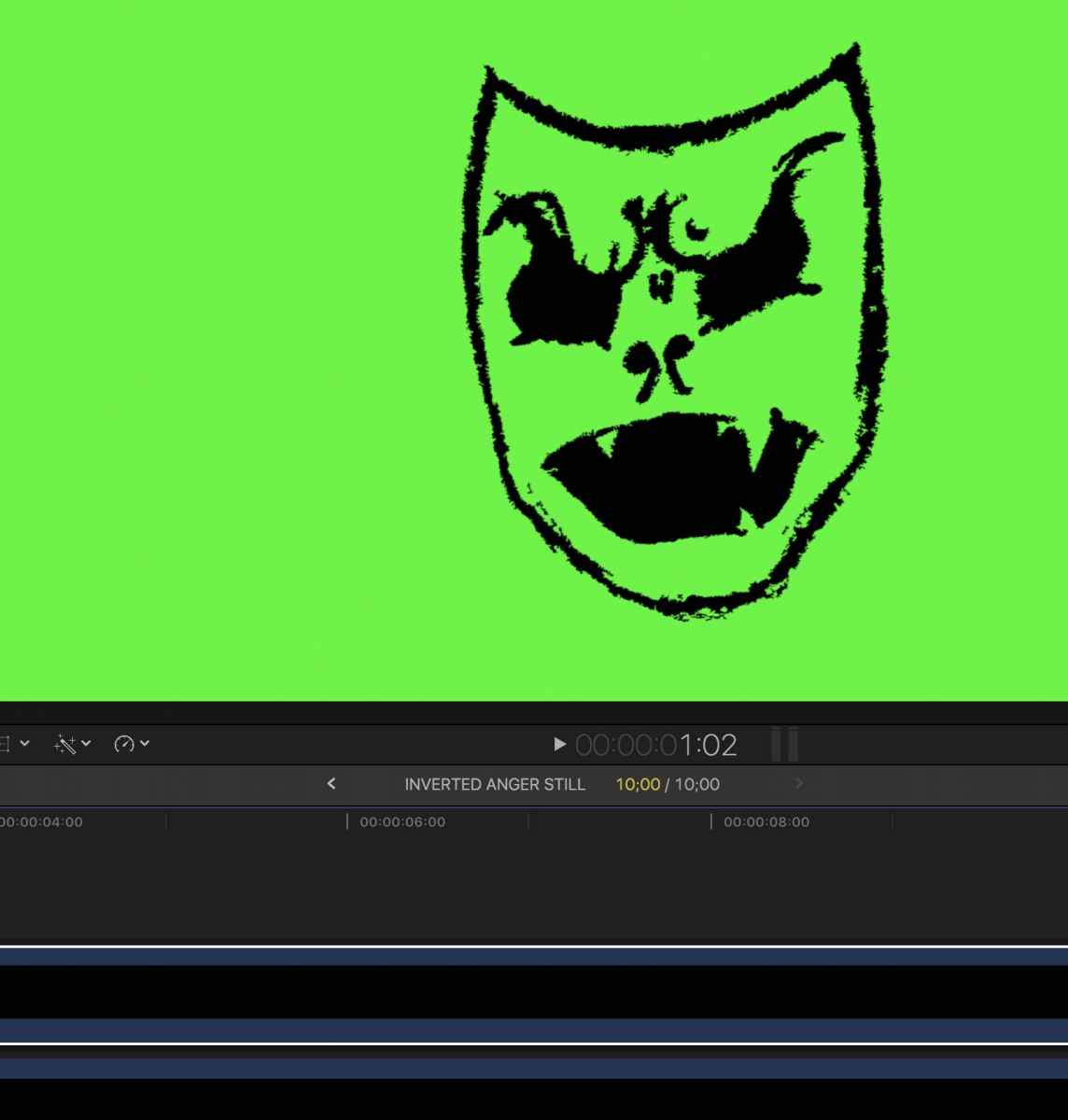
But the problem is my picture is a black png and I want to change the color that is black and have the rest be translucent (like a png) I do not want to fill a background color like is displayed in my pic.
But the problem is my picture is a black png and I want to change the color that is black and have the rest be translucent (like a png) I do not want to fill a background color like is displayed in my pic.
Please Log in to join the conversation.
- Karsten Schlüter
-
- Offline
- Moderator
-
Less
More
- Posts: 3790
- Thank you received: 718
02 Nov 2016 08:11 #81930
by Karsten Schlüter
Replied by Karsten Schlüter on topic Coremelt everything Bundle have Keyframeable Color Mask?
… that is not black/white but black/green…
I'm a bit confused what your goal is…
anyhow:
The Luma Keyer has an INVERT checkbox - so, you can choose wether black or white is keyed.
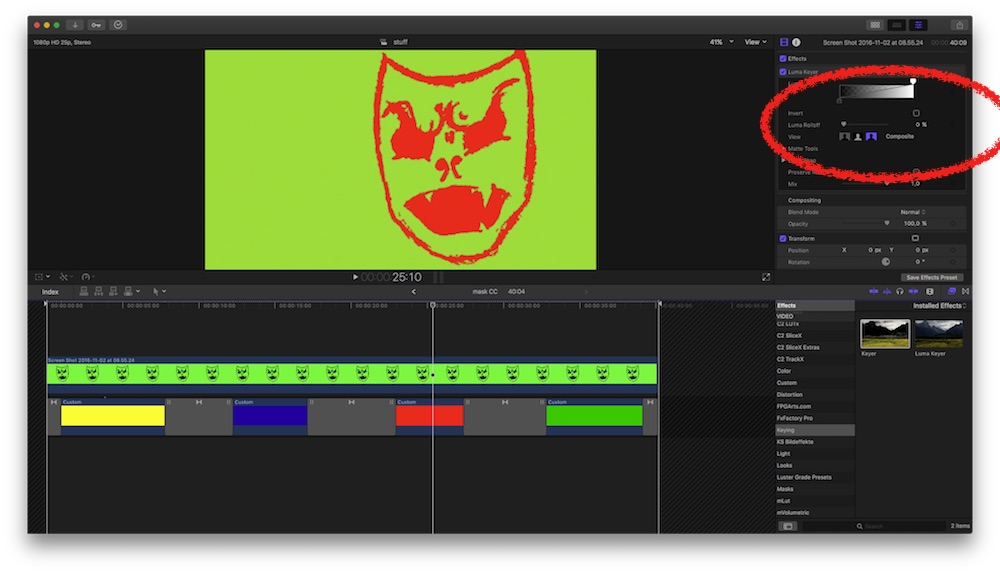
And if your goal is to key that again into some scene, create a Compound Clip and color-key that…
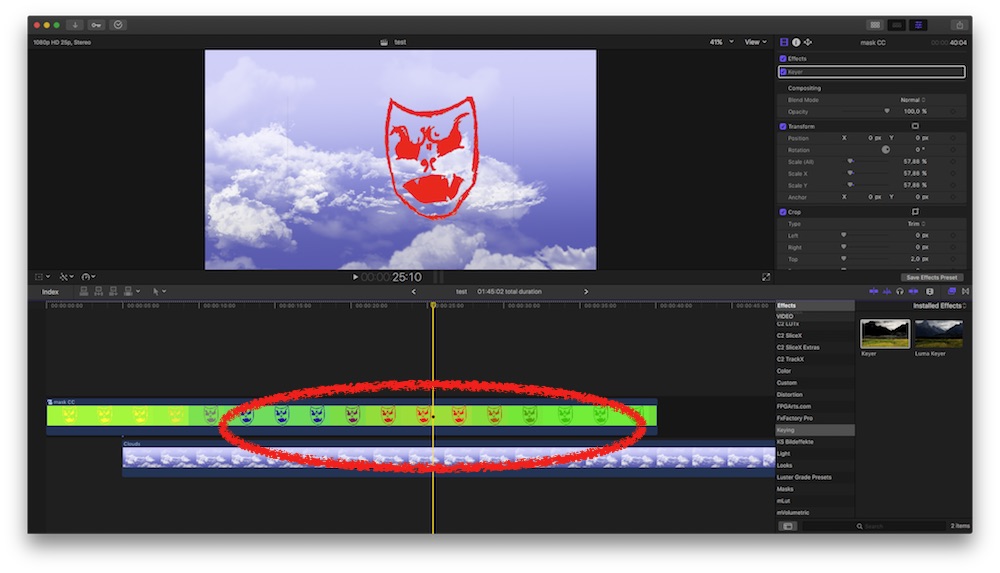
I'm a bit confused what your goal is…
anyhow:
The Luma Keyer has an INVERT checkbox - so, you can choose wether black or white is keyed.
And if your goal is to key that again into some scene, create a Compound Clip and color-key that…
Please Log in to join the conversation.
02 Nov 2016 08:29 #81932
by mgmartino
Replied by mgmartino on topic Coremelt everything Bundle have Keyframeable Color Mask?
It's only green because i used a FCPX solid background and i just happened to pick green...I guess technically since it's a png the proper description would be "Black & translucent"
I tried the invert before I replied and nothing happened. while in original mode. while in composite mode invert make is disappear and while in matte mode it just put a black rectangle on the screen
If i Have one solid Green clip underneath my PNG and I do not click invert this is what happens in the mother modes
COMPOSITE:
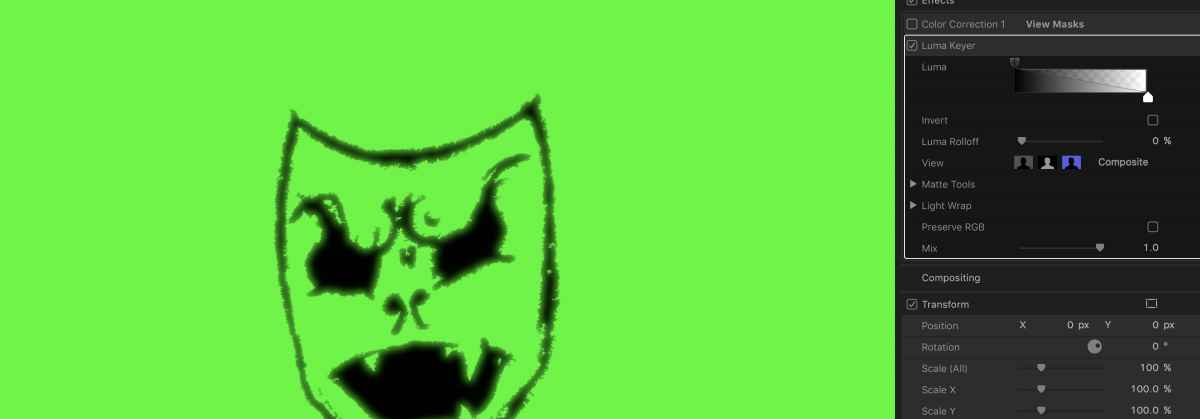
MATTE:
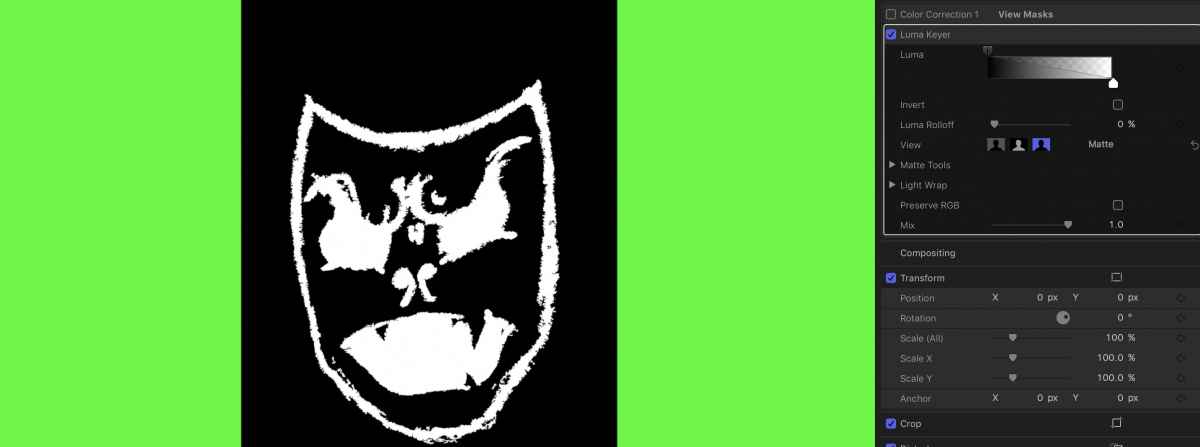
ORIGINAL:
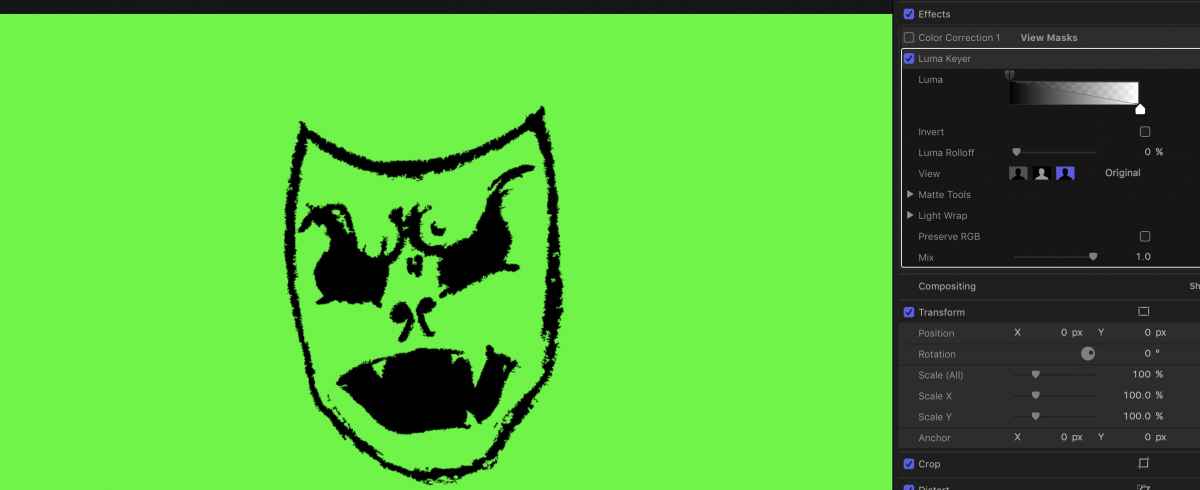
P.S. if there is no background the clip just looks black because the png is black outline and translucent everything else, which is what I want. I just want a way to make what is currently black on my png flashing/fading different colors
I tried the invert before I replied and nothing happened. while in original mode. while in composite mode invert make is disappear and while in matte mode it just put a black rectangle on the screen
If i Have one solid Green clip underneath my PNG and I do not click invert this is what happens in the mother modes
COMPOSITE:
MATTE:
ORIGINAL:
P.S. if there is no background the clip just looks black because the png is black outline and translucent everything else, which is what I want. I just want a way to make what is currently black on my png flashing/fading different colors
Please Log in to join the conversation.
- Karsten Schlüter
-
- Offline
- Moderator
-
Less
More
- Posts: 3790
- Thank you received: 718
02 Nov 2016 08:55 #81935
by Karsten Schlüter
Replied by Karsten Schlüter on topic Coremelt everything Bundle have Keyframeable Color Mask?
ok, I think I finally understand what you want :S
This is your drawing…
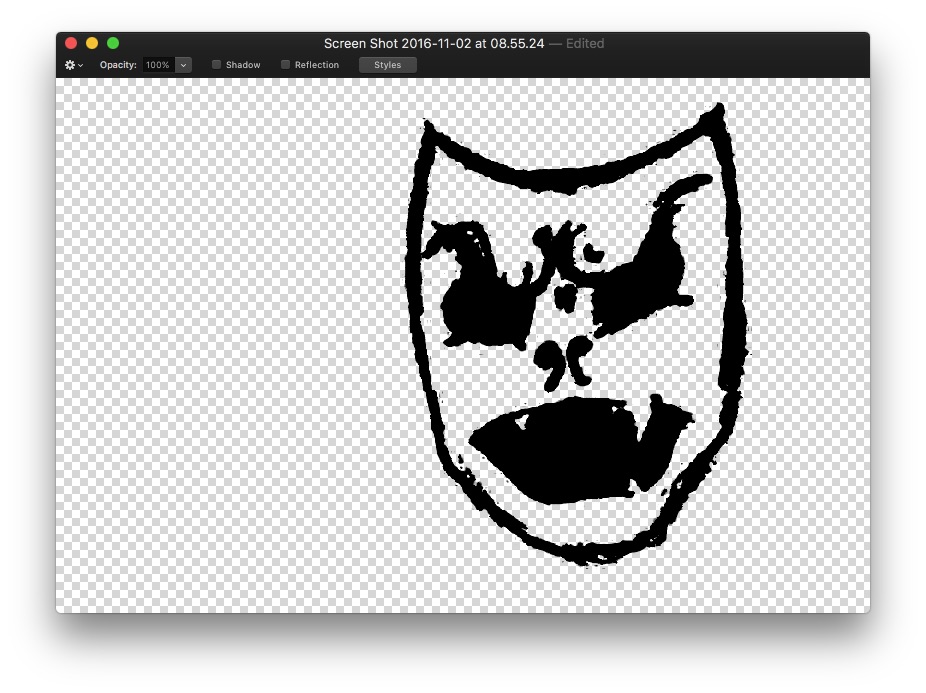
Black drawing on transparent bg.
Add that to your timeline above the color solids and set the COMP MODE to Stencil Alpha
=> gives the drawing all kind of animated colors
Then, put your background clip above it and set its Comp Mode to BEHIND, tadaahh:
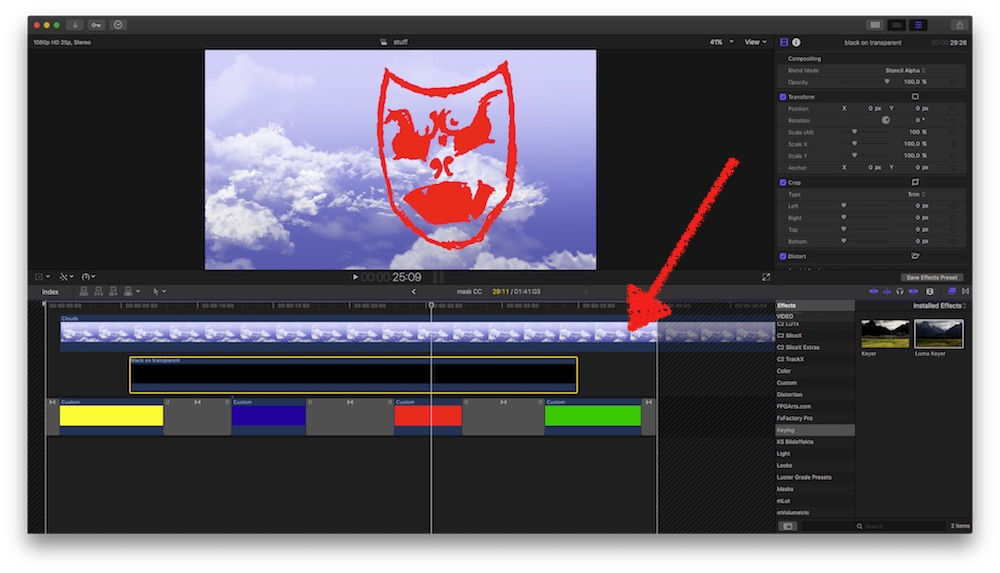
tell me, that's what you like to accomplish!! :evil:
LOL…
This is your drawing…
Black drawing on transparent bg.
Add that to your timeline above the color solids and set the COMP MODE to Stencil Alpha
=> gives the drawing all kind of animated colors
Then, put your background clip above it and set its Comp Mode to BEHIND, tadaahh:
tell me, that's what you like to accomplish!! :evil:
LOL…
Please Log in to join the conversation.
02 Nov 2016 09:18 #81936
by mgmartino
Replied by mgmartino on topic Coremelt everything Bundle have Keyframeable Color Mask?
Got it!!! Thank you! You have been such a big help to me this week!! 
Please Log in to join the conversation.
