


- Posts: 228
- Thank you received: 16
3 Post Moderation Rule for New Boarders (25 Jan 2021)
New boarders will have their posts moderated - Don't worry if you cannot see your post immediately.
Timecode and adjust start time ?
29 Oct 2016 16:46 - 29 Oct 2016 16:51 #81600
by Schnurr
Timecode and adjust start time ? was created by Schnurr
Hi, is there a way to change/adjust the start time of a clip ?
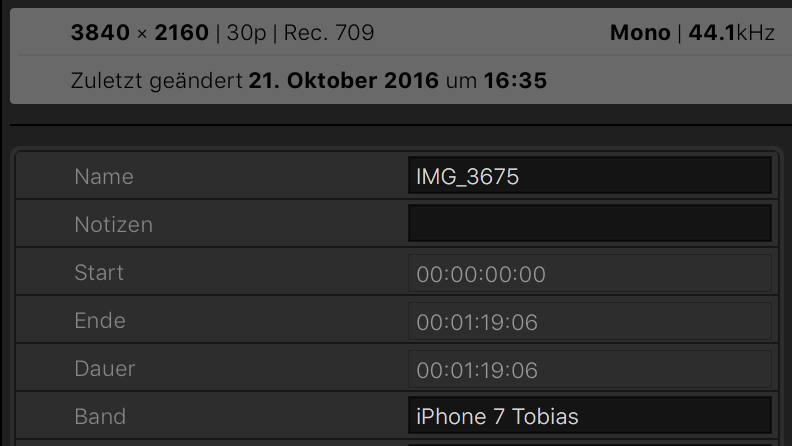
Recording with iPhone7 sets the start time to 00:00:00,00 instead to the record time as I would have expected is there a way to adjust that and set it in this example to 16:35 to make use of the timecode ?
Timecode uses the 00:00 as start time which us useless in this scenario. Tried file time App but doesn't allow to change that. Any ideas ?
Thanks
tobias
Recording with iPhone7 sets the start time to 00:00:00,00 instead to the record time as I would have expected is there a way to adjust that and set it in this example to 16:35 to make use of the timecode ?
Timecode uses the 00:00 as start time which us useless in this scenario. Tried file time App but doesn't allow to change that. Any ideas ?
Thanks
tobias
Last edit: 29 Oct 2016 16:51 by Schnurr.
Please Log in to join the conversation.
- Tom Wolsky
-

- Offline
- Moderator
-

29 Oct 2016 16:50 - 29 Oct 2016 16:51 #81601
by Tom Wolsky
Replied by Tom Wolsky on topic Timecode and adjust start time ?
Modify>Adjust Content Created Date and Time...
(not sure what the ellipsis is for)
(not sure what the ellipsis is for)
Last edit: 29 Oct 2016 16:51 by Tom Wolsky.
Please Log in to join the conversation.
29 Oct 2016 16:55 - 29 Oct 2016 17:00 #81602
by Schnurr
Replied by Schnurr on topic Timecode and adjust start time ?
Thanks Tom,
but thats already set to the right date & time..
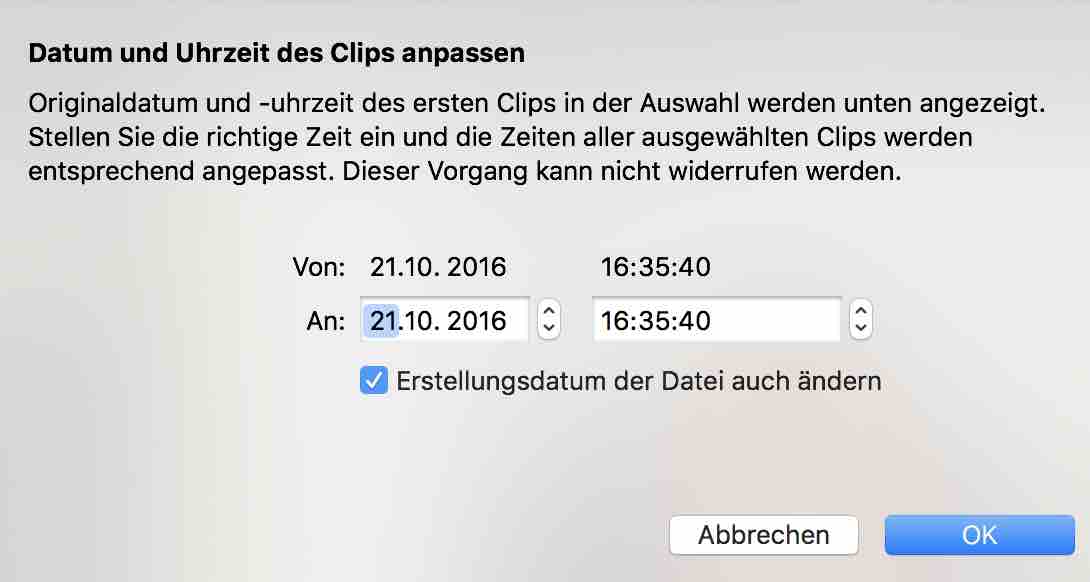
MediaInfoApp shows as well:
com.apple.quicktime.creationdate : 2016-10-21T16:35:40+0200
Hmmm recording with GoPro5 takes the right start time but even with FiLMiC pro App iPhone sets the start time to 00:00:00 )
but thats already set to the right date & time..
MediaInfoApp shows as well:
com.apple.quicktime.creationdate : 2016-10-21T16:35:40+0200
Hmmm recording with GoPro5 takes the right start time but even with FiLMiC pro App iPhone sets the start time to 00:00:00
)
Last edit: 29 Oct 2016 17:00 by Schnurr.
Please Log in to join the conversation.
- Tom Wolsky
-
- Offline
- Moderator
-
29 Oct 2016 17:06 #81604
by Tom Wolsky
Replied by Tom Wolsky on topic Timecode and adjust start time ?
Then in the inspector use Apply Custom Name>Clip Date/Time.
Please Log in to join the conversation.
- Beeldcomponist
-

- Offline
- Junior Member
-

Less
More
- Posts: 33
- Thank you received: 8
29 Oct 2016 18:11 #81607
by Beeldcomponist
Replied by Beeldcomponist on topic Timecode and adjust start time ?
You can change very easy the timecode with the app QTCHANCHE
www.videotoolshed.com/product/qtchange/
-Hans
www.videotoolshed.com/product/qtchange/
-Hans
Please Log in to join the conversation.
29 Oct 2016 18:15 - 29 Oct 2016 18:16 #81608
by Schnurr
Replied by Schnurr on topic Timecode and adjust start time ?
Thanks,
but why should I adjust the clip name ?
I don't want to change the name I want to set the start time to the actual time when the recording happened
To be in a position to use then the new timestamp feature from FCPX 10.3 and to display source start time. A basic thing.
Looking into the Hero5 string states
"TimeCode_FirstFrame : 15:31:15:04"
I assume that FCPX 10.3 takes that information as start time in the inspector.
looking in the information from an iPhone7 clips I don't see that string code "TimeCode_FirstFrame"
Thanks Hans,
will check that piece of SW.
...
but why should I adjust the clip name ?
I don't want to change the name I want to set the start time to the actual time when the recording happened
To be in a position to use then the new timestamp feature from FCPX 10.3 and to display source start time. A basic thing.
Looking into the Hero5 string states
"TimeCode_FirstFrame : 15:31:15:04"
I assume that FCPX 10.3 takes that information as start time in the inspector.
looking in the information from an iPhone7 clips I don't see that string code "TimeCode_FirstFrame"
Thanks Hans,
will check that piece of SW.
...
Last edit: 29 Oct 2016 18:16 by Schnurr.
Please Log in to join the conversation.
- Beeldcomponist
-
- Offline
- Junior Member
-
Less
More
- Posts: 33
- Thank you received: 8
29 Oct 2016 18:19 #81609
by Beeldcomponist
Replied by Beeldcomponist on topic Timecode and adjust start time ?
If you try the app you definitely can change the timecode,
whatever timecode you want!
-Hans
whatever timecode you want!
-Hans
Please Log in to join the conversation.
29 Oct 2016 18:22 - 29 Oct 2016 18:41 #81610
by Schnurr
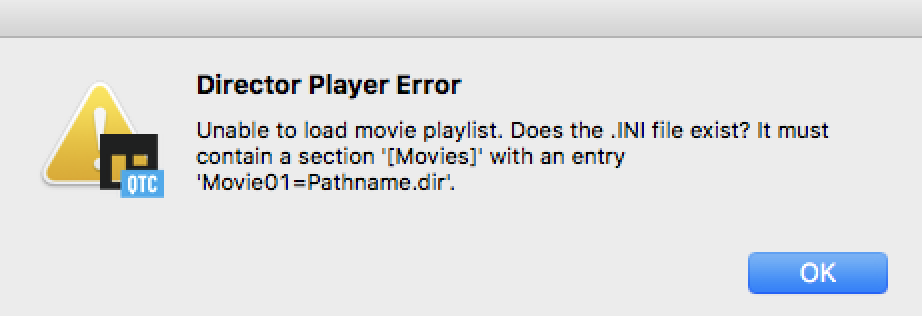
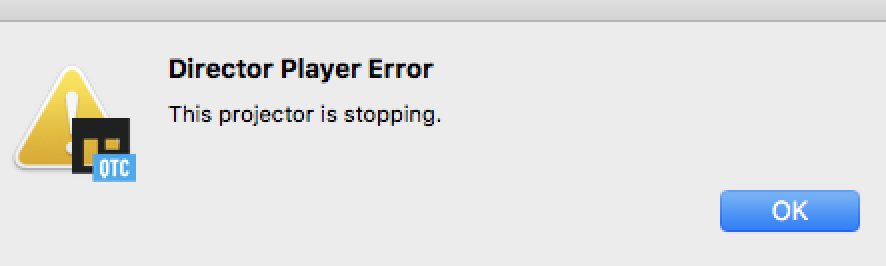
Bunch of error messages with Sierra ;-(
Question is which field takes FCPX 10.3 to consider as source timestamp in their release. Is there a reference ?
Ahh see that there is a free add on www.coremelt.com/products/free-plugins/source-timecode.html let's see how a thrird party manages Apple iPhone and Apple Pro FCPX ;-) how's that lady called that was on stage something to report to Apple (at least from a new FCPX user)
Replied by Schnurr on topic Timecode and adjust start time ?
Beeldcomponist wrote: If you try the app you definitely can change the timecode,
whatever timecode you want!
-Hans
Bunch of error messages with Sierra ;-(
Question is which field takes FCPX 10.3 to consider as source timestamp in their release. Is there a reference ?
Ahh see that there is a free add on www.coremelt.com/products/free-plugins/source-timecode.html let's see how a thrird party manages Apple iPhone and Apple Pro FCPX ;-) how's that lady called that was on stage something to report to Apple (at least from a new FCPX user)
Last edit: 29 Oct 2016 18:41 by Schnurr.
Please Log in to join the conversation.
30 Oct 2016 08:05 - 30 Oct 2016 08:11 #81634
by Schnurr
Hans,
can you kindly let me know what's in your ini file
I set it to...
[Movies]
Movie01=Programme/QtChange
and tried as well /Applications/QtChange/QTchange.app as terminal showed me that path
but doesn't work.
Replied by Schnurr on topic Timecode and adjust start time ?
Beeldcomponist wrote: You can change very easy the timecode with the app QTCHANCHE
www.videotoolshed.com/product/qtchange/
-Hans
Hans,
can you kindly let me know what's in your ini file
I set it to...
[Movies]
Movie01=Programme/QtChange
and tried as well /Applications/QtChange/QTchange.app as terminal showed me that path
but doesn't work.
Last edit: 30 Oct 2016 08:11 by Schnurr.
Please Log in to join the conversation.
31 Oct 2016 17:24 - 31 Oct 2016 20:50 #81755
by Schnurr
Replied by Schnurr on topic Timecode and adjust start time ?
Hi,
quick update. The QT Change App as recommend by Hans works right now as well under Sierra (therefor the 3 error message occurred)
www.videotoolshed.com/product/qtchange/
based on their great support, user need to enter sudo spctl --master-disable in terminal and then run the app. Afterwards the TimeCode_FirstFrame can be adjusted and FCPX 10.3 displays the record start time instead of 00:00 in case user prefers to show that value.
Tobias
quick update. The QT Change App as recommend by Hans works right now as well under Sierra (therefor the 3 error message occurred)
www.videotoolshed.com/product/qtchange/
based on their great support, user need to enter sudo spctl --master-disable in terminal and then run the app. Afterwards the TimeCode_FirstFrame can be adjusted and FCPX 10.3 displays the record start time instead of 00:00 in case user prefers to show that value.
Tobias
Last edit: 31 Oct 2016 20:50 by Schnurr.
Please Log in to join the conversation.
05 Nov 2016 12:46 - 05 Nov 2016 13:23 #82237
by Schnurr
Replied by Schnurr on topic Timecode and adjust start time ?
Final update. It works right now Ufffff...
Background: As "Mr. MotionMaster Karsten" I am recording soccer games of my son's team while using an iPhone 7, FilMIC App, Feiyu Gimbal, external mic and 2-3 GoPros.
Problem was/is that the record time wasn't in sync and in comparison to Hero cameras the timecode starts with 00:00 using iPhone instead with the "real time" that is required for my purpose. As such I am using as suggested by Hans (thanks for the tipp) QTchange 2.4.3 version to generate a "TimeCode_FirstFrame " that is used by FCPX10.3 as the start & end value in the import window. The trick is with the FilMic App to change from "Save to FiLMIC Library" to "Camera Roll" otherwise the TimeCode_FirstFrame doesn't match. I tested that with com.apple.quicktime.software : Created with FiLMiC Pro 5.5 build 463.
After applying that workflow I have a "real" TimeCode_FirstFrame : 12:48:33:00 information where I can apply as well "offset" values in FCPX 10.3 in order to set the soccer start time as 00:00. An then copying effects.
Good thing is that you can put several Motion effects over each other so that the timecode from FCPX isn't in the foreground. Great would be of course to have the timecode information as well in Motion 5.X and more options for timecode format e.g.. mm:ss. displays.
Example (not yet finished):
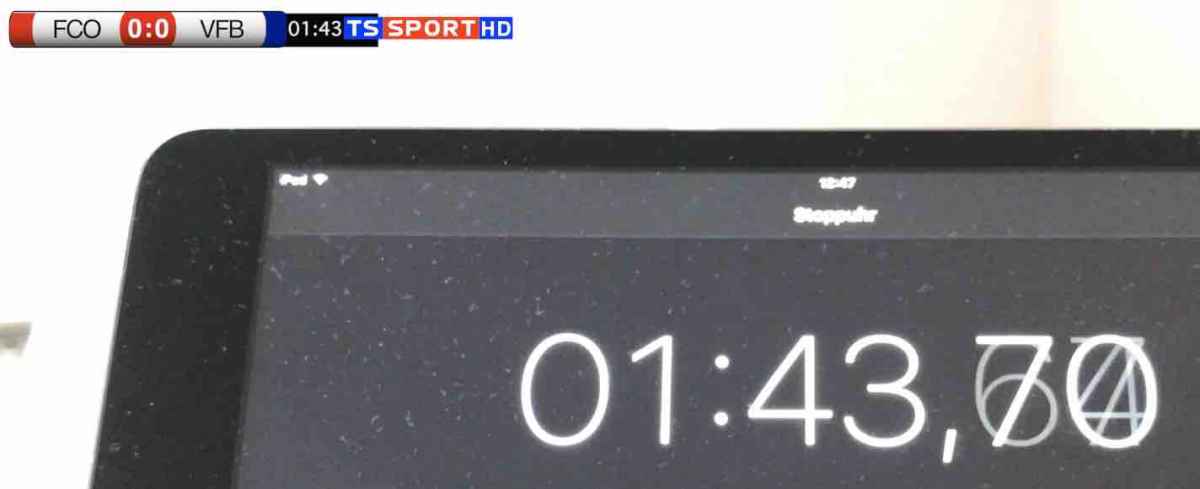
Thanks good they only play 40min games so no issue with 63:33 displays yet)
Tobias
Background: As "Mr. MotionMaster Karsten" I am recording soccer games of my son's team while using an iPhone 7, FilMIC App, Feiyu Gimbal, external mic and 2-3 GoPros.
Problem was/is that the record time wasn't in sync and in comparison to Hero cameras the timecode starts with 00:00 using iPhone instead with the "real time" that is required for my purpose. As such I am using as suggested by Hans (thanks for the tipp) QTchange 2.4.3 version to generate a "TimeCode_FirstFrame " that is used by FCPX10.3 as the start & end value in the import window. The trick is with the FilMic App to change from "Save to FiLMIC Library" to "Camera Roll" otherwise the TimeCode_FirstFrame doesn't match. I tested that with com.apple.quicktime.software : Created with FiLMiC Pro 5.5 build 463.
After applying that workflow I have a "real" TimeCode_FirstFrame : 12:48:33:00 information where I can apply as well "offset" values in FCPX 10.3 in order to set the soccer start time as 00:00. An then copying effects.
Good thing is that you can put several Motion effects over each other so that the timecode from FCPX isn't in the foreground. Great would be of course to have the timecode information as well in Motion 5.X and more options for timecode format e.g.. mm:ss. displays.
Example (not yet finished):
Thanks good they only play 40min games so no issue with 63:33 displays yet
)Tobias
Last edit: 05 Nov 2016 13:23 by Schnurr.
Please Log in to join the conversation.
- Karsten Schlüter
-

- Offline
- Moderator
-
Less
More
- Posts: 3790
- Thank you received: 718
05 Nov 2016 14:26 #82245
by Karsten Schlüter
Replied by Karsten Schlüter on topic Timecode and adjust start time ?
Thanks for the Master title , … anyhow…
I still don't understand exactly why you need to adjust the Timestamp of your source clip - all you need is the relative time:
When the goal happens in the 12th minute, it doesn't matter what time it is…
Just set he Timestamp according to the refs whistle to 00:00:00 (or 00:40:00 for 2nd halftime) *
My workaround 2 years ago was using my personal villains compounds:
www.fcp.co/forum/4-final-cut-pro-x-fcpx/...lticam-my-workaround
*solved that 01:05:00 = 65th minute with a simple, manual selection which changed the appearance from 01:05:00 to 65:00
meanwhile, in my reports I manually insert here&then timestamps, and that's faster by typing "88.minute" ..... :lol:
I still don't understand exactly why you need to adjust the Timestamp of your source clip - all you need is the relative time:
When the goal happens in the 12th minute, it doesn't matter what time it is…
Just set he Timestamp according to the refs whistle to 00:00:00 (or 00:40:00 for 2nd halftime) *
My workaround 2 years ago was using my personal villains compounds:
www.fcp.co/forum/4-final-cut-pro-x-fcpx/...lticam-my-workaround
*solved that 01:05:00 = 65th minute with a simple, manual selection which changed the appearance from 01:05:00 to 65:00
meanwhile, in my reports I manually insert here&then timestamps, and that's faster by typing "88.minute" ..... :lol:
Please Log in to join the conversation.
05 Nov 2016 20:38 #82261
by Schnurr
Replied by Schnurr on topic Timecode and adjust start time ?
Well quite easy due to the limitations of FCPX as it's not possible to delete rejected parts from the HD as such I am not recording one clip for 1st half and clip2 for the second one. As this would make of course my workflow superfluous.
As there are several parts that I don't want to record and store I record a game split into several clips and stop recording eg breaks or parts not being of interest. Remember I record kids in F league as such not comparable with your team therefore I have roughly >20 clips with breaks between where the real time of the game needs to be applied.
Tobias
as such I am not recording one clip for 1st half and clip2 for the second one. As this would make of course my workflow superfluous.As there are several parts that I don't want to record and store I record a game split into several clips and stop recording eg breaks or parts not being of interest. Remember I record kids in F league as such not comparable with your team
therefore I have roughly >20 clips with breaks between where the real time of the game needs to be applied.Tobias
Please Log in to join the conversation.
