


- Posts: 2
- Thank you received: 0
3 Post Moderation Rule for New Boarders (25 Jan 2021)
New boarders will have their posts moderated - Don't worry if you cannot see your post immediately.
mapping audio channel output
28 Oct 2016 01:17 #81445
by Cengarle
mapping audio channel output was created by Cengarle
Hi FCPX users,
sorry if that question sounds dumb but I,m fairly new in FCP and I'm having some hard time tryoing to figure out out to map the audio channel output.
What I,m trying to do is simply play a prores file through my Kona card. The ProRes have 16 audio channel (discrete mono files). What I'd like to know is how to set the right channel to the right output of the Kona card. Previously, in FCP7, this was pretty simple as we only need to set the right amount of audio track in our output seq settings and then right click on each audio track to select the right output bus to send it too.
Is there a way to do the same in FCPX? I know that there's a way to do so for file export (playing with roles) but is it the right way for output?
Thanks a lot
-F
sorry if that question sounds dumb but I,m fairly new in FCP and I'm having some hard time tryoing to figure out out to map the audio channel output.
What I,m trying to do is simply play a prores file through my Kona card. The ProRes have 16 audio channel (discrete mono files). What I'd like to know is how to set the right channel to the right output of the Kona card. Previously, in FCP7, this was pretty simple as we only need to set the right amount of audio track in our output seq settings and then right click on each audio track to select the right output bus to send it too.
Is there a way to do the same in FCPX? I know that there's a way to do so for file export (playing with roles) but is it the right way for output?
Thanks a lot
-F
Please Log in to join the conversation.

29 Oct 2016 11:39 - 29 Oct 2016 11:39 #81583
by EditorGuy
Replied by EditorGuy on topic mapping audio channel output
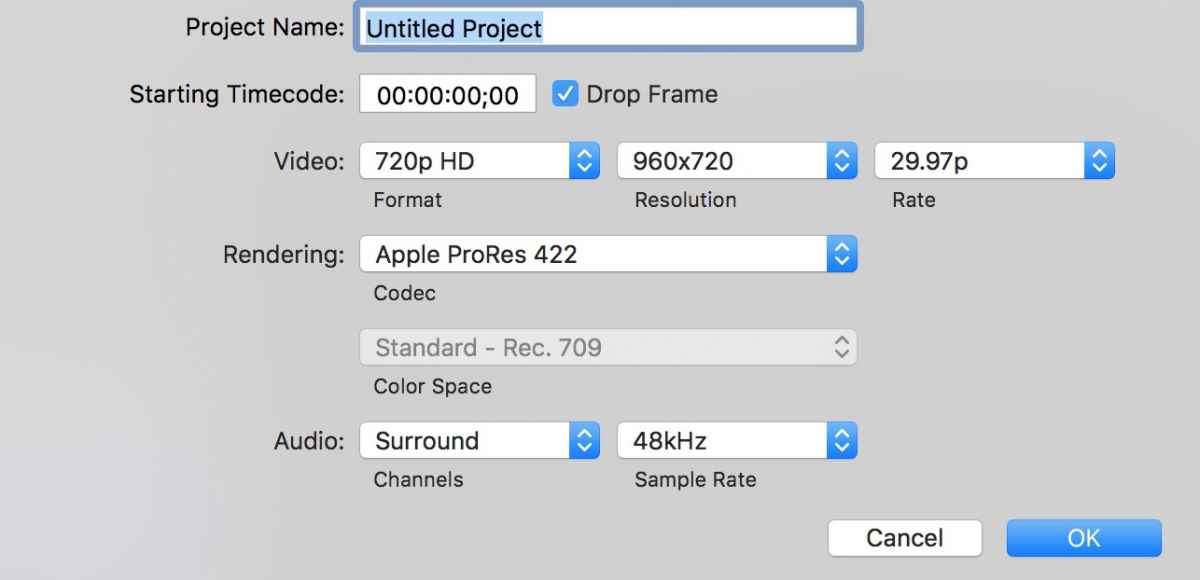
Yes, FCPX can output surround sound. First, make the Project surround sound.
Then in the Audio Inspector, select each Channel, and configure its output.
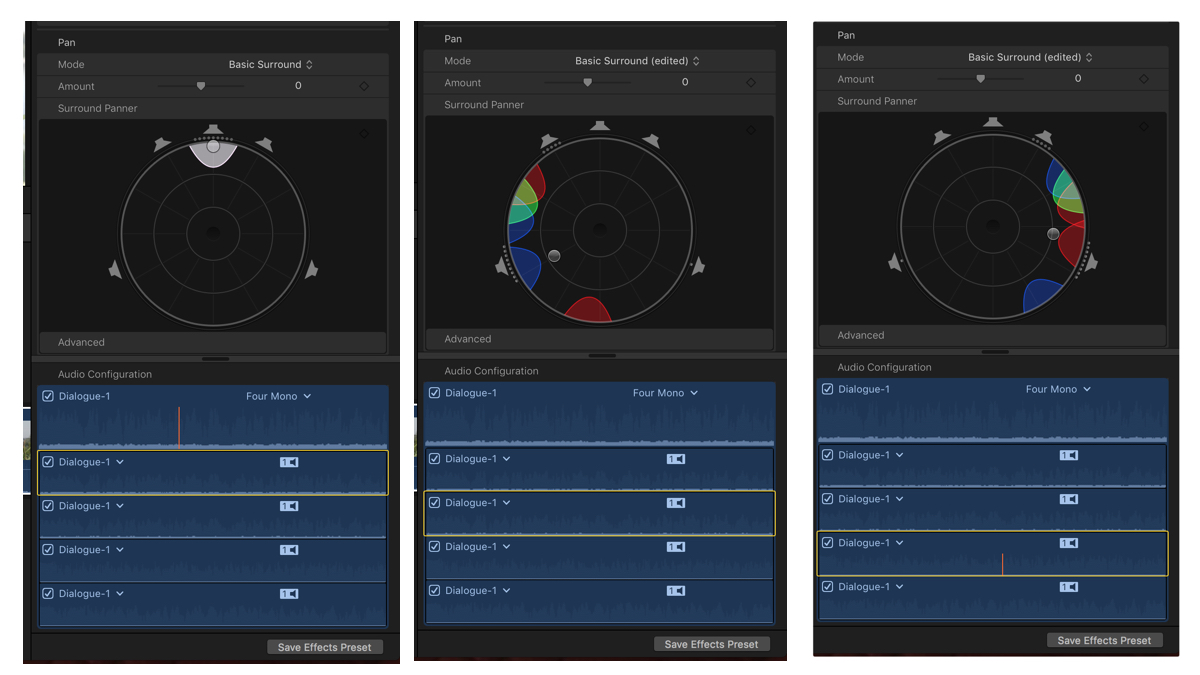
Then the audio interface you have connected to your Mac will handle playing them back properly.
Then in the Audio Inspector, select each Channel, and configure its output.
Then the audio interface you have connected to your Mac will handle playing them back properly.
Last edit: 29 Oct 2016 11:39 by EditorGuy.
Please Log in to join the conversation.
29 Oct 2016 12:23 #81588
by trevora
Replied by trevora on topic mapping audio channel output
The OP was asking about discrete outputs, rather than surround per se.
I've been looking into this on FCP 10.3 as I do surround in a tight turnaround environment - where we need to pick apart 5.1 source tracks & route some stereo elements to fronts, some mono elements to centre etc. It's complicated! - and that's before Dolby Atmos adds a few height tracks into the equation.
I don't think it is really possible in FCPX yet (as it still lacks a proper audio mixer / routing / bussing).
I think they could easily do it if there was an 'output panner' that was less of a puck and more of a mini audio mixer.
I've been looking into this on FCP 10.3 as I do surround in a tight turnaround environment - where we need to pick apart 5.1 source tracks & route some stereo elements to fronts, some mono elements to centre etc. It's complicated! - and that's before Dolby Atmos adds a few height tracks into the equation.
I don't think it is really possible in FCPX yet (as it still lacks a proper audio mixer / routing / bussing).
I think they could easily do it if there was an 'output panner' that was less of a puck and more of a mini audio mixer.
Please Log in to join the conversation.
