


- Posts: 34
- Thank you received: 0
3 Post Moderation Rule for New Boarders (25 Jan 2021)
New boarders will have their posts moderated - Don't worry if you cannot see your post immediately.
Strange Behavior for FCPX
- cavideopro
-
 Topic Author
- Offline
- Junior Member
-

Less
More
19 Oct 2016 01:16 #80920
by cavideopro
Strange Behavior for FCPX was created by cavideopro
IMac 27" (Late 2014) Retina 5k
FCPX 10.2.3
Sierra 10.12
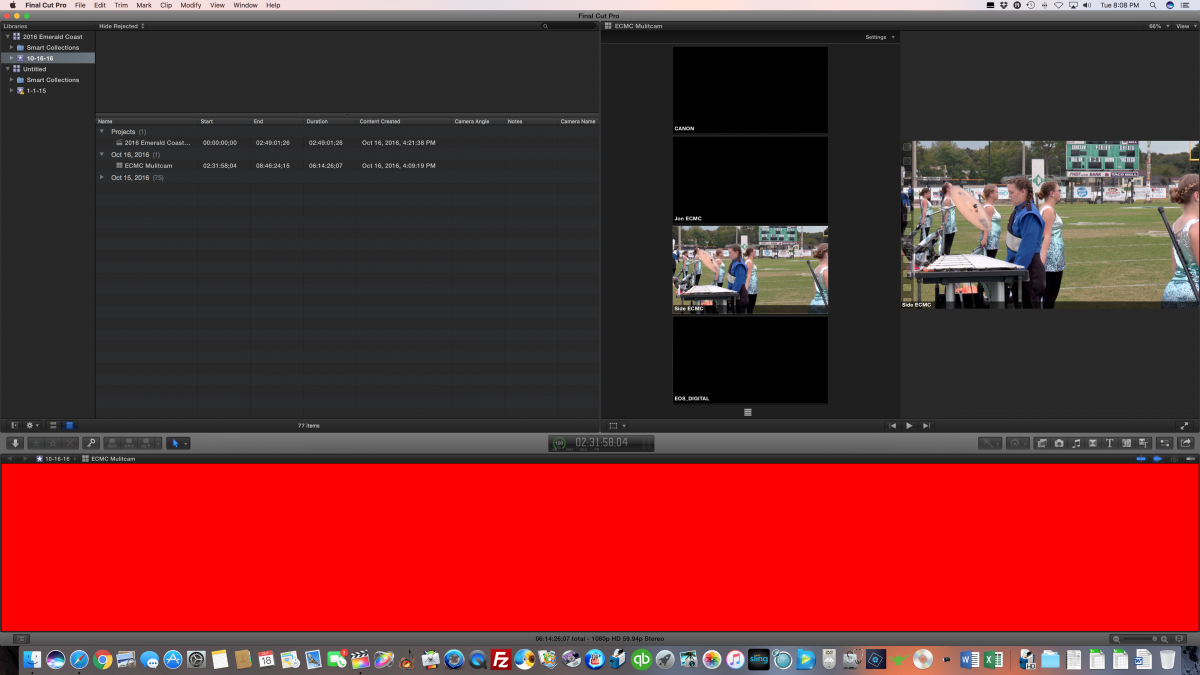
Having strange behavior on FCP recently and wanted to see if anyone had suggestions. Basically my timeline has two problems occurring. One (see attached picture) is my timeline fills with a red bar and I can't use it. Restarting will fix this. Second, my timeline freezes. When I try to load a new clip in the timeline, the name of the clip changes, but the images in the timeline stay the same and I can't access anything in the timeline.
Thoughts?
FCPX 10.2.3
Sierra 10.12
Having strange behavior on FCP recently and wanted to see if anyone had suggestions. Basically my timeline has two problems occurring. One (see attached picture) is my timeline fills with a red bar and I can't use it. Restarting will fix this. Second, my timeline freezes. When I try to load a new clip in the timeline, the name of the clip changes, but the images in the timeline stay the same and I can't access anything in the timeline.
Thoughts?
Please Log in to join the conversation.
- cavideopro
-
Topic Author
- Offline
- Junior Member
-
Less
More
- Posts: 34
- Thank you received: 0
19 Oct 2016 02:51 #80921
by cavideopro
Replied by cavideopro on topic Strange Behavior for FCPX
Note: I have already reset preferences.
Please Log in to join the conversation.

19 Oct 2016 11:06 #80934
by EditorGuy
Replied by EditorGuy on topic Strange Behavior for FCPX
Mac specs? I'm guessing a hardware issues.
Please Log in to join the conversation.
- ronny courtens
-

- Offline
- Moderator
-

Less
More
- Posts: 4455
- Thank you received: 962
19 Oct 2016 13:21 #80942
by ronny courtens
Replied by ronny courtens on topic Strange Behavior for FCPX
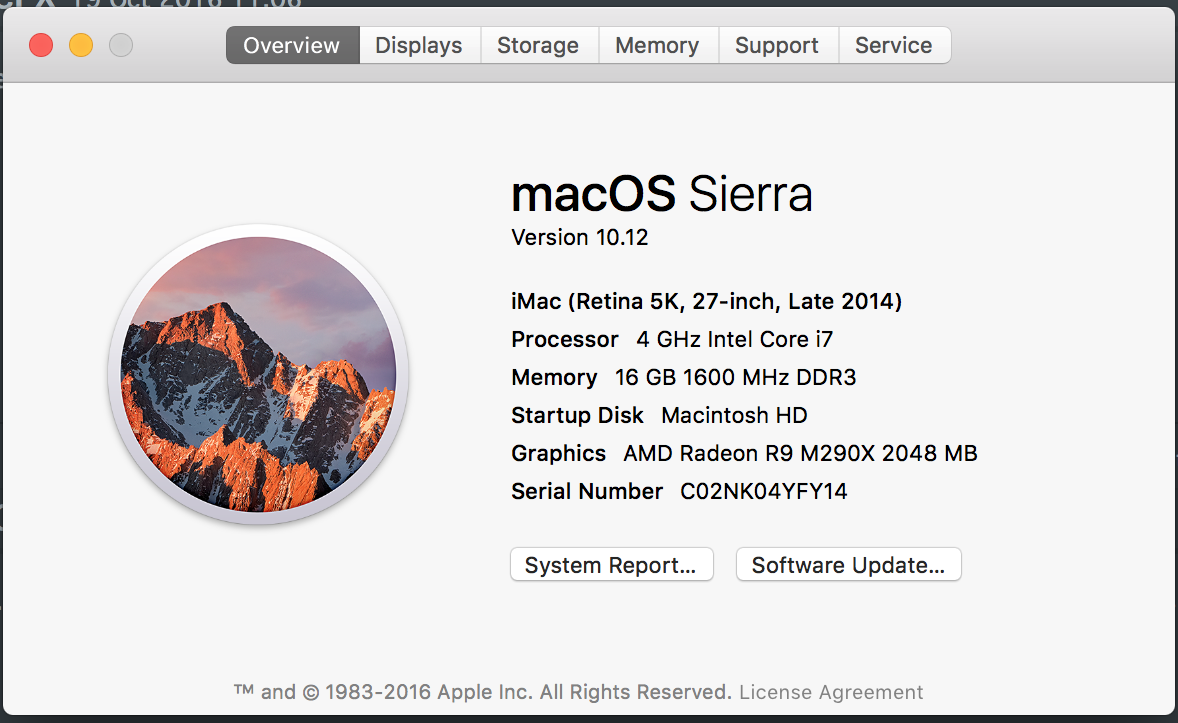
Agreed. Please post your Mac specs (Apple > About this Mac). Could be failing RAM or your graphics card.
Ronny
Ronny
Please Log in to join the conversation.
- cavideopro
-
Topic Author
- Offline
- Junior Member
-
Less
More
- Posts: 34
- Thank you received: 0
20 Oct 2016 00:15 #80977
by cavideopro
Replied by cavideopro on topic Strange Behavior for FCPX
Please Log in to join the conversation.
20 Oct 2016 03:24 #80985
by EditorGuy
Replied by EditorGuy on topic Strange Behavior for FCPX
If we could get each of these answered (not just some, please):
Are you working off of the system drive, or an external drive?
What is the capacity of your system drive?
How much free space is left on it?
If using an external drive, is it USB 3.0 or Thunderbolt?
What is its capacity?
How much free space is on it?
In the mean time:
In Preferences, turn OFF background rendering.
Select the Library, go to the File menu, select Delete All Generated Files, and delete ALL render files.
Quit FCPX.
Launch FCPX while holding the cmd+opt keys, and when prompted, delete preference files.
Are you working off of the system drive, or an external drive?
What is the capacity of your system drive?
How much free space is left on it?
If using an external drive, is it USB 3.0 or Thunderbolt?
What is its capacity?
How much free space is on it?
In the mean time:
In Preferences, turn OFF background rendering.
Select the Library, go to the File menu, select Delete All Generated Files, and delete ALL render files.
Quit FCPX.
Launch FCPX while holding the cmd+opt keys, and when prompted, delete preference files.
Please Log in to join the conversation.
- cavideopro
-
Topic Author
- Offline
- Junior Member
-
Less
More
- Posts: 34
- Thank you received: 0
20 Oct 2016 03:34 #80988
by cavideopro
Replied by cavideopro on topic Strange Behavior for FCPX
If we could get each of these answered (not just some, please):
Are you working off of the system drive, or an external drive? External
What is the capacity of your system drive? 3tb
How much free space is left on it? 1tb
If using an external drive, is it USB 3.0 or Thunderbolt? Thunderbolt 4tb
What is its capacity? 4tb
How much free space is on it? 1tb
I was able to pull up the project on my MacBook pro last night. When I went to pull it up on my iMac today, it worked. No idea what happened, but glad that it is working so I can finish it. I will try delete render files just in case. Thanks.
Are you working off of the system drive, or an external drive? External
What is the capacity of your system drive? 3tb
How much free space is left on it? 1tb
If using an external drive, is it USB 3.0 or Thunderbolt? Thunderbolt 4tb
What is its capacity? 4tb
How much free space is on it? 1tb
I was able to pull up the project on my MacBook pro last night. When I went to pull it up on my iMac today, it worked. No idea what happened, but glad that it is working so I can finish it. I will try delete render files just in case. Thanks.
Please Log in to join the conversation.
20 Oct 2016 11:09 #81019
by EditorGuy
Replied by EditorGuy on topic Strange Behavior for FCPX
Yes, sometimes FCPX just needs a re-launch. Delete render files and preference files can clear up a lot of issues. Glad you're up and running.
Please Log in to join the conversation.
