


- Posts: 5
- Thank you received: 0
3 Post Moderation Rule for New Boarders (25 Jan 2021)
New boarders will have their posts moderated - Don't worry if you cannot see your post immediately.
BLACK FRAMES AFTER RENDER
- sid.chander
-
 Topic Author
- Offline
- New Member
-

Less
More
28 Sep 2016 01:07 #80336
by sid.chander
BLACK FRAMES AFTER RENDER was created by sid.chander
I've been editing on FCPX since its inception, and never had this problem before.
Any clip that sits on my timeline. Magnetic or secondary, does not render properly. I get issues of dropped frames, like intermittent black flickers. I've attached sample images of what happens during render. It does not happen continuously, it renders randomly and the end result is the black frames.
This happened on -- .mov proxy footage shot on Alexa. -- .r3d transcoded to Prores HQ --.mp4 canon 5dmk3 files. I could say almost everything I import causes issues.
FIXES THAT DID NOT WORK
1. Trashing preferences.
2. Re-installing FCPX 10.2.3
3. Deleting everything and rolling back to FCPX 10.2.2
4. Changing Location and Drive Permissions on the Library .fcpbundle in question.
5. Deleting Generated Files.
Nothing.
But I guess the only thing that I haven't tried is getting the .fcpbundle into another system and checking if the issue persists there too. But I cannot do that right now, as I'm in the middle of a project.
I have moved temporarily to Premiere, by using xto7 generated .xml. But I'm trying in vain to get FCPX back to where it was.
Any help would be greatly appreciated.
MY SYSTEM SPECS:
MacBook Pro (Retina, 15-inch, Mid 2014)
2.8 GHz Intel Core i7
16 GB 1600 MHz DDR3
NVIDIA GeForce GT 750M 2048 MB
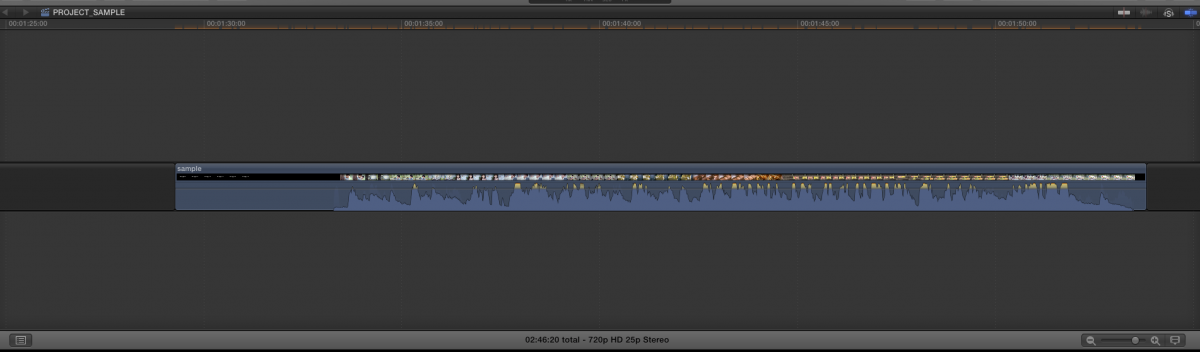

Any clip that sits on my timeline. Magnetic or secondary, does not render properly. I get issues of dropped frames, like intermittent black flickers. I've attached sample images of what happens during render. It does not happen continuously, it renders randomly and the end result is the black frames.
This happened on -- .mov proxy footage shot on Alexa. -- .r3d transcoded to Prores HQ --.mp4 canon 5dmk3 files. I could say almost everything I import causes issues.
FIXES THAT DID NOT WORK
1. Trashing preferences.
2. Re-installing FCPX 10.2.3
3. Deleting everything and rolling back to FCPX 10.2.2
4. Changing Location and Drive Permissions on the Library .fcpbundle in question.
5. Deleting Generated Files.
Nothing.
But I guess the only thing that I haven't tried is getting the .fcpbundle into another system and checking if the issue persists there too. But I cannot do that right now, as I'm in the middle of a project.
I have moved temporarily to Premiere, by using xto7 generated .xml. But I'm trying in vain to get FCPX back to where it was.
Any help would be greatly appreciated.
MY SYSTEM SPECS:
MacBook Pro (Retina, 15-inch, Mid 2014)
2.8 GHz Intel Core i7
16 GB 1600 MHz DDR3
NVIDIA GeForce GT 750M 2048 MB
Please Log in to join the conversation.
- sid.chander
-
Topic Author
- Offline
- New Member
-
Less
More
- Posts: 5
- Thank you received: 0
29 Sep 2016 01:49 #80370
by sid.chander
Replied by sid.chander on topic BLACK FRAMES AFTER RENDER
SOLVED.
STEPS
Created new user with Admin Privileges.
Moved .fcpbundle into an External HDD.
Guess it was a permission issue after all.
STEPS
Created new user with Admin Privileges.
Moved .fcpbundle into an External HDD.
Guess it was a permission issue after all.
Please Log in to join the conversation.
