


- Posts: 1
- Thank you received: 0
3 Post Moderation Rule for New Boarders (25 Jan 2021)
New boarders will have their posts moderated - Don't worry if you cannot see your post immediately.
Text Control Panel in Inspector
- denilso.de lima
-
 Topic Author
- Offline
- New Member
-

Less
More
13 Sep 2016 16:31 #79934
by denilso.de lima
Text Control Panel in Inspector was created by denilso.de lima
Hello, guys! I'm having an issue here and searched a lot about it and can't find an answer. I hope you guys can help me on that. Here's the thing:
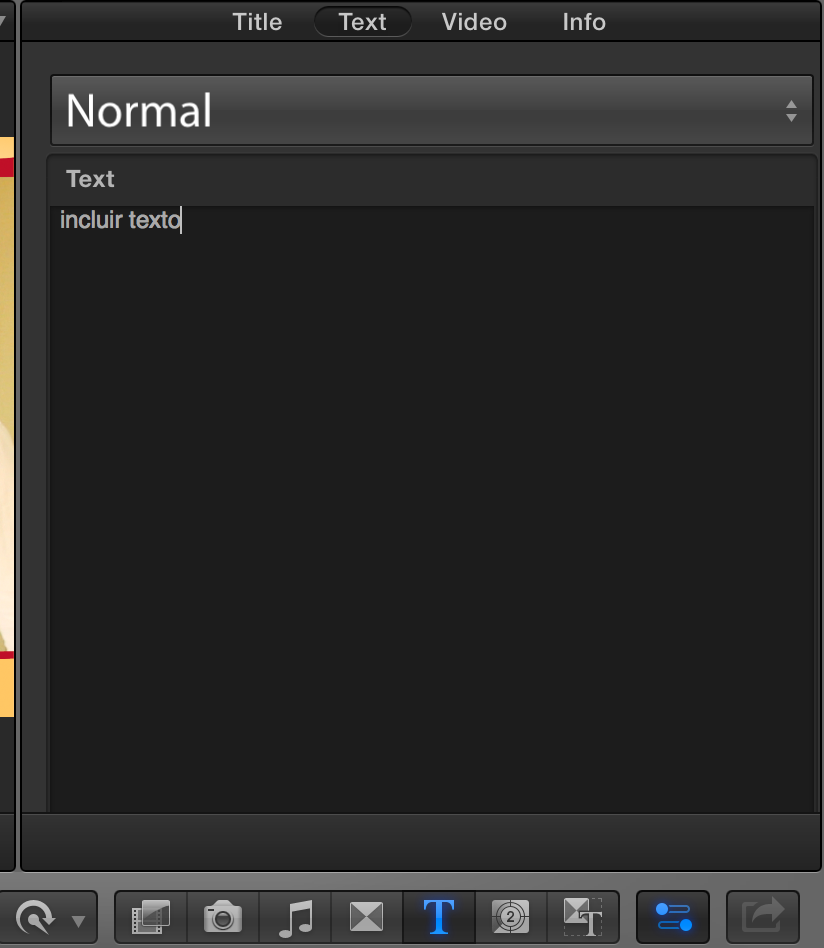
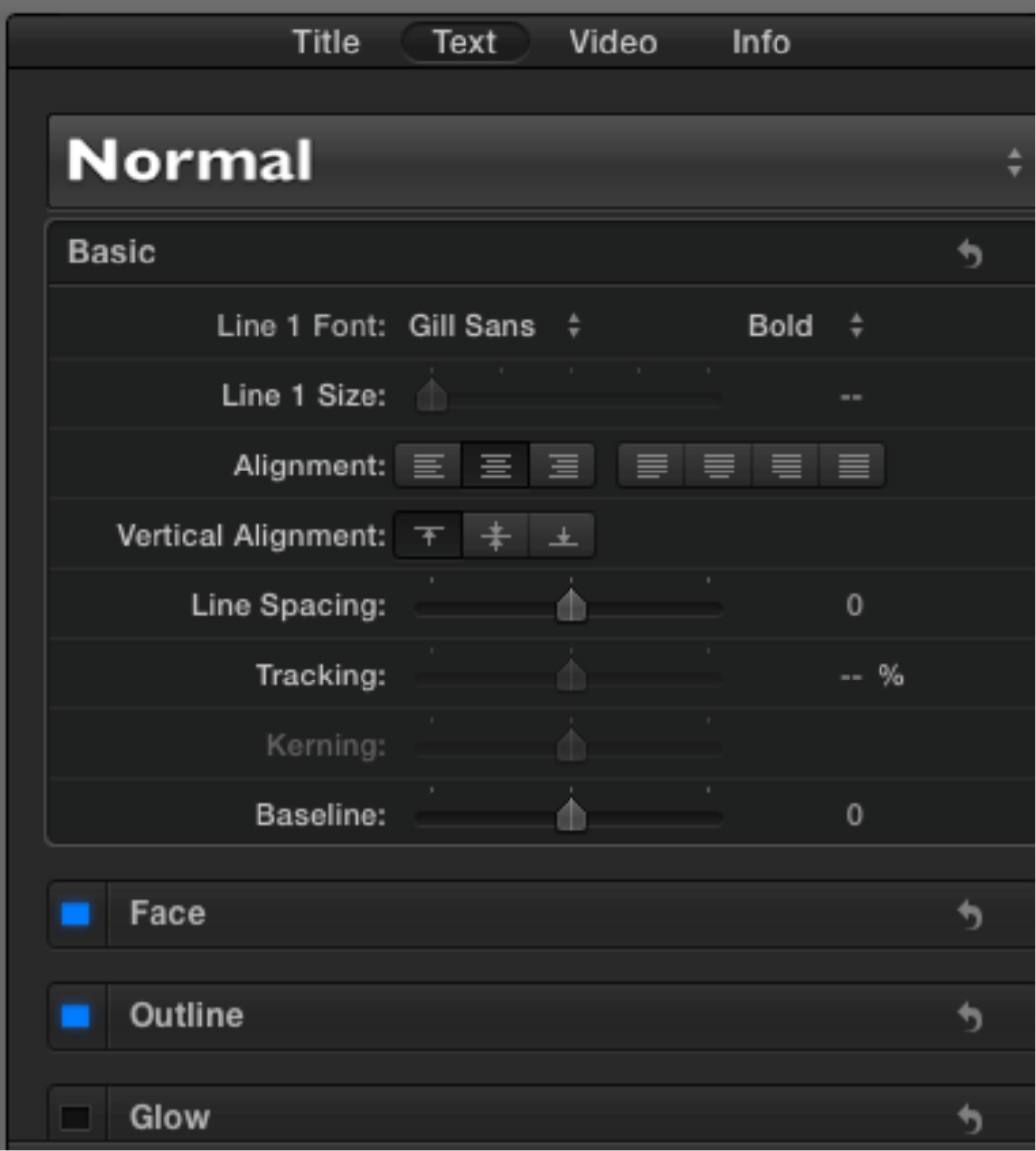
When I add a text to a project, I know that I can edit that text using the sliders (basic, face, etc) inside the inspector window. Those sliders were always there but now they've gone. I'm quite sure I did something stupid here and now I can't get the control panel back. So, can someone please tell me how to get that back? I'm attaching some images so as to let you know what I mean. In one picture you'll se there's nothing in the inspector window (that's how it is here right now); in the second, it's what it used to be before I screwed the whole thing up.
Thanks in advance for any tip.
Denilso
When I add a text to a project, I know that I can edit that text using the sliders (basic, face, etc) inside the inspector window. Those sliders were always there but now they've gone. I'm quite sure I did something stupid here and now I can't get the control panel back. So, can someone please tell me how to get that back? I'm attaching some images so as to let you know what I mean. In one picture you'll se there's nothing in the inspector window (that's how it is here right now); in the second, it's what it used to be before I screwed the whole thing up.
Thanks in advance for any tip.
Denilso
Please Log in to join the conversation.
- Tom Wolsky
-

- Offline
- Moderator
-

14 Sep 2016 06:02 #79961
by Tom Wolsky
Replied by Tom Wolsky on topic Text Control Panel in Inspector
It looks like the text box is too big. Try pulling it up from the bottom or trash your preferences.
Please Log in to join the conversation.
