


- Posts: 263
- Thank you received: 2
3 Post Moderation Rule for New Boarders (25 Jan 2021)
New boarders will have their posts moderated - Don't worry if you cannot see your post immediately.
Exporting infographics - best settings?
12 Sep 2016 10:25 #79873
by gaddster
MBP retina 15" 2014
imac 27 i7 2013
G-tech
Panasonic GH4, AC90, Gopro
Exporting infographics - best settings? was created by gaddster
Guys
am I missing something here.. Just exporting a 2 minute infographic animated text with a static background and when i export either h264, proxy codec etc the background seems pixelated with colours (see attached one the way its smooth and the other exported)


am I missing something here.. Just exporting a 2 minute infographic animated text with a static background and when i export either h264, proxy codec etc the background seems pixelated with colours (see attached one the way its smooth and the other exported)
MBP retina 15" 2014
imac 27 i7 2013
G-tech
Panasonic GH4, AC90, Gopro
Please Log in to join the conversation.

12 Sep 2016 16:29 #79887
by John G
Replied by John G on topic Exporting infographics - best settings?
This looks like 'banding' because the bit-rate of the export codec (probably 8-bit) isn’t high enough to reproduce the gradually changing colours within such a subtle graduation. Sometimes it's best to just avoid these sort of graduations.
However if you want to keep the graphic you could try the following to fix the banding…. (This assumes you constructed the graphic within FCPX).
In FCPX select the graduated graphic and add the ‘ADD NOISE’ effect (in Effects > Stylize).
In the Inspector change ‘TYPE’ to ‘BLUE NOISE’ and as a starting point input a very low number such as .03 or .06 and set the opacity slider to about 70%
What you’re attempting to do is create enough noise to break up the banding without the noise becoming too noticeable. It’s a balance. You’ll probably need to experiment to get a result you like. You might find a bit of visible ‘grain’ in the graphic is quite OK if it kills the banding.
Try a couple of test renders into the codec you want to deliver (h.264 or whatever) and see what you get. Judge the result with the video playing in real time rather than stopped on a still frame. The noise is much less visible when the clip is playing.
Hope this helps
John
However if you want to keep the graphic you could try the following to fix the banding…. (This assumes you constructed the graphic within FCPX).
In FCPX select the graduated graphic and add the ‘ADD NOISE’ effect (in Effects > Stylize).
In the Inspector change ‘TYPE’ to ‘BLUE NOISE’ and as a starting point input a very low number such as .03 or .06 and set the opacity slider to about 70%
What you’re attempting to do is create enough noise to break up the banding without the noise becoming too noticeable. It’s a balance. You’ll probably need to experiment to get a result you like. You might find a bit of visible ‘grain’ in the graphic is quite OK if it kills the banding.
Try a couple of test renders into the codec you want to deliver (h.264 or whatever) and see what you get. Judge the result with the video playing in real time rather than stopped on a still frame. The noise is much less visible when the clip is playing.
Hope this helps
John
Please Log in to join the conversation.
- Karsten Schlüter
-

- Offline
- Moderator
-

Less
More
- Posts: 3790
- Thank you received: 718
13 Sep 2016 06:41 #79915
by Karsten Schlüter
Replied by Karsten Schlüter on topic Exporting infographics - best settings?
… another reason for banding is:
too high compression on INput
have a look, I rebuilt your gradient in Pixelmator:
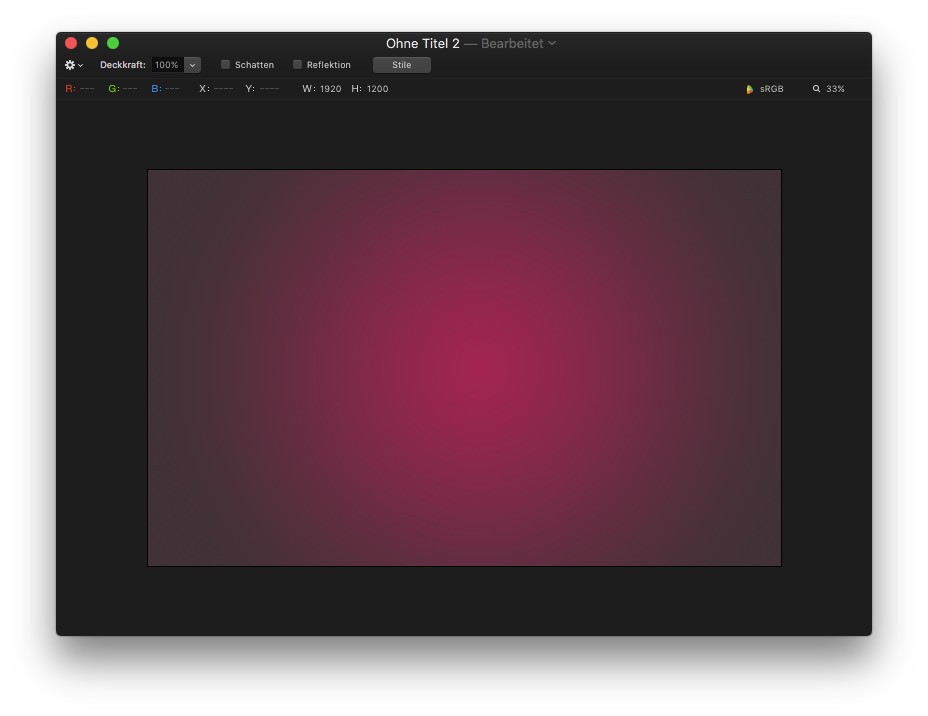
looks smooth, doesn't it?
now export that as jpeg, insert to FCPX, export h.264...
even in jpg 100% quality no fun.
export as png - still banding!
so, I set in Pixelmator the graphic to 16bit, and export from FCPX as proRes:
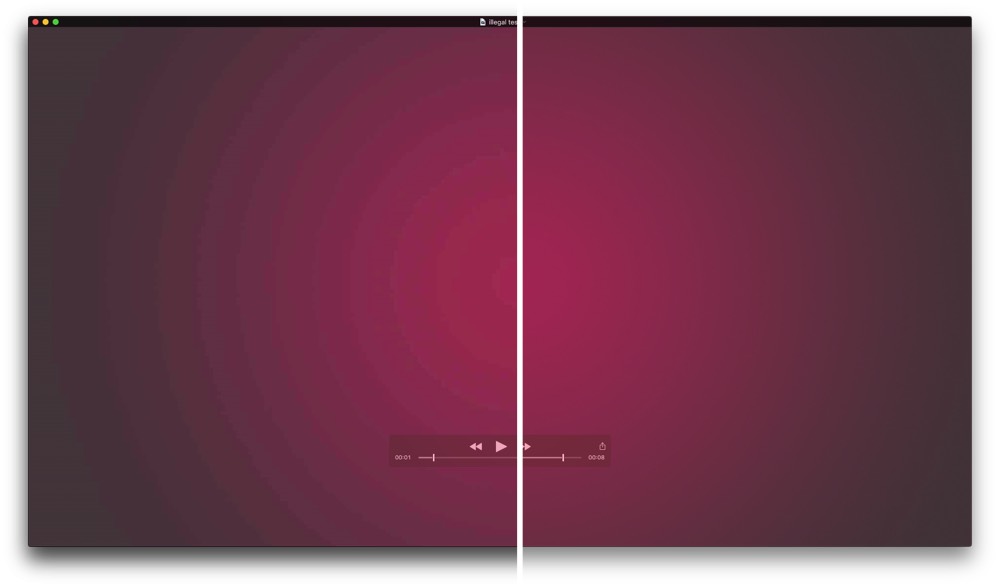
(left jpg import, right 16bit png import)
too high compression on INput
have a look, I rebuilt your gradient in Pixelmator:
looks smooth, doesn't it?
now export that as jpeg, insert to FCPX, export h.264...
even in jpg 100% quality no fun.
export as png - still banding!
so, I set in Pixelmator the graphic to 16bit, and export from FCPX as proRes:
(left jpg import, right 16bit png import)
Please Log in to join the conversation.
14 Sep 2016 09:33 #79968
by gaddster
MBP retina 15" 2014
imac 27 i7 2013
G-tech
Panasonic GH4, AC90, Gopro
Replied by gaddster on topic Exporting infographics - best settings?
Thanks Karsten
I tried adding the noise filter, h264 and it was definitely better.
I tried adding the noise filter, h264 and it was definitely better.
MBP retina 15" 2014
imac 27 i7 2013
G-tech
Panasonic GH4, AC90, Gopro
Please Log in to join the conversation.
