




- Posts: 8
- Thank you received: 0
3 Post Moderation Rule for New Boarders (25 Jan 2021)
New boarders will have their posts moderated - Don't worry if you cannot see your post immediately.
Share to iTunes Library
05 Aug 2016 15:03 #79007
by rich2putt
Share to iTunes Library was created by rich2putt
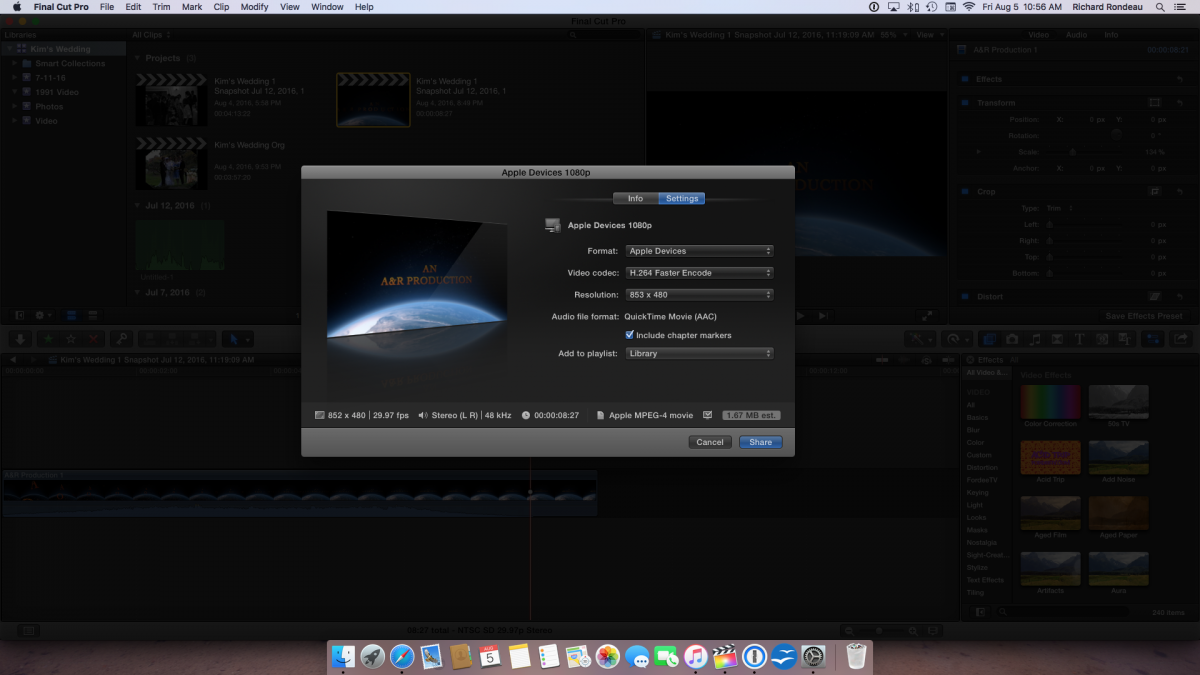
When I finish a project, I share to Apple Devices 1080p. After the successful completion the movie is in the iTunes Movie library but the when I click on the movie icon I get an error message "file not found". I then click "show in finder" and the file is in some weird folder and NOT in the usual Home Video folder.
I deleted the FCPX app and reinstalled it but my movies are still not being linked to my Home Video files. This has only recently occurred. Any suggestions would be appreciated.
Thank You,
Rich
I deleted the FCPX app and reinstalled it but my movies are still not being linked to my Home Video files. This has only recently occurred. Any suggestions would be appreciated.
Thank You,
Rich
Please Log in to join the conversation.
- Tom Wolsky
-

- Offline
- Moderator
-

06 Aug 2016 08:07 #79023
by Tom Wolsky
Replied by Tom Wolsky on topic Share to iTunes Library
What weird folder? Are you sure the export is completely?
Please Log in to join the conversation.
06 Aug 2016 13:03 #79026
by rich2putt
Replied by rich2putt on topic Share to iTunes Library
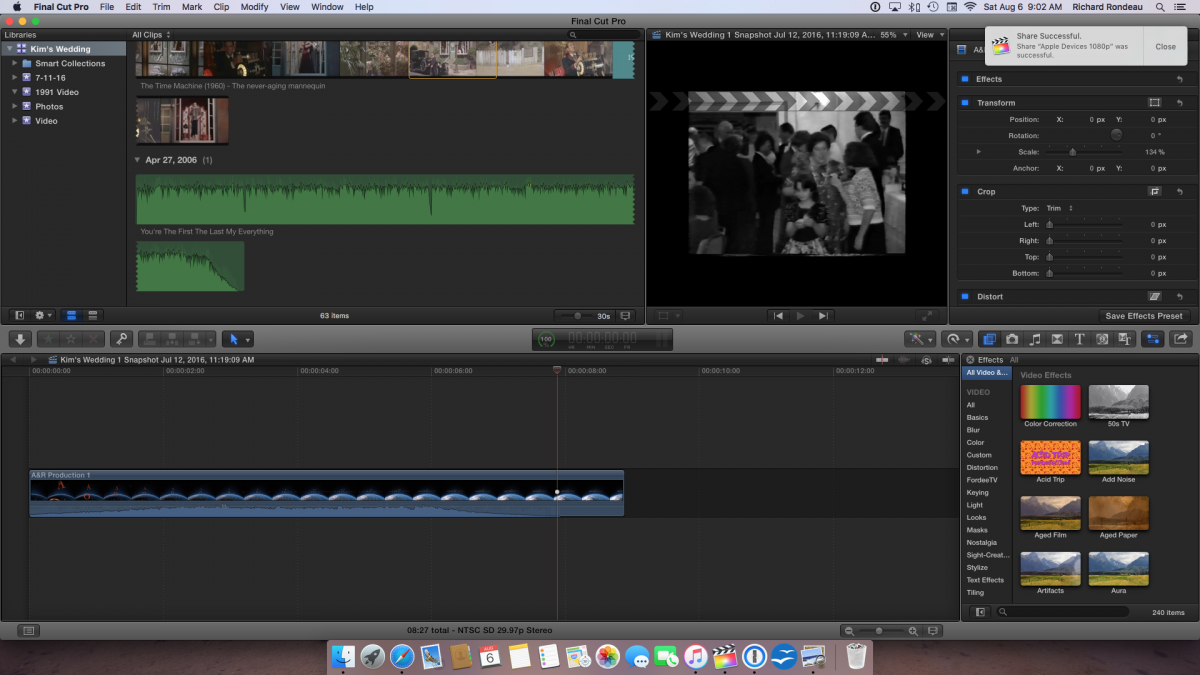
Yes, the message on the top right hand corner said "shared successful". The movie was saved in a ZLaaOT...........rather than Home Movies.
(see attachments)
Thank You
(see attachments)
Thank You
Please Log in to join the conversation.
- MarkNelsonMovies
-

- Offline
- Elite Member
-

Less
More
- Posts: 256
- Thank you received: 48
06 Aug 2016 23:09 #79029
by MarkNelsonMovies
Replied by MarkNelsonMovies on topic Share to iTunes Library
Go into iTunes preferences, and in the advanced tab, make sure "Copy files to iTunes Media folder when adding to library" is checked.
Please Log in to join the conversation.
07 Aug 2016 02:07 #79031
by rich2putt
Replied by rich2putt on topic Share to iTunes Library
That was it !!!!!!!!!!!
Thank you very much..........
Thank you very much..........
Please Log in to join the conversation.
- Tom Wolsky
-
- Offline
- Moderator
-
07 Aug 2016 21:33 #79039
by Tom Wolsky
Replied by Tom Wolsky on topic Share to iTunes Library
"The movie was saved in a ZLaaOT..........."
Where is that? What's the file path?
Where is that? What's the file path?
Please Log in to join the conversation.


11 Aug 2016 17:19 #79152
by dgwvideo
Creating history....one edit at a time !
Replied by dgwvideo on topic Share to iTunes Library
I am curious to know that as well. It sounds like a temporary file name that's created during the transcoding process. I'll bet the path is in the default Users/Movies folder unless the OP designated something specific.
Creating history....one edit at a time !
Please Log in to join the conversation.
- MarkNelsonMovies
-
- Offline
- Elite Member
-
Less
More
- Posts: 256
- Thank you received: 48
11 Aug 2016 23:28 #79161
by MarkNelsonMovies
Replied by MarkNelsonMovies on topic Share to iTunes Library
I can explain this for you guys, back in the days of iLife '08, '09, and '11 iMovie (versions 7, 8, and 9) would export movies shared with iTunes to a folder inside the users movie directory, and iTunes would then copy it into it's library, leading to a lot of waisted disk space. Apple "fixed" this with iMovie 10 and FCPX by have exports share to iTunes go to a temporary folder to then be copied into the library. The problem happens when iTunes is set to reference media instead of copying it. as it tries to reference the media inside the temp folder, which is emptied when the computer is restarted.
Hope this helps,
-Mark
Hope this helps,
-Mark
Please Log in to join the conversation.
