


- Posts: 1
- Thank you received: 0
3 Post Moderation Rule for New Boarders (25 Jan 2021)
New boarders will have their posts moderated - Don't worry if you cannot see your post immediately.
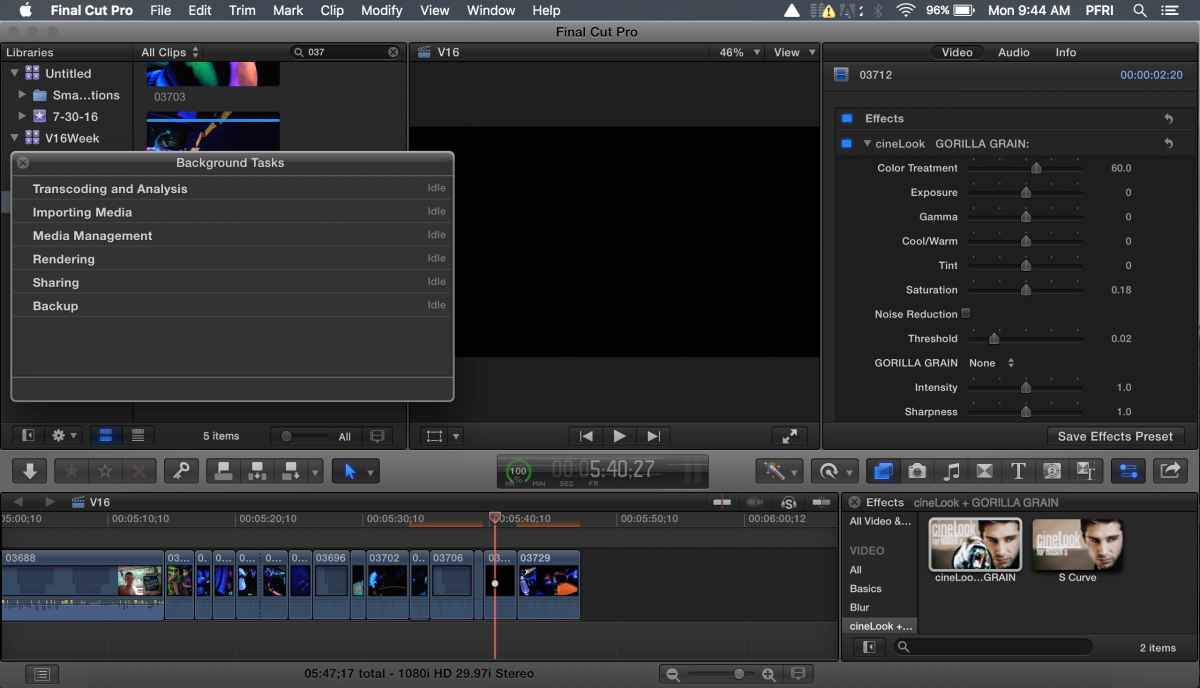
FCPX 10.2.1 is not rendering!
01 Aug 2016 13:49 #78951
by pfri
FCPX 10.2.1 is not rendering! was created by pfri
Hello, l was working on my video and fcpx crashed, when I reopened fcpx the most recent files I was working on will not render, nor will any files that I work on now render help!
Please Log in to join the conversation.


02 Aug 2016 14:24 #78961
by bogiesan
Replied by bogiesan on topic FCPX 10.2.1 is not rendering!
From the FCPX help system:
Delete project render files
Select one or more projects in the Browser.
Choose File > Delete Generated Project Files.
In the window that appears, select Delete Render Files and click OK.
Delete event render files
In the Libraries list, select one or more events in the same library.
Choose File > Delete Generated Event Files.
In the window that appears, select Delete Render Files.
Select whether to delete unused render files or all render files, and click OK.
Note: If you choose to delete all render files in an event, any project render files in that event are also deleted.
Delete render files from a library
Select a library in the Libraries list.
Choose File > Delete Generated Library Files.
In the window that appears, select Delete Render Files.
Select whether to delete unused render files or all render files, and click OK.
Delete project render files
Select one or more projects in the Browser.
Choose File > Delete Generated Project Files.
In the window that appears, select Delete Render Files and click OK.
Delete event render files
In the Libraries list, select one or more events in the same library.
Choose File > Delete Generated Event Files.
In the window that appears, select Delete Render Files.
Select whether to delete unused render files or all render files, and click OK.
Note: If you choose to delete all render files in an event, any project render files in that event are also deleted.
Delete render files from a library
Select a library in the Libraries list.
Choose File > Delete Generated Library Files.
In the window that appears, select Delete Render Files.
Select whether to delete unused render files or all render files, and click OK.
Please Log in to join the conversation.
