


- Posts: 3
- Thank you received: 0
3 Post Moderation Rule for New Boarders (25 Jan 2021)
New boarders will have their posts moderated - Don't worry if you cannot see your post immediately.
Help Please with this final cut effects
- dominicanpiano.joel
-
 Topic Author
- Offline
- New Member
-

Less
More
28 Jun 2016 06:22 #78192
by dominicanpiano.joel
Help Please with this final cut effects was created by dominicanpiano.joel
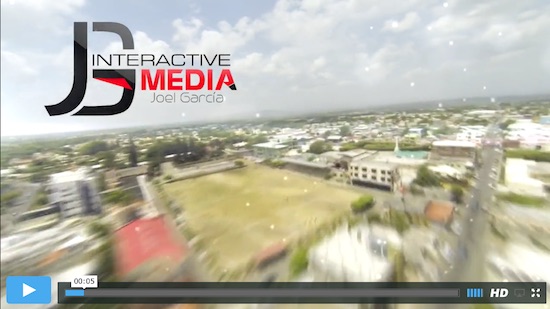
how can i do this effect on final cut ?
start at 5 seconds vimeo.com/127415230
i been trying to create that for some basketball clips i have and i haven't find the right effect.
thanks you very much!!
start at 5 seconds vimeo.com/127415230
i been trying to create that for some basketball clips i have and i haven't find the right effect.
thanks you very much!!
Please Log in to join the conversation.
- Karsten Schlüter
-

- Offline
- Moderator
-

Less
More
- Posts: 3790
- Thank you received: 718
28 Jun 2016 06:32 #78194
by Karsten Schlüter
Which one? the glizty dots, the speed ramp, the motion blur, the logo bug?
And Welcome, Joel, to fcpx.co
Replied by Karsten Schlüter on topic Help Please with this final cut effects
dominicanpiano.joel wrote: how can i do this effect on final cut ?..
Which one? the glizty dots, the speed ramp, the motion blur, the logo bug?
And Welcome, Joel, to fcpx.co
Please Log in to join the conversation.
- dominicanpiano.joel
-
Topic Author
- Offline
- New Member
-
Less
More
- Posts: 3
- Thank you received: 0
28 Jun 2016 11:43 #78200
by dominicanpiano.joel
Replied by dominicanpiano.joel on topic Help Please with this final cut effects
Hi karsten, I'm talking about the speed ramp at first,been seen this type of effects in movies I think matrix too.
I do lots of drones shots and I would love to Learn how to do it also adding like a blur effect too so it can look like time machine/fast forward dreaming kind of effect.
Thank you so much for your time and thank you to this awesome community for helping us!!
God bless you guys!!
I do lots of drones shots and I would love to Learn how to do it also adding like a blur effect too so it can look like time machine/fast forward dreaming kind of effect.
Thank you so much for your time and thank you to this awesome community for helping us!!
God bless you guys!!
Please Log in to join the conversation.
- Karsten Schlüter
-
- Offline
- Moderator
-
Less
More
- Posts: 3790
- Thank you received: 718
28 Jun 2016 15:39 #78206
by Karsten Schlüter
first things first:
using the Range selector (shortcut R) select the part in your clip you like to speed-up; in the Retime Menu choose x2, x4, x8.... what fits best to your needs:
FCPX will automatically ramp to that segment, playing it faster, then ramps down to normal.
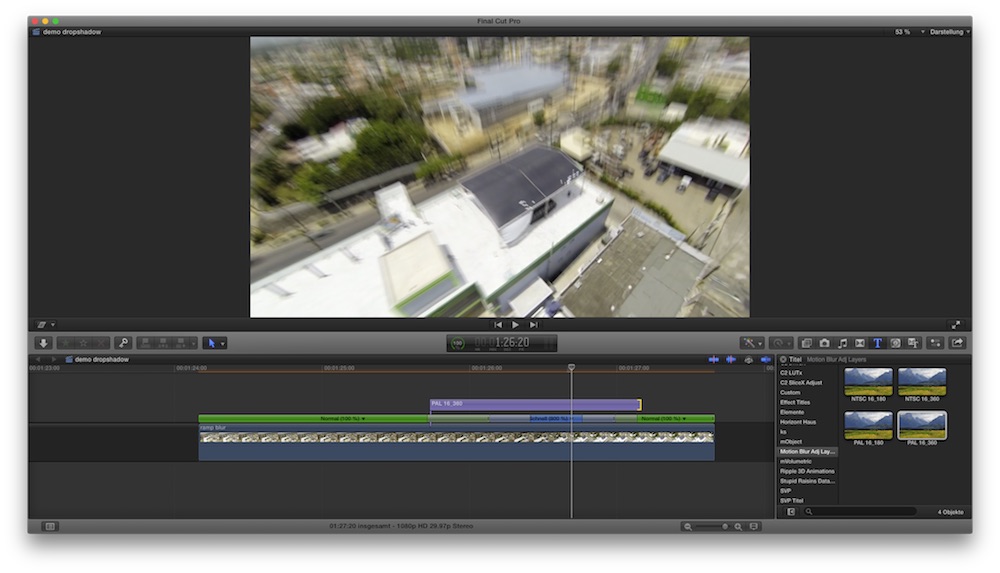
conc. the Motion Blur:
rippletraining once had a free plugin, but I can ot find it; so I quickly made a new one for you, you find it in FCP.CO's plugin deposit,
www.fcp.co/fcp-forum/film-looks-effects/...d-blur-in-fcpx#78205
If you have any further questions, post here!
Replied by Karsten Schlüter on topic Help Please with this final cut effects
dominicanpiano.joel wrote: ... speed ramp … also adding like a blur effect ...
first things first:
using the Range selector (shortcut R) select the part in your clip you like to speed-up; in the Retime Menu choose x2, x4, x8.... what fits best to your needs:
FCPX will automatically ramp to that segment, playing it faster, then ramps down to normal.
conc. the Motion Blur:
rippletraining once had a free plugin, but I can ot find it; so I quickly made a new one for you, you find it in FCP.CO's plugin deposit,
www.fcp.co/fcp-forum/film-looks-effects/...d-blur-in-fcpx#78205
If you have any further questions, post here!
Please Log in to join the conversation.
