


- Posts: 32
- Thank you received: 1
3 Post Moderation Rule for New Boarders (25 Jan 2021)
New boarders will have their posts moderated - Don't worry if you cannot see your post immediately.
PROXY Madness!!!
21 Jun 2016 17:51 #78006
by namu5583
PROXY Madness!!! was created by namu5583
Hi guys,
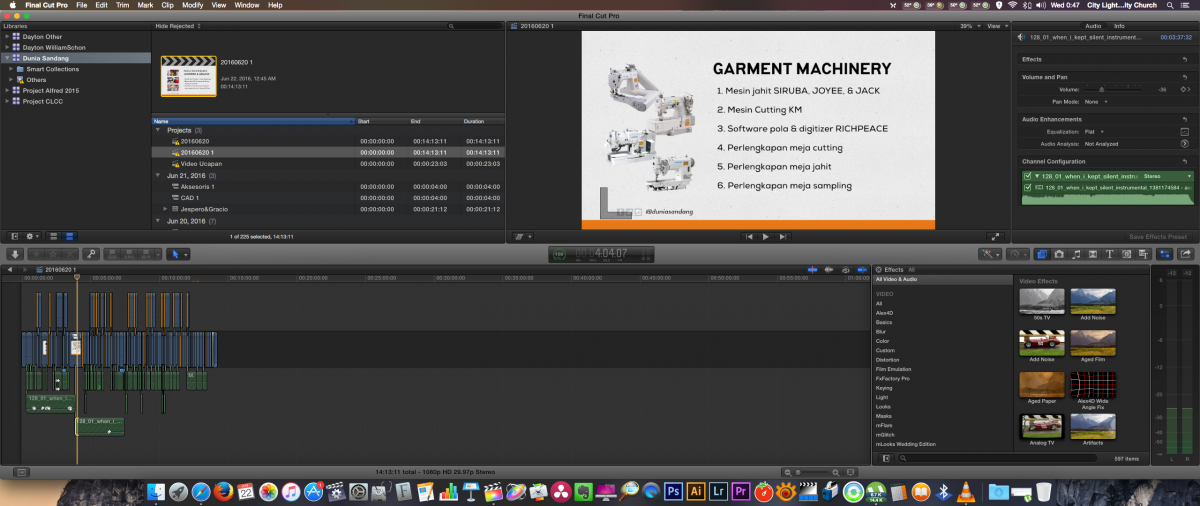
I'm making this company profile project.
1. Duration 14 minutes
2. Mov 1280 x 720 60 frame
3. Lower 3rd motion template
4. Text & title Motion graphic template
5. Tone grade plugin for color
6. No audio effect
With this in hand. I've decided to build this project by proxy import from beggining. But when the project build up, suddenly it's started to lag overtime. In the end it crashed while trying to trim a few frame.
Why is that? I thought proxy should help me work faster.
I'm using 2015 Mac Pro 3.7 GHz Quad-Core Intel Xeon E5 - 12 GB 1866 MHz DDR3 ECC - AMD FirePro D300 2048 MB - External Seagate HD 2T
Thanks for the advice.
I'm making this company profile project.
1. Duration 14 minutes
2. Mov 1280 x 720 60 frame
3. Lower 3rd motion template
4. Text & title Motion graphic template
5. Tone grade plugin for color
6. No audio effect
With this in hand. I've decided to build this project by proxy import from beggining. But when the project build up, suddenly it's started to lag overtime. In the end it crashed while trying to trim a few frame.
Why is that? I thought proxy should help me work faster.
I'm using 2015 Mac Pro 3.7 GHz Quad-Core Intel Xeon E5 - 12 GB 1866 MHz DDR3 ECC - AMD FirePro D300 2048 MB - External Seagate HD 2T
Thanks for the advice.
Please Log in to join the conversation.

22 Jun 2016 02:15 #78013
by BenB
Replied by BenB on topic PROXY Madness!!!
First up, the D300 is not the best choice for FCPX/Motion.
But that aside, proxies will help, to a point.
Be sure to turn off Background Rendering.
Delete all render files (File menu, Generated Files), etc.
Verify drives all have 15 percent free space.
If that doesn't help, launch FCPX holding Option and Command keys to delete preferences.
That takes care of it usually. If not, report back, something more serious is wrong.
Oh, what is the source camera of this footage? Did you optimize or import native? Regardless of proxies.
But that aside, proxies will help, to a point.
Be sure to turn off Background Rendering.
Delete all render files (File menu, Generated Files), etc.
Verify drives all have 15 percent free space.
If that doesn't help, launch FCPX holding Option and Command keys to delete preferences.
That takes care of it usually. If not, report back, something more serious is wrong.
Oh, what is the source camera of this footage? Did you optimize or import native? Regardless of proxies.
Please Log in to join the conversation.
