


- Posts: 2
- Thank you received: 0
3 Post Moderation Rule for New Boarders (25 Jan 2021)
New boarders will have their posts moderated - Don't worry if you cannot see your post immediately.
Meida import takes a long time
16 Jun 2016 07:33 #77895
by jiskefet
Meida import takes a long time was created by jiskefet
Hi
I have a IMac 27″ , 3,5 I7 processor , 24Gb memory , NVIDIA GeForce GTX 775M 2048 MB graphic card and SSD 256Gb.
When a want to import a 1,1 Gb MP4 (FHD 50p ,) direct from my DS card (in the back of the IMac) , it will take about 12minutes before it is correctly in my library .
When i do it by "Finder" place it in a map on the IMac and than via "Media Import" in to FCP X it takes about 4 minutes .
From what i do understand this is way to long , what am i doing wrong or what is the best way to import files ?
I have a IMac 27″ , 3,5 I7 processor , 24Gb memory , NVIDIA GeForce GTX 775M 2048 MB graphic card and SSD 256Gb.
When a want to import a 1,1 Gb MP4 (FHD 50p ,) direct from my DS card (in the back of the IMac) , it will take about 12minutes before it is correctly in my library .
When i do it by "Finder" place it in a map on the IMac and than via "Media Import" in to FCP X it takes about 4 minutes .
From what i do understand this is way to long , what am i doing wrong or what is the best way to import files ?
Please Log in to join the conversation.
- Karsten Schlüter
-

- Offline
- Moderator
-

Less
More
- Posts: 3790
- Thank you received: 718
16 Jun 2016 08:50 #77898
by Karsten Schlüter
Replied by Karsten Schlüter on topic Meida import takes a long time
1.1GB from an SDcard isn't slow... the card is the bottleneck.... U(3) cards I'm using need 4-5min per GB....
So, when you import a copy of that card from a harddrive into FCPX it is for sure much faster.
Plus, depending on format of files, it would allow managed media, then the 'import' is done in seconds.
Don't miss the advice from forum member Tom Wolsky
www.fcpxbook.com/articles/managed-and-external-media.html
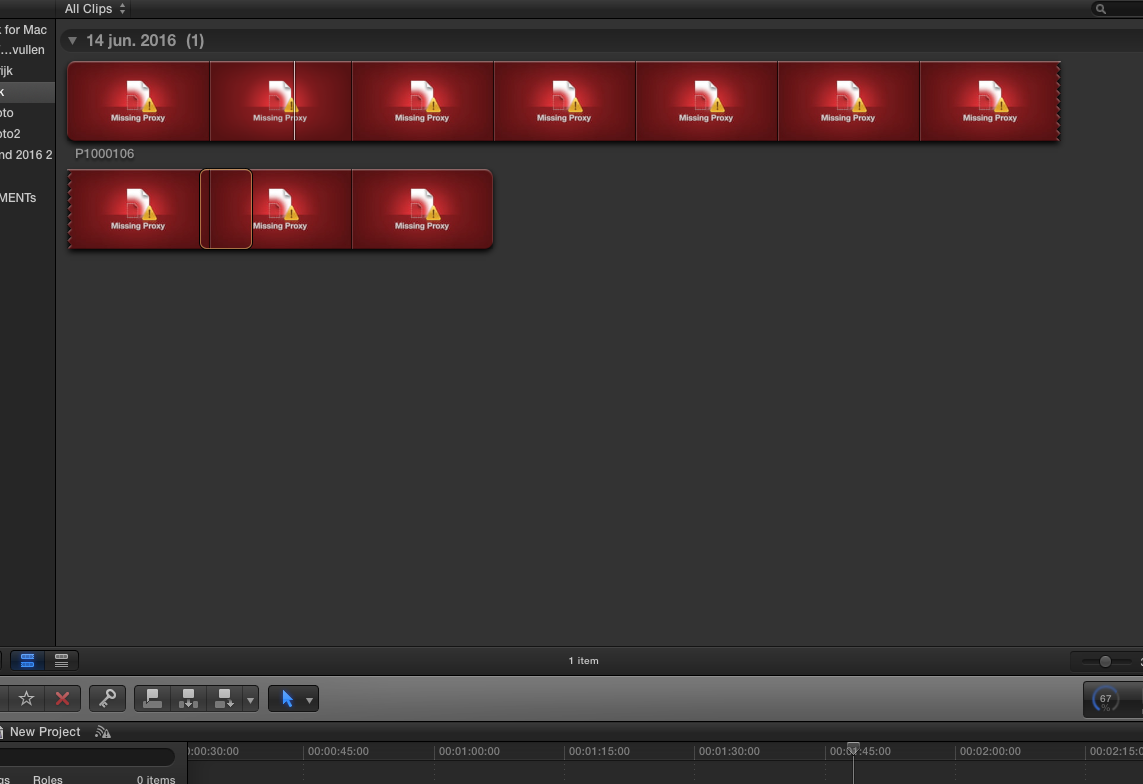
Your screenshot shows missing Poxies - do you really need proxy files?
And Welcome, Willem, to fcp.co
So, when you import a copy of that card from a harddrive into FCPX it is for sure much faster.
Plus, depending on format of files, it would allow managed media, then the 'import' is done in seconds.
Don't miss the advice from forum member Tom Wolsky
www.fcpxbook.com/articles/managed-and-external-media.html
Your screenshot shows missing Poxies - do you really need proxy files?
And Welcome, Willem, to fcp.co
Please Log in to join the conversation.
16 Jun 2016 10:56 #77900
by jiskefet
Replied by jiskefet on topic Meida import takes a long time
Ok thx for your reply ,
I will look into the link .
When importing the same video file in to IMovie it only takes 30 seconds to complete the import , incl background task .
How can this be so much faster ?
I will look into the link .
When importing the same video file in to IMovie it only takes 30 seconds to complete the import , incl background task .
How can this be so much faster ?
Please Log in to join the conversation.
- MarkNelsonMovies
-

- Offline
- Elite Member
-

Less
More
- Posts: 256
- Thank you received: 48
17 Jun 2016 16:46 #77925
by MarkNelsonMovies
Replied by MarkNelsonMovies on topic Meida import takes a long time
By any chance do you have FCPX set to create optimized media on import, find people, and/or analyze for video and audio problems?
Please Log in to join the conversation.
