


- Posts: 70
- Thank you received: 0
3 Post Moderation Rule for New Boarders (25 Jan 2021)
New boarders will have their posts moderated - Don't worry if you cannot see your post immediately.
can't overwrite to primary storyline
03 Jun 2016 15:55 - 03 Jun 2016 15:55 #77424
by jcmcnamee
can't overwrite to primary storyline was created by jcmcnamee
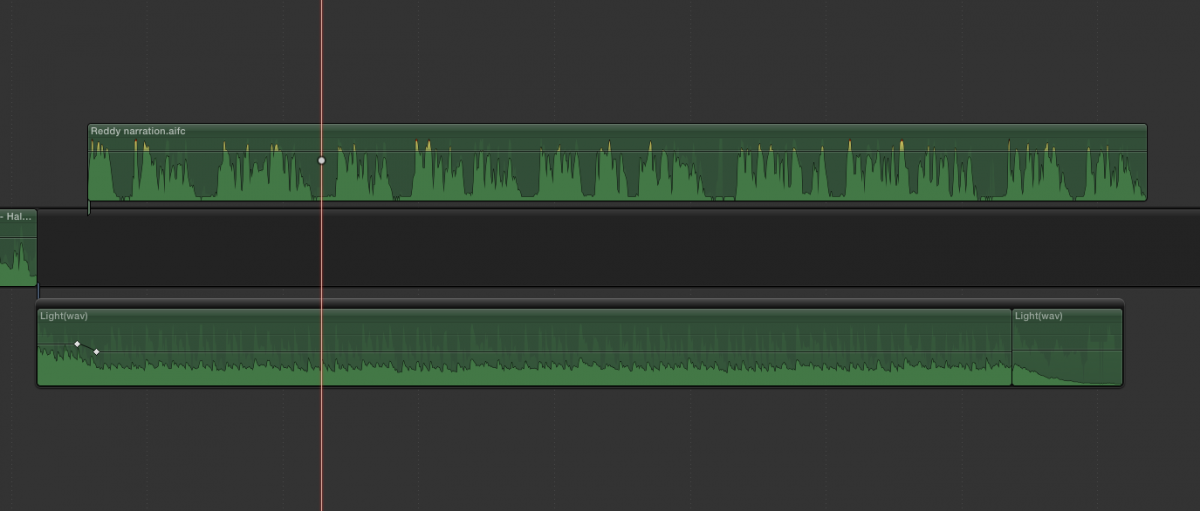
Any ideas why some of my audio clips won't overwrite to the primary storyline? I can blade and drag them down but cmd-opt-down arrow isn't working for me. It's the clip above the storyline that won't work.
Last edit: 03 Jun 2016 15:55 by jcmcnamee.
Please Log in to join the conversation.
- Scott Markowitz
-

- Offline
- Elite Member
-

Less
More
- Posts: 161
- Thank you received: 31
03 Jun 2016 17:06 #77434
by Scott Markowitz
Replied by Scott Markowitz on topic can't overwrite to primary storyline
Interesting.
I just tried this, and have found the same issue.
My thought was that maybe your audio clip didn't begin/end on a whole frame.
But, I trimmed my audio to make sure it began on a new frame and ended on a new frame.
It appears that no audio only clip in my timeline will allow itself to be promoted to the main storyline using option-command-down arrow.
Is this a feature, or a bug? You decide. (I'm leaning toward bug
I just tried this, and have found the same issue.
My thought was that maybe your audio clip didn't begin/end on a whole frame.
But, I trimmed my audio to make sure it began on a new frame and ended on a new frame.
It appears that no audio only clip in my timeline will allow itself to be promoted to the main storyline using option-command-down arrow.
Is this a feature, or a bug? You decide. (I'm leaning toward bug
Please Log in to join the conversation.
- simon_hutchings
-
- Offline
- Junior Member
-

Less
More
- Posts: 34
- Thank you received: 7
03 Jun 2016 17:38 #77435
by simon_hutchings
Replied by simon_hutchings on topic can't overwrite to primary storyline
If the audio clip was below the primary storyline, option command down will bring it back up to the primary storyline.
Video clips get pushed above and audio gets pushed below the primary storyline when using option command up.
Video clips get pushed above and audio gets pushed below the primary storyline when using option command up.
Please Log in to join the conversation.

03 Jun 2016 17:55 #77436
by tpayton
Replied by tpayton on topic can't overwrite to primary storyline
Since audio is edited on the subframe, not the frame, Overwriting to Primary works only when connected audio's LEFT and RIGHT edges are on a frame, not subframe.
Therefore use the P tool to move it to the primary storyline, or use your playhead or video cut as a guide to adjust left and right edges.
Therefore use the P tool to move it to the primary storyline, or use your playhead or video cut as a guide to adjust left and right edges.
Please Log in to join the conversation.
