


- Posts: 24
- Thank you received: 0
3 Post Moderation Rule for New Boarders (25 Jan 2021)
New boarders will have their posts moderated - Don't worry if you cannot see your post immediately.
Notifications!?
- MotionBlur
-
 Topic Author
- Offline
- Junior Member
-

Less
More
15 Apr 2016 19:15 #75432
by MotionBlur
Notifications!? was created by MotionBlur
Does anyone else wish there were notifications ( like the orange - used clip identifiers ) wether or not the video audio has been extended beyond the clip length and if there are any speed ramping for a clip in the storyline? I do.
Please Log in to join the conversation.
- Scott Markowitz
-
- Offline
- Elite Member
-

Less
More
- Posts: 161
- Thank you received: 31
15 Apr 2016 20:02 #75435
by Scott Markowitz
Replied by Scott Markowitz on topic Notifications!?
Yes. In Smoke, clips can show the available number of frames available in the handles. It would be nice to see that option in the FCPX timeline.
I would also love to see the time remapping in the timeline.
This would be a great thing to send to Apple in the feedback.
I would also love to see the time remapping in the timeline.
This would be a great thing to send to Apple in the feedback.
Please Log in to join the conversation.

15 Apr 2016 20:31 #75437
by BenB
Replied by BenB on topic Notifications!?
You can see retiming in the retiming headers, plus retiming transitions (Commnd-R).
Double-click an edit point opens the Precision Editor, where you will see EXACTLY where your media handles are.
Double-click an edit point opens the Precision Editor, where you will see EXACTLY where your media handles are.
Please Log in to join the conversation.
- ronny courtens
-

- Offline
- Moderator
-

Less
More
- Posts: 4455
- Thank you received: 962
16 Apr 2016 10:42 #75452
by ronny courtens
Replied by ronny courtens on topic Notifications!?
By default, FCP X only shows basic information to prevent the UI becoming cluttered with info that not everyone needs all the time. But, as Ben said, you can reveal specific extra information whenever you need it.
Retiming/Time remapping:
Select one or more clips and press CMD+R. Toggle to hide the info again.

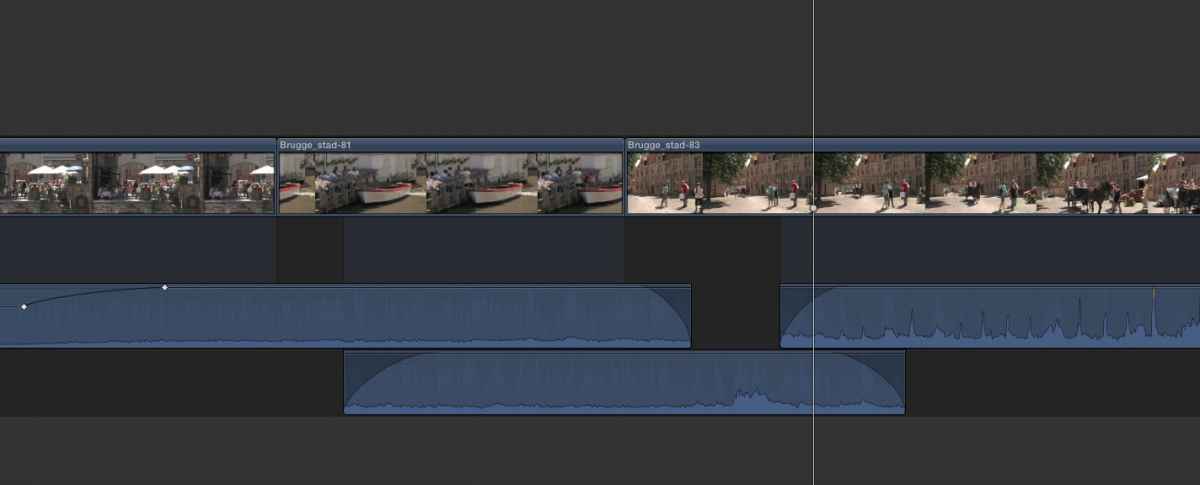
Extended audio:
Select one or more clips and press CTRL+S. Toggle to hide the info again.
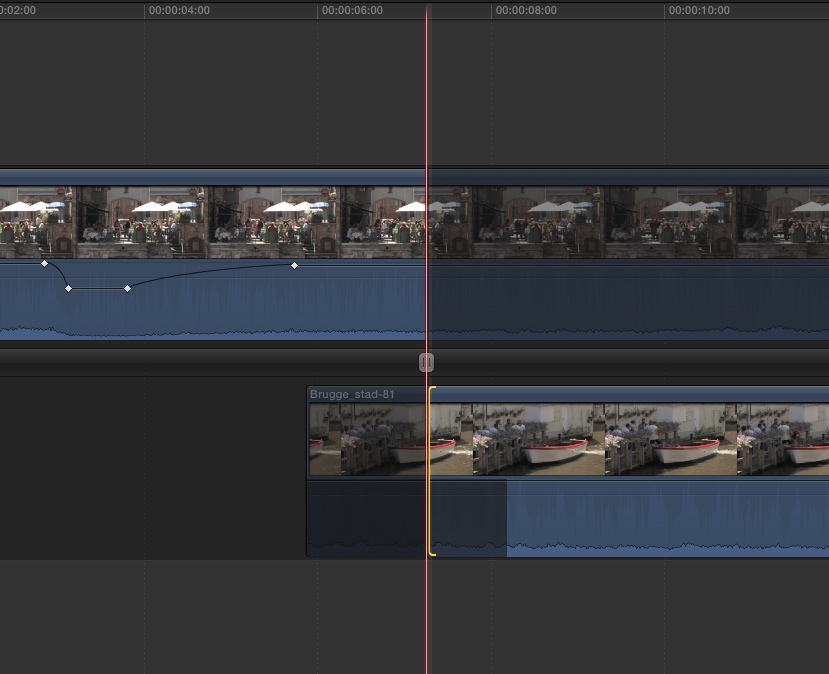
Media handles:
Select an edit and press CTRL+E. Toggle or press ESC to hide the info again.
Note: there's another way to quickly see how much handles you have on your clips in the timeline.
Enable clip skimming (ALT+CMD+S) and use the Left and Right arrow keys to skim over your clips. Courtesy to Charlie Austin for this tip: fcpxpert.net/page/2/
Notice how the Viewer shows the end handles of the carriage clip while the playhead and skimmer are on the Eiffeltower clip:
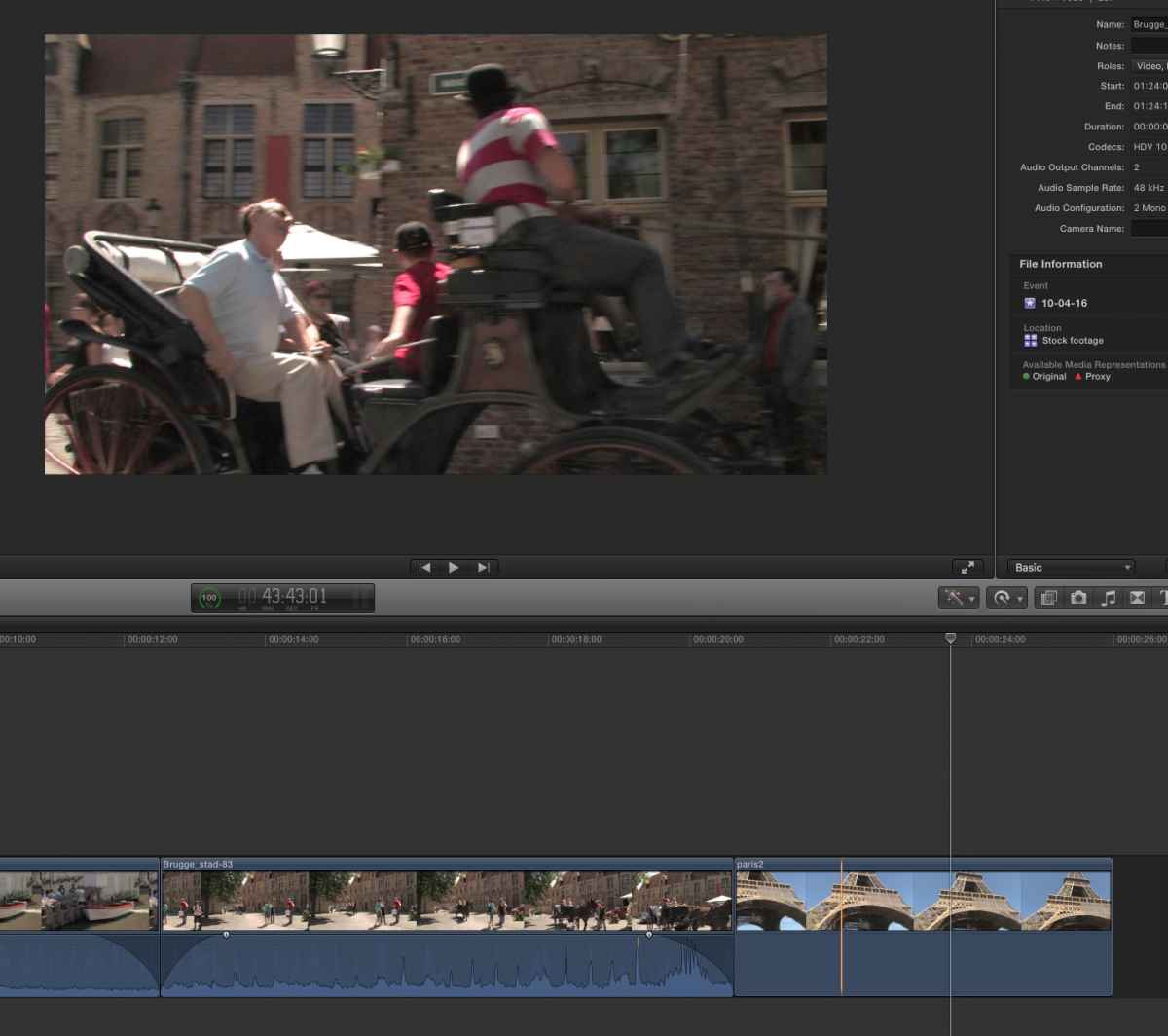
Retiming/Time remapping:
Select one or more clips and press CMD+R. Toggle to hide the info again.
Extended audio:
Select one or more clips and press CTRL+S. Toggle to hide the info again.
Media handles:
Select an edit and press CTRL+E. Toggle or press ESC to hide the info again.
Note: there's another way to quickly see how much handles you have on your clips in the timeline.
Enable clip skimming (ALT+CMD+S) and use the Left and Right arrow keys to skim over your clips. Courtesy to Charlie Austin for this tip: fcpxpert.net/page/2/
Notice how the Viewer shows the end handles of the carriage clip while the playhead and skimmer are on the Eiffeltower clip:
Please Log in to join the conversation.
16 Apr 2016 14:44 - 16 Apr 2016 14:48 #75456
by BenB
Replied by BenB on topic Notifications!?
AND, finally, there is Shift-F, which takes you back to the Master clip in the Browser, with the used section highlighted as a range, and you see what's left on either end.
But back to the OP, yes, I do with there was an indicator in the Timeline, that a clip has extended use when collapsed, as per audio in the OP example.
But back to the OP, yes, I do with there was an indicator in the Timeline, that a clip has extended use when collapsed, as per audio in the OP example.
Last edit: 16 Apr 2016 14:48 by BenB.
Please Log in to join the conversation.
- MotionBlur
-
Topic Author
- Offline
- Junior Member
-
Less
More
- Posts: 24
- Thank you received: 0
16 Apr 2016 19:42 #75461
by MotionBlur
Replied by MotionBlur on topic Notifications!?
Thanks Everyone! Good stuff in here, some that I've forgotten about. CTRL S being one. I will use that. I do love how FCP X UI is soo uncluttered but everything is there with just a couple keystrokes. I was just being a baby because I had forgotten I'd tucked some audio up under the next clip and without expanding the clip I was a bit puzzled. A simple icon indicator of sorts would have let me know of the edit and of course if I had just double clicked the audio to expand. I've seen some less experienced editors get fooled by that too, was just thinking aloud.
Cheers
Casey
Cheers
Casey
Please Log in to join the conversation.
