


- Posts: 44
- Thank you received: 0
3 Post Moderation Rule for New Boarders (25 Jan 2021)
New boarders will have their posts moderated - Don't worry if you cannot see your post immediately.
Changing the centre point of a clip - newbie question
- kindomalay
-
 Topic Author
- Offline
- Senior Member
-

Less
More
09 Apr 2016 05:31 #75083
by kindomalay
Changing the centre point of a clip - newbie question was created by kindomalay
Hi,
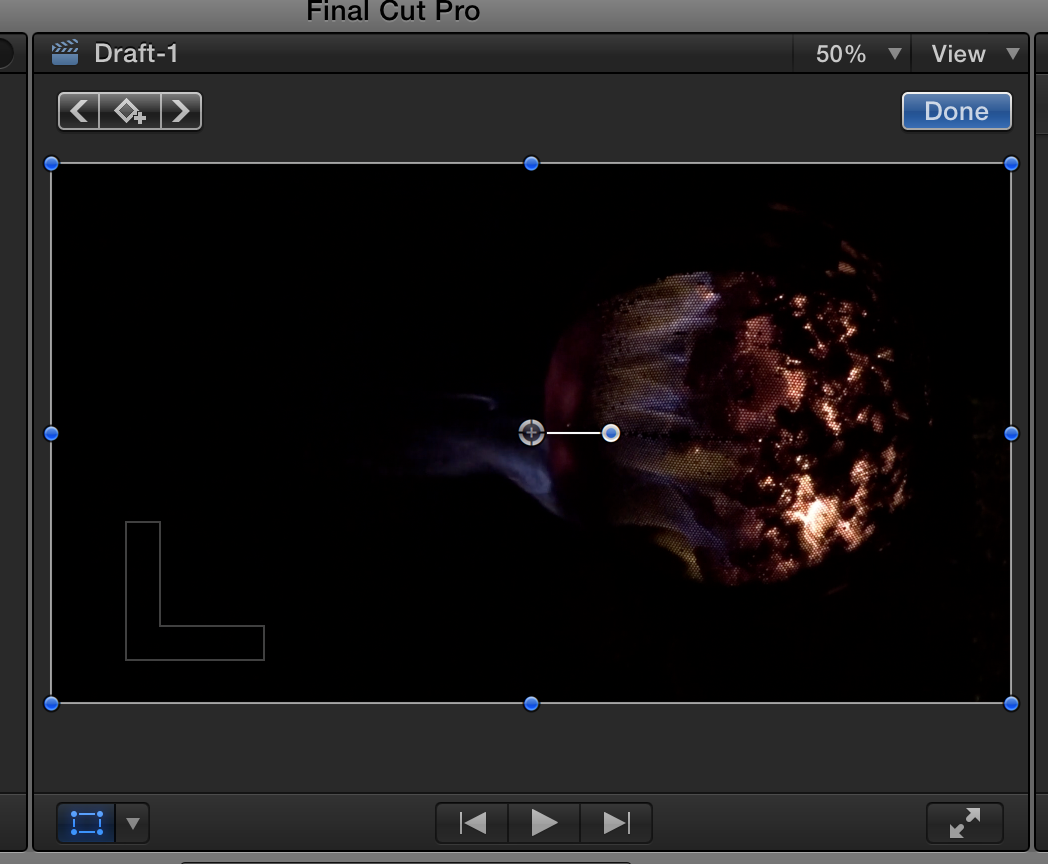
As can be seen in the first attached screen shot, there is a basket of fire from an arts exhibition I shot footage at recently. Note the basket isn't in the centre, but I'd like to have it centred so I can put it in the white hole in the second attached animated clip which comes toward the viewer. I'd like to start the fire basket small and then have it scale up in time with the animated clip, rather like an all enveloping fireball coming towards the viewer.
When I keyframe scale it as it is it scales from the centre so grows out to the right from there.
It might look rubbish, but I'd like to see whether it can be done to find out.
Many thanks in advance
Colin
As can be seen in the first attached screen shot, there is a basket of fire from an arts exhibition I shot footage at recently. Note the basket isn't in the centre, but I'd like to have it centred so I can put it in the white hole in the second attached animated clip which comes toward the viewer. I'd like to start the fire basket small and then have it scale up in time with the animated clip, rather like an all enveloping fireball coming towards the viewer.
When I keyframe scale it as it is it scales from the centre so grows out to the right from there.
It might look rubbish, but I'd like to see whether it can be done to find out.
Many thanks in advance
Colin
Please Log in to join the conversation.
09 Apr 2016 06:06 #75084
by Norbz
Replied by Norbz on topic Changing the centre point of a clip - newbie question
You're going to want to:
* Move your ANCHOR to the right on the x axis (found on the bottom of your Transform panel)
* Now scale like you did, and adjust accordingly until it centerscales.
* Move your ANCHOR to the right on the x axis (found on the bottom of your Transform panel)
* Now scale like you did, and adjust accordingly until it centerscales.
Please Log in to join the conversation.
- kindomalay
-
Topic Author
- Offline
- Senior Member
-
Less
More
- Posts: 44
- Thank you received: 0
09 Apr 2016 06:09 #75085
by kindomalay
Replied by kindomalay on topic Changing the centre point of a clip - newbie question
Hi Norbz,
I literally just figured it out, and then I refreshed this page and saw your reply, confirming what I had realised.
Thank you so much. Wow, I have so much to learn on this.
Cheers
Colin
I literally just figured it out, and then I refreshed this page and saw your reply, confirming what I had realised.
Thank you so much. Wow, I have so much to learn on this.
Cheers
Colin
Please Log in to join the conversation.
