


- Posts: 2
- Thank you received: 0
3 Post Moderation Rule for New Boarders (25 Jan 2021)
New boarders will have their posts moderated - Don't worry if you cannot see your post immediately.
Glitch on exported video
- bojan.haron
-
 Topic Author
- Offline
- New Member
-

Less
More
31 Mar 2016 18:41 #74853
by bojan.haron
Glitch on exported video was created by bojan.haron
Hi i have experiencing problems last days on exporting video from fcp x.
FIrst it started that fcpx wouldn't render 4 min timeline with Alex 4d layer on top with neat video applied.
It rendered for hours and hours and nothing. It stopped or freeze the fcpx. No other effects or transition or anything except the clips was on the timeline.
I was trying to optimise the neat plugin in the settings, but nothing worked.
I have deleted preferences. Reinstalled fcpx. Reinstalled neat video. Update cuda to latest drivers. Reboot. Create new project, new library. Still no luck.
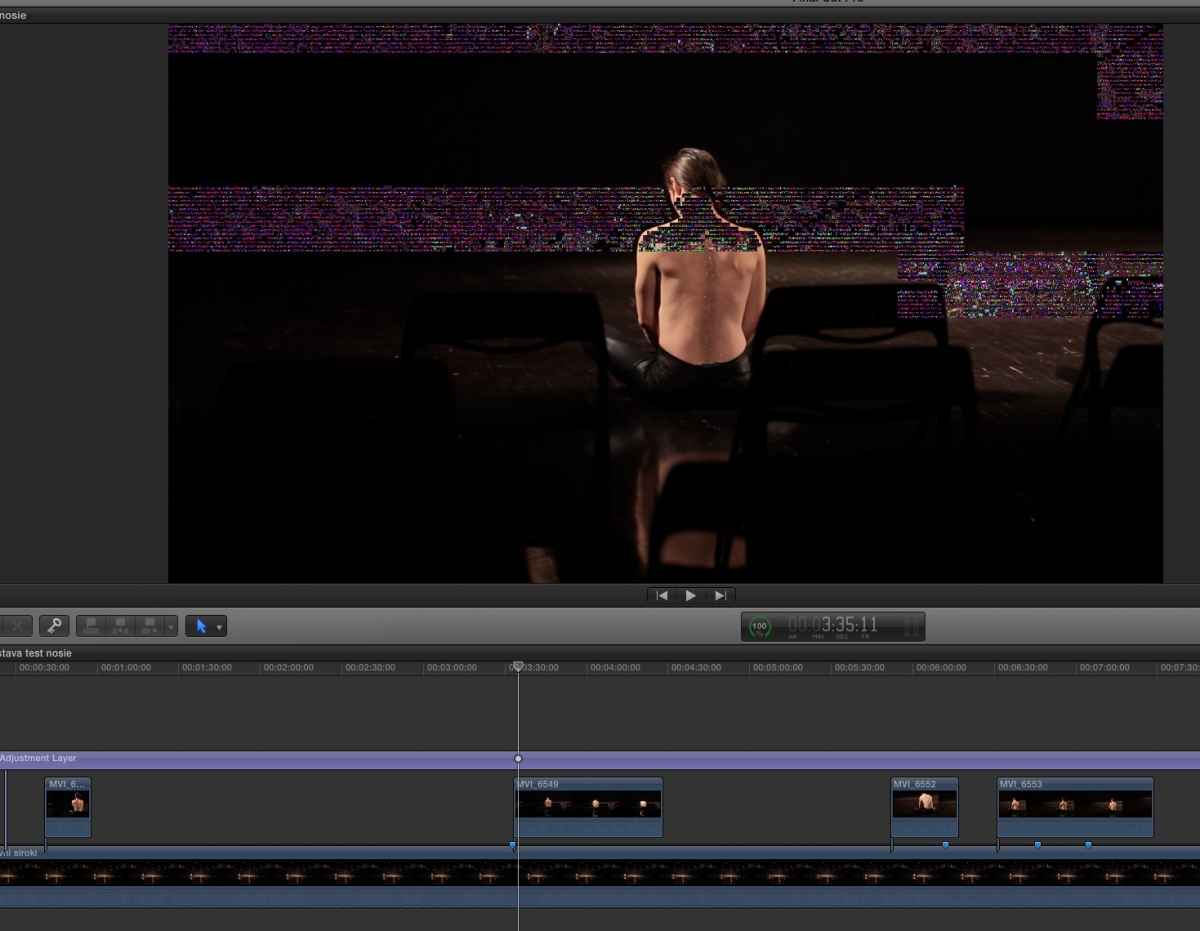
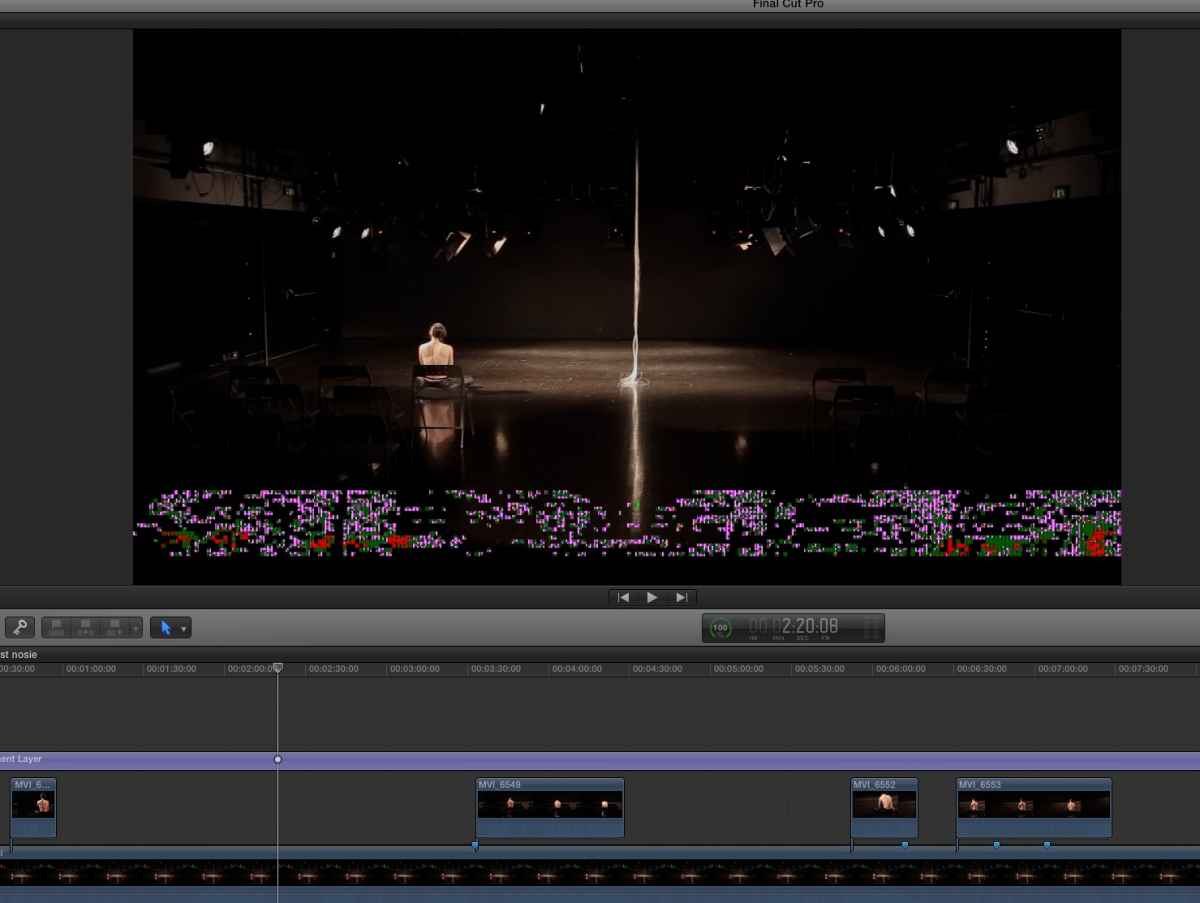
So today i have tried on some old video I did earlier. FIrst i deleted all the effects, transition, color corrections, rendered files etc. again applied Alex + neat video and it finally rendered timeline. Now it was time to try to export master file. Which went very smoothly but on exported video i found glitches I didn't have in the timeline. Or i thought so. I looked again on rendered video in the timeline and there was glitch! It wasn't there before.
Then i trashed rendered files and render again but now glitches are on some other parts of the video. I have repeated that 3 times until finally I got glitch free video. But that didn't solve my problem. Next exprt or video will probably have glitches again.
Only thing I can do now is format my SSD as final solution. Carbon copy on external, format and see what is happening.
But what I am thinking that maybe GPU is in trouble.
macbook pro 15 mid 2014.
2.5 i7, 16 gb ram, geforce gt750m 2gb + intel integrated.
Nvidia is on all of this time.
Osx 10.10.5
fcpx 10.2.2
any thoughts on this?
FIrst it started that fcpx wouldn't render 4 min timeline with Alex 4d layer on top with neat video applied.
It rendered for hours and hours and nothing. It stopped or freeze the fcpx. No other effects or transition or anything except the clips was on the timeline.
I was trying to optimise the neat plugin in the settings, but nothing worked.
I have deleted preferences. Reinstalled fcpx. Reinstalled neat video. Update cuda to latest drivers. Reboot. Create new project, new library. Still no luck.
So today i have tried on some old video I did earlier. FIrst i deleted all the effects, transition, color corrections, rendered files etc. again applied Alex + neat video and it finally rendered timeline. Now it was time to try to export master file. Which went very smoothly but on exported video i found glitches I didn't have in the timeline. Or i thought so. I looked again on rendered video in the timeline and there was glitch! It wasn't there before.
Then i trashed rendered files and render again but now glitches are on some other parts of the video. I have repeated that 3 times until finally I got glitch free video. But that didn't solve my problem. Next exprt or video will probably have glitches again.
Only thing I can do now is format my SSD as final solution. Carbon copy on external, format and see what is happening.
But what I am thinking that maybe GPU is in trouble.
macbook pro 15 mid 2014.
2.5 i7, 16 gb ram, geforce gt750m 2gb + intel integrated.
Nvidia is on all of this time.
Osx 10.10.5
fcpx 10.2.2
any thoughts on this?
Please Log in to join the conversation.
- willypimentel
-
- Offline
- Senior Member
-

Less
More
- Posts: 68
- Thank you received: 3
01 Apr 2016 06:12 #74858
by willypimentel
Replied by willypimentel on topic Glitch on exported video
Neat video is very unstable. I rendered only the neat video fx and reimported that video. Another option is to get the latest update
Please Log in to join the conversation.


01 Apr 2016 12:23 #74859
by anickt
Replied by anickt on topic Glitch on exported video
I would look at the possibility of a bad hard drive. I use Neat video regularly and don't have any problems with it.
Please Log in to join the conversation.

01 Apr 2016 15:29 #74860
by cseeman
Replied by cseeman on topic Glitch on exported video
I see your sources are MVI. Have you tried optimizing them to ProRes first?
Also you may want to update FCPX to the current version which is 10.2.3.
Also very important to make sure NeatVideo is current at version 4.1
Also you may want to update FCPX to the current version which is 10.2.3.
Also very important to make sure NeatVideo is current at version 4.1
Please Log in to join the conversation.
- MarkNelsonMovies
-
- Offline
- Elite Member
-

Less
More
- Posts: 256
- Thank you received: 48
02 Apr 2016 01:23 #74870
by MarkNelsonMovies
Replied by MarkNelsonMovies on topic Glitch on exported video
Have you tested applying NeatVideo directly to the clips in the primary storyline instead of an adjustment layer?
Because there have been some bugs with 3rd party effects on attached clips.
Because there have been some bugs with 3rd party effects on attached clips.
Please Log in to join the conversation.
02 Apr 2016 04:11 #74872
by screendor
Replied by screendor on topic Glitch on exported video
Have you tried deleting render files? I often get weird one frame glitches on playback (and export) but when I delete render files, the glitches go away.
Please Log in to join the conversation.
- bojan.haron
-
Topic Author
- Offline
- New Member
-
Less
More
- Posts: 2
- Thank you received: 0
02 Apr 2016 10:53 #74874
by bojan.haron
Replied by bojan.haron on topic Glitch on exported video
I have tried deleting render files. Not a single solution worked for last 5 days. I think that I have tried everything, except... reinstalling OSX. Last night I have upgraded from 10.10.5 to 10.11.4 and for now not a single glitch. That same movie which never rendered is now rendered smoothly without any problems.
I was thinking that maybe my GPU broke. But google didn't find anything about mid 2014 MB pro GPU failure. Last mb pro GPU failure was on 2011. model, which apple admitted as their mistake.
But i could find that some people did have glitches when upgraded to Yosemite!
I wasn't recently upgraded to Yosemite and didn't have glitches and problems up to 5 days ago. But i was left out of options.
So i have tried upgrading OS and that worked. At least for now.
So that is it for now.
I was thinking that maybe my GPU broke. But google didn't find anything about mid 2014 MB pro GPU failure. Last mb pro GPU failure was on 2011. model, which apple admitted as their mistake.
But i could find that some people did have glitches when upgraded to Yosemite!
I wasn't recently upgraded to Yosemite and didn't have glitches and problems up to 5 days ago. But i was left out of options.
So i have tried upgrading OS and that worked. At least for now.
So that is it for now.
Please Log in to join the conversation.

02 Apr 2016 11:21 #74875
by joema
That is possible, the binary trash can sometimes indicate a hardware failure. Nothing in FCPX or OSX uses Cuda to my knowledge. Neat Video can, provided you have GPU rendering enabled in Neat Video, the GPU is compatible and Cuda drivers are loaded. The Neat video rendering options are CPU, CPU+GPU, and GPU only.
In my testing Neat Video GPU rendering was not dramatically faster on laptop-class machines.
As an experiment I'd suggest switching Neat Video to CPU rendering only. If that doesn't work remove Neat Video and export the timeline as a test.
Replied by joema on topic Glitch on exported video
bojan.haron wrote: ...I am thinking that maybe GPU is in trouble...
macbook pro 15 mid 2014.
2.5 i7, 16 gb ram, geforce gt750m 2gb + intel integrated.
Nvidia is on all of this time...
That is possible, the binary trash can sometimes indicate a hardware failure. Nothing in FCPX or OSX uses Cuda to my knowledge. Neat Video can, provided you have GPU rendering enabled in Neat Video, the GPU is compatible and Cuda drivers are loaded. The Neat video rendering options are CPU, CPU+GPU, and GPU only.
In my testing Neat Video GPU rendering was not dramatically faster on laptop-class machines.
As an experiment I'd suggest switching Neat Video to CPU rendering only. If that doesn't work remove Neat Video and export the timeline as a test.
Please Log in to join the conversation.
