


- Posts: 23
- Thank you received: 2
3 Post Moderation Rule for New Boarders (25 Jan 2021)
New boarders will have their posts moderated - Don't worry if you cannot see your post immediately.
Organizing projects and timeline
- cortlander
-
 Topic Author
- Offline
- Junior Member
-

Less
More
26 Mar 2016 20:19 #74678
by cortlander
Organizing projects and timeline was created by cortlander
Hi, I am a new Final Cut Pro X 10.2.2 user on an iMac 5K with El Capitan. I am confused about organization.
1. I created a Library, and several events into which imported several .MOV files.
2. In each event, I created several projects, each with its timeline, into which I put a sequence of clips.
3. Now when I go to export a movie, I realize that I can only export one project at a time whereas I want timelines from several project to go into my movie, in a certain order.
Seems like a wrong approach on my part. A movie will represent just one project? How do I go about organizing this. I have seen several videos, but they all create a single timeline. Looks like everything needs to be in just one timeline related to one project.
Any help would be much appreciated. Thanks.
1. I created a Library, and several events into which imported several .MOV files.
2. In each event, I created several projects, each with its timeline, into which I put a sequence of clips.
3. Now when I go to export a movie, I realize that I can only export one project at a time whereas I want timelines from several project to go into my movie, in a certain order.
Seems like a wrong approach on my part. A movie will represent just one project? How do I go about organizing this. I have seen several videos, but they all create a single timeline. Looks like everything needs to be in just one timeline related to one project.
Any help would be much appreciated. Thanks.
Please Log in to join the conversation.
- Tom Wolsky
-

- Offline
- Moderator
-

28 Mar 2016 21:02 #74728
by Tom Wolsky
Replied by Tom Wolsky on topic Organizing projects and timeline
Simplest way I think is to copy and paste the contents of all your edited projects into a master project.
Please Log in to join the conversation.


28 Mar 2016 21:34 - 28 Mar 2016 21:38 #74731
by Kripa
Replied by Kripa on topic Organizing projects and timeline
In addition to Tom's advice, you could try putting your various sequences into Compound Clips. You can do this within the Browser by either right clicking on an empty space and choosing "New Compound Clip" (option+G), or doing the same with a group of clips selected. Compounds act the same as a "Project", and can even be scrubbed in the Browser, while a Project cannot. When you're creating your final sequence/timeline/project, just insert the compound clips, select them and go to Clip > Break Apart Clip Items (shift+cmnd+G).
If you have a lot of compound clips, it's possible things will run slower, but I don't think you'll have to worry about that with your system.
Hope this helps
If you have a lot of compound clips, it's possible things will run slower, but I don't think you'll have to worry about that with your system.
Hope this helps
Last edit: 28 Mar 2016 21:38 by Kripa.
Please Log in to join the conversation.
- cortlander
-
Topic Author
- Offline
- Junior Member
-
Less
More
- Posts: 23
- Thank you received: 2
28 Mar 2016 21:51 #74732
by cortlander
Replied by cortlander on topic Organizing projects and timeline
Thank you Tom and Kripa. This is very helpful.
Best,
Best,
Please Log in to join the conversation.

Less
More
- Posts: 971
- Thank you received: 46
29 Mar 2016 11:31 #74742
by MsJustine
Replied by MsJustine on topic Organizing projects and timeline
Compound clips, is what was a "nest" in a previous version of Final Cut, this is very powerful when it comes to editing, you can do so much with a compound clip, and I would suggest doing a bit more reading about compound clips.
The library is the master container of events, events are the projects, and clips used in the projects, you can copy from one library to another events, projects and clips, if you copy, then you are creating sym-links, tiny reference files to the original source of the clips.
FCPX is basically a database manager with a video editing application attached, this takes some time to get used to, the use of data in a new way, and really the only way forward in the increasing data world we all live in.
The library is the master container of events, events are the projects, and clips used in the projects, you can copy from one library to another events, projects and clips, if you copy, then you are creating sym-links, tiny reference files to the original source of the clips.
FCPX is basically a database manager with a video editing application attached, this takes some time to get used to, the use of data in a new way, and really the only way forward in the increasing data world we all live in.
Please Log in to join the conversation.
- cortlander
-
Topic Author
- Offline
- Junior Member
-
Less
More
- Posts: 23
- Thank you received: 2
29 Mar 2016 12:26 #74743
by cortlander
Thank you, MsJustine, I will certainly do some more research on compound clips. As a heavy Lightroom and CaptureOne user, I do understand the concept on non-destructive editing while storing edits in a database. What I am having a difficult time understanding is why an event may need to have several projects (or any projects) unless it was just a versioning thing.
I also cannot figure out if it is possible to delete just a part of the original imported clip. I have some clips which are valuable to me, but at the same time have slides that are sensitive and have to be destroyed.
Thank you so much for your help.
Replied by cortlander on topic Organizing projects and timeline
MsJustine wrote: Compound clips, is what was a "nest" in a previous version of Final Cut, this is very powerful when it comes to editing, you can do so much with a compound clip, and I would suggest doing a bit more reading about compound clips.
The library is the master container of events, events are the projects, and clips used in the projects, you can copy from one library to another events, projects and clips, if you copy, then you are creating sym-links, tiny reference files to the original source of the clips.
FCPX is basically a database manager with a video editing application attached, this takes some time to get used to, the use of data in a new way, and really the only way forward in the increasing data world we all live in.
Thank you, MsJustine, I will certainly do some more research on compound clips. As a heavy Lightroom and CaptureOne user, I do understand the concept on non-destructive editing while storing edits in a database. What I am having a difficult time understanding is why an event may need to have several projects (or any projects) unless it was just a versioning thing.
I also cannot figure out if it is possible to delete just a part of the original imported clip. I have some clips which are valuable to me, but at the same time have slides that are sensitive and have to be destroyed.
Thank you so much for your help.
Please Log in to join the conversation.


29 Mar 2016 19:05 #74756
by joema
There is nothing wrong with doing it this way, however as MsJustine said the database features of FCPX are so strong it can enable a different workflow -- if you prefer and become accustomed to it.
Other editing software typically has limited metadata and organizational features. You work from bins to a program monitor, scrub through the program monitor, mark In/Out points, and finally add those to a timeline. The organizational features are so limited you end up dumping a bunch of stuff on the timeline or multiple timelines.
In FCPX it's often better to spend more time working in the Event Browser using the rating and keywording features. Unlike other editors, this can mark clip *ranges*, not just clips. You can have multiple overlapping clip ranges, each with their own keywords. You can easily and quickly look only at specific ones. This is also facilitated by the extremely high performance of the skimmer.
In this paradigm the Event Browser is not just a bunch of dumb bins where your content lands upon import. Rather it is the initial and dominant location where you work before adding anything to a timeline. You are not forced to do this. If you wish you can to drag a bunch of stuff to various timelines and start moving it around. However the database features present an alternative, very efficient workflow -- once you get used to it.
Here is a MacBreak Studio called "Warp Speed Keywording" which illustrates how fast this can be:
Replied by joema on topic Organizing projects and timeline
cortlander wrote: Hi, I am a new Final Cut Pro X 10.2.2 user on an iMac 5K with El Capitan. I am confused about organization.... I created...several events into which imported several .MOV files....In each event, I created several projects, each with its timeline, into which I put a sequence of clips...
There is nothing wrong with doing it this way, however as MsJustine said the database features of FCPX are so strong it can enable a different workflow -- if you prefer and become accustomed to it.
Other editing software typically has limited metadata and organizational features. You work from bins to a program monitor, scrub through the program monitor, mark In/Out points, and finally add those to a timeline. The organizational features are so limited you end up dumping a bunch of stuff on the timeline or multiple timelines.
In FCPX it's often better to spend more time working in the Event Browser using the rating and keywording features. Unlike other editors, this can mark clip *ranges*, not just clips. You can have multiple overlapping clip ranges, each with their own keywords. You can easily and quickly look only at specific ones. This is also facilitated by the extremely high performance of the skimmer.
In this paradigm the Event Browser is not just a bunch of dumb bins where your content lands upon import. Rather it is the initial and dominant location where you work before adding anything to a timeline. You are not forced to do this. If you wish you can to drag a bunch of stuff to various timelines and start moving it around. However the database features present an alternative, very efficient workflow -- once you get used to it.
Here is a MacBreak Studio called "Warp Speed Keywording" which illustrates how fast this can be:
Please Log in to join the conversation.
- cortlander
-
Topic Author
- Offline
- Junior Member
-
Less
More
- Posts: 23
- Thank you received: 2
29 Mar 2016 20:11 #74758
by cortlander
Thank you so much. What you say makes a lot of sense, and perhaps I need to redo my stuff the appropriate way. I am used to smart collections and keywords in Lightroom etc so the transition should not be uncomfortable.
The video was very helpful.
Best,
Replied by cortlander on topic Organizing projects and timeline
joema wrote:
cortlander wrote: Hi, I am a new Final Cut Pro X 10.2.2 user on an iMac 5K with El Capitan. I am confused about organization.... I created...several events into which imported several .MOV files....In each event, I created several projects, each with its timeline, into which I put a sequence of clips...
There is nothing wrong with doing it this way, however as MsJustine said the database features of FCPX are so strong it can enable a different workflow -- if you prefer and become accustomed to it.
Other editing software typically has limited metadata and organizational features. You work from bins to a program monitor, scrub through the program monitor, mark In/Out points, and finally add those to a timeline. The organizational features are so limited you end up dumping a bunch of stuff on the timeline or multiple timelines.
In FCPX it's often better to spend more time working in the Event Browser using the rating and keywording features. Unlike other editors, this can mark clip *ranges*, not just clips. You can have multiple overlapping clip ranges, each with their own keywords. You can easily and quickly look only at specific ones. This is also facilitated by the extremely high performance of the skimmer.
In this paradigm the Event Browser is not just a bunch of dumb bins where your content lands upon import. Rather it is the initial and dominant location where you work before adding anything to a timeline. You are not forced to do this. If you wish you can to drag a bunch of stuff to various timelines and start moving it around. However the database features present an alternative, very efficient workflow -- once you get used to it.
Here is a MacBreak Studio called "Warp Speed Keywording" which illustrates how fast this can be:
Thank you so much. What you say makes a lot of sense, and perhaps I need to redo my stuff the appropriate way. I am used to smart collections and keywords in Lightroom etc so the transition should not be uncomfortable.
The video was very helpful.
Best,
Please Log in to join the conversation.
Less
More
- Posts: 971
- Thank you received: 46
30 Mar 2016 04:38 #74771
by MsJustine
Replied by MsJustine on topic Organizing projects and timeline
Final Cut Pro X introduced a new concept in editing, which is widely referred to as pre-editing, where you do the sorting out of the rubbish throwaway not suitable clips in the browser through the use of rejected clips, favorites, keywords, so that if you do this correctly, and spend some time on this process, at the end of this process you are left with a tiny collection of material that is good enough to be on the timeline.
The next step is to add this material to the timeline, and make the edit happen, even here, on the timeline you have auditions, to text how different shots affect the edit pace, the story you are trying to tell, and it is non destructive.
You can color grade audition clips, this is the power of FCPX, if need be, you can nest of compound clip groups of clips on the timeline, to make the timeline less complex looking.
J and L cuts are a breeze, as you can link a group of clips to a frame in the primary storyline, changes made will not affect the placement of those linked clips,thanks to the magnetic timeline.
You have placeholders, gap clips to help set up scenes on the timeline, that can be time adjusted to be of the correct length.
FCPX is a very new concept of thinking, gone are the days of timeline editing, and to be honest this is the best part of FCPX, not spending days on the timeline, skimming and creating ranges in the browser, hitting, F for favorite, delete to reject, adding keywords, creating smart filter collections, it is just a smarter more efficient way to work.
Apple was beyond brave to introduce this as a professional tool Look there are issues with the app, somethings are missing, other concepts need work, the white ball that needs serious overhaul, but despite those, I have not heard anyone say editing is harder in FCPX now than in FCP classic or premiere!!!
Apple got something right, I am going to say it, this is a revolution in editing, not seen since the introduction of computer timeline based editing, and it came at the very best time!!
The next step is to add this material to the timeline, and make the edit happen, even here, on the timeline you have auditions, to text how different shots affect the edit pace, the story you are trying to tell, and it is non destructive.
You can color grade audition clips, this is the power of FCPX, if need be, you can nest of compound clip groups of clips on the timeline, to make the timeline less complex looking.
J and L cuts are a breeze, as you can link a group of clips to a frame in the primary storyline, changes made will not affect the placement of those linked clips,thanks to the magnetic timeline.
You have placeholders, gap clips to help set up scenes on the timeline, that can be time adjusted to be of the correct length.
FCPX is a very new concept of thinking, gone are the days of timeline editing, and to be honest this is the best part of FCPX, not spending days on the timeline, skimming and creating ranges in the browser, hitting, F for favorite, delete to reject, adding keywords, creating smart filter collections, it is just a smarter more efficient way to work.
Apple was beyond brave to introduce this as a professional tool Look there are issues with the app, somethings are missing, other concepts need work, the white ball that needs serious overhaul, but despite those, I have not heard anyone say editing is harder in FCPX now than in FCP classic or premiere!!!
Apple got something right, I am going to say it, this is a revolution in editing, not seen since the introduction of computer timeline based editing, and it came at the very best time!!
Please Log in to join the conversation.
30 Mar 2016 16:38 #74792
by VidGreg
Replied by VidGreg on topic Organizing projects and timeline
Hi Cortlander
Welcome to the forums.
I wonder if your concept of "Event" and "Projects" might be backwards.
In essence, a project is your Timeline. OK everyone don't jump on me I know you can open other things in a timeline, but for the sake of understanding go with me.
So you want to do a video, a Project, it is the final exported (Share) movie. You only export one Timeline (Project) for that video.
An Event is a way of organizing files to make it easier to find clips/resources. You can have multiple events for a single Project. You can have as many clips inside as many events all tied to a single Project and all of this is inside a Library bundle.
So, you just need a single Project as reflected in a single Timeline and using as many Events/Clips/Collections/Keywords as you want to make it easier to find what you want.
I may be wrong about how you see the hierarchy inside FCPX, but I am guessing this may help in your understanding and workflows.
Hope this helps, Greg
Happy Editing
Welcome to the forums.
I wonder if your concept of "Event" and "Projects" might be backwards.
In essence, a project is your Timeline. OK everyone don't jump on me I know you can open other things in a timeline, but for the sake of understanding go with me.
So you want to do a video, a Project, it is the final exported (Share) movie. You only export one Timeline (Project) for that video.
An Event is a way of organizing files to make it easier to find clips/resources. You can have multiple events for a single Project. You can have as many clips inside as many events all tied to a single Project and all of this is inside a Library bundle.
So, you just need a single Project as reflected in a single Timeline and using as many Events/Clips/Collections/Keywords as you want to make it easier to find what you want.
I may be wrong about how you see the hierarchy inside FCPX, but I am guessing this may help in your understanding and workflows.
Hope this helps, Greg
Happy Editing
Please Log in to join the conversation.
- cortlander
-
Topic Author
- Offline
- Junior Member
-
Less
More
- Posts: 23
- Thank you received: 2
30 Mar 2016 18:03 #74794
by cortlander
Thank you, MsJustine - great to see such excitement over this product. I definitely need to go back and redo my work, and take my time over doing it right and learning how to use the tool. Having worked in the software industry for a long time and designing massive databases for cyber security, I have a deep appreciation for technology. I do love Apple products. However, I do have a lot to learn in editing.
Replied by cortlander on topic Organizing projects and timeline
MsJustine wrote: Final Cut Pro X introduced a new concept in editing, which is widely referred to as pre-editing, where you do the sorting out of the rubbish throwaway not suitable clips in the browser through the use of rejected clips, favorites, keywords, so that if you do this correctly, and spend some time on this process, at the end of this process you are left with a tiny collection of material that is good enough to be on the timeline.
The next step is to add this material to the timeline, and make the edit happen, even here, on the timeline you have auditions, to text how different shots affect the edit pace, the story you are trying to tell, and it is non destructive.
You can color grade audition clips, this is the power of FCPX, if need be, you can nest of compound clip groups of clips on the timeline, to make the timeline less complex looking.
J and L cuts are a breeze, as you can link a group of clips to a frame in the primary storyline, changes made will not affect the placement of those linked clips,thanks to the magnetic timeline.
You have placeholders, gap clips to help set up scenes on the timeline, that can be time adjusted to be of the correct length.
FCPX is a very new concept of thinking, gone are the days of timeline editing, and to be honest this is the best part of FCPX, not spending days on the timeline, skimming and creating ranges in the browser, hitting, F for favorite, delete to reject, adding keywords, creating smart filter collections, it is just a smarter more efficient way to work.
Apple was beyond brave to introduce this as a professional tool Look there are issues with the app, somethings are missing, other concepts need work, the white ball that needs serious overhaul, but despite those, I have not heard anyone say editing is harder in FCPX now than in FCP classic or premiere!!!
Apple got something right, I am going to say it, this is a revolution in editing, not seen since the introduction of computer timeline based editing, and it came at the very best time!!
Thank you, MsJustine - great to see such excitement over this product. I definitely need to go back and redo my work, and take my time over doing it right and learning how to use the tool. Having worked in the software industry for a long time and designing massive databases for cyber security, I have a deep appreciation for technology. I do love Apple products. However, I do have a lot to learn in editing.
Please Log in to join the conversation.
- cortlander
-
Topic Author
- Offline
- Junior Member
-
Less
More
- Posts: 23
- Thank you received: 2
30 Mar 2016 18:17 #74795
by cortlander
Thank you, Greg. You folks have been awesome in educating me.
You are quite right in describing the confusion that I have. A single project with many events does make sense to me. But what stumps me is that a project instead of being nested under a library, is nested under an event, and event is not nested under a project.
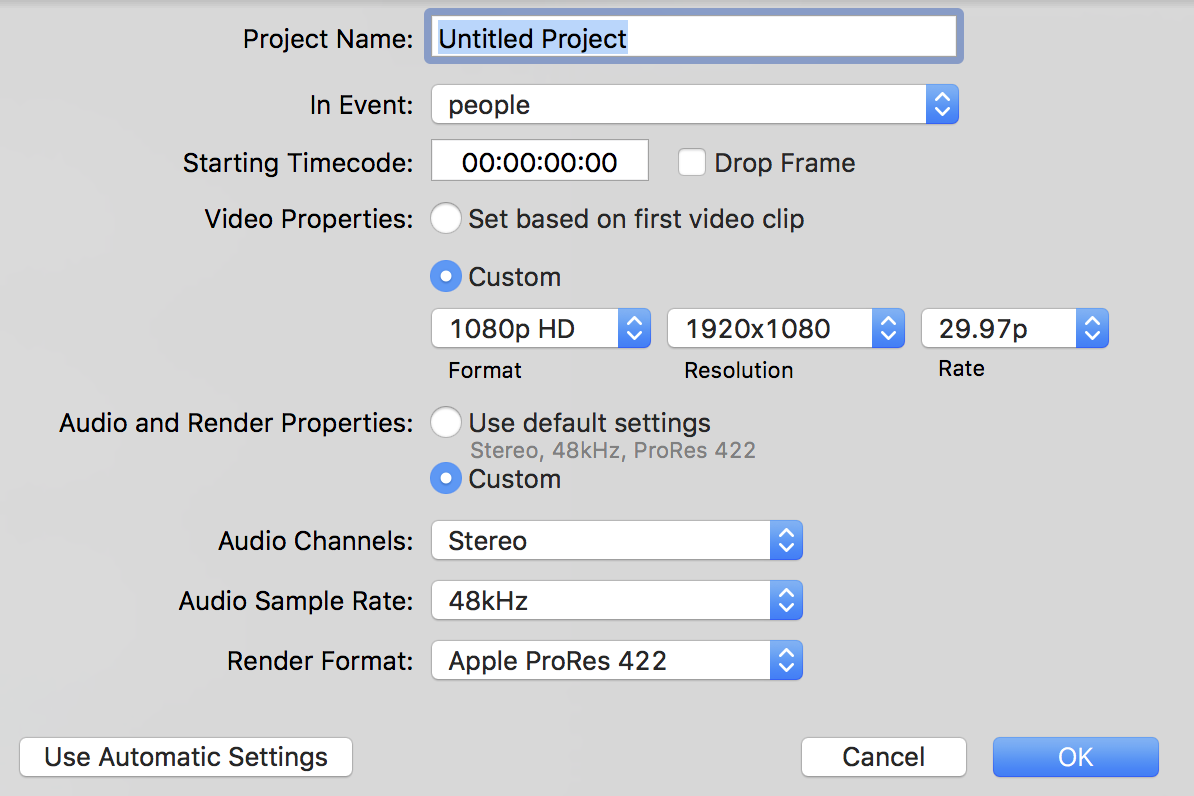
So instead of events belonging to a project, it seems the other way around.
The other problem I have is that I have two groups of videos. The ones taken in recent years with 5D Mark III or 7D are easy to work with. Each clip is separate, easy to put keywords on it, rate it, reject it etc. But then I have many old videos taken with 8mm and VHS camcorders. They are priceless memories, but the imports have these large clips with a bunch of different topics. Unless there is some way to break these clips up, key words, favorites become harder as there are parts of each clip which are junk.
Best,
Replied by cortlander on topic Organizing projects and timeline
VidGreg wrote: Hi Cortlander
Welcome to the forums.
I wonder if your concept of "Event" and "Projects" might be backwards.
In essence, a project is your Timeline. OK everyone don't jump on me I know you can open other things in a timeline, but for the sake of understanding go with me.
So you want to do a video, a Project, it is the final exported (Share) movie. You only export one Timeline (Project) for that video.
An Event is a way of organizing files to make it easier to find clips/resources. You can have multiple events for a single Project. You can have as many clips inside as many events all tied to a single Project and all of this is inside a Library bundle.
So, you just need a single Project as reflected in a single Timeline and using as many Events/Clips/Collections/Keywords as you want to make it easier to find what you want.
I may be wrong about how you see the hierarchy inside FCPX, but I am guessing this may help in your understanding and workflows.
Hope this helps, Greg
Happy Editing
Thank you, Greg. You folks have been awesome in educating me.
You are quite right in describing the confusion that I have. A single project with many events does make sense to me. But what stumps me is that a project instead of being nested under a library, is nested under an event, and event is not nested under a project.
So instead of events belonging to a project, it seems the other way around.
The other problem I have is that I have two groups of videos. The ones taken in recent years with 5D Mark III or 7D are easy to work with. Each clip is separate, easy to put keywords on it, rate it, reject it etc. But then I have many old videos taken with 8mm and VHS camcorders. They are priceless memories, but the imports have these large clips with a bunch of different topics. Unless there is some way to break these clips up, key words, favorites become harder as there are parts of each clip which are junk.
Best,
Please Log in to join the conversation.
- Karsten Schlüter
-

- Offline
- Moderator
-
Less
More
- Posts: 3790
- Thank you received: 718
31 Mar 2016 06:03 #74810
by Karsten Schlüter
excellent 'management sumary'!
What I'm noticing with my beginners:
They see the 'Events' only as dumping ground (import all, instead of selective import, no tagging, no keywording, no notes..)
And the timeline as place where it happens
In my humble understanding why they do so, I came up with:
people still tend to think in 'mechanical, physical film strips'.
There's one drawer, you can put that roll in; you can splice it, but each piece is unique only; because of being unique you can give it just one name.....
NOT SO in FCPX ...
I like to explain the Event area as pre-production zone; and the major difference to 'film strips': you can apply several keywords, overlapping keywords, own keywords.. and the machine sorts faster than any human. (keywords, notes, favorites...)
Needed a while to catch this meta-thing when iTunes (yep! iTunes) appeared - for years. you read complains "iTunes killed my folder/folder/folder/file structure!!" - yeah, luckily! Do you search - manually... - YellowSubmarine in folder 1966 or 1967? Pop? Brit? Beatles.. ok, that's easy... with meta, you use ALL criteria, where in fact the file is located doesn't matter!
Events are NOT the silo/pool/dump/morgue, but the sorting place, here starts editing!
Events is brain, timeline is art.
Replied by Karsten Schlüter on topic Organizing projects and timeline
VidGreg wrote: … In essence, …
excellent 'management sumary'!
What I'm noticing with my beginners:
They see the 'Events' only as dumping ground (import all, instead of selective import, no tagging, no keywording, no notes..)
And the timeline as place where it happens
In my humble understanding why they do so, I came up with:
people still tend to think in 'mechanical, physical film strips'.
There's one drawer, you can put that roll in; you can splice it, but each piece is unique only; because of being unique you can give it just one name.....
NOT SO in FCPX ...
I like to explain the Event area as pre-production zone; and the major difference to 'film strips': you can apply several keywords, overlapping keywords, own keywords.. and the machine sorts faster than any human. (keywords, notes, favorites...)
Needed a while to catch this meta-thing when iTunes (yep! iTunes) appeared - for years. you read complains "iTunes killed my folder/folder/folder/file structure!!" - yeah, luckily! Do you search - manually... - YellowSubmarine in folder 1966 or 1967? Pop? Brit? Beatles.. ok, that's easy... with meta, you use ALL criteria, where in fact the file is located doesn't matter!
Events are NOT the silo/pool/dump/morgue, but the sorting place, here starts editing!
Events is brain, timeline is art.
Please Log in to join the conversation.
Less
More
- Posts: 971
- Thank you received: 46
31 Mar 2016 06:14 #74811
by MsJustine
Replied by MsJustine on topic Organizing projects and timeline
The best way to think of Final Cut Pro X is like cooking, you measure out the ingredients into separate bowls then add to the mixing bowl, you do not a ton of stuff to the mixing bowl then subtract what you do not need.
That was kind of true with Final Cut Pro classic and I guess maybe Premiere, but with FCPX, you sort into tiny bowls the right amount of ingredients, then add to the mixing bowl.
I would suggest maybe adding a new term to training that is the concept of "pre-edit", where you do the sorting through the use of reject clips, hide rejected, favorites, show favorites, then keyword rang the very best bits.
The timeline is really for final phase construction, the taking out of a few seconds, not really possible in the browser, and to slip slide, what we term fettle into place the final shots, and to use the timeline to test story sequences through auditions, test color options, set titles in place.
I would not use the term pre-production, the term I would use is pre-editing, as this suggests a step prior to editing, really at the end of the day, the students need to grasp the concept that FCPX is really a database manager and you manage data in a radically new way, that editing is really a 2 step process.
Thomas Carter Grove has demonstrated this at least 4 times using the same Audi advert, we used to in the old days do a string out and subtract, now that process is done using reject/favorite/keyword ranges, hide rejected/show favorites, search for keywords.
Most of pre-editing can be done using the finder, find clips, keyword, keep the keywords as folders!! That is all basic database management.
That was kind of true with Final Cut Pro classic and I guess maybe Premiere, but with FCPX, you sort into tiny bowls the right amount of ingredients, then add to the mixing bowl.
I would suggest maybe adding a new term to training that is the concept of "pre-edit", where you do the sorting through the use of reject clips, hide rejected, favorites, show favorites, then keyword rang the very best bits.
The timeline is really for final phase construction, the taking out of a few seconds, not really possible in the browser, and to slip slide, what we term fettle into place the final shots, and to use the timeline to test story sequences through auditions, test color options, set titles in place.
I would not use the term pre-production, the term I would use is pre-editing, as this suggests a step prior to editing, really at the end of the day, the students need to grasp the concept that FCPX is really a database manager and you manage data in a radically new way, that editing is really a 2 step process.
Thomas Carter Grove has demonstrated this at least 4 times using the same Audi advert, we used to in the old days do a string out and subtract, now that process is done using reject/favorite/keyword ranges, hide rejected/show favorites, search for keywords.
Most of pre-editing can be done using the finder, find clips, keyword, keep the keywords as folders!! That is all basic database management.
Please Log in to join the conversation.
Less
More
- Posts: 971
- Thank you received: 46
31 Mar 2016 10:31 #74818
by MsJustine
Replied by MsJustine on topic Organizing projects and timeline
At no point is the actual media once ingested altered in any way, you are writing to a separate sub file for use of a non technical term, it is like placing tracing paper over the top of a picture, it is just layers of information that tells the computer what to display.
Apple in the old days used to do a thing called subclipping, clips that are related to the master clip, when you reject a clip, you are telling the database that from x to y timecode, I do not need this, when you set the browser view to hide reject, then this red striped section is hidden from view in the browser, it is still there, as you will need handles, extra media if you use certain wipes, dissolves, it is just not cluttering the workspace, which can very limiting on 13 in laptops!!
The only way to have the rejected parts totally permanently is to add the best parts to the timeline and share/export out a master file onto whatever format/dvd you desire.
FCPX is great for sorting out the good from the bad in the browser, and you really need to become used to pre-editing, doing file management on the browser level, using ranges, and keywords.
When you have many keywords, then you can reduce the clutter with the use of smart collections, Apple creates 5 smart collections in each library, based on people, video, audio. When you have many keywords, you create smart collections which are just reference files to media already ingested, this makes life so much more easier as we collect more and more data.
The time spent doing the pre-editing, makes timeline editing so much more creative as you are not reducing media on the timeline and making life harder, which is something I love so much, is being able to fettle and make tiny adjustments and know that what I do at point x is not going to affect placements of shots before and later, If I get more media, I can audition a clip, throw on a basic color grade, have numerous versions of the same media, make creative decisions!!!
FCPX seems easy at first, and you can become frustrated at first, as it seems easy, once you understand the relationships between features, you develop a creative way or working not possible in classic fcp!!
Apple in the old days used to do a thing called subclipping, clips that are related to the master clip, when you reject a clip, you are telling the database that from x to y timecode, I do not need this, when you set the browser view to hide reject, then this red striped section is hidden from view in the browser, it is still there, as you will need handles, extra media if you use certain wipes, dissolves, it is just not cluttering the workspace, which can very limiting on 13 in laptops!!
The only way to have the rejected parts totally permanently is to add the best parts to the timeline and share/export out a master file onto whatever format/dvd you desire.
FCPX is great for sorting out the good from the bad in the browser, and you really need to become used to pre-editing, doing file management on the browser level, using ranges, and keywords.
When you have many keywords, then you can reduce the clutter with the use of smart collections, Apple creates 5 smart collections in each library, based on people, video, audio. When you have many keywords, you create smart collections which are just reference files to media already ingested, this makes life so much more easier as we collect more and more data.
The time spent doing the pre-editing, makes timeline editing so much more creative as you are not reducing media on the timeline and making life harder, which is something I love so much, is being able to fettle and make tiny adjustments and know that what I do at point x is not going to affect placements of shots before and later, If I get more media, I can audition a clip, throw on a basic color grade, have numerous versions of the same media, make creative decisions!!!
FCPX seems easy at first, and you can become frustrated at first, as it seems easy, once you understand the relationships between features, you develop a creative way or working not possible in classic fcp!!
Please Log in to join the conversation.
- Karsten Schlüter
-
- Offline
- Moderator
-
Less
More
- Posts: 3790
- Thank you received: 718
31 Mar 2016 10:40 - 31 Mar 2016 10:42 #74819
by Karsten Schlüter
// do us a favor and stop Full Quote, please!!!! //
You still think in strips of film, as I called in my first post...
You can apply keywords to parts of clips, no need to keyword whole clips only. Just set In/Out points in the Event browser an apply Favorite, Delete, keyword. Those 'keyword ranges' can overlap. A singl eclip can contain a dozen keywords .etc etc etc ....
And, to start on square1: no need to import 'all' from camera.. many material never reaches my harddrive...
Every weekend I have to edit a soccer-match, 90min of 'raw': fingers on JKL, hammering x2 or x3 on L to scroll fwd, setting on the fly I and O, after each O hitting F => in less than 15min a whole game is 'cut' into only those scenes I like to use...
Switching the filter setting to Favorites only - my Browser is not cluttered with trash anymore..
BUT…
no material is lost! Non-distructive editing for sure. If I need some silly yells from coach for the Year-in-Review tape, all is at hand - switch back to 'all'...
Forget 'strips', bins, drawers.
And forget compounds... Root of All Evil
funny phrased, but 50% seriously meant... not needed in most cases - for example for combining sub-projects to one master-project...
Replied by Karsten Schlüter on topic Organizing projects and timeline
cortlander wrote: …I also cannot figure out if it is possible to delete just a part of the original imported clip.…
…
… The other problem I have is that I have two groups of videos. …Each clip is separate, easy to put keywords on it, rate it, reject it etc. …Unless there is some way to break these clips up, key words, favorites become harder as there are parts of each clip which are junk.
…
// do us a favor and stop Full Quote, please!!!! //
You still think in strips of film, as I called in my first post...
You can apply keywords to parts of clips, no need to keyword whole clips only. Just set In/Out points in the Event browser an apply Favorite, Delete, keyword. Those 'keyword ranges' can overlap. A singl eclip can contain a dozen keywords .etc etc etc ....
And, to start on square1: no need to import 'all' from camera.. many material never reaches my harddrive...
Every weekend I have to edit a soccer-match, 90min of 'raw': fingers on JKL, hammering x2 or x3 on L to scroll fwd, setting on the fly I and O, after each O hitting F => in less than 15min a whole game is 'cut' into only those scenes I like to use...
Switching the filter setting to Favorites only - my Browser is not cluttered with trash anymore..
BUT…
no material is lost! Non-distructive editing for sure. If I need some silly yells from coach for the Year-in-Review tape, all is at hand - switch back to 'all'...
Forget 'strips', bins, drawers.
And forget compounds... Root of All Evil
funny phrased, but 50% seriously meant... not needed in most cases - for example for combining sub-projects to one master-project...
Last edit: 31 Mar 2016 10:42 by Karsten Schlüter.
Please Log in to join the conversation.
31 Mar 2016 11:48 - 31 Mar 2016 11:52 #74822
by BenB
Replied by BenB on topic Organizing projects and timeline
On this page I have a video about FCPX media management basics;
finalcutprox.guru/tutorials/page12/level1finalcutprox/
We here thrive on Compounds, don't write them off as 100 percent evil. They are necessary, useful, and very good. Just don't nest too many inside each other. But we have tons of them in every project, and they work fine.
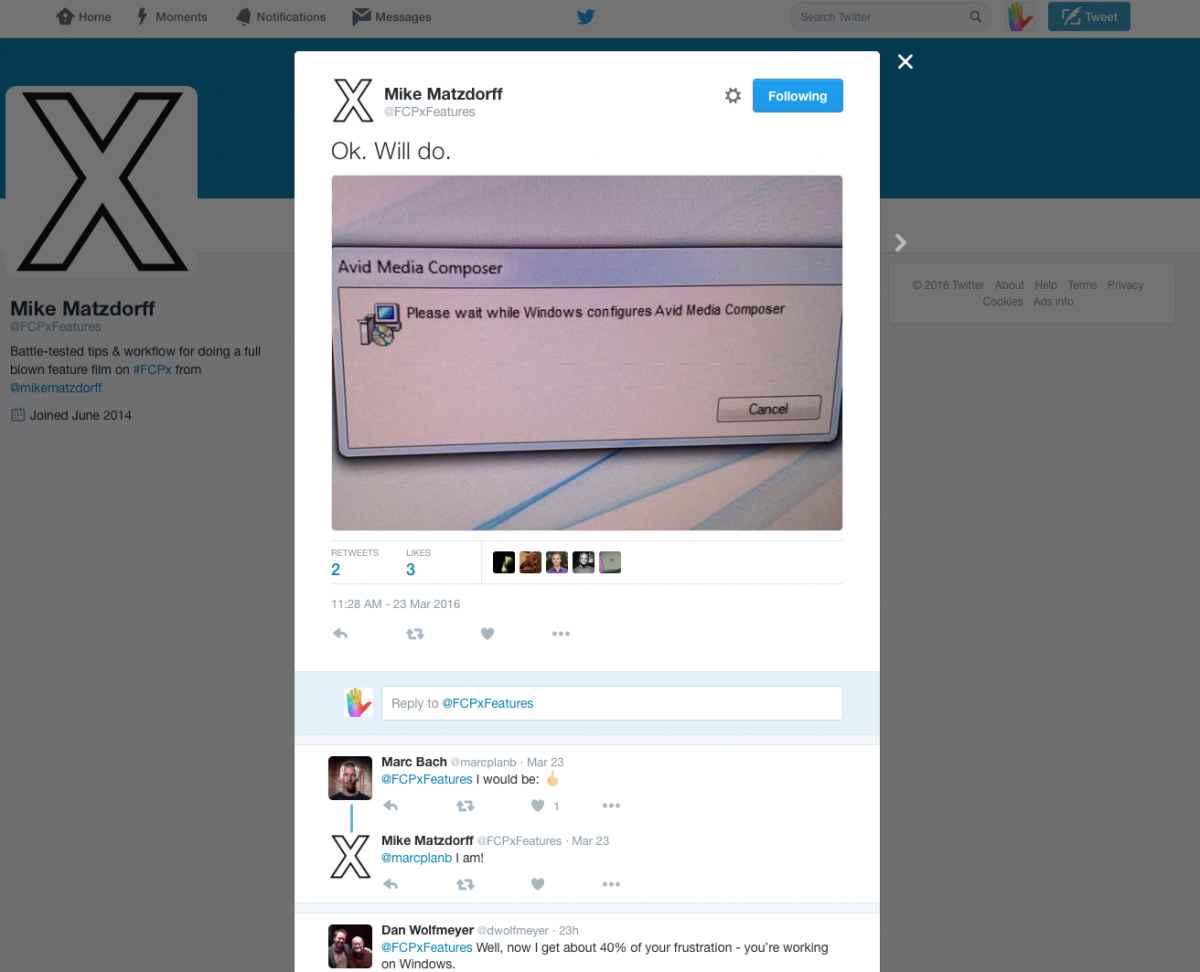
Now, you want to talk about Bins? True story; I was lurking on a Facebook Avid MC user page two days ago. Yes, I lurk MC and PPro user forums to keep up with what the real issues are with those NLEs. One post was going on and on and on forever. The issue was that when you put a clip in one Bin, then make a duplicate of that clip, and drag it to another Bin, well, they're not linked. Make a change to one clip (audio correction, color grade, etc) in one Bin, and the other copies in other Bins don't update to reflect that. And it seems to cause a great deal of headaches in the Avid MC world. This thread went on for more than 30 replies discussing work arounds, and why this is stupid to have multiple copies in multiple Bins, and on and on with such nonsense. Made me glad we have Keyword/Smart collections.
And Avid or PPro on a Windows PC, well, yeah, don't get me started on those nightmares...
finalcutprox.guru/tutorials/page12/level1finalcutprox/
We here thrive on Compounds, don't write them off as 100 percent evil. They are necessary, useful, and very good. Just don't nest too many inside each other. But we have tons of them in every project, and they work fine.
Now, you want to talk about Bins? True story; I was lurking on a Facebook Avid MC user page two days ago. Yes, I lurk MC and PPro user forums to keep up with what the real issues are with those NLEs. One post was going on and on and on forever. The issue was that when you put a clip in one Bin, then make a duplicate of that clip, and drag it to another Bin, well, they're not linked. Make a change to one clip (audio correction, color grade, etc) in one Bin, and the other copies in other Bins don't update to reflect that. And it seems to cause a great deal of headaches in the Avid MC world. This thread went on for more than 30 replies discussing work arounds, and why this is stupid to have multiple copies in multiple Bins, and on and on with such nonsense. Made me glad we have Keyword/Smart collections.
And Avid or PPro on a Windows PC, well, yeah, don't get me started on those nightmares...
Last edit: 31 Mar 2016 11:52 by BenB.
Please Log in to join the conversation.
Less
More
- Posts: 971
- Thank you received: 46
31 Mar 2016 11:53 #74824
by MsJustine
Replied by MsJustine on topic Organizing projects and timeline
that is so funny, I get the same frustrated posts on twitter, and I just wonder why they put up with so much pain?? I wonder do they, PPro editors, have some sort of addiction to the torture of Adobe??? Almost to the point of it being comical!!
Please Log in to join the conversation.
31 Mar 2016 12:02 - 31 Mar 2016 12:05 #74826
by BenB
Replied by BenB on topic Organizing projects and timeline
OK, I have to get to work this morning, but one last real world example. I was just in Colorado for the production of a new reality TV show. The second day of shooting, two of the PA's on set were talking about using PPro. They asked me, "You're editing this show in PPro, right? Cause you teach it, right?" I said no, I am an Apple certified Master Trainer, and we are doing all the DIT and post in FCPX, 100%. "What about color correction, you're using Resolve, right?" No, we're using Color Finale inside of FCPX, we never leave FCPX for anything. They were shocked. I explained it simply has much superior media management abilities, and with 10+ TB of media, that was very necessary.
"Well, Avid made all that part of PPro now, too!" Um, well, no they didn't. They made a separate app, that sort of does some of what FCPX can do, but still doesn't come close to the ease of use, or speed, or flexibility, or power, in that separate app. "Really? I'll have to give FCPX another look." Then I rattled off all the US and European shows and movies and broadcasters using FCPX now.
After explaining, opening my MBP and showing, the media management stuff, from importing from folders kept as Keywords, to Smart collections, in the span of only 5 minutes, no one questioned our using FCPX for the rest of the two week production
Yeah, go reading through some PPro or MC user forum, and see what issues they're having. They have NO advantages over FCPX at all.
"Well, Avid made all that part of PPro now, too!" Um, well, no they didn't. They made a separate app, that sort of does some of what FCPX can do, but still doesn't come close to the ease of use, or speed, or flexibility, or power, in that separate app. "Really? I'll have to give FCPX another look." Then I rattled off all the US and European shows and movies and broadcasters using FCPX now.
After explaining, opening my MBP and showing, the media management stuff, from importing from folders kept as Keywords, to Smart collections, in the span of only 5 minutes, no one questioned our using FCPX for the rest of the two week production
Yeah, go reading through some PPro or MC user forum, and see what issues they're having. They have NO advantages over FCPX at all.
Last edit: 31 Mar 2016 12:05 by BenB.
Please Log in to join the conversation.

31 Mar 2016 12:25 #74829
by Nico_D
Replied by Nico_D on topic Organizing projects and timeline
Wow, this discussion is great! What I am still wondering about is:
What's the best way to a) versioning scenes/sequences and b) put the versions together into one timeline?
I am not convinced by working in a bunch of projects and later copy-pasting into one. So I was testing working with compounds – not my favorite either but by now I kind of looked on compounds like sub-projects
What's the best way to a) versioning scenes/sequences and b) put the versions together into one timeline?
I am not convinced by working in a bunch of projects and later copy-pasting into one. So I was testing working with compounds – not my favorite either but by now I kind of looked on compounds like sub-projects
Please Log in to join the conversation.
