


- Posts: 63
- Thank you received: 0
3 Post Moderation Rule for New Boarders (25 Jan 2021)
New boarders will have their posts moderated - Don't worry if you cannot see your post immediately.
Tracing back clips to events
28 Jan 2016 15:51 #72708
by Dinky
Tracing back clips to events was created by Dinky
In FCPX you can create smart collections on library level. Once you have such a collection, atl the appropriate clips will be shown. So far so good, but what I would like to know is to which event a clip belongs. Now I just see a bunch of clips with no idea in what event they exist.
Is there a way to trace a clip back to its event ?
Is there a way to trace a clip back to its event ?
Please Log in to join the conversation.

28 Jan 2016 15:58 #72709
by BenB
Replied by BenB on topic Tracing back clips to events
Yes there is. Go to the Inspector, to the Info section. There you can go down to the bottom to the "File Information" section, and it will show you.
Please Log in to join the conversation.
- Tom Wolsky
-

- Offline
- Moderator
-

28 Jan 2016 15:59 #72710
by Tom Wolsky
Replied by Tom Wolsky on topic Tracing back clips to events
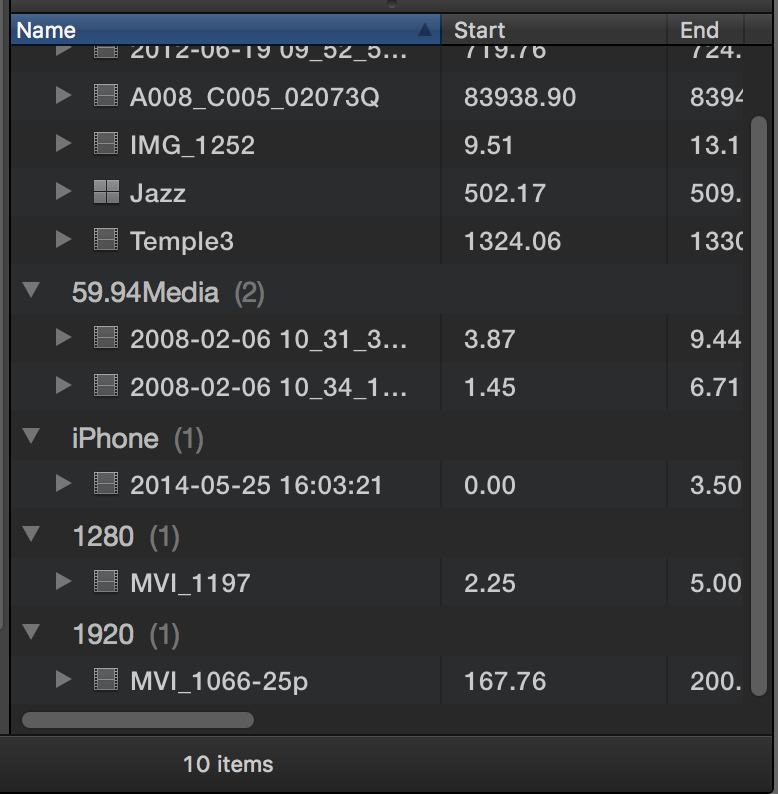
The smart collection should group the clips based on events.
Please Log in to join the conversation.
28 Jan 2016 20:23 #72726
by Dinky
Replied by Dinky on topic Tracing back clips to events
In my case the events are listed per date. No event name. But I can find it in the inspector, that's fine with me.
Please Log in to join the conversation.
- Tom Wolsky
-
- Offline
- Moderator
-
28 Jan 2016 20:32 #72727
by Tom Wolsky
Replied by Tom Wolsky on topic Tracing back clips to events
In the action popup menu switch Group Clips from Content Created to None.
Please Log in to join the conversation.
