


- Posts: 2
- Thank you received: 0
3 Post Moderation Rule for New Boarders (25 Jan 2021)
New boarders will have their posts moderated - Don't worry if you cannot see your post immediately.
My FCPX 10.2 doesn't recognize my Lexar 512 SSD external drive; it appears only when i click import
22 Jan 2016 10:34 #72454
by dede333
My FCPX 10.2 doesn't recognize my Lexar 512 SSD external drive; it appears only when i click import was created by dede333
My FCPX 10.2 doesn't recognize my Lexar 512 ssd drive,
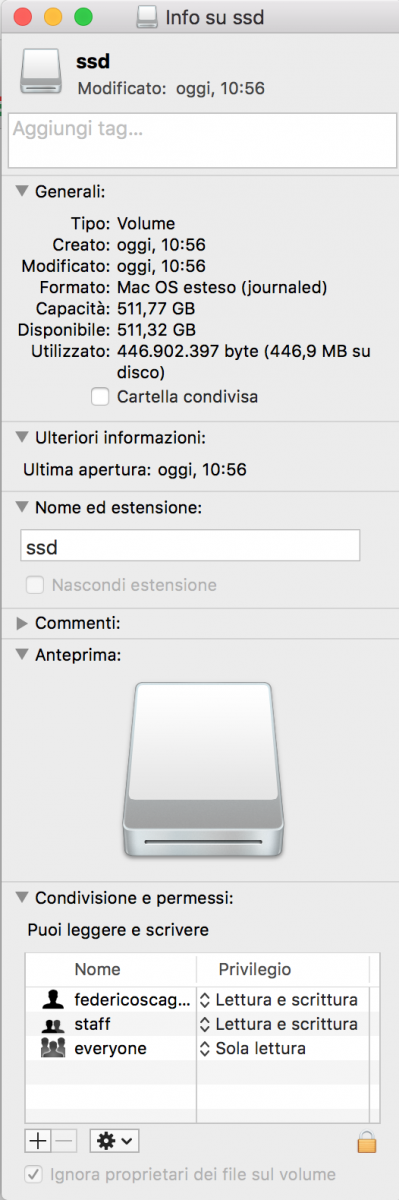
which is formatted to Mac Os Journaled and completely empty (already formatted),
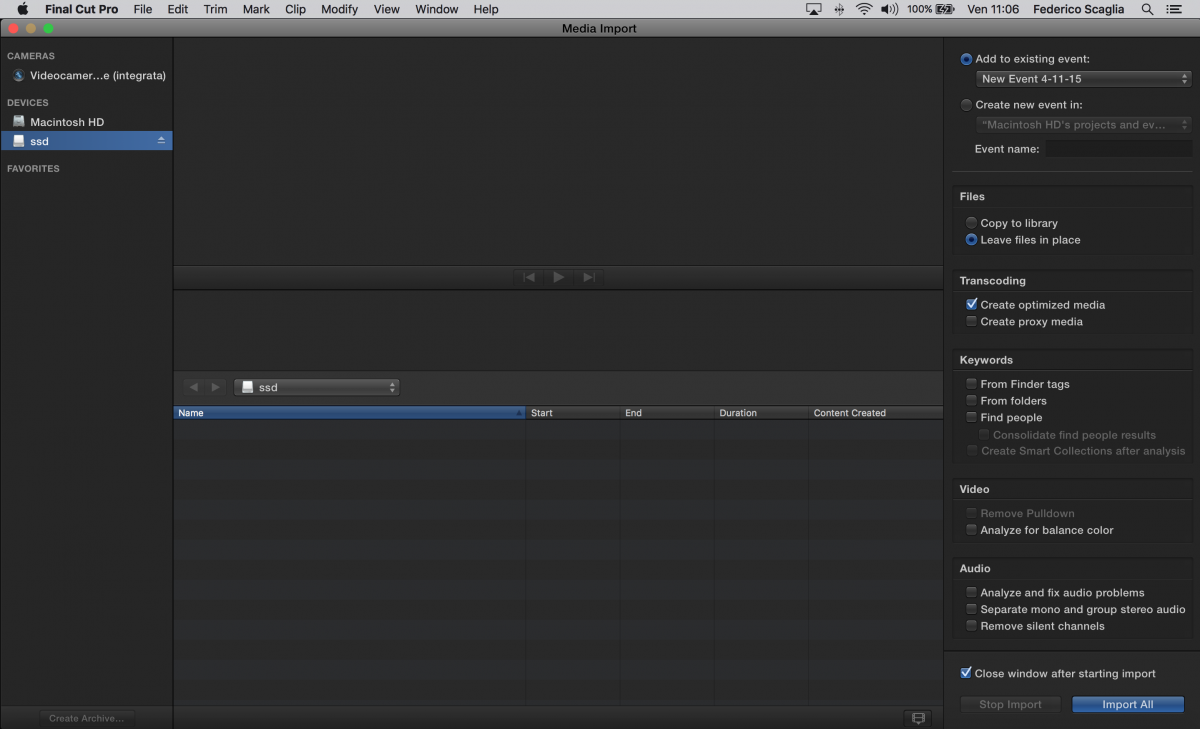
it just see my ssd like an SD card once i click import media.
I had once FCPX 10.0.8 and with that i was able to edit with my External Lexar 512gb SSD drive,
which was seen like a normal external hard drive with all my events and projects.
I'm not using Time Machine as well, never used it.
Any thoughts why i cannot do it anymore?
here's a screen of my info drive: i.imgur.com/3TrITKf.png ,
and here a screen in FCPX where it see my ssd as an external device: i.imgur.com/PB4dgkB.png
Thanks,
Federico
Final Cut Pro X, OS X El Capitan (10.11.2), External Lexar 512 SSD
which is formatted to Mac Os Journaled and completely empty (already formatted),
it just see my ssd like an SD card once i click import media.
I had once FCPX 10.0.8 and with that i was able to edit with my External Lexar 512gb SSD drive,
which was seen like a normal external hard drive with all my events and projects.
I'm not using Time Machine as well, never used it.
Any thoughts why i cannot do it anymore?
here's a screen of my info drive: i.imgur.com/3TrITKf.png ,
and here a screen in FCPX where it see my ssd as an external device: i.imgur.com/PB4dgkB.png
Thanks,
Federico
Final Cut Pro X, OS X El Capitan (10.11.2), External Lexar 512 SSD
Please Log in to join the conversation.
- Tom Wolsky
-

- Offline
- Moderator
-

22 Jan 2016 18:24 #72466
by Tom Wolsky
Replied by Tom Wolsky on topic My FCPX 10.2 doesn't recognize my Lexar 512 SSD external drive; it appears only when i click import
Same answer.
Please Log in to join the conversation.
