


- Posts: 4
- Thank you received: 0
3 Post Moderation Rule for New Boarders (25 Jan 2021)
New boarders will have their posts moderated - Don't worry if you cannot see your post immediately.
Just one specific clip reduces to low quality on import, any idea?
21 Jan 2016 07:30 - 21 Jan 2016 13:03 #72422
by xabaz
Just want a second opinion. This clip reduces it's quality drastically when imported, and exports with the same crappy quality on my main edition. But if I export it alone, the quality is fine.
All the rest of the clips has good quality.
A guy suggested that It's because it's interlaced.
Great thanks for any tip!
Bad quality export (look at the glass edge):

Correct quality but interlaced (look at the lightbox):

Edit: I found a clue. It might be a problem with interlaced video and non-standard resolutions. The correct one is 1920x1080, but final edition is 1920x860.
All the rest of the clips has good quality.
A guy suggested that It's because it's interlaced.
Great thanks for any tip!
Bad quality export (look at the glass edge):
Correct quality but interlaced (look at the lightbox):
Edit: I found a clue. It might be a problem with interlaced video and non-standard resolutions. The correct one is 1920x1080, but final edition is 1920x860.
Last edit: 21 Jan 2016 13:03 by xabaz.
Please Log in to join the conversation.
- Tom Wolsky
-

- Offline
- Moderator
-

21 Jan 2016 12:53 #72428
by Tom Wolsky
Replied by Tom Wolsky on topic Just one specific clip reduces to low quality on import, any idea?
It's a black screen. What are the media specs? What are the project properties? How are you exporting?
Please Log in to join the conversation.
21 Jan 2016 13:06 #72429
by xabaz
Replied by xabaz on topic Just one specific clip reduces to low quality on import, any idea?
Sorry for the failed upload. Media specs on correct export is standard 1920x1080, and on incorrect export is 1920x860 (not-standard). I found that This might be a problem but can't imagine how to solve it.
2. I'm exporting with "Share master"
Thank you.
2. I'm exporting with "Share master"
Thank you.
Please Log in to join the conversation.

21 Jan 2016 13:44 #72432
by BenB
Replied by BenB on topic Just one specific clip reduces to low quality on import, any idea?
Interlace artifacts...
Please Log in to join the conversation.
21 Jan 2016 17:15 #72441
by xabaz
Replied by xabaz on topic Just one specific clip reduces to low quality on import, any idea?
Yes, interlace artifacts, but if I export with a standard resolution, they don't appears. So there might be a way to solve it on non-standard resolutions (I guess...)
Please Log in to join the conversation.
- MarkNelsonMovies
-

- Offline
- Elite Member
-

Less
More
- Posts: 256
- Thank you received: 48
21 Jan 2016 19:45 - 21 Jan 2016 19:47 #72443
by MarkNelsonMovies
Replied by MarkNelsonMovies on topic Just one specific clip reduces to low quality on import, any idea?
If you're using a progressive project you probably want to try de-interlacing the source clip.
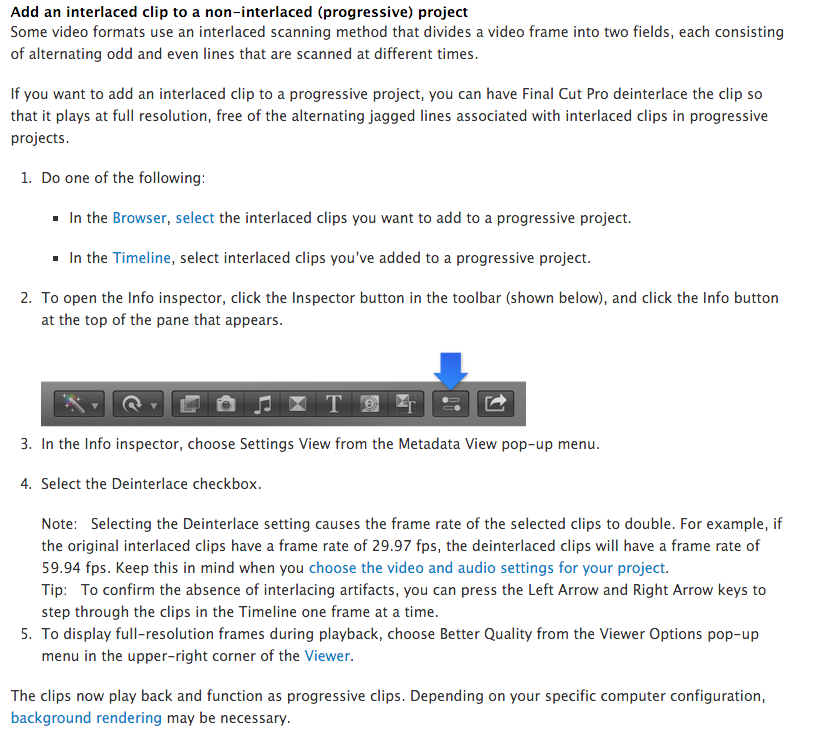
support.apple.com/kb/PH12648?locale=en_US
If you're using an interlaced project and trying to get a interlaced output maybe try moving the clip up or down by 1 pixel?
support.apple.com/kb/PH12648?locale=en_US
If you're using an interlaced project and trying to get a interlaced output maybe try moving the clip up or down by 1 pixel?
Last edit: 21 Jan 2016 19:47 by MarkNelsonMovies. Reason: added image
Please Log in to join the conversation.
25 Jan 2016 11:29 #72519
by xabaz
Replied by xabaz on topic Just one specific clip reduces to low quality on import, any idea?
Solved! Many thanks for the information MarkNelsonMovies.
I was wrong, because I readed than FCP deinterlaces automaticaly interlaced clips when added to a progressive project.
Thank you to all the replies.
I was wrong, because I readed than FCP deinterlaces automaticaly interlaced clips when added to a progressive project.
Thank you to all the replies.
Please Log in to join the conversation.
