


- Posts: 3
- Thank you received: 0
3 Post Moderation Rule for New Boarders (25 Jan 2021)
New boarders will have their posts moderated - Don't worry if you cannot see your post immediately.
Please help with Final Cut library problems.
26 Dec 2015 21:04 #71737
by Toes
Please help with Final Cut library problems. was created by Toes
Final Cut 10.1.3
OS X El Capitan 10.11.1
Final Cut library is on a 1T external hard drive
Ok, so here's my problem...
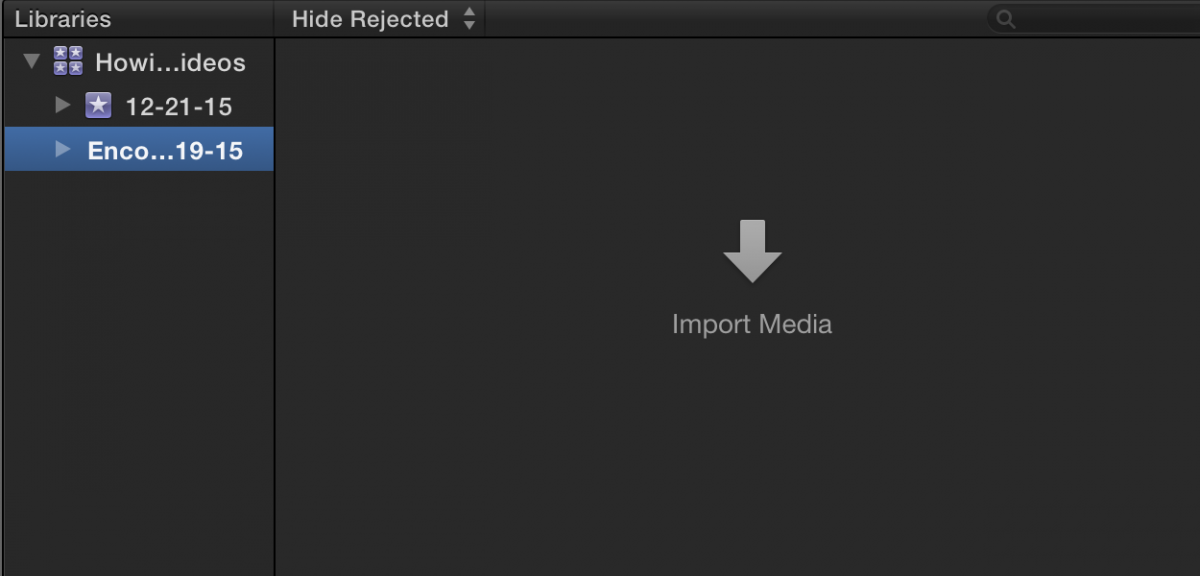
Media is suddenly not showing up under my event.
I was working with it yesterday and everything was fine.
Today, I opened final cut and all my projects and imported media under my event are gone.
(See attached picture 1)
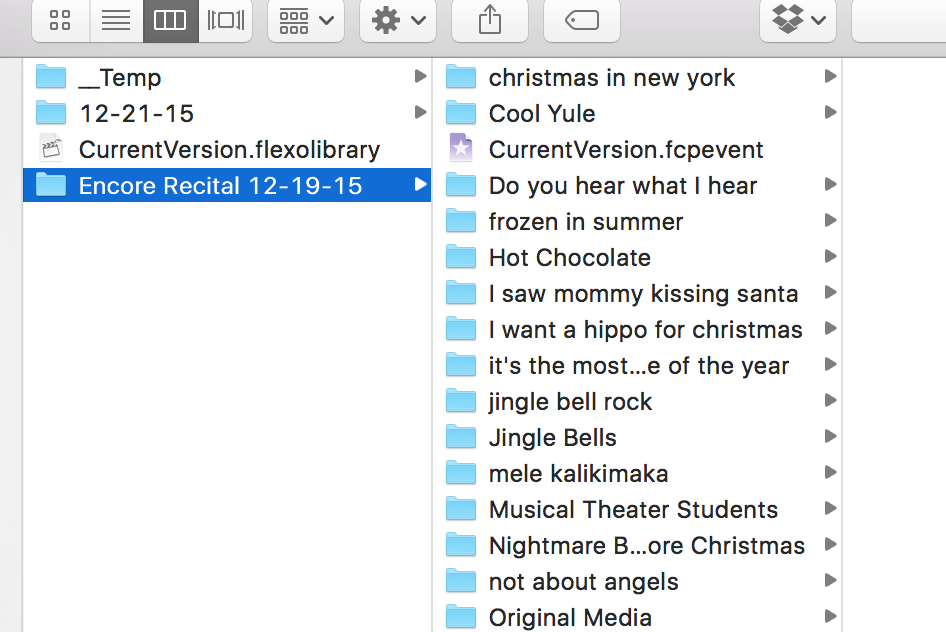
The weird thing is that all the clips and projects still show up when I "show package contents" in that event in the hard drive. (see picture 2)
I also noticed the little star icon to the left of the event is gone. (not sure if that's significant)
All original media is still present in the original media folder.
I have no idea what happened and have been unsuccessful in trying to fix it.
I've tried re importing the media but nothing happens.
When I try to create a new project with the same project name, FCP tells me that project already exists. But still doesn't not show up.
Also, I've tried the File > update projects and events option. But all I get is a message saying "Final Cut Pro could not find any projects or events to update."
I'm at a loss here and I'm on a deadline.
Help?
If you need further explanation just let me know.
Thanks!
OS X El Capitan 10.11.1
Final Cut library is on a 1T external hard drive
Ok, so here's my problem...
Media is suddenly not showing up under my event.
I was working with it yesterday and everything was fine.
Today, I opened final cut and all my projects and imported media under my event are gone.
(See attached picture 1)
The weird thing is that all the clips and projects still show up when I "show package contents" in that event in the hard drive. (see picture 2)
I also noticed the little star icon to the left of the event is gone. (not sure if that's significant)
All original media is still present in the original media folder.
I have no idea what happened and have been unsuccessful in trying to fix it.
I've tried re importing the media but nothing happens.
When I try to create a new project with the same project name, FCP tells me that project already exists. But still doesn't not show up.
Also, I've tried the File > update projects and events option. But all I get is a message saying "Final Cut Pro could not find any projects or events to update."
I'm at a loss here and I'm on a deadline.
Help?
If you need further explanation just let me know.
Thanks!
Please Log in to join the conversation.
- Tom Wolsky
-

- Offline
- Moderator
-

27 Dec 2015 14:07 #71749
by Tom Wolsky
Replied by Tom Wolsky on topic Please help with Final Cut library problems.
Close the application. Go into the library bundle and move the CurrentVersion.flexolibrary file to the trash. Relaunch the application. This sometimes works to rebuild the library, but I don't know if it will with your version.
Please Log in to join the conversation.

27 Dec 2015 15:22 #71759
by VidGreg
Replied by VidGreg on topic Please help with Final Cut library problems.
Hi Toes, Welcome to the forums.
What happens when you click on the "Disclosure Triangles"? Triangles on left side of Name.
Hope this helps, Greg
What happens when you click on the "Disclosure Triangles"? Triangles on left side of Name.
Hope this helps, Greg
Please Log in to join the conversation.
28 Dec 2015 21:59 #71802
by Toes
Replied by Toes on topic Please help with Final Cut library problems.
Thank you! This seemed to do the trick. Not perfect as some projects still didn't load, but this, paired with replacing some .fcpevent files and .flexolibrary files worked well enough.
Thanks again!
Thanks again!
Please Log in to join the conversation.
28 Dec 2015 22:01 #71803
by Toes
Replied by Toes on topic Please help with Final Cut library problems.
there was nothing under the disclosure triangles.
But Tom Wolsky's suggestions seemed to do the trick.
But Tom Wolsky's suggestions seemed to do the trick.
Please Log in to join the conversation.
