


- Posts: 1
- Thank you received: 0
3 Post Moderation Rule for New Boarders (25 Jan 2021)
New boarders will have their posts moderated - Don't worry if you cannot see your post immediately.
Problem with the final export.
30 Oct 2015 22:24 #70054
by Draugr
Problem with the final export. was created by Draugr
Hello, I have made a video that is suppose to be 6 minutes and 53 seconds, but when I exported it to .mov file in my documents, only 6 minutes and 28 seconds was on that video. In the program it self there is a kind of "blacked" "cloaked" "shaded" area in the end of the video project. How can I extend this so I can get all of the video exported out as it should be?
Thank you for all answers. I also have a picture how it looks on the screen.
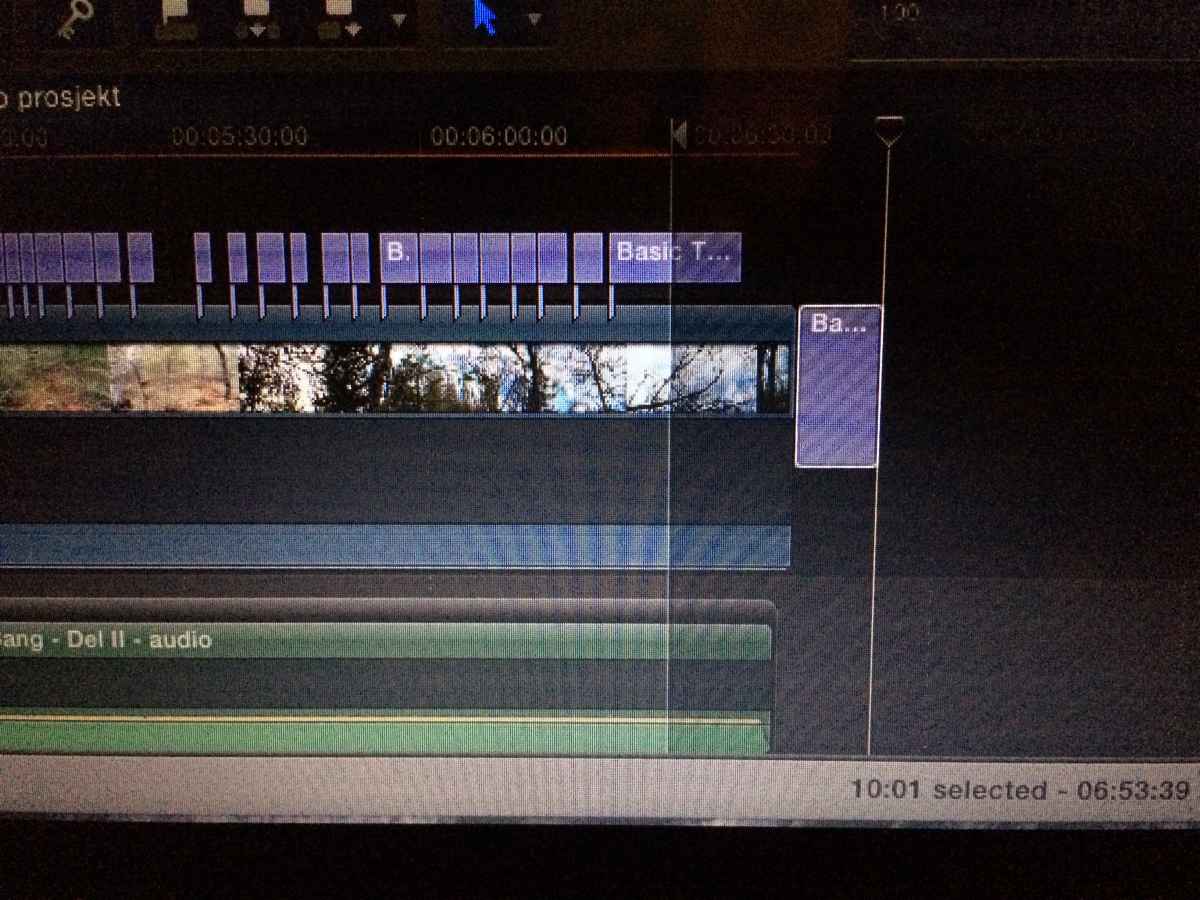
Thank you for all answers. I also have a picture how it looks on the screen.
Please Log in to join the conversation.
- Tom Wolsky
-

- Offline
- Moderator
-

31 Oct 2015 10:21 #70064
by Tom Wolsky
Replied by Tom Wolsky on topic Problem with the final export.
That's not a project. It looks like you've edited inside a clip by opening it into the timeline. What do the icons in the upper left of the timeline look like. You could try making a project and copying and pasting the contents into it.
Please Log in to join the conversation.

31 Oct 2015 23:03 #70080
by BenB
Replied by BenB on topic Problem with the final export.
I agree with Tom, and it may be a Compound Clip that was originally used in another Project timeline.
I have had many students make the mistake of opening a Compound from a Project timeline, only to forget they did that, and get lost with editing, missing media, etc. So that's one thing I think needs to be considered. I wish Apple made it much more clear visually what type of timeline one was editing in at the moment. It is easy to get them confused.
I have had many students make the mistake of opening a Compound from a Project timeline, only to forget they did that, and get lost with editing, missing media, etc. So that's one thing I think needs to be considered. I wish Apple made it much more clear visually what type of timeline one was editing in at the moment. It is easy to get them confused.
Please Log in to join the conversation.
