


3 Post Moderation Rule for New Boarders (25 Jan 2021)
New boarders will have their posts moderated - Don't worry if you cannot see your post immediately.
Interesting FCP X Multicam Audio Issue...
- Deano
-
 Topic Author
- Offline
- Senior Member
-

- To the Virgins, to Make Much of Time Gather ye rosebuds while ye may, Old Time is still a-flying: And this same flower that smiles to-day To-morrow will be dying. The glorious lamp of heaven, the sun, The higher he's a-getting, The sooner will hi
Less
More
30 Oct 2015 06:38 - 30 Oct 2015 07:29 #69993
by Deano
Interesting FCP X Multicam Audio Issue... was created by Deano
Hey Peeps,
Here we use FCPX for a Magazine-style Motorsports TV show thats aired Nationally
Anyway, we use the Multicam features, extensively.
One thing however, in this interview piece which was intriguing - was we had common audio under an interview (2 mics)
...and when we do a Video-only switch, the audio would inherit a 'click' or 'pop'... For example:
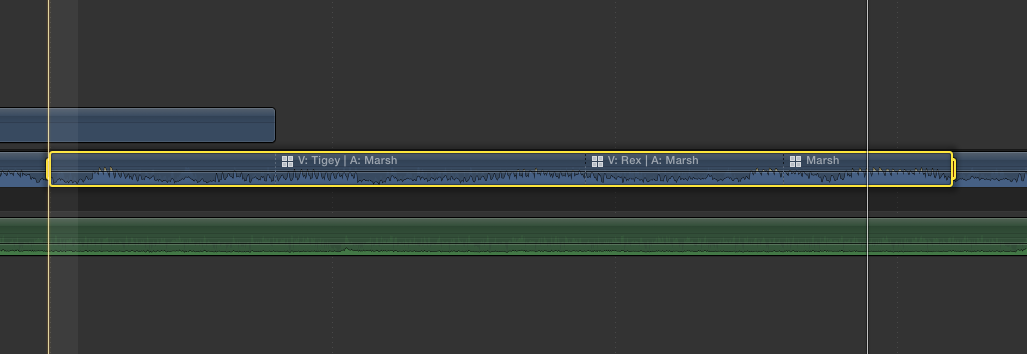
Click Audio Example
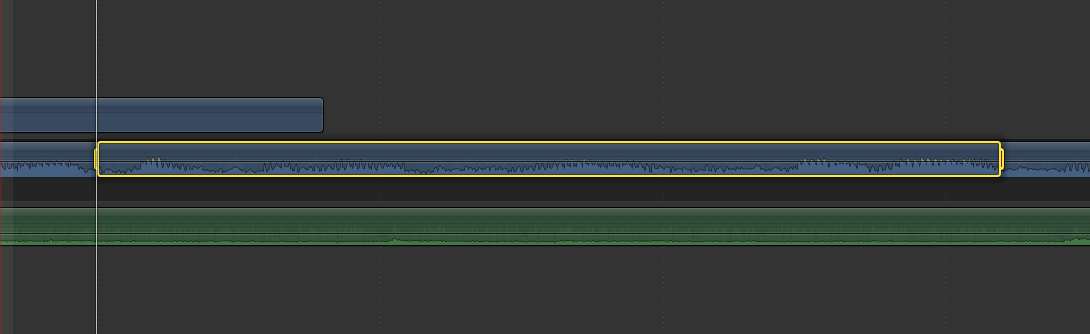
However, the original clip was clean with no such audio issues LINK:
Clean Audio Example
The workaround I have found is to do an offset-audio edit one frame either way As thus:
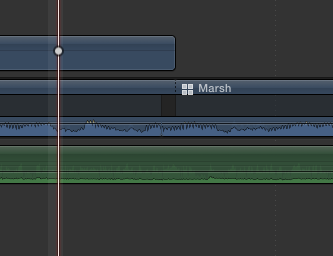
I guess what I am asking is... if I am doing a video only multicam switch...why is there audio issues introduced?
Just curious.
Dean....
Here we use FCPX for a Magazine-style Motorsports TV show thats aired Nationally
Anyway, we use the Multicam features, extensively.
One thing however, in this interview piece which was intriguing - was we had common audio under an interview (2 mics)
...and when we do a Video-only switch, the audio would inherit a 'click' or 'pop'... For example:
Click Audio Example
However, the original clip was clean with no such audio issues LINK:
Clean Audio Example
The workaround I have found is to do an offset-audio edit one frame either way As thus:
I guess what I am asking is... if I am doing a video only multicam switch...why is there audio issues introduced?
Just curious.
Dean....
Last edit: 30 Oct 2015 07:29 by Deano. Reason: Added attachments.
Please Log in to join the conversation.
- Tom Wolsky
-

- Offline
- Moderator
-

30 Oct 2015 07:34 #69994
by Tom Wolsky
Replied by Tom Wolsky on topic Interesting FCP X Multicam Audio Issue...
The common way around this problem is to detach the audio and switch the video only. If you need to cut the multi am use the blade layers edit to cut all the layers.
Please Log in to join the conversation.
30 Oct 2015 07:40 #69995
by Deano
Replied by Deano on topic Interesting FCP X Multicam Audio Issue...
Thanks Tom. I get all that.
I guess what this exercise shows, that despite it nominally being a 'video only' switch, it still cuts the audio track - and at the subframe level, this can cause clicks and pops, IMHO.
I guess what this exercise shows, that despite it nominally being a 'video only' switch, it still cuts the audio track - and at the subframe level, this can cause clicks and pops, IMHO.
Please Log in to join the conversation.
- Tom Wolsky
-
- Offline
- Moderator
-
30 Oct 2015 07:53 #69996
by Tom Wolsky
Replied by Tom Wolsky on topic Interesting FCP X Multicam Audio Issue...
That's right. Use feedback to add your name to the list of people who have requested this be changed.
Please Log in to join the conversation.
