


- Posts: 1080
- Thank you received: 106
3 Post Moderation Rule for New Boarders (25 Jan 2021)
New boarders will have their posts moderated - Don't worry if you cannot see your post immediately.
Importing into Keyword Collections?
20 Oct 2015 01:29 #69601
by Redifer
Importing into Keyword Collections? was created by Redifer
Let's say that I have video on an event shot on 3 different phones. This is not multicam footage, just different clips at different points in time. I want all of these in the same event to make a single video. How would you import these? I tried importing the first phone as "Phone A" and then putting each of those clips in keyword collection. That's all fine and good. Then I try importing from the next phone and it's all going automatically into the Phone A keyword collection. This sucks because the filenames are all IMG_9685 and the like. since they are iPhones and that's what iPhones do. Apple is the best. If I can isolate the footage of Phone B and drag it into it's own keyword colelction, it also remains in Phone A's keyword collection. If I delete Phone B's footage from Phone A's keyword collection it disappears from the event altogether. It's actually still there, I just can't see it. I do not understand smart collections and I'm not really big on tagging and all of that metadata crap. Just wanna get the files into the folder I want and be done with it.
The only workaround I know of is to import into different events and just edit a single timeline from multiple events. Since Final Cut Pro X is nearly perfect I assume there's a better way. Is there?
The only workaround I know of is to import into different events and just edit a single timeline from multiple events. Since Final Cut Pro X is nearly perfect I assume there's a better way. Is there?
Please Log in to join the conversation.
- Tom Wolsky
-

- Offline
- Moderator
-

20 Oct 2015 02:08 #69602
by Tom Wolsky
Replied by Tom Wolsky on topic Importing into Keyword Collections?
Not sure what you're doing, but when you import clips, they don't automatically go into a keyword collection. Removing clips from a keyword collection doesn't remove them from an event. Are you sure you're looking at All Clips in the event and looking at the event not a collection.
Make a keyword collection in the event. Call in Phone A. Select the event, not the collection, and import the clips from Phone A. Drag all the clips into the empty Phone A keyword collection. They will appear in the event in list view with a disclosure triangle next to them. Make a new keyword collection and call it Phone B. Import the clips from phone B. All the clips without disclosure triangles will be from phone B. You can use the filters to only show clips without keywords.
Make a keyword collection in the event. Call in Phone A. Select the event, not the collection, and import the clips from Phone A. Drag all the clips into the empty Phone A keyword collection. They will appear in the event in list view with a disclosure triangle next to them. Make a new keyword collection and call it Phone B. Import the clips from phone B. All the clips without disclosure triangles will be from phone B. You can use the filters to only show clips without keywords.
Please Log in to join the conversation.
20 Oct 2015 03:49 - 20 Oct 2015 03:50 #69603
by Redifer
Replied by Redifer on topic Importing into Keyword Collections?
Yes, that is exactly what I had intended to do. But it doesn't seem to work, at least not for me. But I've done it this way in the past. No disclosure triangles go into different keyword collection. But all of the recently imported clips have disclosure triangles because they automatically went into a keyword collection. Not sure if it's something odd with the more recent versions of FCPX.
Maybe it might be because I'm trying to organize them as they're still importing?
Maybe it might be because I'm trying to organize them as they're still importing?
Last edit: 20 Oct 2015 03:50 by Redifer.
Please Log in to join the conversation.
- Tom Wolsky
-
- Offline
- Moderator
-
20 Oct 2015 03:57 #69604
by Tom Wolsky
Replied by Tom Wolsky on topic Importing into Keyword Collections?
Nothing has changed in this regard. You're importing from the phone correct? You're not importing from a folder.
Please Log in to join the conversation.

20 Oct 2015 10:19 #69608
by joema
The simplest way is copy the footage from each phone to a separate folder on disk, and not import directly from the phone. Normally you want an on-disk copy for backup and initial inspection of the material anyway. Name each folder "Phone A", "Phone B", etc.
Within FCP X preferences>Import, make sure "Keywords: folders" is checked.
Then just import the footage and each phone's material will be automatically tagged with the folder name you provided.
After the import there should be a new keyword collection added for each phone. You can then click those to show solely the material from each phone.
You can also apply more elaborate Finder tags before import but just doing the above will segregate the material by each camera.
Larry Jordan has a good article on this here: larryjordan.com/articles/fcp-x-find-media-using-keywords/
Replied by joema on topic Importing into Keyword Collections?
Redifer wrote: ...video on an event shot on 3 different phones. This is not multicam footage...I want all of these in the same event to make a single video. How would you import these? ...
The simplest way is copy the footage from each phone to a separate folder on disk, and not import directly from the phone. Normally you want an on-disk copy for backup and initial inspection of the material anyway. Name each folder "Phone A", "Phone B", etc.
Within FCP X preferences>Import, make sure "Keywords: folders" is checked.
Then just import the footage and each phone's material will be automatically tagged with the folder name you provided.
After the import there should be a new keyword collection added for each phone. You can then click those to show solely the material from each phone.
You can also apply more elaborate Finder tags before import but just doing the above will segregate the material by each camera.
Larry Jordan has a good article on this here: larryjordan.com/articles/fcp-x-find-media-using-keywords/
Please Log in to join the conversation.


20 Oct 2015 12:01 - 20 Oct 2015 12:02 #69613
by BenB
Replied by BenB on topic Importing into Keyword Collections?
Everything he is doing is correct. Nobody seems to get this trick. If you highlight a keyword collection first, then open the Import window, what you import goes directly to that keyword collection.
Either be sure nothing is selected but the Event FIRST, then import, you'll be fine.
OR, the SIMPLEST method by far, create the new keyword collection FIRST, leave it selected, then import, you'll save a step.
Either be sure nothing is selected but the Event FIRST, then import, you'll be fine.
OR, the SIMPLEST method by far, create the new keyword collection FIRST, leave it selected, then import, you'll save a step.
Last edit: 20 Oct 2015 12:02 by BenB.
Please Log in to join the conversation.
- ronny courtens
-

- Offline
- Moderator
-
Less
More
- Posts: 4455
- Thank you received: 962
20 Oct 2015 15:01 - 20 Oct 2015 15:02 #69616
by ronny courtens
Replied by ronny courtens on topic Importing into Keyword Collections?
Exactly.
Select keyword collection 1
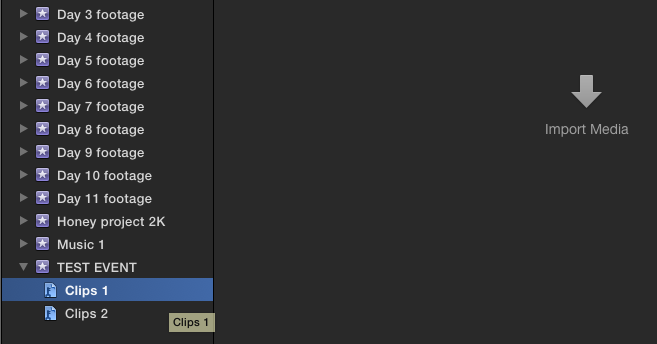
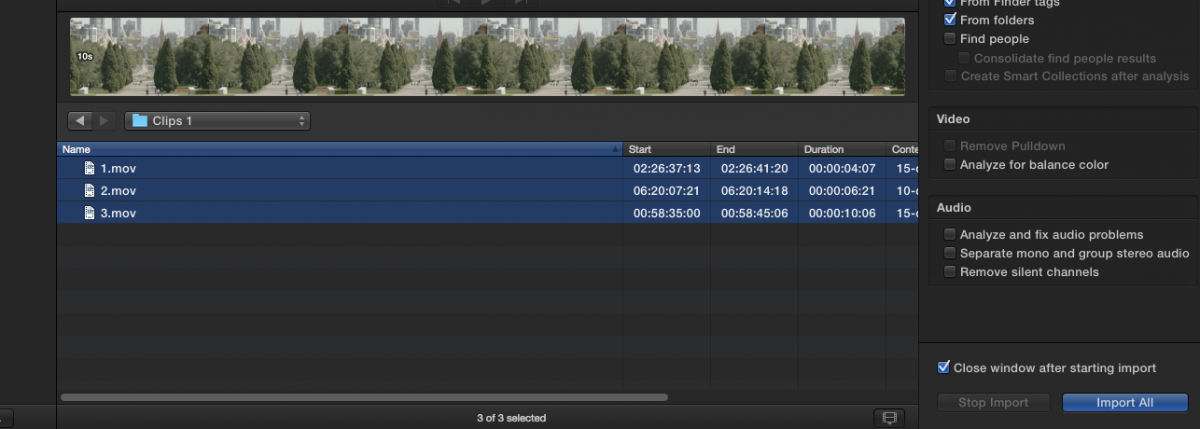
Launch import window and import 3 clips
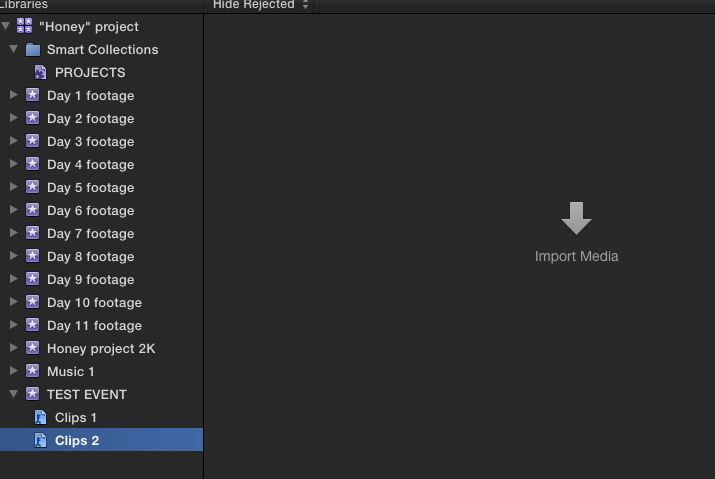
Select keyword collection 2
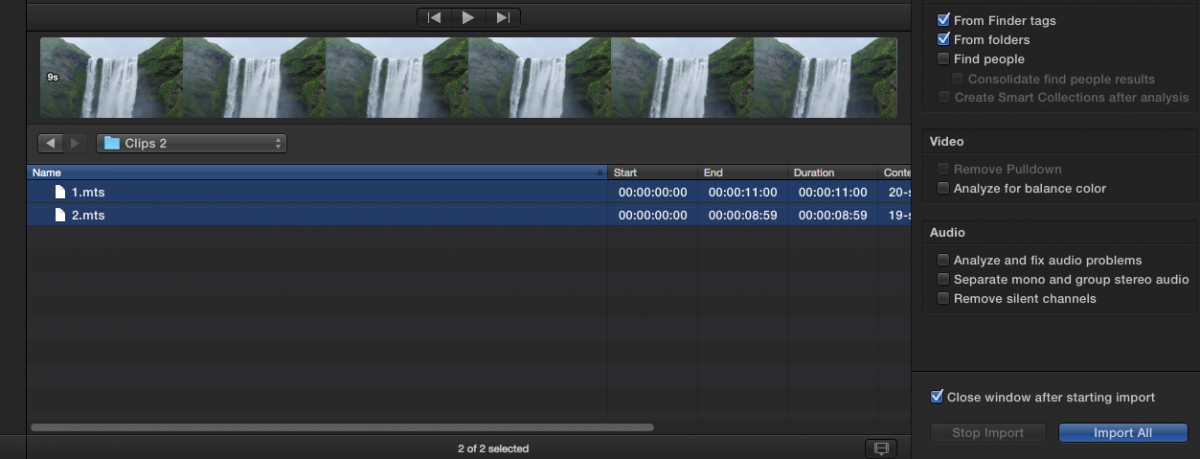
Launch import window and import 2 other clips
The first 3 clips have been imported into kw collection 1
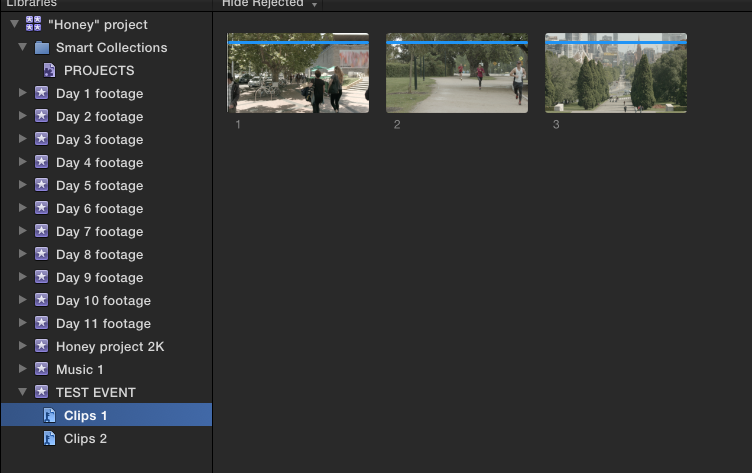
The next 2 clips have been imported into kw collection 2
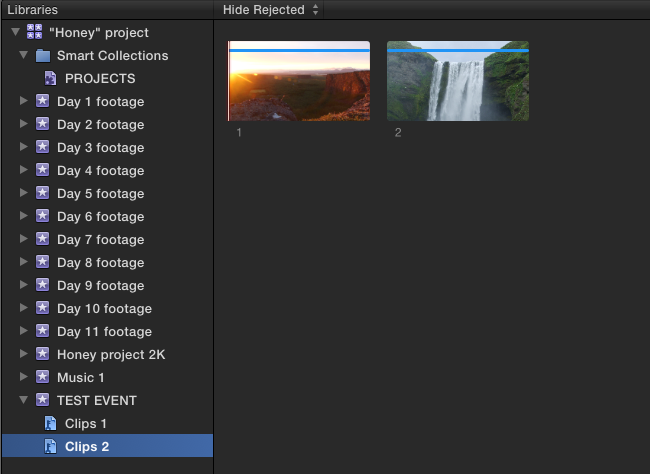
Couldn't be easier. And I have to agree with Joe: FCP X is nearly perfect
- Ronny
Select keyword collection 1
Launch import window and import 3 clips
Select keyword collection 2
Launch import window and import 2 other clips
The first 3 clips have been imported into kw collection 1
The next 2 clips have been imported into kw collection 2
Couldn't be easier. And I have to agree with Joe: FCP X is nearly perfect
- Ronny
Last edit: 20 Oct 2015 15:02 by ronny courtens.
Please Log in to join the conversation.
21 Oct 2015 07:12 #69632
by Redifer
Replied by Redifer on topic Importing into Keyword Collections?
Thanks guys. I must have had the wrong collection selected when I imported.
By the way, how does one get videos from the iPhone into a folder on the hard drive? I've always wondered about doing this. I assume you can't just drag and drop but instead must go through something like iPhoto, correct?
By the way, how does one get videos from the iPhone into a folder on the hard drive? I've always wondered about doing this. I assume you can't just drag and drop but instead must go through something like iPhoto, correct?
Please Log in to join the conversation.
- Tom Wolsky
-
- Offline
- Moderator
-
21 Oct 2015 08:50 #69635
by Tom Wolsky
Replied by Tom Wolsky on topic Importing into Keyword Collections?
Image Capture lets you assign the save location on your drives.
Please Log in to join the conversation.
