


- Posts: 730
- Thank you received: 26
3 Post Moderation Rule for New Boarders (25 Jan 2021)
New boarders will have their posts moderated - Don't worry if you cannot see your post immediately.
Echo / Audio effects beyond...
- DmitriZigany
-
 Topic Author
- Offline
- Platinum Member
-

Less
More
18 Sep 2015 21:51 #68693
by DmitriZigany
Echo / Audio effects beyond... was created by DmitriZigany
Hey!
I'm trying to add echo to a sound, but as soon as the region (what's the term in FCPX?) is gone the echo stops... I can I make the echo to keep echoing-ing-ing-ing beyond that?
I'm trying to add echo to a sound, but as soon as the region (what's the term in FCPX?) is gone the echo stops... I can I make the echo to keep echoing-ing-ing-ing beyond that?
Please Log in to join the conversation.
- Tom Wolsky
-

- Offline
- Moderator
-

18 Sep 2015 21:54 #68694
by Tom Wolsky
Replied by Tom Wolsky on topic Echo / Audio effects beyond...
Put the audio in a compound clip. Add a gap to the end of the audio. Stretch out the compound and apply the echo to the compound.
Please Log in to join the conversation.
- Karsten Schlüter
-

- Offline
- Moderator
-
Less
More
- Posts: 3790
- Thank you received: 718
19 Sep 2015 06:04 #68703
by Karsten Schlüter
Sensei,
I still don't get the difference btw a gap and a placeholder (even has diff. keyboard shortcuts); both add a 'black clip'... when do I use what? … and why??
Replied by Karsten Schlüter on topic Echo / Audio effects beyond...
Tom Wolsky wrote: … Add a gap to the end of the audio. ...
Sensei,
I still don't get the difference btw a gap and a placeholder (even has diff. keyboard shortcuts); both add a 'black clip'... when do I use what? … and why??
Please Log in to join the conversation.
- Tom Wolsky
-
- Offline
- Moderator
-
19 Sep 2015 06:58 #68705
by Tom Wolsky
Replied by Tom Wolsky on topic Echo / Audio effects beyond...
You could use a generator if you want as long as it doesn't interfere with your video, for instance if the audio is on top of the video. A gap clip is unique in that it's a timeline filler with transparency, like a generator with the opacity set to zero.
Please Log in to join the conversation.


19 Sep 2015 10:28 #68706
by rjvddoes
Replied by rjvddoes on topic Echo / Audio effects beyond...
Please Log in to join the conversation.
- Karsten Schlüter
-
- Offline
- Moderator
-
Less
More
- Posts: 3790
- Thank you received: 718
19 Sep 2015 12:46 - 19 Sep 2015 12:49 #68707
by Karsten Schlüter
So, for adding a tail to a clip, you add a gap which is a placeholder for the later to come echo (doesn't any echo comes... forgettit). Or you set a placeholder which keeps a gap open (mind the gap!) for the audio to come....
hmmmmmmmmmm ........ :lol:
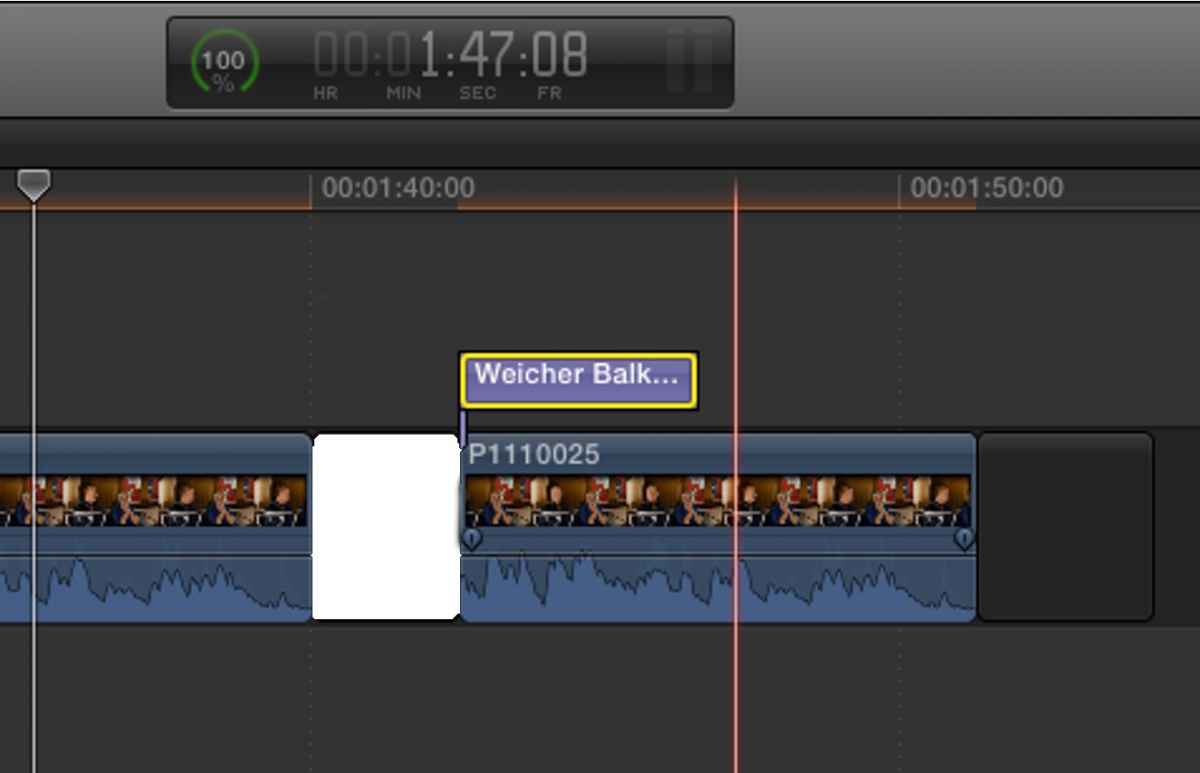
I guess, my main misunderstanding results to my practice hitting opt-W to add 'some black'; which isn't black, it's transparent but I don't notice. Room for improvement:
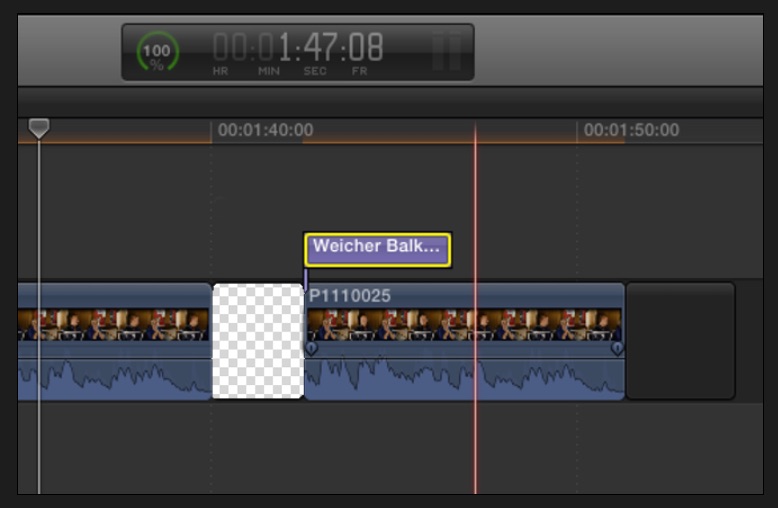
… Is the usual icon for a transparent nix... isn't it? :blink:
Well, it doesn't make the timeline look better … LOL
That Hold-trick is smart, rj, helps me avoiding compounds....
Replied by Karsten Schlüter on topic Echo / Audio effects beyond...
Tom Wolsky wrote: .....A gap clip is unique in that it's a timeline filler with transparency.....
So, for adding a tail to a clip, you add a gap which is a placeholder for the later to come echo (doesn't any echo comes... forgettit). Or you set a placeholder which keeps a gap open (mind the gap!) for the audio to come....
hmmmmmmmmmm ........ :lol:
I guess, my main misunderstanding results to my practice hitting opt-W to add 'some black'; which isn't black, it's transparent but I don't notice. Room for improvement:
… Is the usual icon for a transparent nix... isn't it? :blink:
Well, it doesn't make the timeline look better … LOL
That Hold-trick is smart, rj, helps me avoiding compounds....
Last edit: 19 Sep 2015 12:49 by Karsten Schlüter.
Please Log in to join the conversation.

19 Sep 2015 12:48 #68708
by BenB
Replied by BenB on topic Echo / Audio effects beyond...
Charlie is showing what Tom is suggesting. Best way to do it. You could open the clip from the Browser into its own timeline, and add the gap clip there, too. But that means it is present in every instance of the clip you drop into a Timeline.
Please Log in to join the conversation.
