


- Posts: 61
- Thank you received: 0
3 Post Moderation Rule for New Boarders (25 Jan 2021)
New boarders will have their posts moderated - Don't worry if you cannot see your post immediately.
How to unflatten footage
16 Sep 2015 14:43 #68587
by iKitty2
How to unflatten footage was created by iKitty2
Hi, I am working with footage from Canon 5 D where the camera man has shot all the footage "flattened" - apparently to give me more room to grade in edit.
But I do not know how to bring this up in edit - do I just grade as normal or is there a certain way I should do it - he keeps saying it's just a switch of a button - but not sure what button he is referring to.
Please help.
Below is a screen grab of image from footage
But I do not know how to bring this up in edit - do I just grade as normal or is there a certain way I should do it - he keeps saying it's just a switch of a button - but not sure what button he is referring to.
Please help.
Below is a screen grab of image from footage
Please Log in to join the conversation.
- Tom Wolsky
-

- Offline
- Moderator
-

16 Sep 2015 14:46 #68588
by Tom Wolsky
Replied by Tom Wolsky on topic How to unflatten footage
I don't think you inserted the screenshot. Normally LUTs are used as a starting point for this. I don't know what LUTs are available for the camera.
Please Log in to join the conversation.
16 Sep 2015 14:51 - 16 Sep 2015 15:01 #68590
by iKitty2
Replied by iKitty2 on topic How to unflatten footage
Here is the screen shot...
/Users/iMacKitty/Desktop/Screen Shot 2015-09-16 at 15.42.04.png
I can't seem to get image of attached file - screen grab to take...
/Users/iMacKitty/Desktop/Screen Shot 2015-09-16 at 15.42.04.png
I can't seem to get image of attached file - screen grab to take...
Last edit: 16 Sep 2015 15:01 by iKitty2. Reason: trying to attach screen shot
Please Log in to join the conversation.


16 Sep 2015 15:13 - 16 Sep 2015 15:15 #68592
by Emmanuel
Replied by Emmanuel on topic How to unflatten footage
iKitty
your screenshot is too big in size: compress it as a .jpg and it will upload (don't forget to press insert)
yes, it is very simple, but not automatic. You need to use Curves or a LUT. Several ways:
1. Automatically with a LUT: Do you have Color Finale or Lut Utility ? One LUT is called "CineStyle S-Curve", you have to apply it and it will look much better.
2. With the Curves effect: many other plugins have curves: Magic Bullet Looks, Nattress, etc.
What you need to do is to make an "S" with the curve: click in the middle to create a point, then drag the middle of the lower part towards the bottom, and the middle of the top part towards the top. It will increase your contrast dramatically.
nofilmschool.com/sites/default/files/sty...es.png?itok=Y8xrPumL
3. If you don't have any plugins that does curves, you can do it in Motion.
4. Nor with LUT, nor with Curves: last but not least, a very easy method (but not exactly the same though, however it will get close to that) is to add a Color filter, then go to exposure, drage the shadows lower, drag the highlight higher.
your screenshot is too big in size: compress it as a .jpg and it will upload (don't forget to press insert)
yes, it is very simple, but not automatic. You need to use Curves or a LUT. Several ways:
1. Automatically with a LUT: Do you have Color Finale or Lut Utility ? One LUT is called "CineStyle S-Curve", you have to apply it and it will look much better.
2. With the Curves effect: many other plugins have curves: Magic Bullet Looks, Nattress, etc.
What you need to do is to make an "S" with the curve: click in the middle to create a point, then drag the middle of the lower part towards the bottom, and the middle of the top part towards the top. It will increase your contrast dramatically.
nofilmschool.com/sites/default/files/sty...es.png?itok=Y8xrPumL
3. If you don't have any plugins that does curves, you can do it in Motion.
4. Nor with LUT, nor with Curves: last but not least, a very easy method (but not exactly the same though, however it will get close to that) is to add a Color filter, then go to exposure, drage the shadows lower, drag the highlight higher.
Last edit: 16 Sep 2015 15:15 by Emmanuel.
Please Log in to join the conversation.
16 Sep 2015 15:23 #68593
by iKitty2
Replied by iKitty2 on topic How to unflatten footage
Thanks Manoucho - that makes a lot of sense as I've played around with S curves in my camera but never on fcp or post.
I can colour grade exposure no problem but a plug in sounds quicker. I will investigate plug in mentioned.
Thanks K
I can colour grade exposure no problem but a plug in sounds quicker. I will investigate plug in mentioned.
Thanks K
Please Log in to join the conversation.
16 Sep 2015 15:25 #68594
by Emmanuel
Replied by Emmanuel on topic How to unflatten footage
K
Many people here will recommend Color Finale: it has BOTH curves and LUTS and it's totally worth the investment.
Other plugins are good too of course.
Many people here will recommend Color Finale: it has BOTH curves and LUTS and it's totally worth the investment.
Other plugins are good too of course.
Please Log in to join the conversation.
- ronny courtens
-

- Offline
- Moderator
-
Less
More
- Posts: 4455
- Thank you received: 962
16 Sep 2015 16:09 #68597
by ronny courtens
Replied by ronny courtens on topic How to unflatten footage
I absolutely second Color Finale. Worth every cent!
- Ronny
- Ronny
Please Log in to join the conversation.
16 Sep 2015 16:12 #68598
by Emmanuel
Replied by Emmanuel on topic How to unflatten footage
Welcome back Ronny !
You'll let us know here when the IBC video is online ? Would be great !
You'll let us know here when the IBC video is online ? Would be great !
Please Log in to join the conversation.
16 Sep 2015 16:18 #68599
by iKitty2
Replied by iKitty2 on topic How to unflatten footage
Thanks for advice = just checked out Color Finale - boy it looks quite difficult verse the LUT utility which is much easier not to mention cheaper but it does not seem to support my panasonic GH4?
Question is do I go for simpler and get used to these color grading methods or dive in the deep end and learn how to do it correctly... I'm leaning toward the latter...
I just love the look of the images that these color correcting methods can do and at last I can see how I can make my footage pop out from the screen with vitality - just like in the movies... lol K
Question is do I go for simpler and get used to these color grading methods or dive in the deep end and learn how to do it correctly... I'm leaning toward the latter...
I just love the look of the images that these color correcting methods can do and at last I can see how I can make my footage pop out from the screen with vitality - just like in the movies... lol K
Please Log in to join the conversation.
- ronny courtens
-
- Offline
- Moderator
-
Less
More
- Posts: 4455
- Thank you received: 962
16 Sep 2015 16:24 - 16 Sep 2015 16:43 #68600
by ronny courtens
Replied by ronny courtens on topic How to unflatten footage
Hey Manu,
The presentations should be online soon. But if you have read the Metronome article, you won't learn much more from my preso. Except that in the presentation I go much deeper into the details of how FCP X can be set up to work perfectly in a complex multi-user workflow. Anyway, the room was packed and people were very attentive and responsive. People from Apple were there every day from start to end, and they really took a lot of time sitting down with attendants and listening to them. FCP Expo has been a great experience.
- Ronny
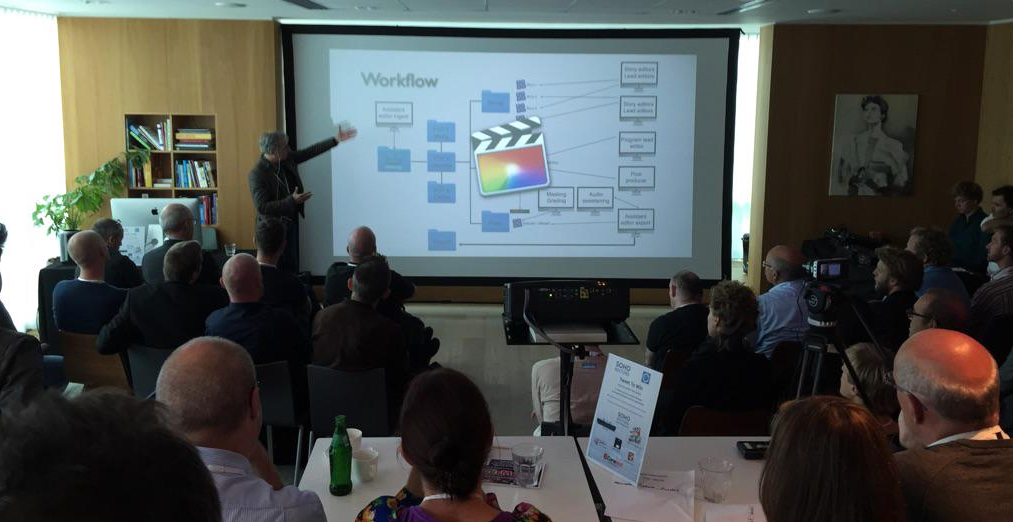
The presentations should be online soon. But if you have read the Metronome article, you won't learn much more from my preso. Except that in the presentation I go much deeper into the details of how FCP X can be set up to work perfectly in a complex multi-user workflow. Anyway, the room was packed and people were very attentive and responsive. People from Apple were there every day from start to end, and they really took a lot of time sitting down with attendants and listening to them. FCP Expo has been a great experience.
- Ronny
Last edit: 16 Sep 2015 16:43 by ronny courtens.
Please Log in to join the conversation.
- ronny courtens
-
- Offline
- Moderator
-
Less
More
- Posts: 4455
- Thank you received: 962
16 Sep 2015 16:29 #68601
by ronny courtens
Replied by ronny courtens on topic How to unflatten footage
Kitty,
I would advise you to start learning Color Finale. It's not that difficult to learn and you can quickly get amazing results with it. Just applying LUTs is much too limited for real grading. They are only used as a starting point, or to make sure directors or producers who are with you in the editing room don't get to see the flat LOG images.
- Ronny
I would advise you to start learning Color Finale. It's not that difficult to learn and you can quickly get amazing results with it. Just applying LUTs is much too limited for real grading. They are only used as a starting point, or to make sure directors or producers who are with you in the editing room don't get to see the flat LOG images.
- Ronny
Please Log in to join the conversation.
16 Sep 2015 17:06 #68605
by Emmanuel
Replied by Emmanuel on topic How to unflatten footage
Looks nice Ronny ! I will make sure to watch the video. Looking forward.
Kitty, with Color Finale you will indeed have best of both worlds: a LUT to use and/or how to grade.
Especially because it comes with fantastic tutorials from the creator, Denver Riddle.
Kitty, with Color Finale you will indeed have best of both worlds: a LUT to use and/or how to grade.
Especially because it comes with fantastic tutorials from the creator, Denver Riddle.
Please Log in to join the conversation.
16 Sep 2015 19:19 #68608
by Emmanuel
Replied by Emmanuel on topic How to unflatten footage
Kitty one more thing
It is not that "GH4 is not supported", but it is that GH4 do not have a preset with a LOG mode, so ther is no LUT to build for the GH4. Actually it will have one soon, Panasonic is about to release a firmware.
It is not that "GH4 is not supported", but it is that GH4 do not have a preset with a LOG mode, so ther is no LUT to build for the GH4. Actually it will have one soon, Panasonic is about to release a firmware.
Please Log in to join the conversation.
