


- Posts: 1
- Thank you received: 0
3 Post Moderation Rule for New Boarders (25 Jan 2021)
New boarders will have their posts moderated - Don't worry if you cannot see your post immediately.
Image Quality Issues in FCPX Timeline
- AndrewNiemchick
-
 Topic Author
- Offline
- New Member
-

Less
More
15 Sep 2015 22:31 #68554
by AndrewNiemchick
Image Quality Issues in FCPX Timeline was created by AndrewNiemchick
Hello,
I've been having an issue where the footage I work with in FCPX ends up being less crisp than the raw footage when I do anything with it. I work with a lot of fine details, mainly text in screen-captured footage, so it ends up making a noticeable difference.
Does anybody know why this is? Does FCPX just soften the image automatically? Is there any setting or preference that will allow me to maintain the same image fidelity through the editing process?
I've attached some screenshots of an example. I imported a screen-captured file and put it in my timeline:
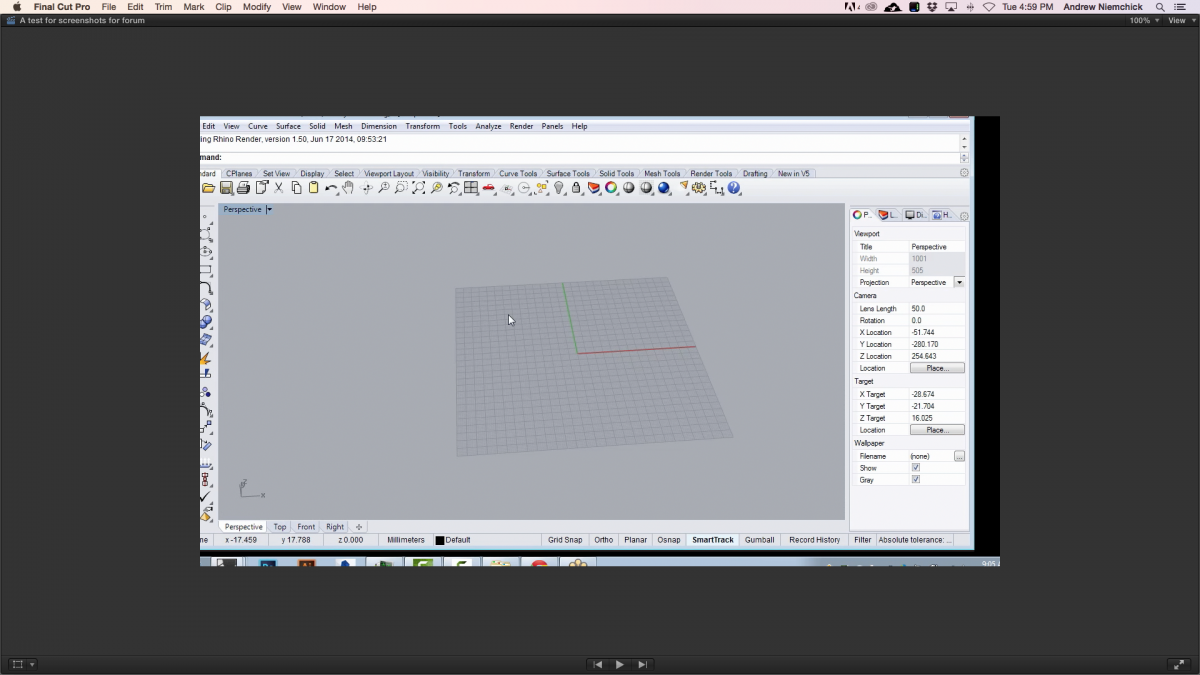
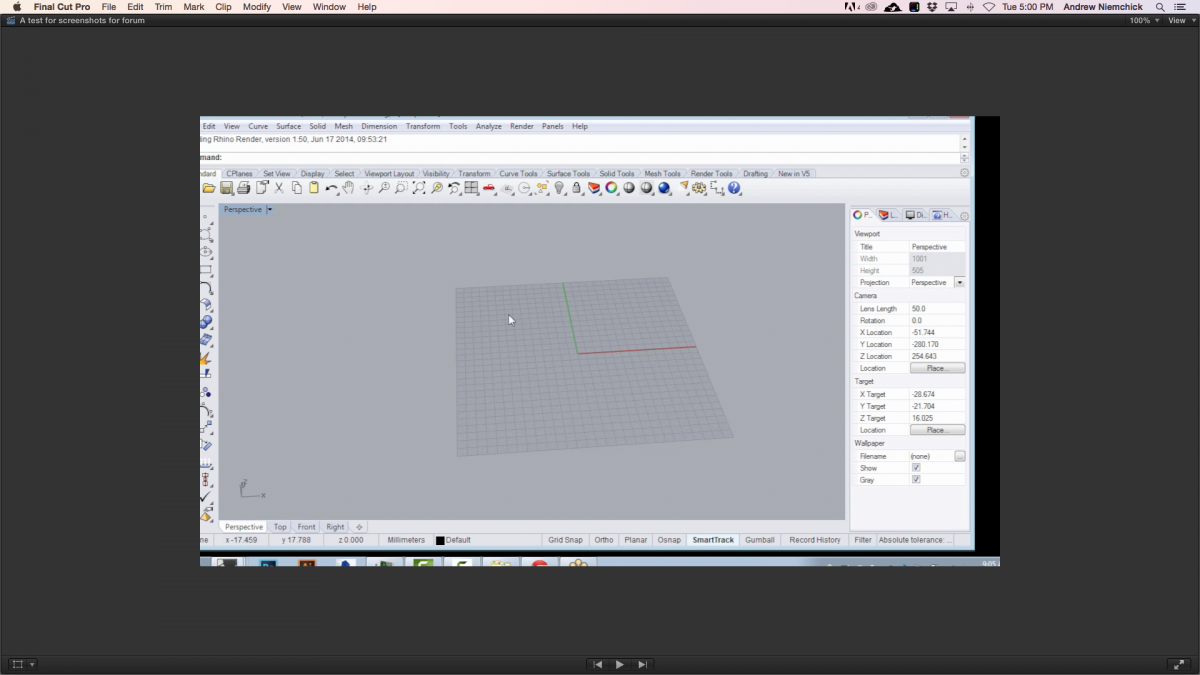
It looked good, but I need to shift it over just a bit. The second I touched it with the transform setting, the text became softer and more faint:
My project is 1280x720, 29.97 fps, I'm using optimized/original footage (the render setting is set to ProRes 422), and the playback is set to highest quality. It also looks like this when I export.
If anybody knows anything about this or has had a similar experience, please let me know what, if anything, you were able to do to fix it.
Thanks!
-Andrew
I've been having an issue where the footage I work with in FCPX ends up being less crisp than the raw footage when I do anything with it. I work with a lot of fine details, mainly text in screen-captured footage, so it ends up making a noticeable difference.
Does anybody know why this is? Does FCPX just soften the image automatically? Is there any setting or preference that will allow me to maintain the same image fidelity through the editing process?
I've attached some screenshots of an example. I imported a screen-captured file and put it in my timeline:
It looked good, but I need to shift it over just a bit. The second I touched it with the transform setting, the text became softer and more faint:
My project is 1280x720, 29.97 fps, I'm using optimized/original footage (the render setting is set to ProRes 422), and the playback is set to highest quality. It also looks like this when I export.
If anybody knows anything about this or has had a similar experience, please let me know what, if anything, you were able to do to fix it.
Thanks!
-Andrew
Please Log in to join the conversation.
- Tom Wolsky
-

- Offline
- Moderator
-

16 Sep 2015 10:06 #68577
by Tom Wolsky
Replied by Tom Wolsky on topic Image Quality Issues in FCPX Timeline
Are you looking at the tendered output? That's an extraordinarily difficult image for any video codec to render well. You might try rendering in HQ or a higher data rate codec.
Please Log in to join the conversation.

16 Sep 2015 11:07 #68580
by BenB
Replied by BenB on topic Image Quality Issues in FCPX Timeline
I'd not do this in FCPX, use ScreenFlow. Here's how to do professional looking screen capture movies. Maker your Application window either standard 720 or 1080 size. Create a .jpg image of a solid color this size, open in QT player, show original size, resize app screen to that. Then record in ScreenFlow. Edit in Screenflow. You'll make your project standard HD size, and it will fit your app screen with amazing clarity. Then, you can zoom in and keep sharp, clear images. Since the mouse cursor is recorded as a sprite, you can easily show, not show, or resize it. I'd never edit screen capture movies in FCPX. ScreenFlow does things that hold the quality MUCH better. You'll never get it to be as good in FCPX.
Please Log in to join the conversation.
