


- Posts: 868
- Thank you received: 85
3 Post Moderation Rule for New Boarders (25 Jan 2021)
New boarders will have their posts moderated - Don't worry if you cannot see your post immediately.
XAVC-L from Sony X70 - ODD import behavior
29 Aug 2015 01:31 #67767
by cseeman
XAVC-L from Sony X70 - ODD import behavior was created by cseeman
Sony PXW-X70, Firmware Version 2.0, XAVC-L MXF
OSX 10.10.5
FCPX 10.2.1
Attempt to Import files
Attach SDXC USB3 Card Reader to MacPro "Tube"
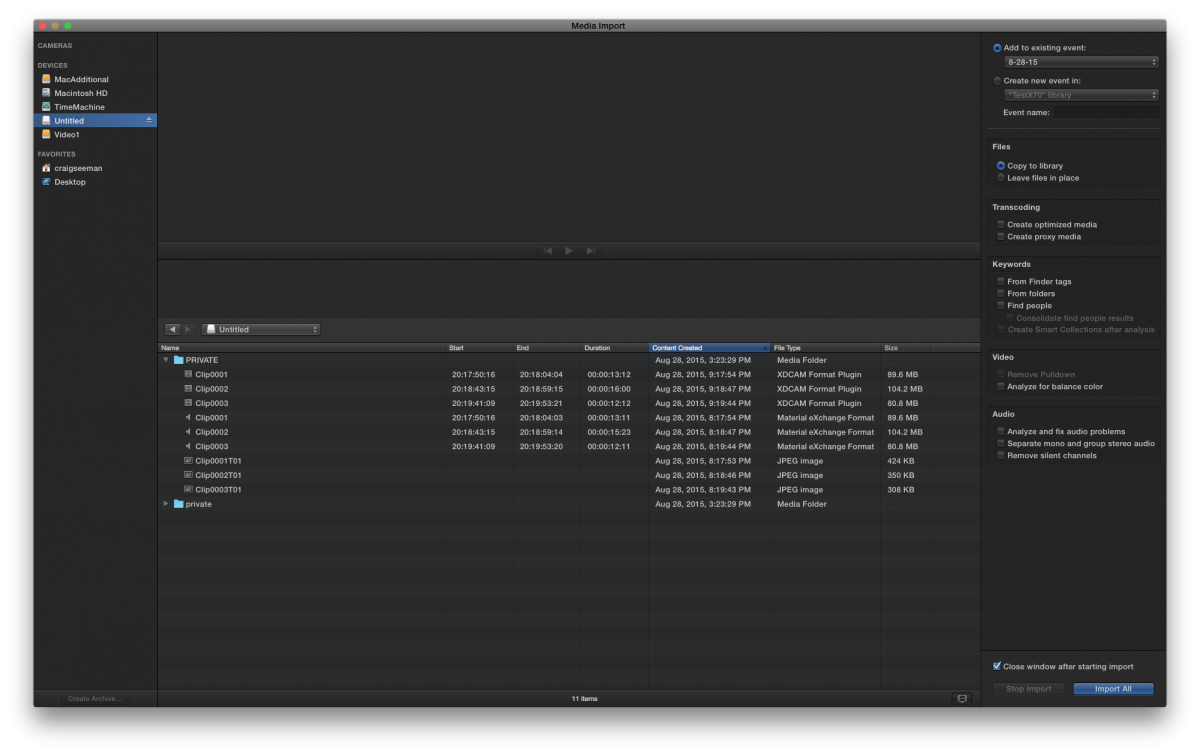
• Card shows Video Clips (which do have the audio), Audio Clips, JPEGs and second empty "private" folder
Copy Card to HDD
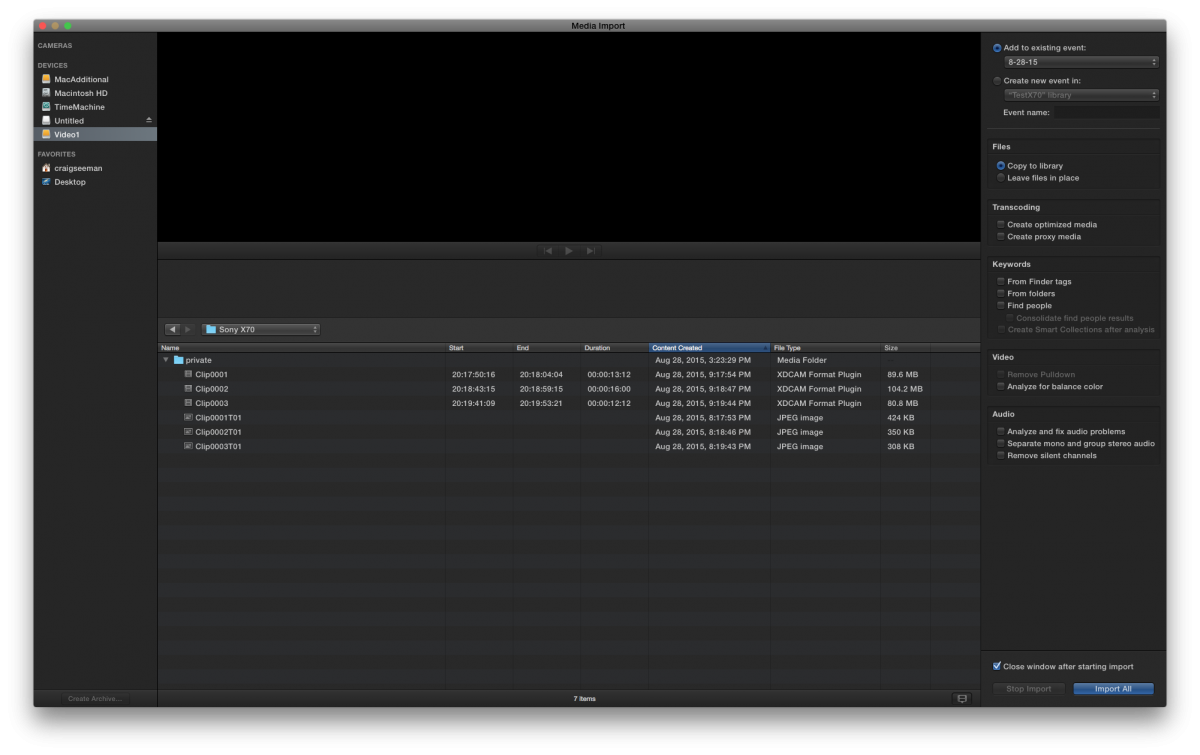
• Card shows Video Clips (with audio), JPEGs
Create Camera Archive from Card
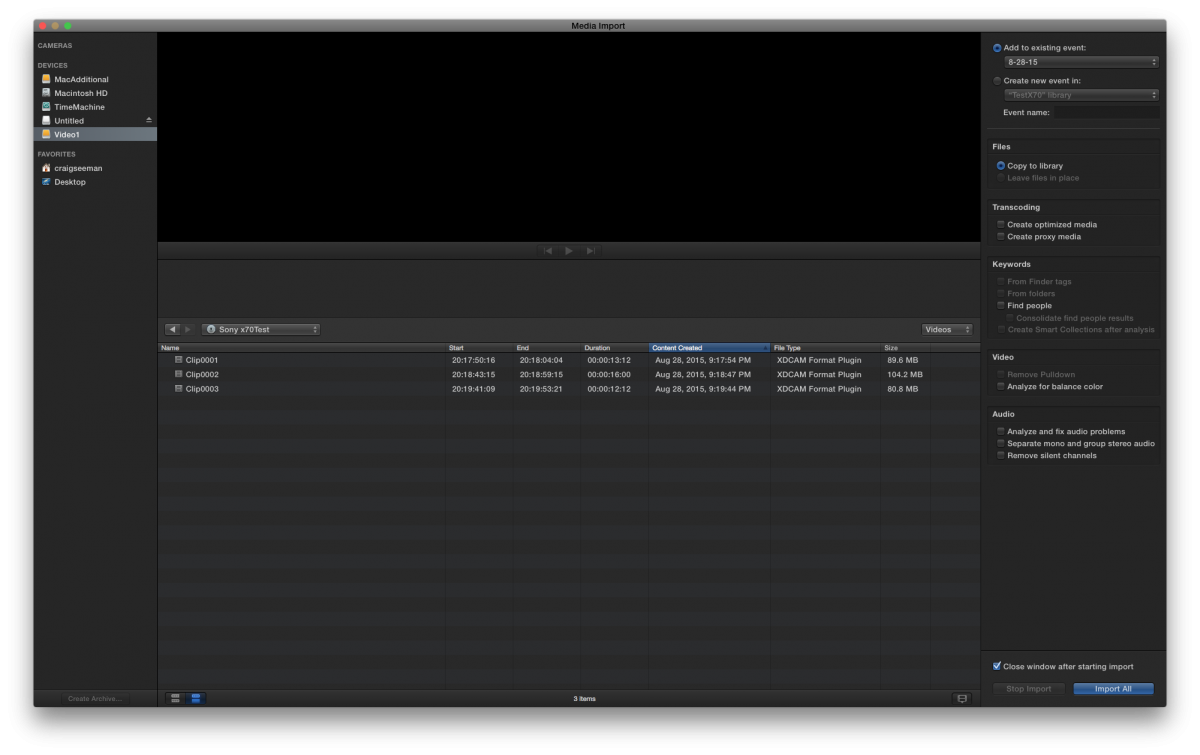
• Card shows just the Video Clips (with audio) as expected
See attached in respective order
Card
Card to HDD
Camera Archive
Very odd behavior given there should be no change in metadata.
Any thoughts about what the issue might be?
OSX 10.10.5
FCPX 10.2.1
Attempt to Import files
Attach SDXC USB3 Card Reader to MacPro "Tube"
• Card shows Video Clips (which do have the audio), Audio Clips, JPEGs and second empty "private" folder
Copy Card to HDD
• Card shows Video Clips (with audio), JPEGs
Create Camera Archive from Card
• Card shows just the Video Clips (with audio) as expected
See attached in respective order
Card
Card to HDD
Camera Archive
Very odd behavior given there should be no change in metadata.
Any thoughts about what the issue might be?
Please Log in to join the conversation.


29 Aug 2015 02:19 - 29 Aug 2015 02:22 #67770
by BenB
Replied by BenB on topic XAVC-L from Sony X70 - ODD import behavior
Why not create the Archive directly from the SD card? Why waste the extra copy time? There may be something going on there with the copy to the hard drive. I'm not sure.
What changes in "metadata" are you seeing? I see simply that the extraneous files are being ignored and you're only seeing the video files you need actual access to. Problem is... what?
Just off the top of my head...
Now, if you look inside of an Archive package, FCPX does add its own database file, so it can handle the contents more efficiently.
What changes in "metadata" are you seeing? I see simply that the extraneous files are being ignored and you're only seeing the video files you need actual access to. Problem is... what?
Just off the top of my head...
Now, if you look inside of an Archive package, FCPX does add its own database file, so it can handle the contents more efficiently.
Last edit: 29 Aug 2015 02:22 by BenB.
Please Log in to join the conversation.
29 Aug 2015 02:39 - 29 Aug 2015 02:52 #67772
by cseeman
Yes, normally I'd create Camera Archive first and import from there. Everything looks and behaves as expected.
There's really no change in the metadata, just an odd change in what FCPX displays.
One issue I've run into recently is that apparently some (all) MAM software can't see the content of FCPX Camera Archives. That would mean manual copy to HDD.
I should mention that in the case of the Card or the HDD Copy, if I just Import the MXF files, it's just fine. It's just that FCPX displays the other stuff and that would mean I can't just "Import All." I'd have to select the MXF files. So it's not a major problem, just odd and a minor inconvenience if I want to skip the Camera Archive. Odd because the Camera Archive is really just a copy of the Card with an FCPX .plist added. That .plist of course is the FCPX database files which informs FCPX what it needs to see, as you basically allude to.
Replied by cseeman on topic XAVC-L from Sony X70 - ODD import behavior
BenB wrote: Why not create the Archive directly from the SD card? Why waste the extra copy time? There may be something going on there with the copy to the hard drive. I'm not sure.
What changes in "metadata" are you seeing? I see simply that the extraneous files are being ignored and you're only seeing the video files you need actual access to. Problem is... what?
Just off the top of my head...
Now, if you look inside of an Archive package, FCPX does add its own database file, so it can handle the contents more efficiently.
Yes, normally I'd create Camera Archive first and import from there. Everything looks and behaves as expected.
There's really no change in the metadata, just an odd change in what FCPX displays.
One issue I've run into recently is that apparently some (all) MAM software can't see the content of FCPX Camera Archives. That would mean manual copy to HDD.
I should mention that in the case of the Card or the HDD Copy, if I just Import the MXF files, it's just fine. It's just that FCPX displays the other stuff and that would mean I can't just "Import All." I'd have to select the MXF files. So it's not a major problem, just odd and a minor inconvenience if I want to skip the Camera Archive. Odd because the Camera Archive is really just a copy of the Card with an FCPX .plist added. That .plist of course is the FCPX database files which informs FCPX what it needs to see, as you basically allude to.
Last edit: 29 Aug 2015 02:52 by cseeman.
Please Log in to join the conversation.

29 Aug 2015 15:23 #67789
by ddixon
Replied by ddixon on topic XAVC-L from Sony X70 - ODD import behavior
I think this is all just a holdover from the fact that this camera has had a sketchy relationship to FCPX from the beginning. It took months for Sony/Apple to combine firmware/FCPX updates to get to where we didn't have to oonvert to ProRes to even use the footage at all. I don't really have an answer, but one more thought: are you formatting the SD card in-camera under the new camera firmware? Seems like that made a difference on a couple of things. Just a wild guess.
I always skim thru all my footage and make selections in the FCPX Import window as a first pass in organizing, so I never do import all anyway. But, if you aren't doing this, I can see where it would get annoying having to select the clips.
I always skim thru all my footage and make selections in the FCPX Import window as a first pass in organizing, so I never do import all anyway. But, if you aren't doing this, I can see where it would get annoying having to select the clips.
Please Log in to join the conversation.
29 Aug 2015 16:18 #67792
by cseeman
Replied by cseeman on topic XAVC-L from Sony X70 - ODD import behavior
Basically the card presents far more data that FCPX needs for sure. The Camera Archive function, which creates the .plist database, takes care of that. The cards have been formatted in camera with the new firmware. One can certain make clip selections so, in that regard, there's really no impairment beyond the visual distraction of extraneous files.
Often when doing fast turnaround ENG style work I may not have time to create a Camera Archive and I use Import All straight from the card. This is where things get a bit messy. In that case, FCPX Smart filtering can at least segregate the proper video clips from the extraneous stuff.
Overall it's really just minor and quirky, not a show stopper by any means. It's just a bit of a curiosity since I haven't seen this with other file based camera sources.
I was wondering though if others see this and it would be interesting to know if one sees this with other cameras, whether Sony XAVC or others.
Often when doing fast turnaround ENG style work I may not have time to create a Camera Archive and I use Import All straight from the card. This is where things get a bit messy. In that case, FCPX Smart filtering can at least segregate the proper video clips from the extraneous stuff.
Overall it's really just minor and quirky, not a show stopper by any means. It's just a bit of a curiosity since I haven't seen this with other file based camera sources.
I was wondering though if others see this and it would be interesting to know if one sees this with other cameras, whether Sony XAVC or others.
Please Log in to join the conversation.
