


3 Post Moderation Rule for New Boarders (25 Jan 2021)
New boarders will have their posts moderated - Don't worry if you cannot see your post immediately.
Preset (Role) Exports as Bundle?
- finalbug.net
-
 Topic Author
- Offline
- Platinum Member
-

- Absence of Quality is the essence of squareness.
Less
More
10 Aug 2015 15:59 - 10 Aug 2015 16:07 #67267
by finalbug.net
Preset (Role) Exports as Bundle? was created by finalbug.net
Hi FCPXErs
I am wondering about the following with respect to roles.
I have 4 different versions of an edit that I want to export.
(In my project I have set up my roles accordingly.)
01) Clean
02) German
03) English
04) Spanish
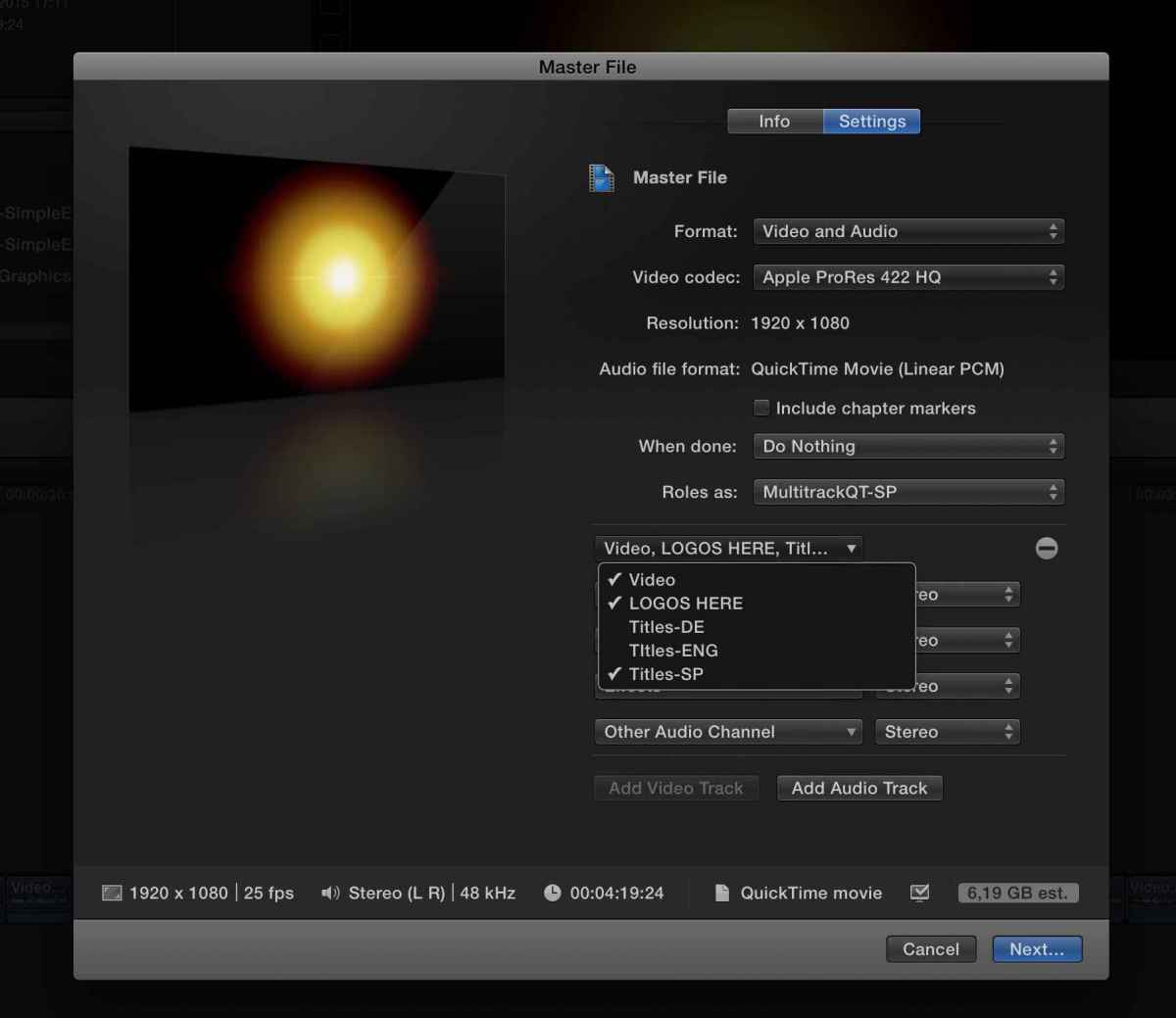
I have gone to the Share Menu and selected Master File under Settings under “Roles as” I have selected “Multi Track QT Movie”.
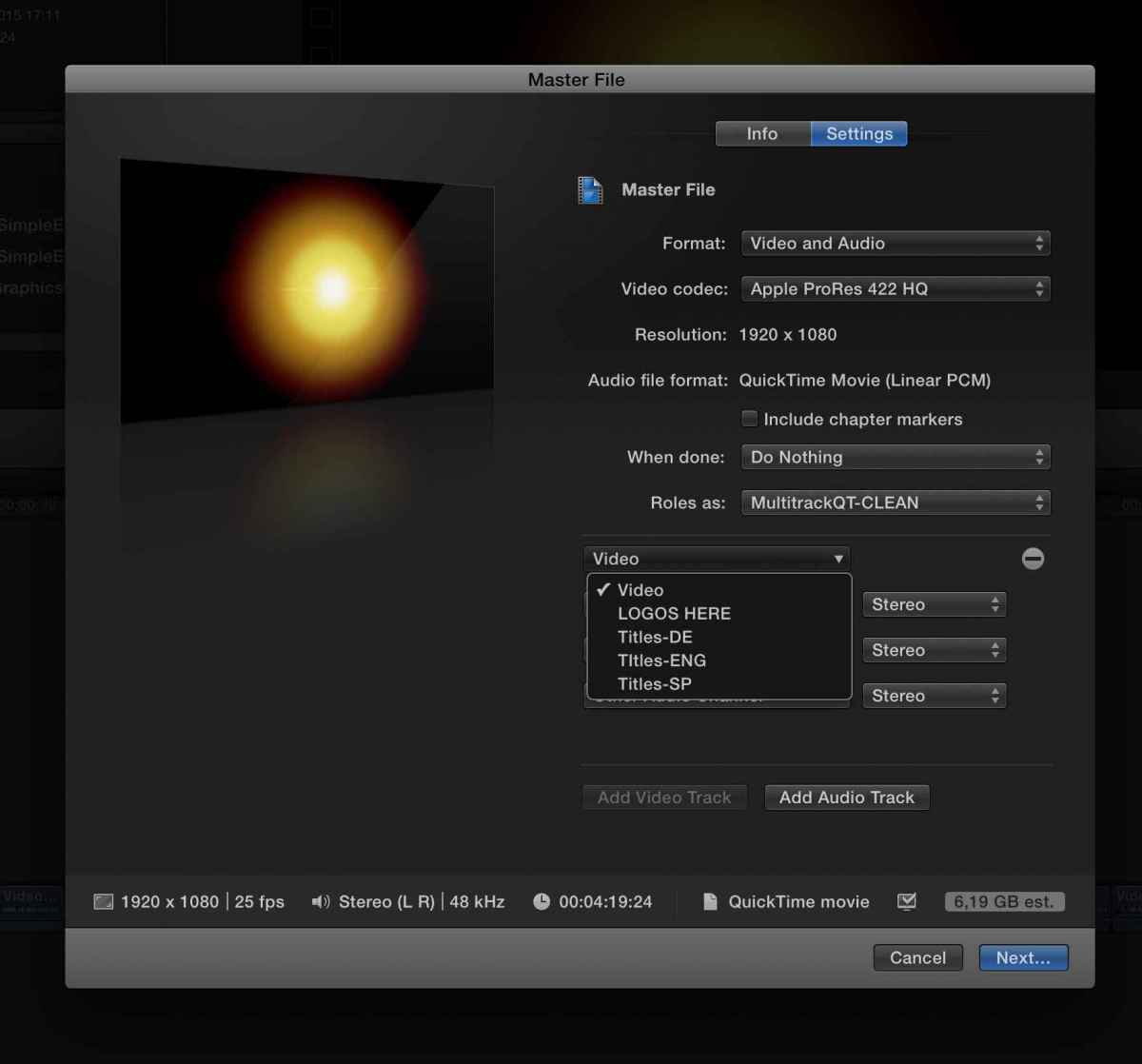
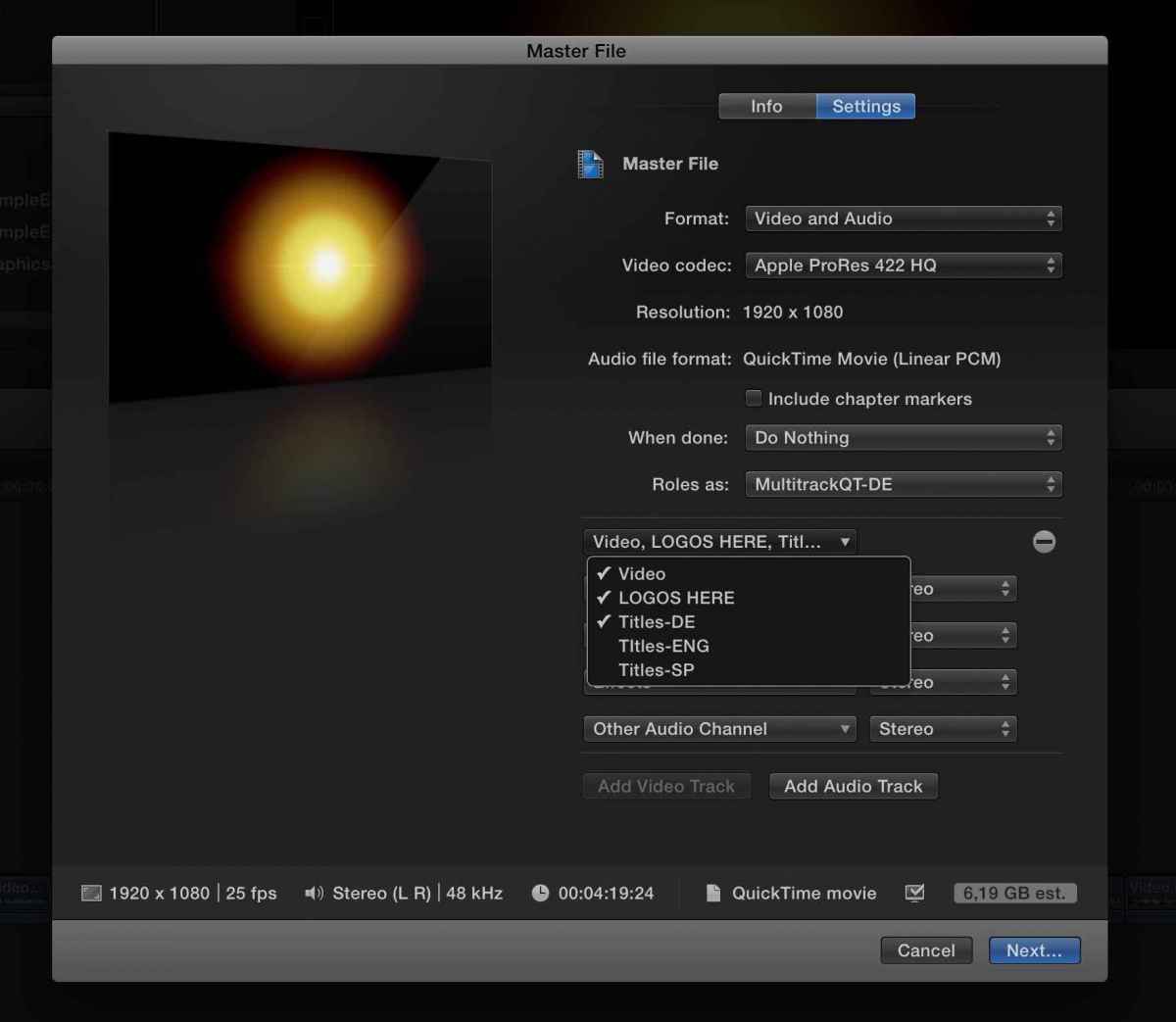
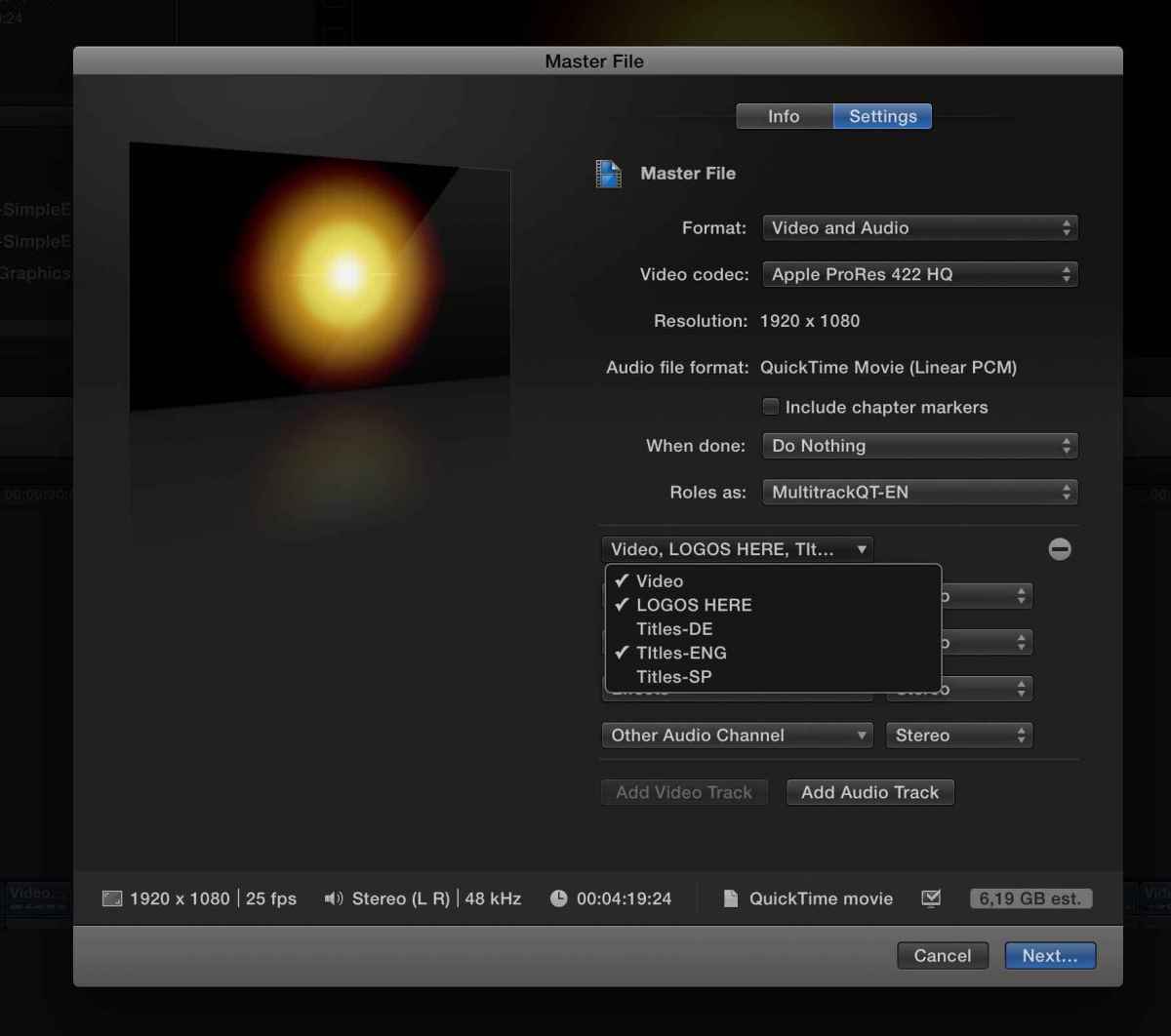
I have then set up role export 4 times as illustrated in the screen shots. I have saved these role set ups as presets!
Now this is my question.
As of now to export the 4 versions I have to go into the Master Destination Export in the share menu.
Then select my presets 1 through to 4 one after the other.
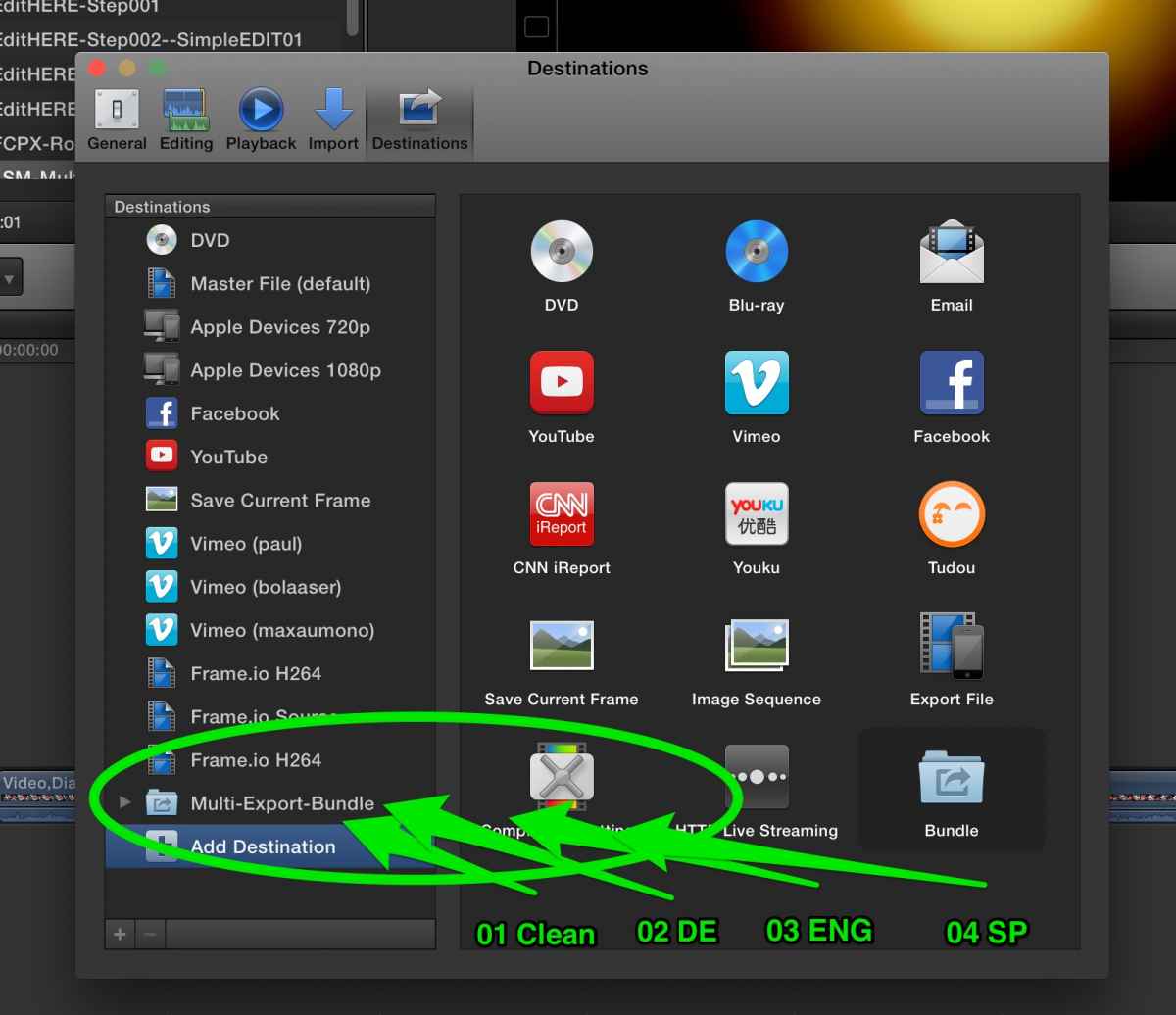
I am looking at that Bundle Folder in that “Add Destinations Menu” and am of course wondering is it possible to some how get my presets 1 through to 4 too:
a) Show up in the “Add destination” section
b) Get them into a dedicated “Bundle” so that I can export all 4 out pretty much in a batch/bundle so to speak. I attempt to illustrate this in my sloppy screen shot numbered number 5!
thanks
Paul
I am wondering about the following with respect to roles.
I have 4 different versions of an edit that I want to export.
(In my project I have set up my roles accordingly.)
01) Clean
02) German
03) English
04) Spanish
I have gone to the Share Menu and selected Master File under Settings under “Roles as” I have selected “Multi Track QT Movie”.
I have then set up role export 4 times as illustrated in the screen shots. I have saved these role set ups as presets!
Now this is my question.
As of now to export the 4 versions I have to go into the Master Destination Export in the share menu.
Then select my presets 1 through to 4 one after the other.
I am looking at that Bundle Folder in that “Add Destinations Menu” and am of course wondering is it possible to some how get my presets 1 through to 4 too:
a) Show up in the “Add destination” section
b) Get them into a dedicated “Bundle” so that I can export all 4 out pretty much in a batch/bundle so to speak. I attempt to illustrate this in my sloppy screen shot numbered number 5!
thanks
Paul
Last edit: 10 Aug 2015 16:07 by finalbug.net.
Please Log in to join the conversation.


10 Aug 2015 17:50 - 10 Aug 2015 17:53 #67280
by BenB
Replied by BenB on topic Preset (Role) Exports as Bundle?
OK, in Preferences > Destinations, Double-click the Bundle icon to create a new empty Destination Bundle. Then click its name to re-name it. Then just drag your presets into that bundle. Done.
When you select that custom Bundle to export with, one QT file will be written for each of the presets inside the bundle, one after the other. Works great!
Now, what you need to do is make a copy of each of your presets, and drag them out of the bundle folder. This is as simple as selecting a preset, Command-D, poof, you have a copy. Drag it out of the folder, adjust its name as desired. Then you have a copy inside the bundle, and a copy floating independently by itself.
When you select that custom Bundle to export with, one QT file will be written for each of the presets inside the bundle, one after the other. Works great!
Now, what you need to do is make a copy of each of your presets, and drag them out of the bundle folder. This is as simple as selecting a preset, Command-D, poof, you have a copy. Drag it out of the folder, adjust its name as desired. Then you have a copy inside the bundle, and a copy floating independently by itself.
Last edit: 10 Aug 2015 17:53 by BenB.
Please Log in to join the conversation.
- finalbug.net
-
Topic Author
- Offline
- Platinum Member
-
- Absence of Quality is the essence of squareness.
10 Aug 2015 17:57 #67283
by finalbug.net
Replied by finalbug.net on topic Preset (Role) Exports as Bundle?
Hi Ben
Thanks for your response.
Yes I have saved my presets.
But they do not show up to the right of the preferences/destinations window.
That is the missing link for me?
does this help you to understand what my problem is!?!
best
Paul
Thanks for your response.
Yes I have saved my presets.
But they do not show up to the right of the preferences/destinations window.
That is the missing link for me?
does this help you to understand what my problem is!?!
best
Paul
Please Log in to join the conversation.
11 Aug 2015 11:53 - 11 Aug 2015 11:55 #67316
by BenB
Replied by BenB on topic Preset (Role) Exports as Bundle?
Not sure what you're talking about, showing up to the right? No, only "templates" show on the right, you can't change that section. The built, ready to use Destinations show up in the LEFT COLUMN, that's where your custom Destinations show up. If I understand you correctly.
Open the Share menu, you'll see your bundle.
Open the Share menu, you'll see your bundle.
Last edit: 11 Aug 2015 11:55 by BenB.
Please Log in to join the conversation.
