


- Posts: 56
- Thank you received: 4
3 Post Moderation Rule for New Boarders (25 Jan 2021)
New boarders will have their posts moderated - Don't worry if you cannot see your post immediately.
Audio Out handling differences - FCP 7 vs X
- Roadswitcher
-
 Topic Author
- Offline
- Senior Member
-

Less
More
07 Aug 2015 07:25 - 07 Aug 2015 07:29 #67186
by Roadswitcher
Audio Out handling differences - FCP 7 vs X was created by Roadswitcher
I finished the installation of some new hardware in our edit suite, a 5k Retina iMac connected to a BMD Ultrastudio 4k, acting as a bridge for the import of tape based archives while also feeding our PGM Monitor.
Although tailored for FCP X, FCP 7 is still part of the setup, since some editors working here are not yet trained for X.
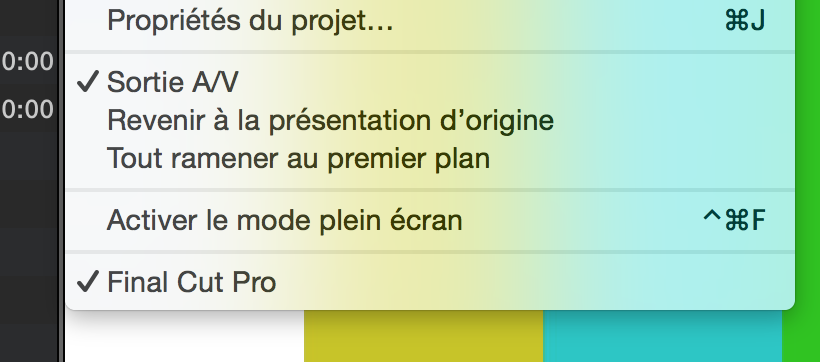
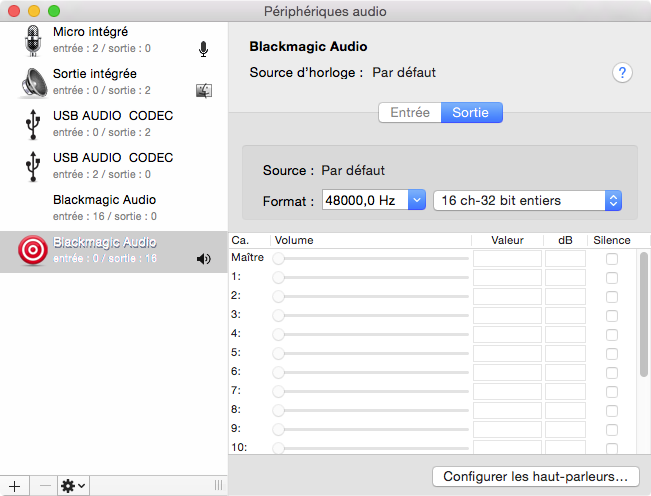
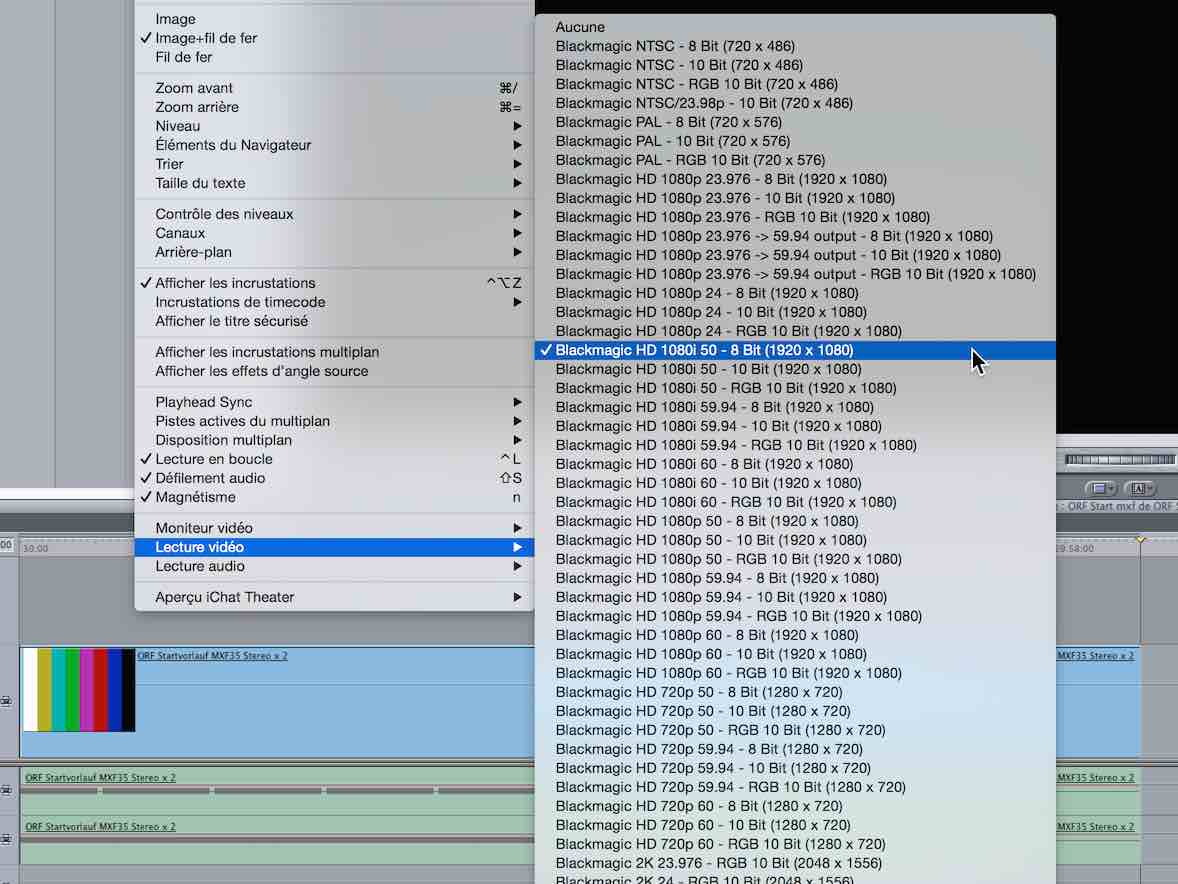
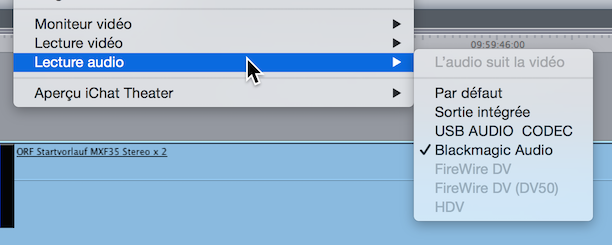
From 7, I’m really missing the Audio Out selection that is overriding the settings in the audio preference pane ( shadowing the Audio Midi setup }.
This way, the iMac can still use its internal speakers for all non editing activities, and when FCP becomes active, the sound is sent to the Ultrastudio ( or another choice ) to be fed from there to the audio mixer and its monitoring speakers.
With FCP X, there is no way to separately route the audio to the Ultrastudio which strangely is not passing over the audio it normally gets from the Thunderbolt connection to the XLR outputs, to get that behaviour, I have to change the default destination via the Audio Prefs/Audio Midi setup every time if I want to otherwise keep the internal speakers alive.
So for now, we have settled to keep this config, disabling as a consequence the iMacs internal speakers.
Not ideal.
Has anyone found a better solution in a similar environment ?
Did I miss something here ?
Although tailored for FCP X, FCP 7 is still part of the setup, since some editors working here are not yet trained for X.
From 7, I’m really missing the Audio Out selection that is overriding the settings in the audio preference pane ( shadowing the Audio Midi setup }.
This way, the iMac can still use its internal speakers for all non editing activities, and when FCP becomes active, the sound is sent to the Ultrastudio ( or another choice ) to be fed from there to the audio mixer and its monitoring speakers.
With FCP X, there is no way to separately route the audio to the Ultrastudio which strangely is not passing over the audio it normally gets from the Thunderbolt connection to the XLR outputs, to get that behaviour, I have to change the default destination via the Audio Prefs/Audio Midi setup every time if I want to otherwise keep the internal speakers alive.
So for now, we have settled to keep this config, disabling as a consequence the iMacs internal speakers.
Not ideal.
Has anyone found a better solution in a similar environment ?
Did I miss something here ?
Last edit: 07 Aug 2015 07:29 by Roadswitcher.
Please Log in to join the conversation.


07 Aug 2015 14:33 #67196
by Francois
Replied by Francois on topic Audio Out handling differences - FCP 7 vs X
You could try to ALT (option ) click the sound icon in the menu bar to quickly switch Audio Output or input ...
Please Log in to join the conversation.
- haysoos123
-
- Offline
- Platinum Member
-

Less
More
- Posts: 402
- Thank you received: 72
08 Aug 2015 00:40 #67205
by haysoos123
Replied by haysoos123 on topic Audio Out handling differences - FCP 7 vs X
Is this really a big issue, though? And also, why would you want to use the iMac internal speakers anyway? They are terrible. We have similar setups on our machines, but our Line Out goes into our mixer, as well as the XLR out from the Blackmagic box. We can switch easily between the two from the task bar icon (Option click as the poster above says), but I find myself 90% of the time just being on Line Out. We find the sync to be pretty good along with the HDMI out to client monitor (this is on Mac Pro tube), much better than FCP7 which had iffy sync issues using XLR out. We have the grading monitor going through SDI from the box. As for random system sounds, if you're worried about them for clients, I would turn them off.
Please Log in to join the conversation.
- Roadswitcher
-
Topic Author
- Offline
- Senior Member
-
Less
More
- Posts: 56
- Thank you received: 4
08 Aug 2015 03:27 #67206
by Roadswitcher
Replied by Roadswitcher on topic Audio Out handling differences - FCP 7 vs X
Yeah .... I've been for many years already a "fan" of the Option click move.
Not that this is too much of a burden to switch on the rack and the whole soundsystem when entering the room, but the iMac ( the 27' has btw a pretty decent sound for "normal" use ) is also used to consult the Eurovision Exchange Database and our ORF feed database on hours without an editor present.
It has always been easier for non-editing people handling EVN downloads to simply use the bare iMac config.
But that is only a minor issue, the major complaint of my thread was about putting a mark on another shortcoming in the system handling of X.
Don't feel insulted, but although I wouldn't step away from X now that me and my colleagues have discovered all the benefits ( and joys ) of working on X, we all should agree that there are some config items that went AWOL since the demise of 7.
Like with those Audio mixing/routing/roles issues among others, we are all in the same business of discovering alternative ways to accomplish a task on X, sometimes it works, other times it's just a plain loss.
I've already sent a feedback months ago about this loss in flexibility, as this is part of a longtime "misbehaviour" of the whole OSX / Core Audio base.
Why are some sofware designers capable of creating an audio routing that works following the "one source to multiple destinations" principle while Apple itself is denying this possibility on the system level ? ( Airplay is only an Apple restricted alternative )
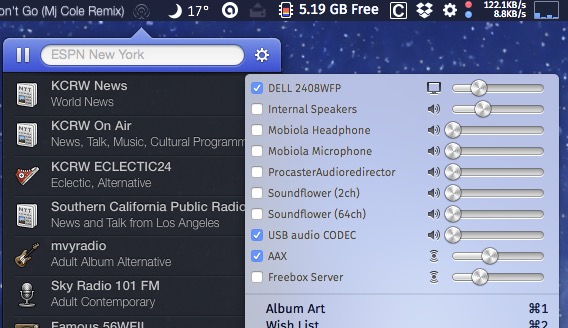
One crazy example for what is really possible when you get a software to do it the right way is seen with a little Internet Radio app called Radium. Here you can send the audio on multiple paths at the same time, every Core Audio compatible destination being listed in a GUI "mixer", with an ease of handling that I would like to also benefit from elsewhere.
( see the screenshot of my own MBP )
Thanks anyway for having hit the Reply button, always appreciating the high value of the community here.
Merci
Not that this is too much of a burden to switch on the rack and the whole soundsystem when entering the room, but the iMac ( the 27' has btw a pretty decent sound for "normal" use ) is also used to consult the Eurovision Exchange Database and our ORF feed database on hours without an editor present.
It has always been easier for non-editing people handling EVN downloads to simply use the bare iMac config.
But that is only a minor issue, the major complaint of my thread was about putting a mark on another shortcoming in the system handling of X.
Don't feel insulted, but although I wouldn't step away from X now that me and my colleagues have discovered all the benefits ( and joys ) of working on X, we all should agree that there are some config items that went AWOL since the demise of 7.
Like with those Audio mixing/routing/roles issues among others, we are all in the same business of discovering alternative ways to accomplish a task on X, sometimes it works, other times it's just a plain loss.
I've already sent a feedback months ago about this loss in flexibility, as this is part of a longtime "misbehaviour" of the whole OSX / Core Audio base.
Why are some sofware designers capable of creating an audio routing that works following the "one source to multiple destinations" principle while Apple itself is denying this possibility on the system level ? ( Airplay is only an Apple restricted alternative )
One crazy example for what is really possible when you get a software to do it the right way is seen with a little Internet Radio app called Radium. Here you can send the audio on multiple paths at the same time, every Core Audio compatible destination being listed in a GUI "mixer", with an ease of handling that I would like to also benefit from elsewhere.
( see the screenshot of my own MBP )
Thanks anyway for having hit the Reply button, always appreciating the high value of the community here.
Merci
Please Log in to join the conversation.

08 Aug 2015 09:06 #67210
by volker
Replied by volker on topic Audio Out handling differences - FCP 7 vs X
It's not only the problem from FCPX but also of the BMD Diver/plugin.
OK, FCPX has no option to choose the audio-device - not good for a "pro"-program.
But if the BMD Driver would handle not only video-output but also audio, audio could be routed through the BMD-Device. I think, other hardware could do this.
I write some mails with the BMD-support ... they put in on the list ...
OK, FCPX has no option to choose the audio-device - not good for a "pro"-program.
But if the BMD Driver would handle not only video-output but also audio, audio could be routed through the BMD-Device. I think, other hardware could do this.
I write some mails with the BMD-support ... they put in on the list ...
Please Log in to join the conversation.
- Roadswitcher
-
Topic Author
- Offline
- Senior Member
-
Less
More
- Posts: 56
- Thank you received: 4
08 Aug 2015 15:01 #67212
by Roadswitcher
Replied by Roadswitcher on topic Audio Out handling differences - FCP 7 vs X
You are absolutely right about BMDs poor handling of their drivers. For the last five years that I have been a buyer and supporter of many BMD products, their support has proven to be more than often abysmal. For me and my colleagues, it's a love/hate relationship.
One "great" example is the castration of their Media Express app, where BMD has on purpose kept the software without any internal timcode capacities.
And on the audio handling side, they too have messed up by only routing the 'monitoring while recording' to the outputs of their capture devices. Which excludes a rational use with a Mini Recorder for example ( I am using that little box a lot ).
No monitoring on a Mac on its own !
Already had several arguments with some of their reps, while attending the IBC. Rarely met people that stubborn.
One "great" example is the castration of their Media Express app, where BMD has on purpose kept the software without any internal timcode capacities.
And on the audio handling side, they too have messed up by only routing the 'monitoring while recording' to the outputs of their capture devices. Which excludes a rational use with a Mini Recorder for example ( I am using that little box a lot ).
No monitoring on a Mac on its own !
Already had several arguments with some of their reps, while attending the IBC. Rarely met people that stubborn.
Please Log in to join the conversation.
